Judy Park – Week 01

Hello – my name is Judy and I’m a designer in the city. I look forward to expanding UX thinking to mobile design.
Things I learned from iOS HIG:
A radio button can also permit a mixed state (a circle containing a dash) that’s partially on and partially off. However, it’s better to use checkboxes when your app requires a mixed state.
Never store passwords or other secure content in plain-text files. Even if you restrict access using file permissions, sensitive information is much safer in an encrypted keychain.
Enable Auto Save if your app is document-based. In general, people expect their content to be saved continuously and without intervention. Opt-in to Auto Save so they can rely on these behaviors in your app. Note that Auto Save requires minimal effort to adopt. For developer guidance, see the autosavesInPlace() function of NSDocument.
App Concept:
The user for the coffee app is for a busy coffee drinking New Yorker. Someone who likes to mobile order, pick up and go.
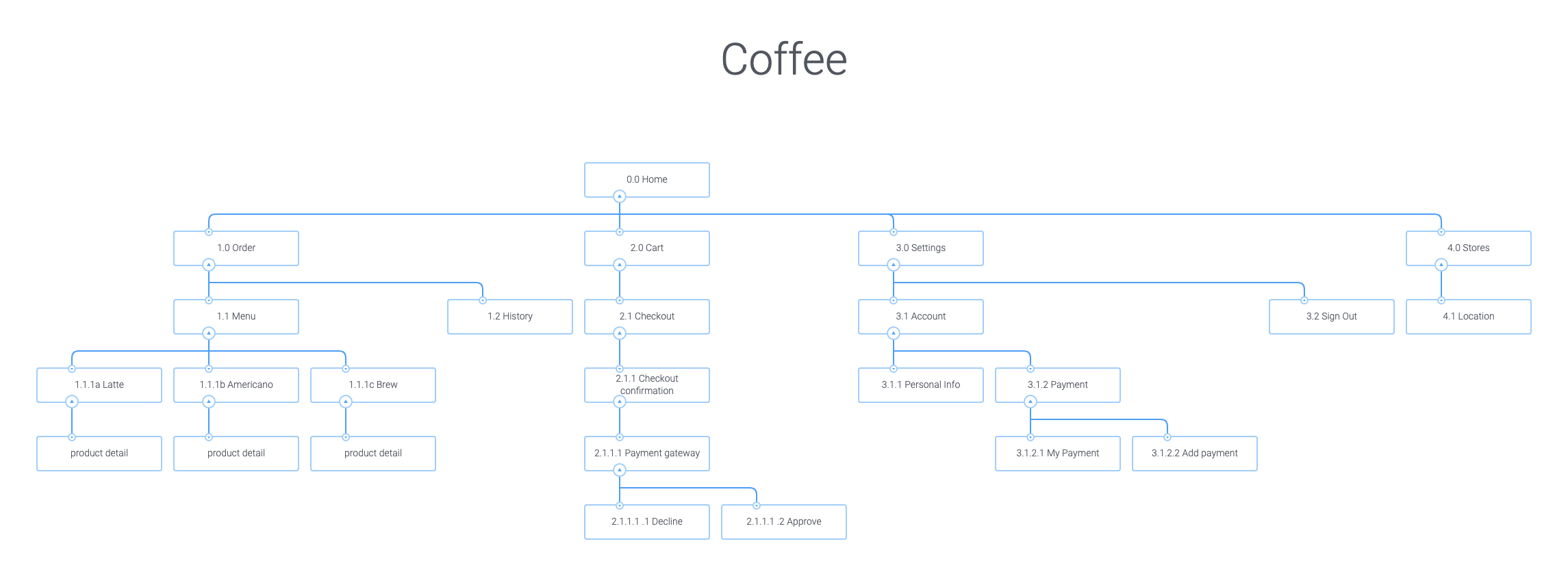
App Map:
Jul 21, 2019 @ 13:52:19
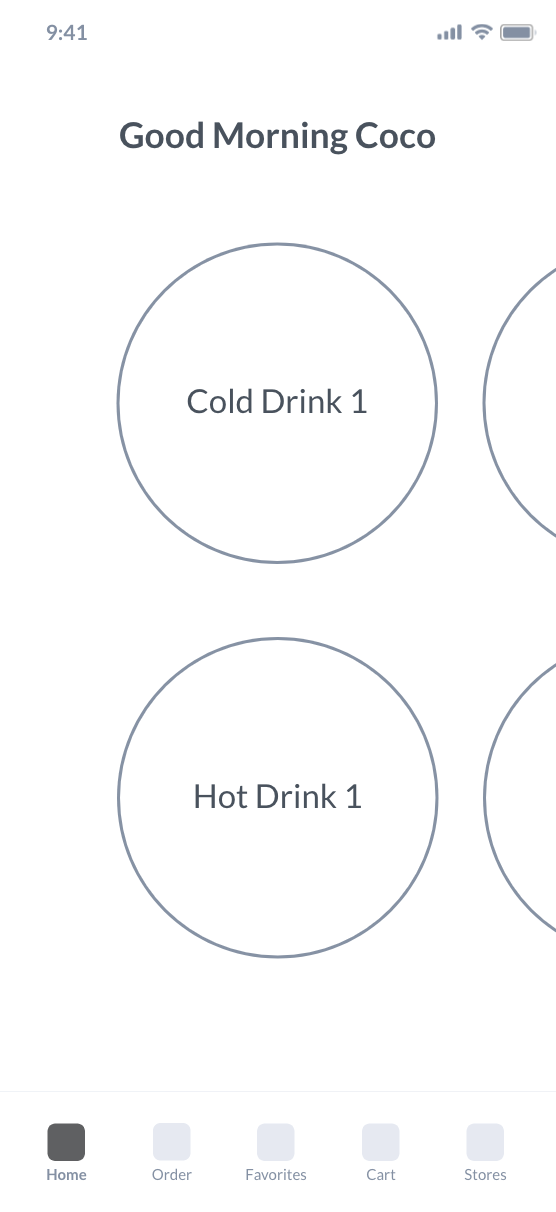
We chatted pretty extensively after class about this, but to reemphasize: I think your first big step is starting to draw your detailed wireframes to see how they start influencing your app map.
We discussed combining Home and Order, and that still makes sense to me. In general in your app map, you can probably combine things you have defined as different views right now. Some of it is just making a generic view for similar thing (e.g. Latte/Americano/Brew are the same view with different copy), and some you’ll find ways to simplify when you start drawing your view.
Make sure to keep in mind the core needs of your user. How can this app become their daily partner in getting their caffeine? How can the app help them get their coffee every day more easily, can it connect them more to the overall Blue Bottle brand experience?