For March 10

Everyone will be presenting next week. You’ll have 5-6 minutes for presentation and feedback.

  • Read the Apple TV HIG
  • Adapt your project 1 conecpt to as an Apple TV app. You don’t need to recreate all the same functionality. Think about what would intersect well with your phone concept and the new TV context
  • Create an app map and wireframes to document your proposed Apple TV food app functionality
  • If you have access to an Apple TV spend some time playing some games and apps. I’m not sure, but I bet that Apple stores have them set up to play with.
For March 3

  • Take your learnings from critique and user testing and create a final iteration of your food project.
  • Be prepared to present your final iteration to outside critics. Total time for presentation and feedback will be 7 minutes.
    • I’d suggest presenting via a Marvel prototype, but this is not required.
  • Post your final iteration on the blog and include at least 2 user insights that you learned from prototyping
  • As a reminder, all assignments need to be posted on the blog for you to receive credit, so if you haven’t posted any Project 1 assignments, please post those along with you final iteration.

For February 25

  • Take your learnings from your wireframes and create a design for your app (and/or iterate from your digital prototyping)
  • In your presentation and in your blog post, identify 2-3 user insights that you learned from paper prototyping.
  • Create a Marvel prototype of your app (http://marvelapp.com)


  • Group 2 will present their designs next week
  • Everyone will have time to prototype

For Feb 11

  • Iterate on your app map and wireframes. Group 2 will present. Each person will have about 10 minutes to present and get feedback.
  • Both groups should iterate on their paper prototypes to test next week

Class protocol things:

  • Keep posting #thursdayplays/#thursdayapps. You need to post at least one before midterm, and one between midterm and the end of the semester.
  • Your work only counts if it’s on the blog.

From class last week:

Tips for getting wireframes out of Omnigraffle

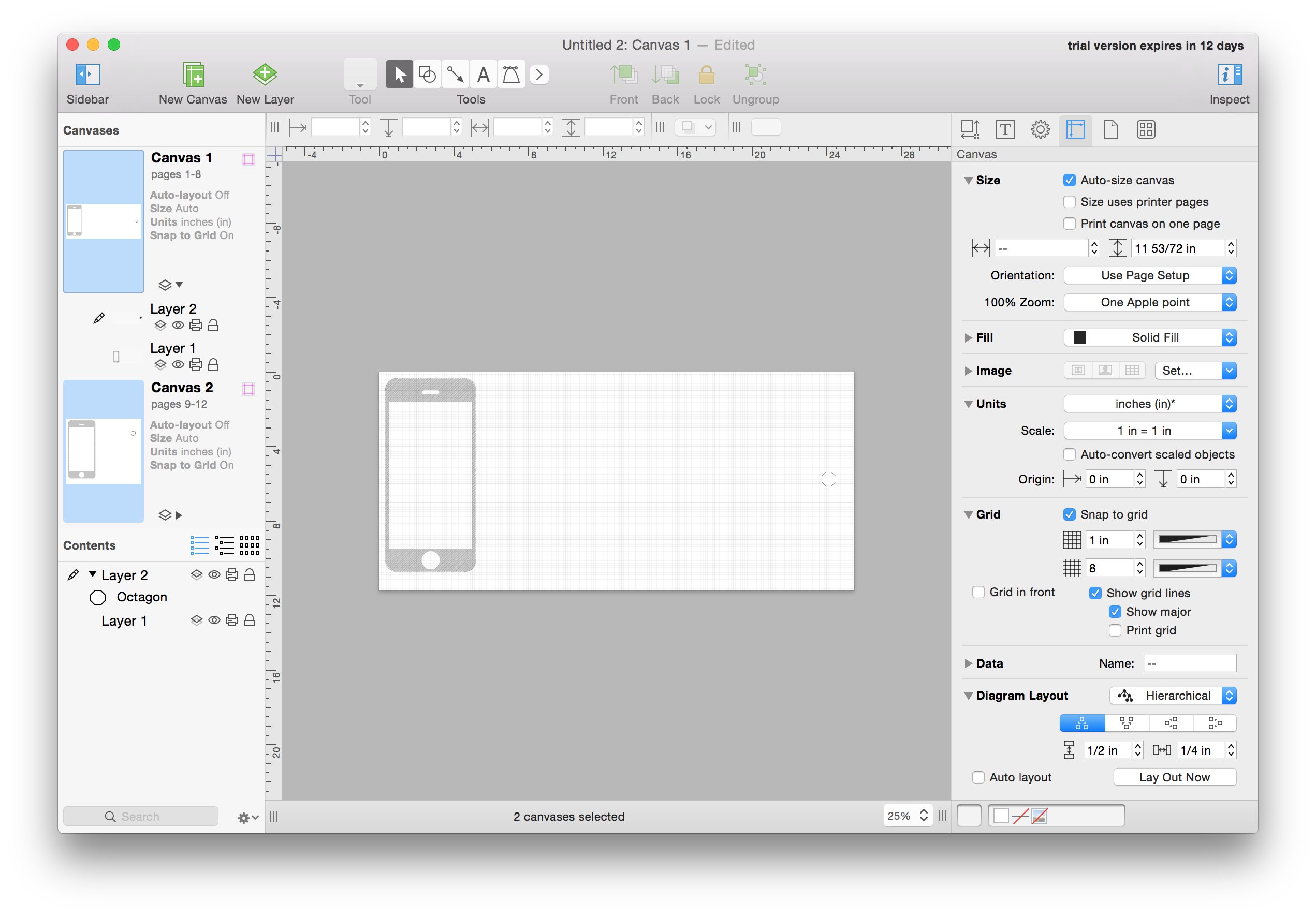
  • Create (or edit doc settings) to make your canvas auto-resizing:Screen Shot 2016-01-30 at 4.48.51 PM
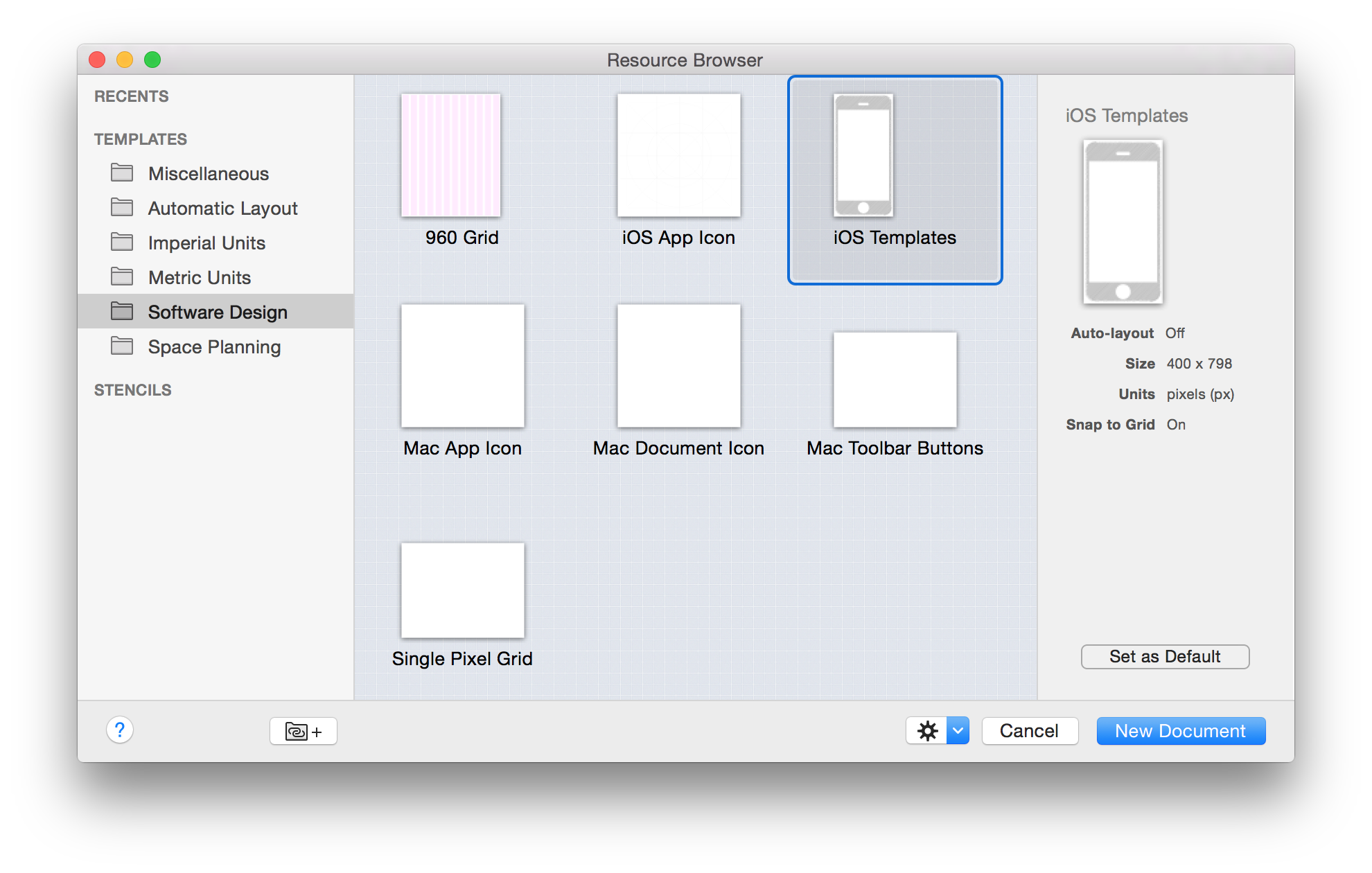
  • Create an Omnigraffle iPhone template to copy and paste out the phone: Screen Shot 2016-01-30 at 4.47.41 PM
  • Make each view and the app map their own canvas.
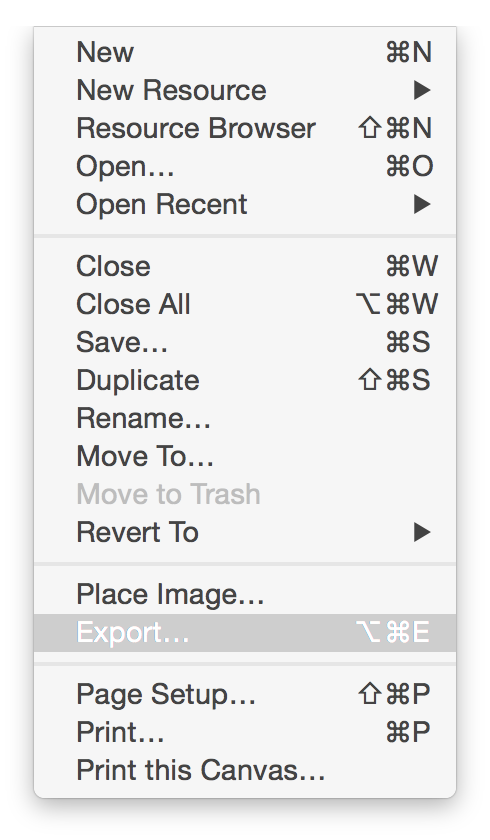
  • When you are done and want to create a pdf, manually select the canvases that you want to put on different pages of a pdf by command-clicking on all the canvases you want to export: Screen Shot 2016-01-30 at 4.51.18 PM
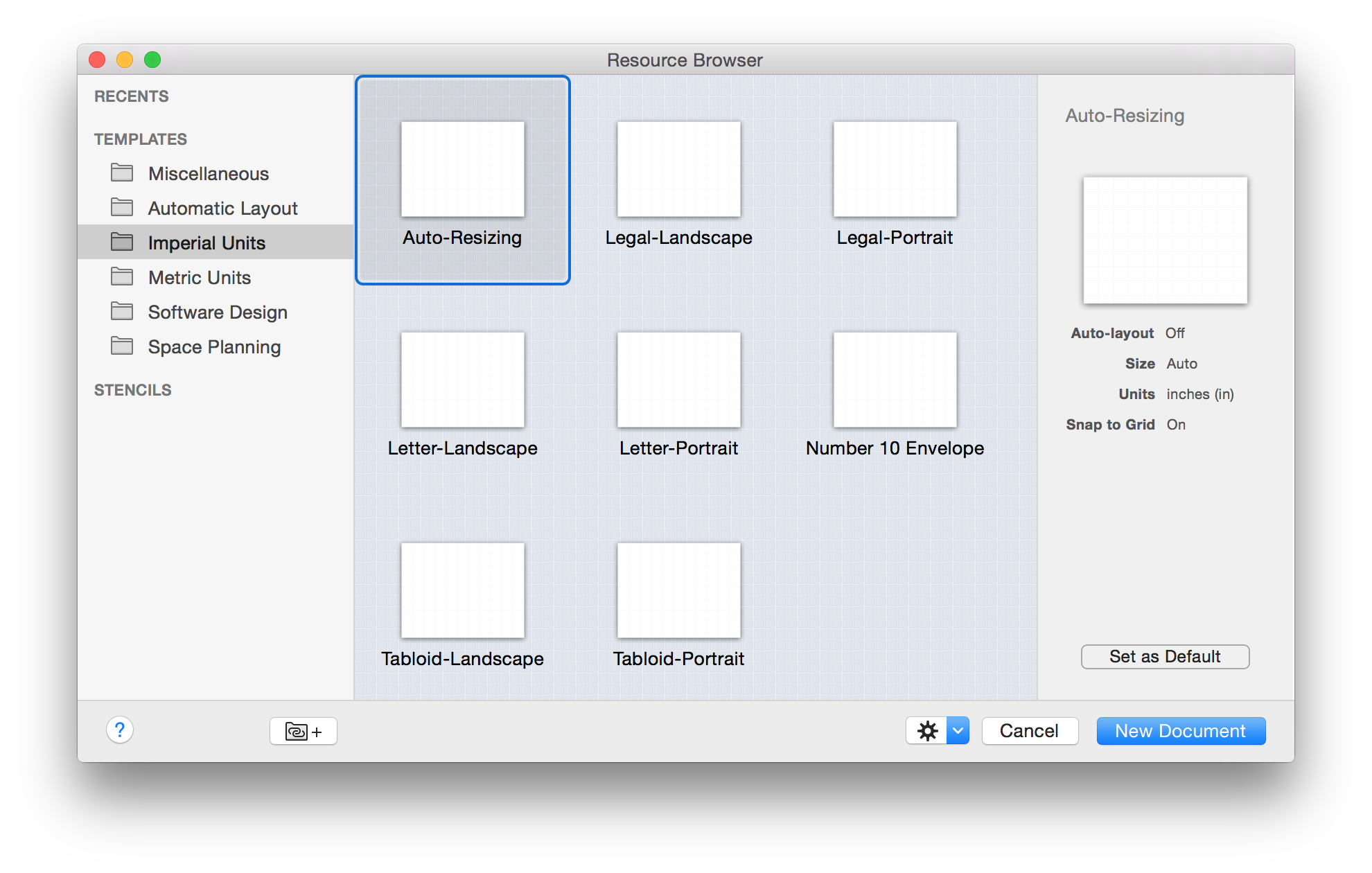
  •  Go to File > Export: Screen Shot 2016-01-30 at 4.49.51 PM
  • Change the format to PDF vector image: Screen Shot 2016-01-30 at 4.50.04 PM
  • Push save

Please let me know if you have any issues with this or any other parts of the Omnigraffle interface.

For February 4

  • Review the syllabus to understand class expectations and what we’re doing this semester.
  • Read the Apple HIG or the Android Design Guidelines and post 3 things you didn’t know.
  • Think up an app to make for Project 1. Your app should be for android phones or iPhones, and it needs to be about food.
  • Create an app map and wireframe for your app. Group 1 will present. Each person will have about 10 minutes to present and get feedback.
  • Both groups should create paper prototypes to test next week

From class today:

Class protocol things:

  • Start posting #thursdayplays. You need to post at least one before midterm, and one between midterm and the end of the semester.
  • Make your blog username your real name
  • Your work only counts if it’s on the blog.