Category: Uncategorized
Yi Ning’s prototype
https://popapp.in/w#!/projects/530ec2e72527f65f0a152b2a/preview
made with POP
[Joo-Hee] Prototype
Here’s my prototype wooof
Thanks!
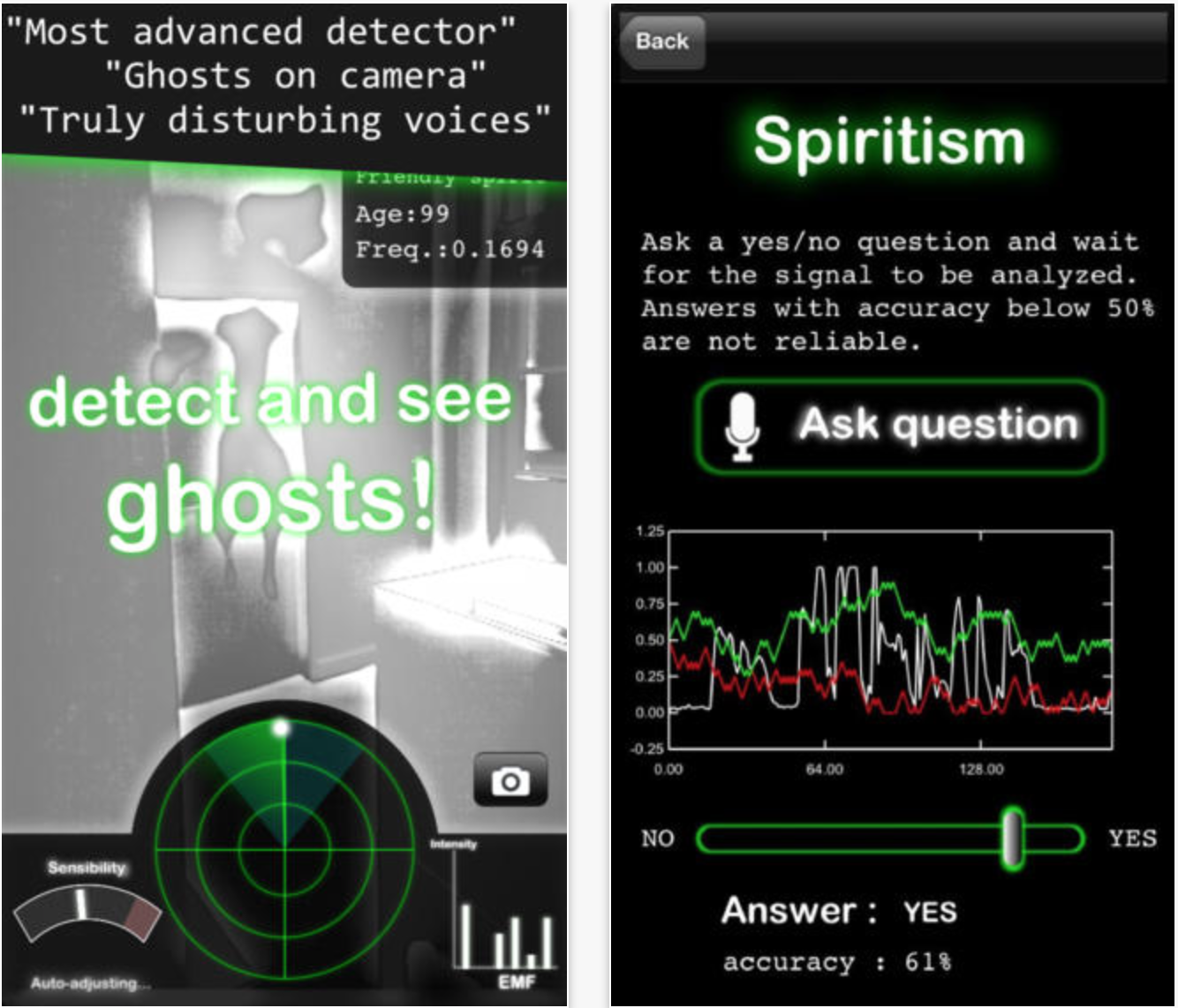
[#thursdayplays] game: Ghost Observer
This is a game called Ghost Observer. I personally think it’s fun. It basically uses the phone camera to search a fake ghost and it shows all the details about that ghost, for example, ages. And also users can communicate with ghost by asking question using the microphone. The interface and idea is simple which is also the reason why I like it.
POP prototype and updated wireframes
- https://popapp.in/projects/530ceb5a77df7f630a167dbe/preview here is the prototype.
Sophie- POP Prototype
Sophie- New Version of Food Map and Wireframe
Prototyping
Paper prototypes are a simulation of a digital interface with a paper. When paper prototyping, you print or draw your interface and have a tester interact with the paper like is a real, digital interface. You will play the part of the iPhone’s processor, moving things and performing actions that the phone would do. Paper prototyping is a way to quickly and with little effort test out our designs.
For your prototypes next week, you’ll have a chance to use several classmates to test out if your design works as you intend. You’ll want to prepare a goal or quest for your user to prompt them. Then, you’ll lay the first screen of your app in front of them. Test out all the aspects of your app that you’ve designed.
To be able to do this, you’ll need to iterate on the wireframes that you’ve done or wireframe for the first time all of the major screens of your app.
Tips:
- Print out your mocks at a true to iPhone size.
- If your app requires content (recipes, restaurants, etc.), you’ll want to provide your user with those. If you want someone to take a picture, have a separate cutout of a picture to throw onto the screen.
- If you need the user to type, you may want to have a iPhone keyboard to put on top of your interface. This may be a good way to test if your interface needs to adjust in any way for the keyboard as well.
Alternatively, you may employ an digital prototype to test your concepts as well. Keep these lo-fi as well using the app POP.
Nu-Trainer v2
NightSnack v2.0
My second iteration of my app.