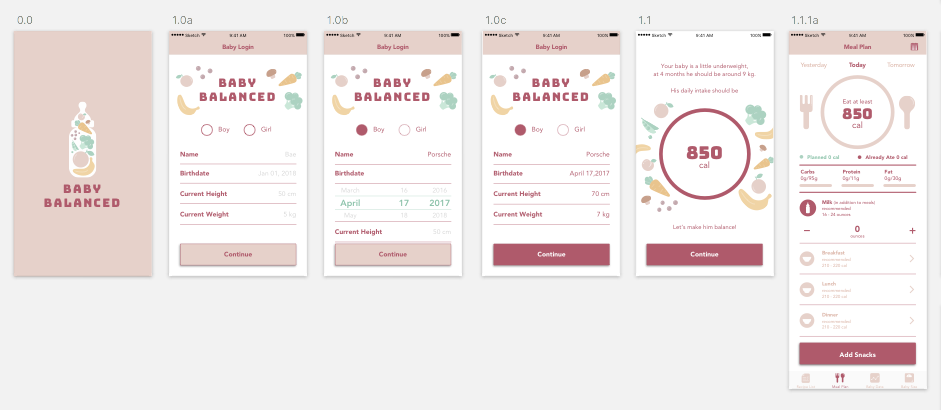
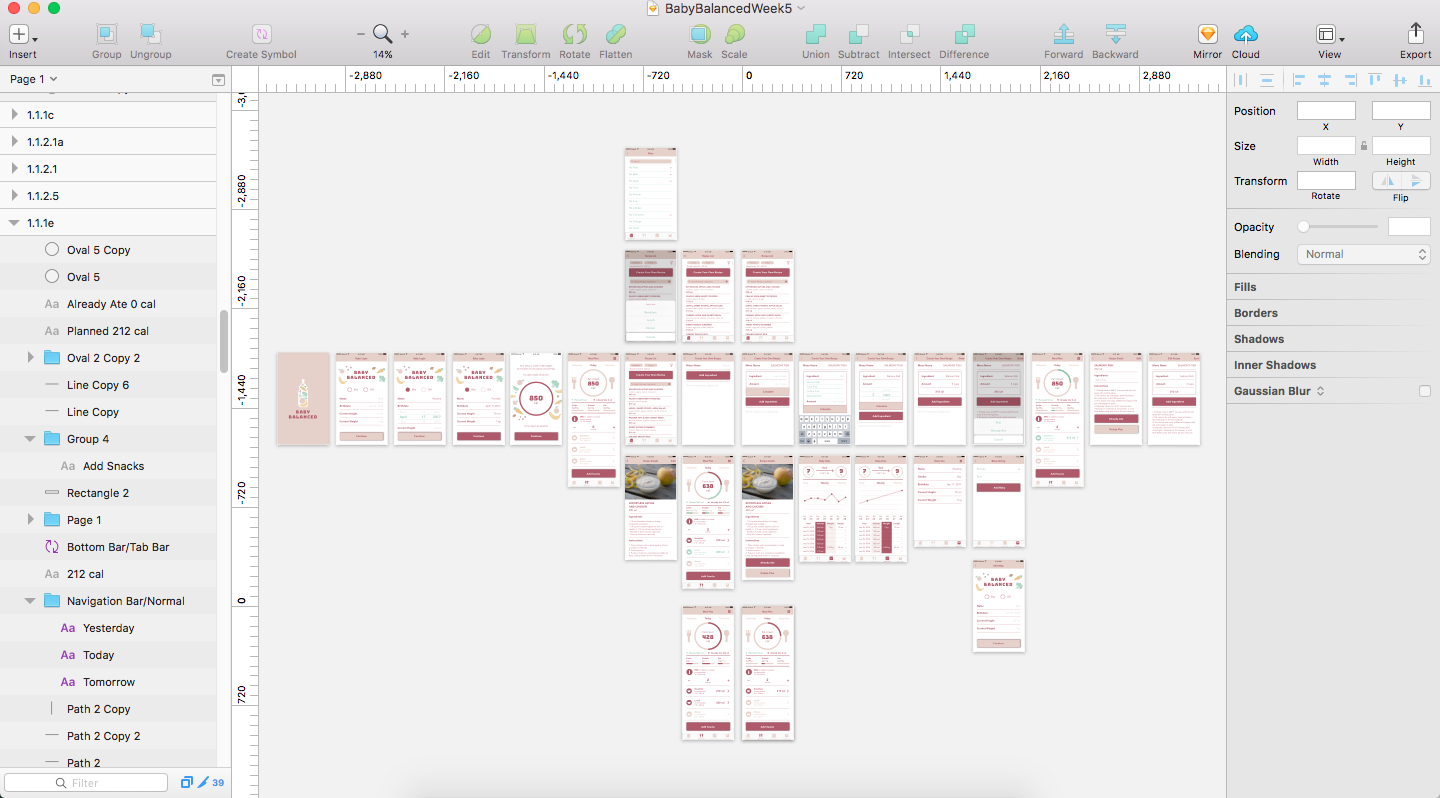
- Comments from class
- All the back and close buttons will take users to when users tap them.
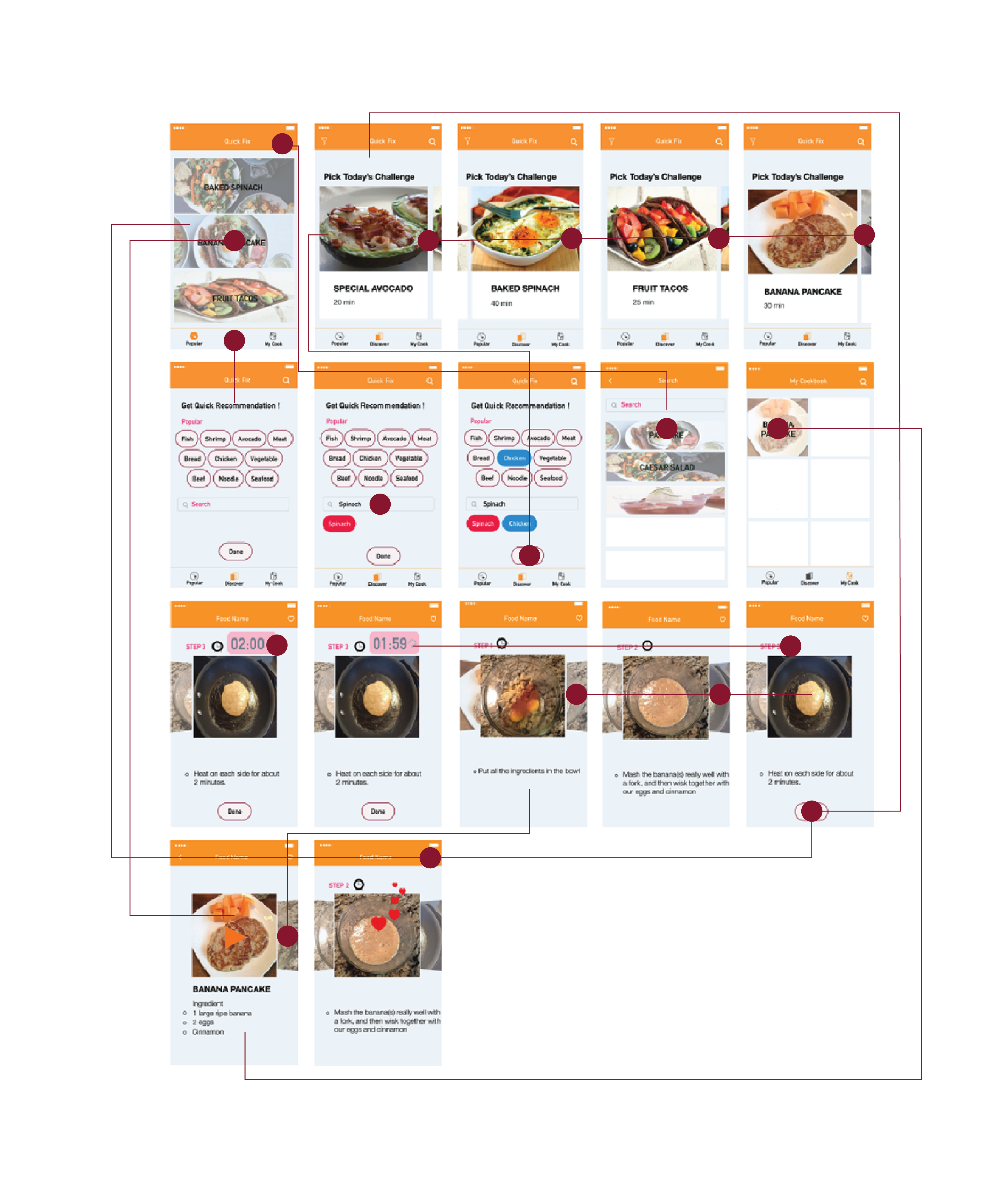
- The connection between each page.
- There are many things that are too small for a phone screen (buttons)
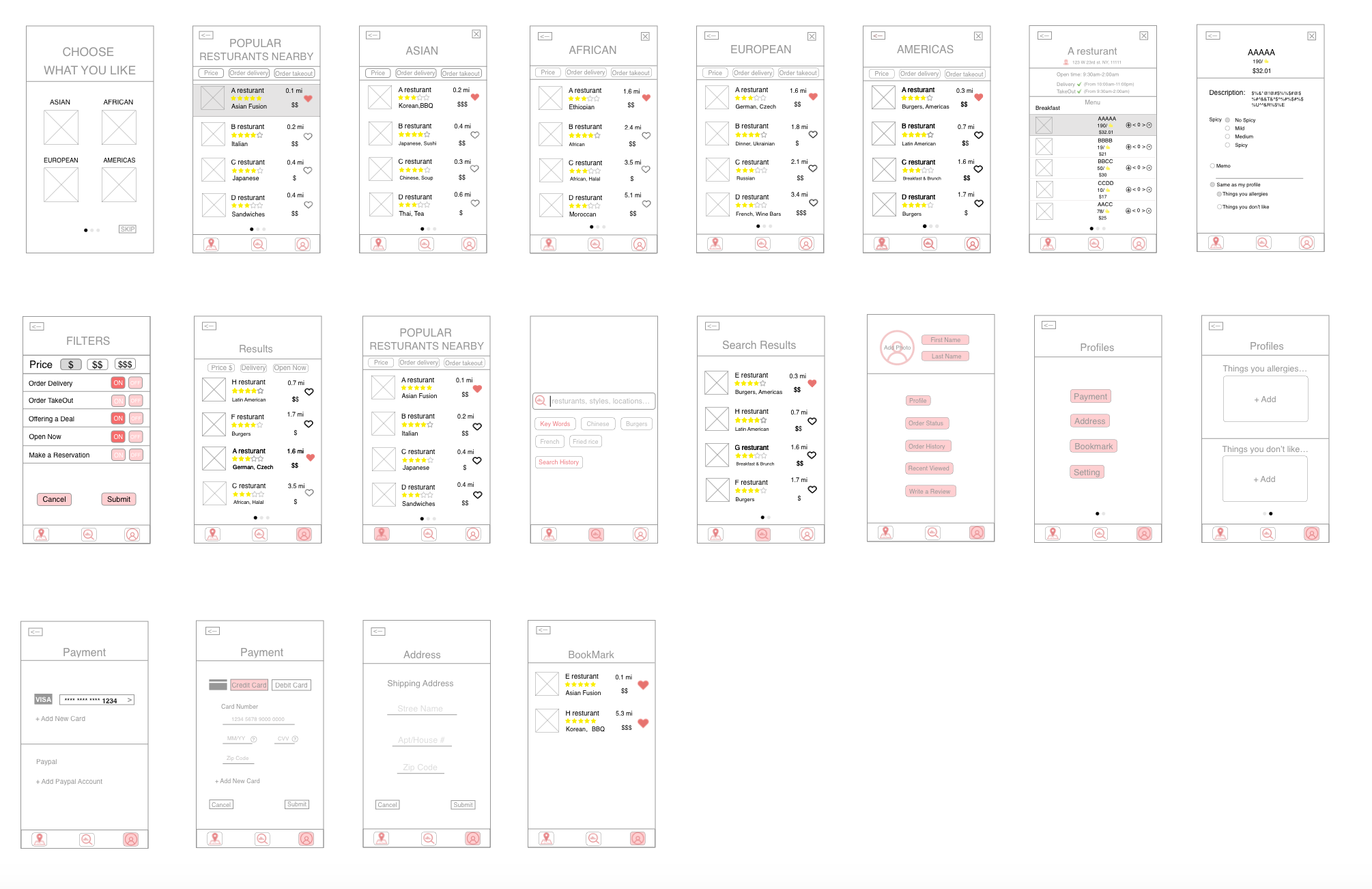
User insights from digital prototyping:
From class:
Dish tab:
.png) 1. some hierarchy and consistency issues in the top three part.
1. some hierarchy and consistency issues in the top three part.
a)What’s the most important thing among the health status, delivery address, and the search bar? Try to simplify it.
b) Current health status seems that you could tap it and type something.
7days is not clear enough
The “add records” button? Why it exists here?
c) Refine button, why it’s red?
2. the change view button, try to use a clear pattern, don’t make users feel confused.
3. Dish Details view
The applicable people part. Perhaps you could say that this is applicable to the user.
Health Data tab:
Push Notification:
Consider humanization. Such as encouragement.
The whole:
Some text is not clear enough. Consider the size of the typography, especially the size of buttons. (confirm button, change the quantity button)
The sizes of icons in the tab bars are not the same.
Final Version App map

Final version Visual design

digital prototype final Version
Feedback from 1st March presentation
1.Since the health data is important, don’t use reminder page( at most time, users just ignore it). The first time the user uses this app, fill the health data view should be the first thing come out. refer to the baby food app.
2.in the dish details page, the user is likely to don’t know the meaning of the green background. Just repeat the recommended might be helpful.
3.in the health data tab, is the calendar necessary? simplify it. lists
4.is the privacy protection necessary?
User test feedback:
Digital Prototype:
User test feedback
1. the user wants to put more information about their cat
2. need a function for multiple cats.
3. need more navigation icons
4. don’t know why today’s tip is on the first page.


1. From the user test, people told me for busy people; maybe they do not need time filter specifically. They aim to make food quick. Think about another filter which can be helpful for them.
2. And people asked me “Is there any popular recipe or recommendation recipe?”
3. Think about the menu. (No need drink, dessert, or appetizer for this app.)
During my research, I found out that there are not many recipes that only takes 5minutes or 10minutes so, I decided to provide a recipe, which takes less than 40minutes. And I made a new filter that users can put the ingredients they have at home, or they want to eat. After their inputs, the app will recommend four recipes based on ingredients they choose.
Digital Prototype
https://marvelapp.com/project/2711160/
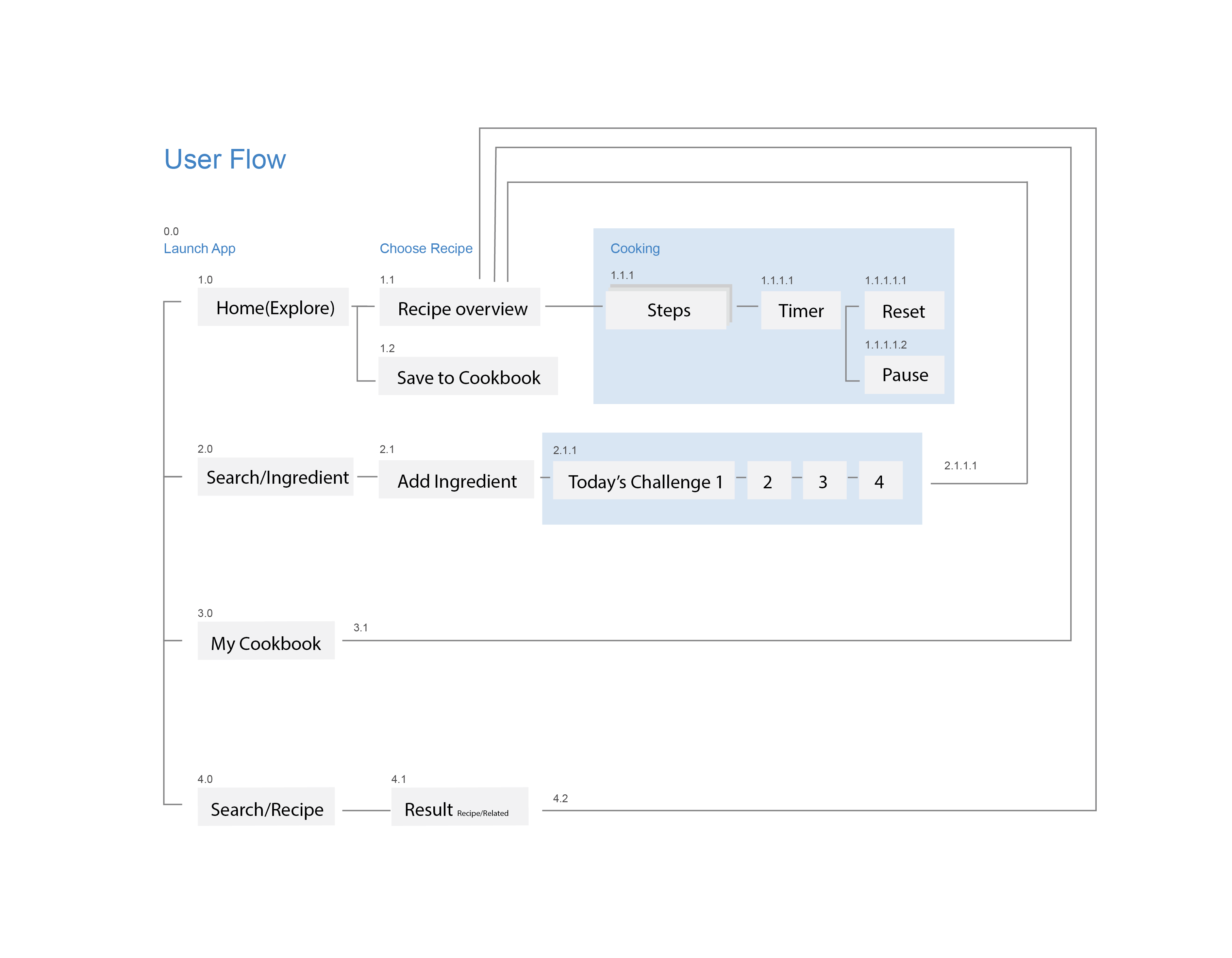
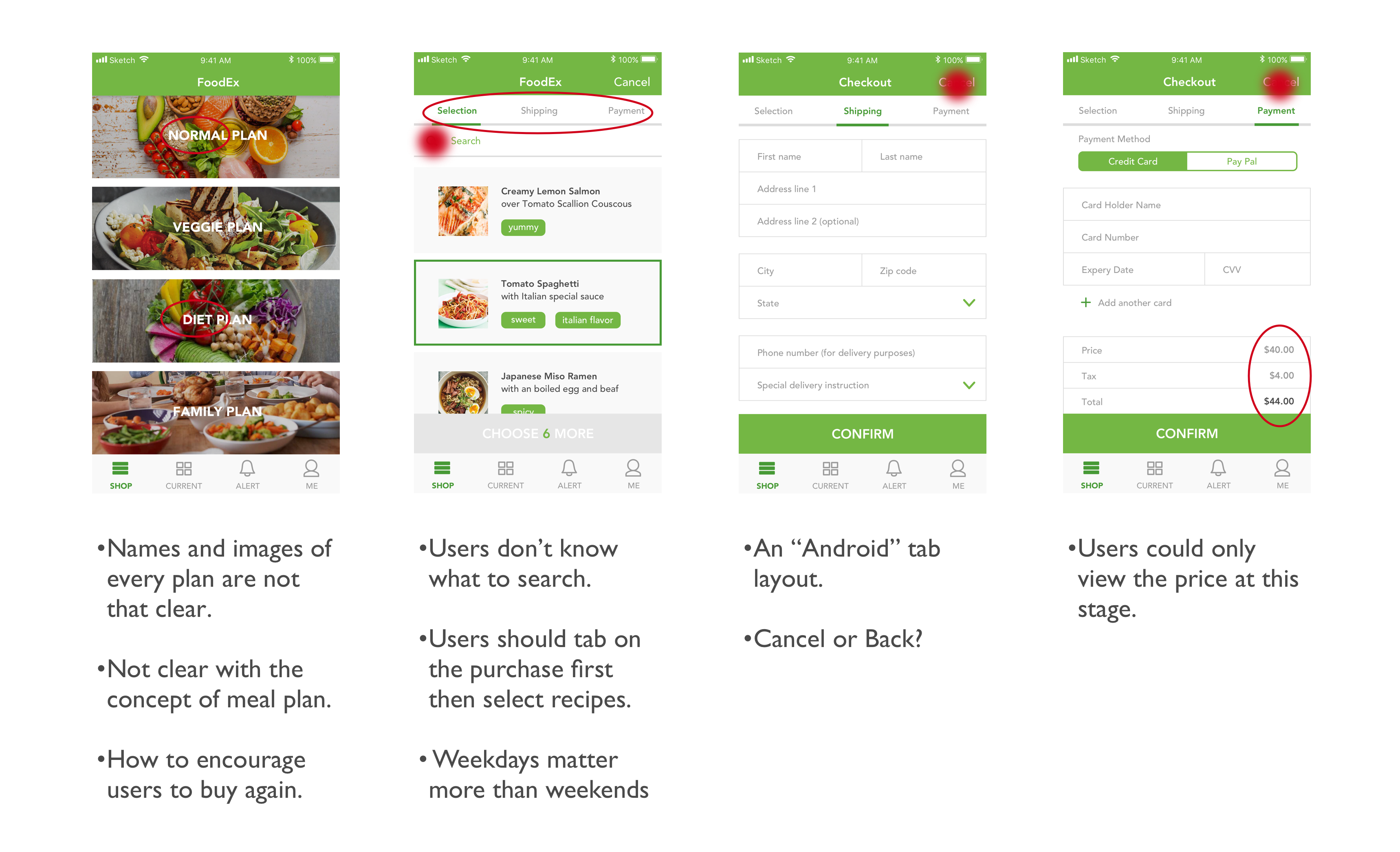
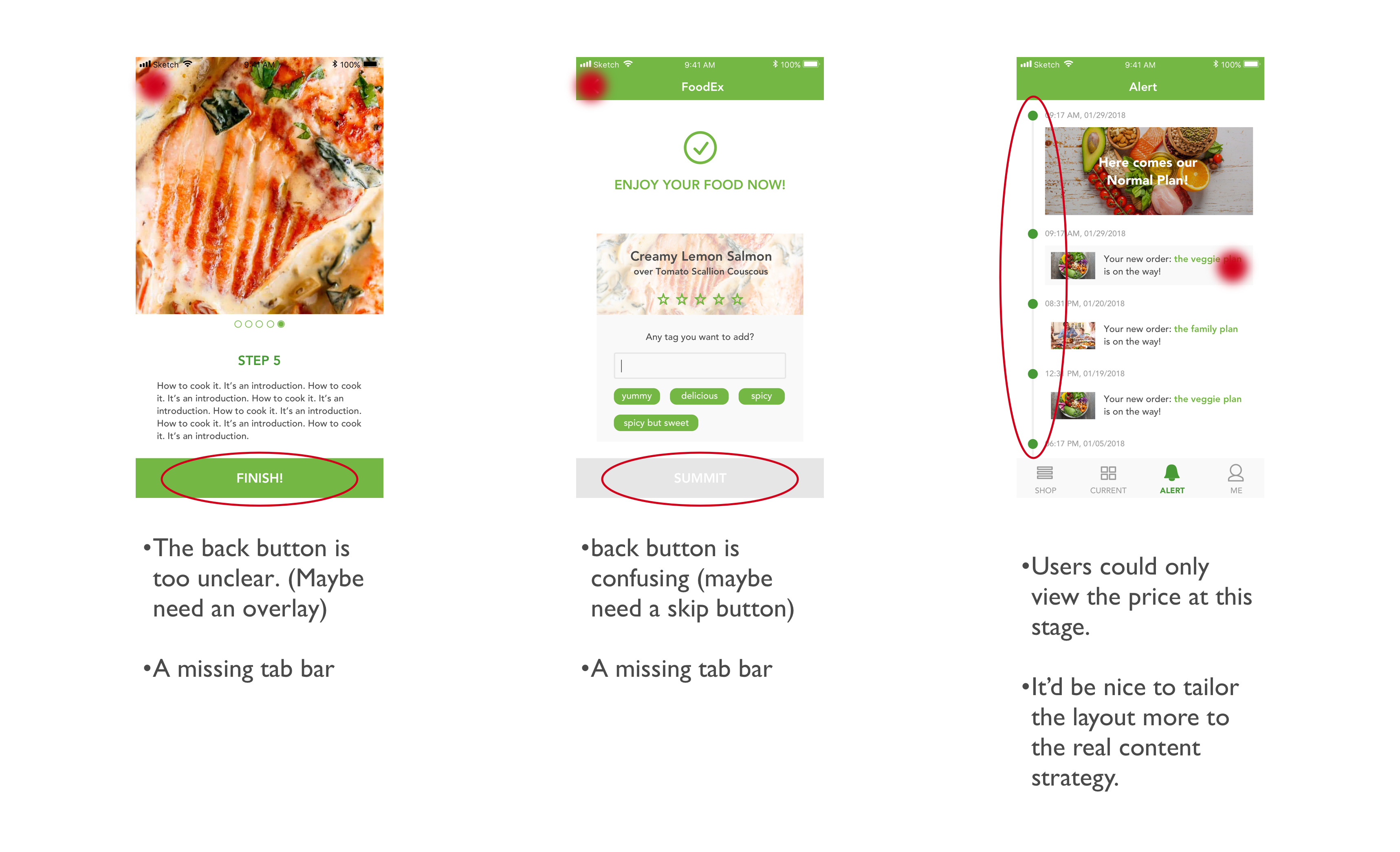
Among all the feedback, what tangled me most was the process of how users select and buy a weekly plan in the app. Initially, I just considered it as a normal buying process, however, during the user tests, I noticed that there are many other factors which should be taken in my consideration. For instance, how to encourage people to buy again? Or how to differentiate various plans with each other? Therefore, I did a redesign of Order-A-Plan.
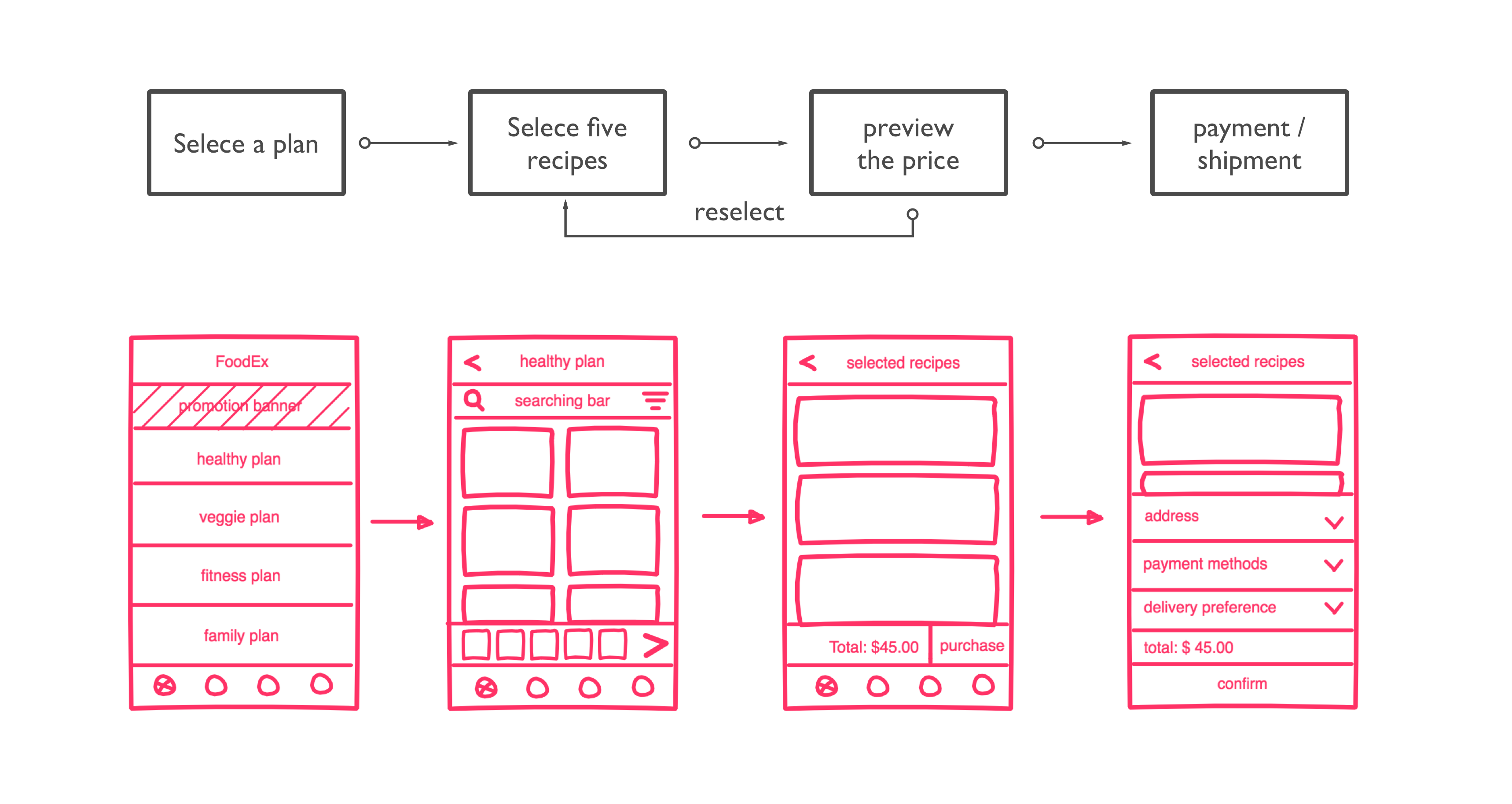
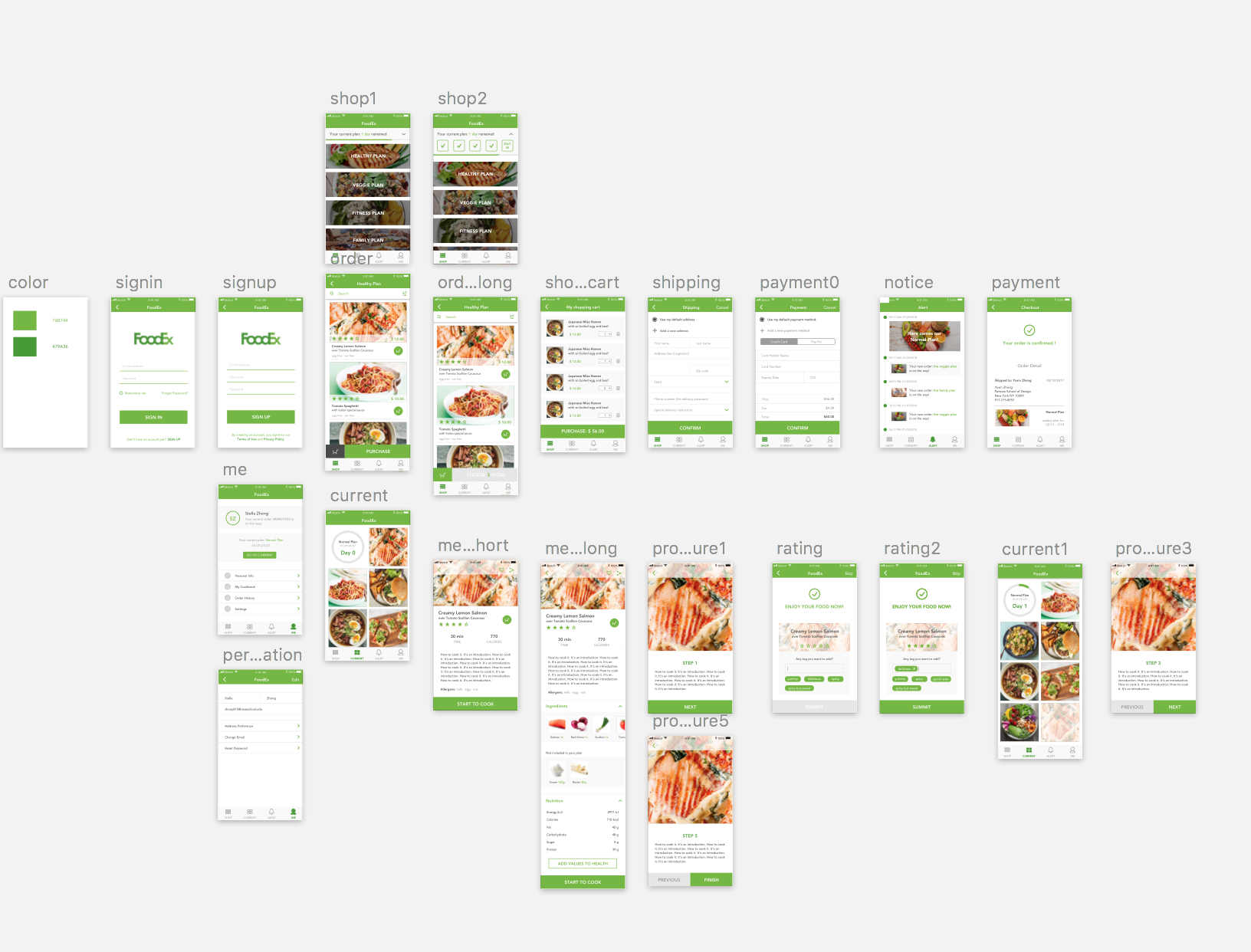
User Insights:
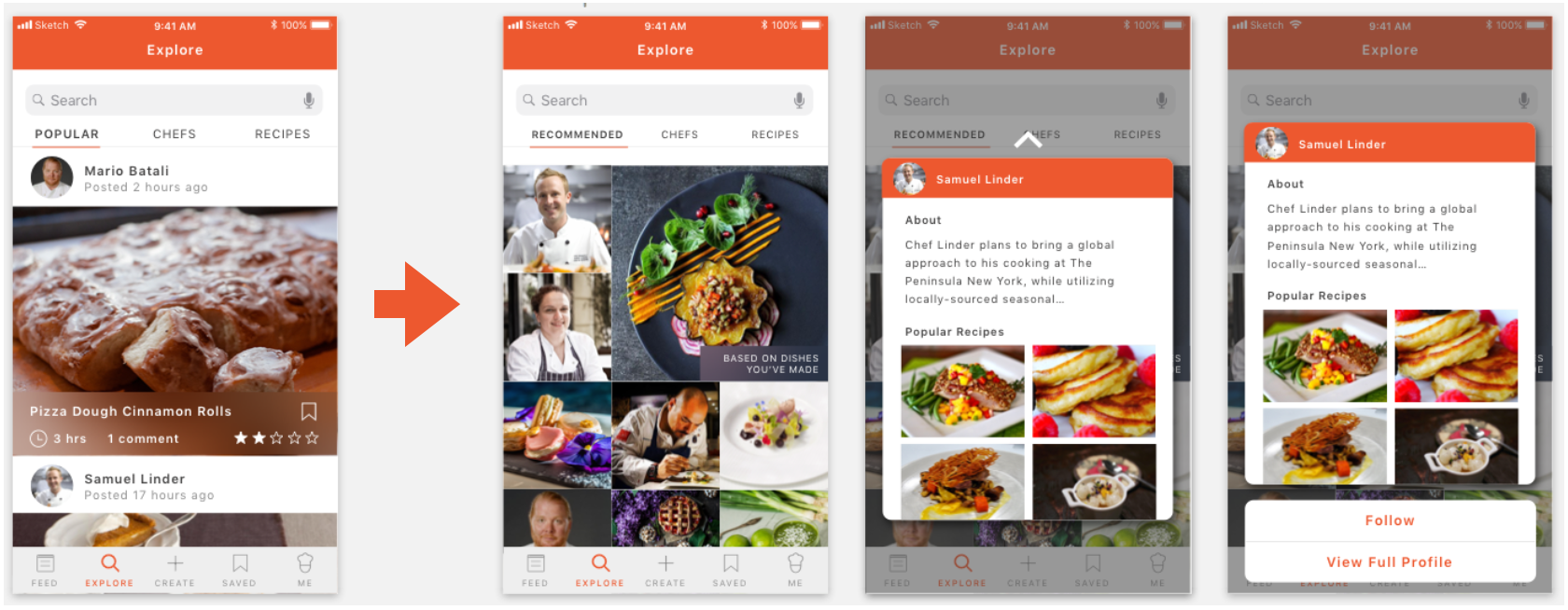
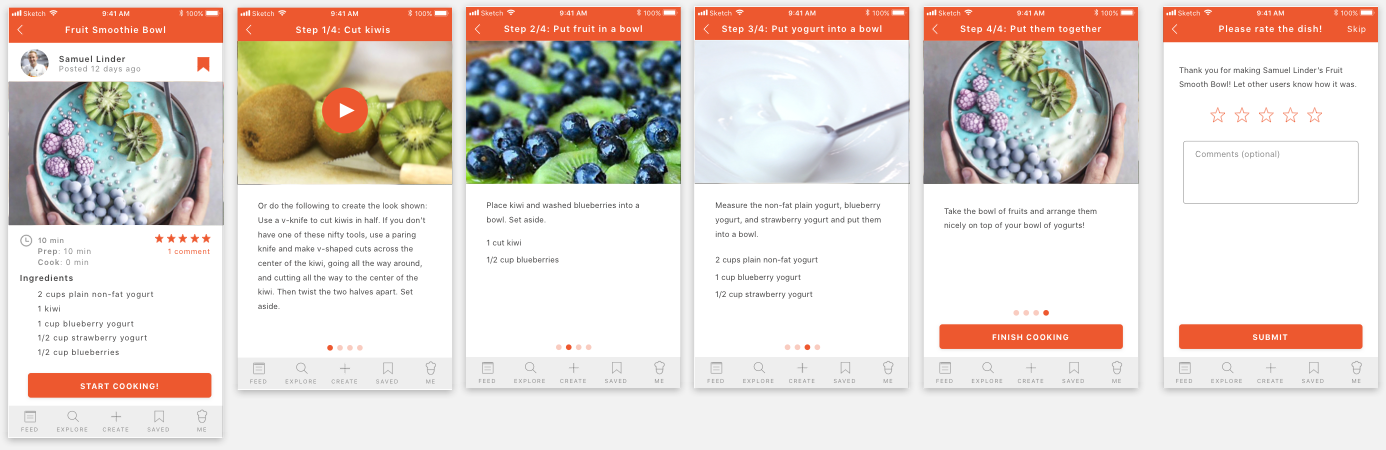
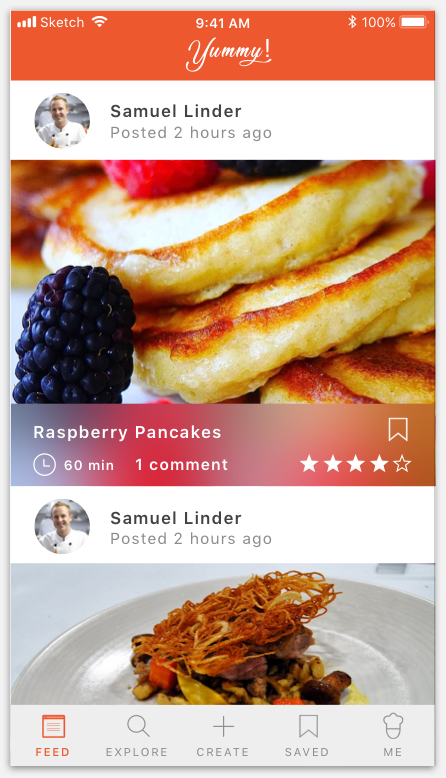
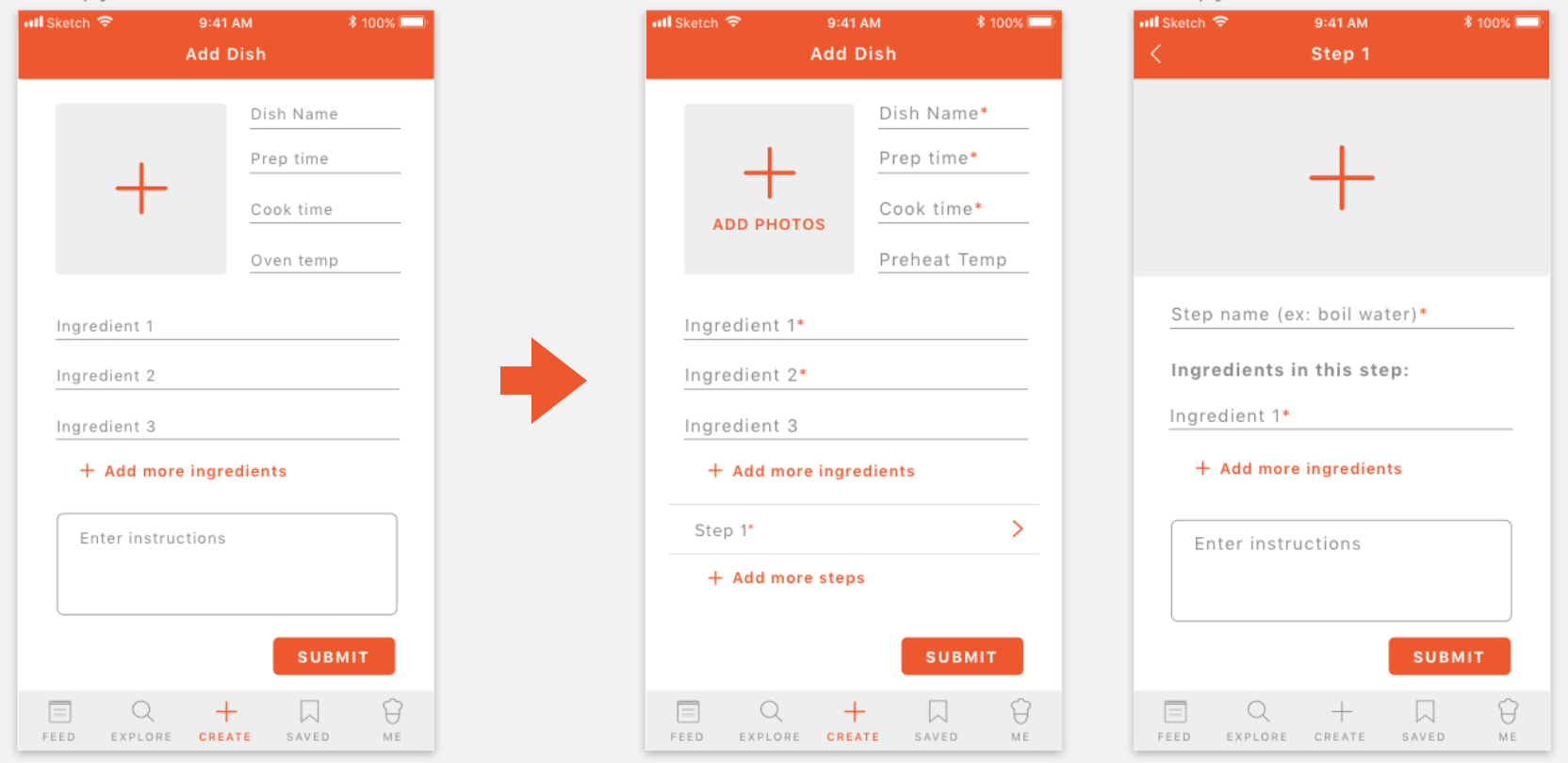
User Feed Back
Structure
1.Two floating buttons are weird. Need to decide whether search or saved item is more important to have an individual tab. In this case, search seems more important; I decide to keep saved item in the profile tab.
2.News tab > Inspairation
3.Missing sub-category page.
4.In the Profile tab, the food preference tags seem unnecessary.
5.Pantone color smoothie: kept only the “Brightness” slider to restrict users picking from yellow, orange, green, and purple color scheme (because not all the colors can be made by smoothies.)
Design
1.The background color for tabs shouldn’t be the same color as the app background, and the highlight color pink is unclear.
2.In the full recipe page, steps instructions in the bottom change to slide show, following step by steps by swiping left.
3.Bigger bigger bigger!
4.The plus sign next to products in shop tab are confusing.
5.Remove the cart logo and show “4 items in cart” with text on the upper right corner.