#Thursdayapps_2

PlayMemories Mobile

PlayMemories Mobile is an application to have you use it more conveniently Wi-Fi enabled camera. This application is exclusive for Sony VAIO PC. You can enjoy the following functions using PlayMemories Mobile and the Wi-Fi enabled camera.
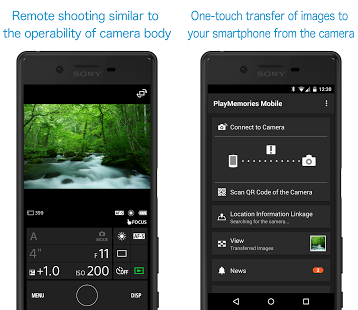
The reason why I really love this app because I can use it as a remote control of my camera. It is not only can control the ON/OFF but also can control the exposure, focus point and zoom in and out. So because of this app, I don’t need some else to help photo or record myself. Also, the photos I take can be more natural. Besides, It also can transfer the photos and videos from a camera to PC easily. It saves my time to upload my photos and videos.

Currently, I think the functionality of this app is a little limited. So I am looking forward more and more functions can be added to this app.
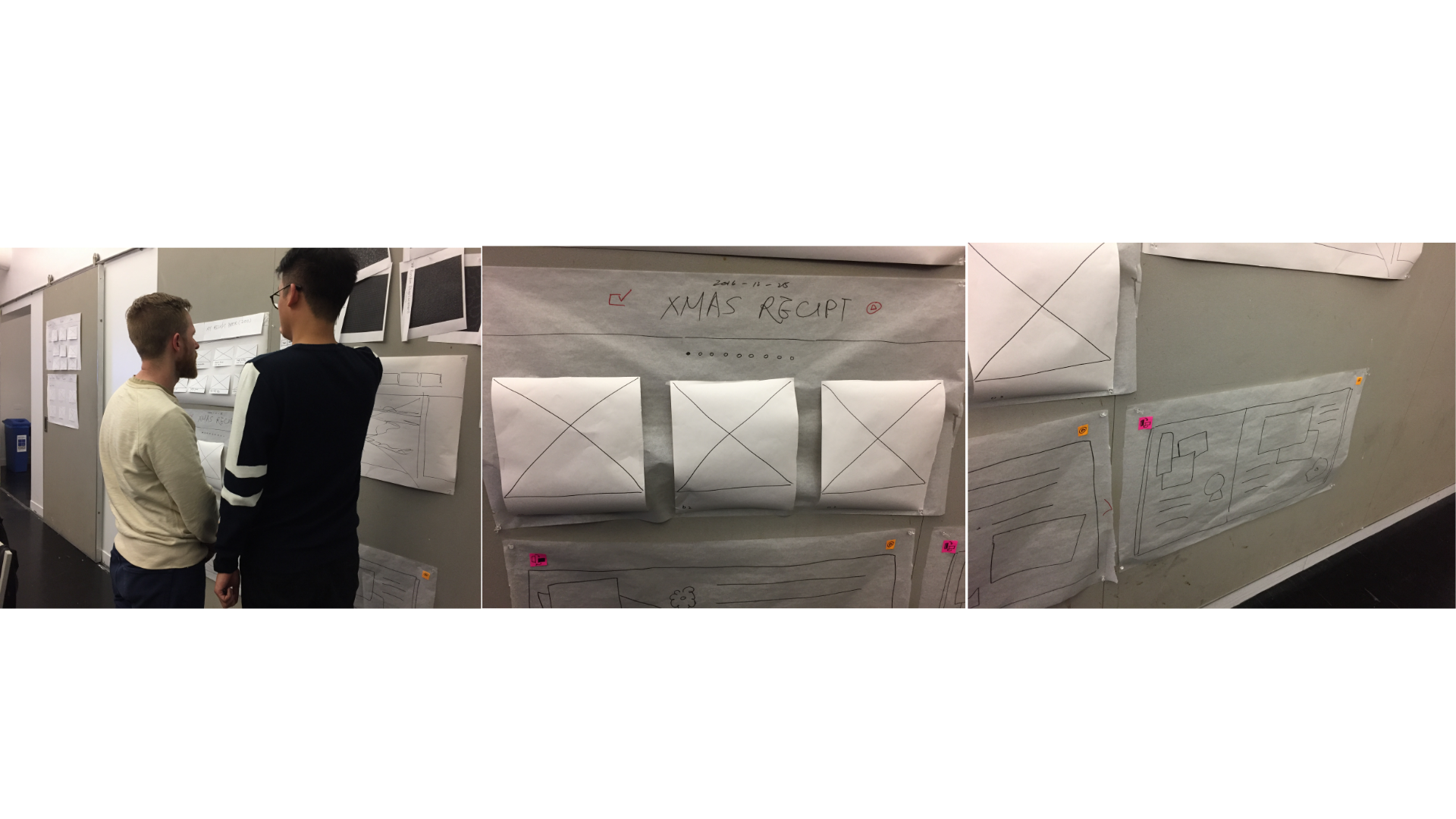
Monster Calendar – visual and paper prototype

Three things we learned from paper prototyping:

1. We need an achievement view to give rewards and encourage users to go through their days

2. someone suggested to add a checklist function in reminders

3. some users want to call the person who they are going to meet directly from the app, so we added call and text function in the reminders


Here is our visual design for Monster Weather.

monster calendar

Interactive prototype:

https://marvelapp.com/2249957/screen/27540864


Apple TV app – Paper Prototype and Final Delivery – Food Diary

User testing and final delivery is here:


apple tv final food diary

There things I learned from user testing and paper prototype:

1. Make food pictures as screen savers is not popular in demand so I decided to add a food delivery function

2. The home view is not so clear and unorganized, so I added featured food and categories

3. Someone said that he wants to view all the restaurants he had been, and since I added the food delivery function, this suggestion reminds me to add one more view to view history orders.


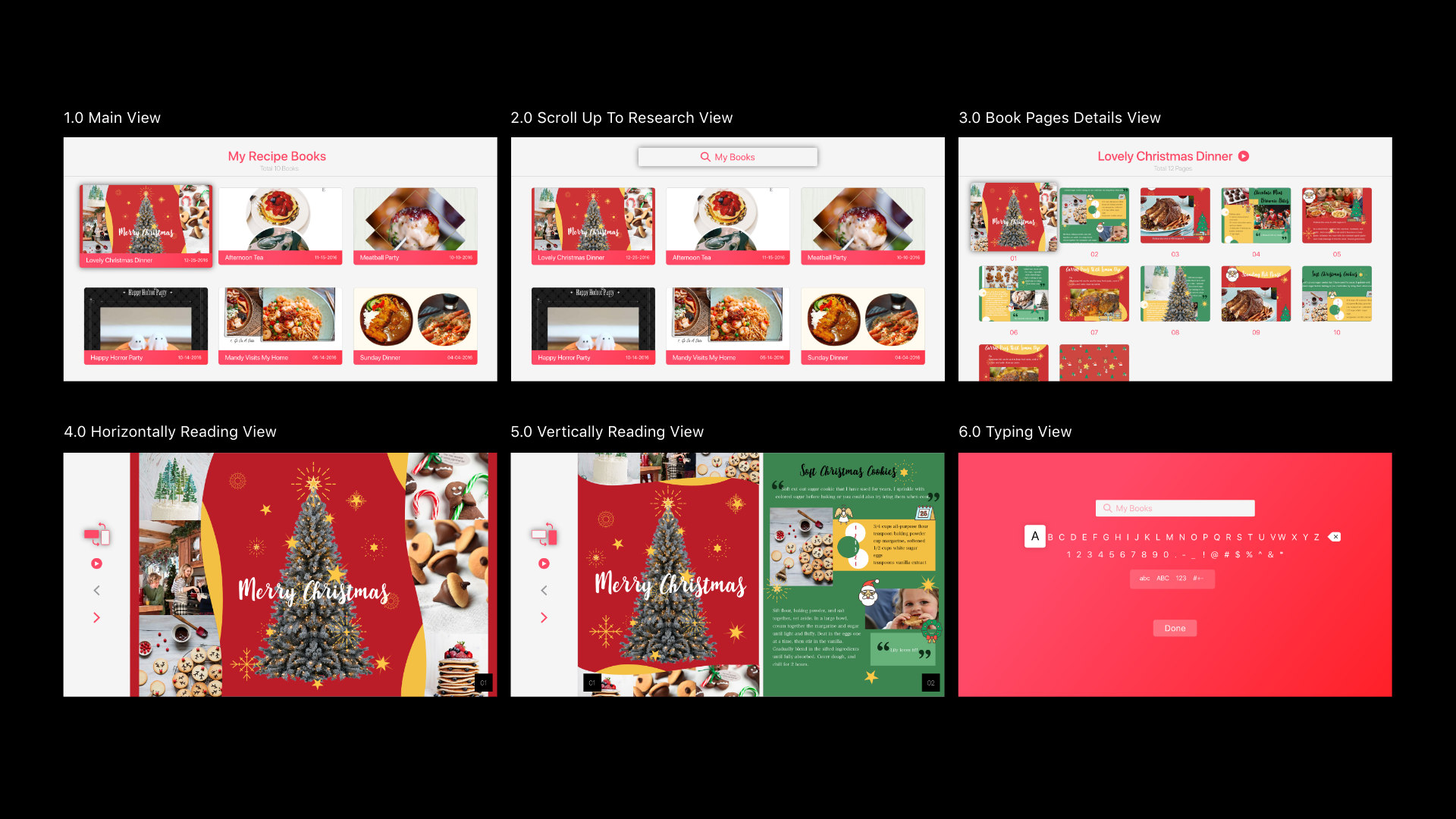
Hanyu Zhao | Apple Tv | My Recipe Book | Visual Design

User Test Feedback:

  1. It is difficult to notice which one I am focusing right now.
  2. It is not necessary to create a book on Apple Tv. It can just be a book review application.
  3. Book Details view might overlap with Page Details view. It is better to remove Page Detail view or pages can be really small to just see the whole style of this book.

Visual Design

Interactive Mockup

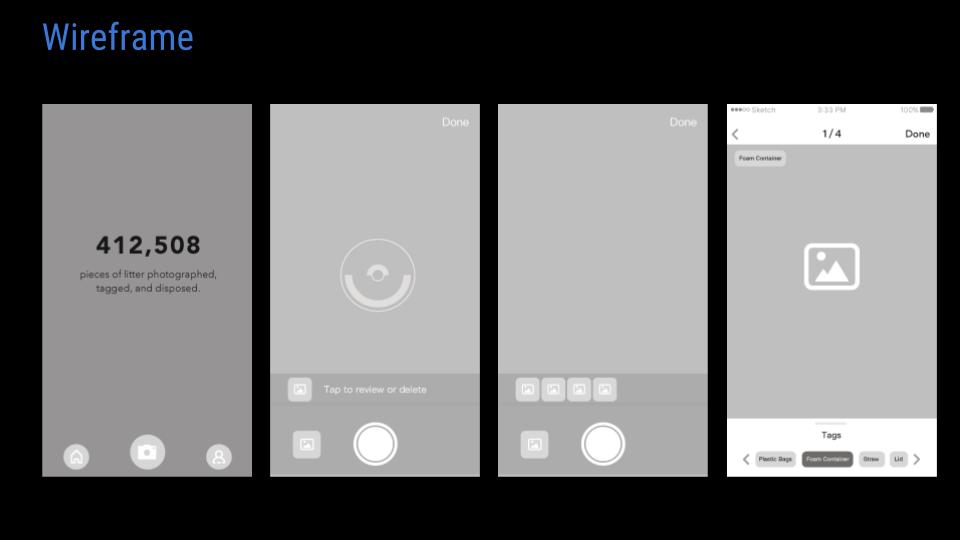
Litterati App redesign Wireframe and Concept (Nan and Misung)

Concept:

A global community that is eradicating litter one piece at a time.

How it works: 

* Take a photo of each piece of litter that you collect and dispose
* Add tags to each litter photo for item and/or brand type
* Upload the photos so the data can be tracked in the Digital Landfill database
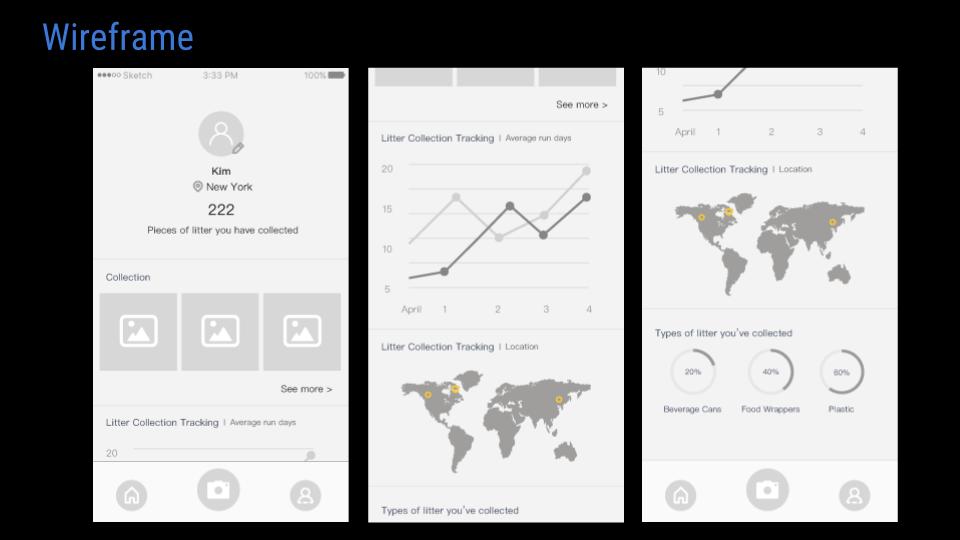
* Track your personal impact and that of the Litterati community

Target users: Environmental Advocates/Marine Conservation Organizations

Pain points: 

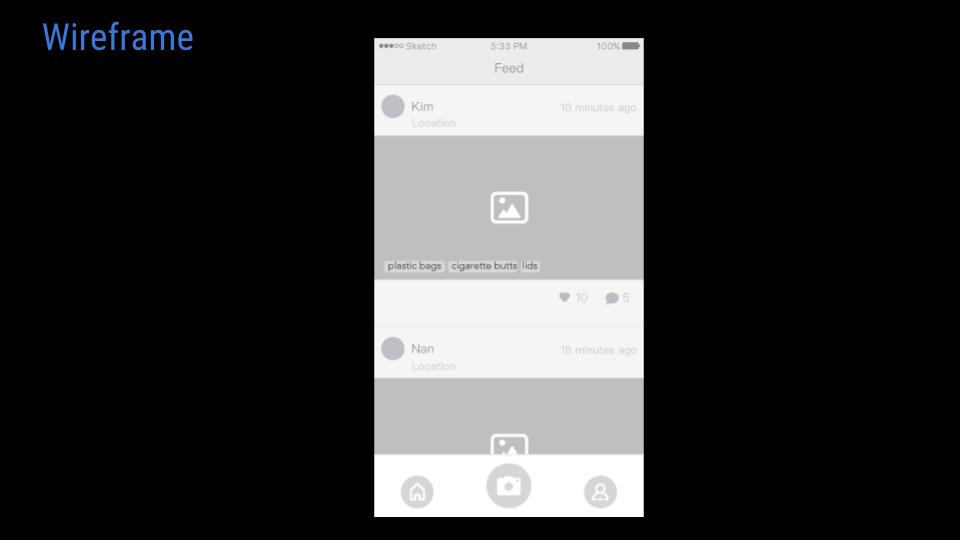
  1. Not able to see other people’s collected items
  2. Users only can upload one image at a time
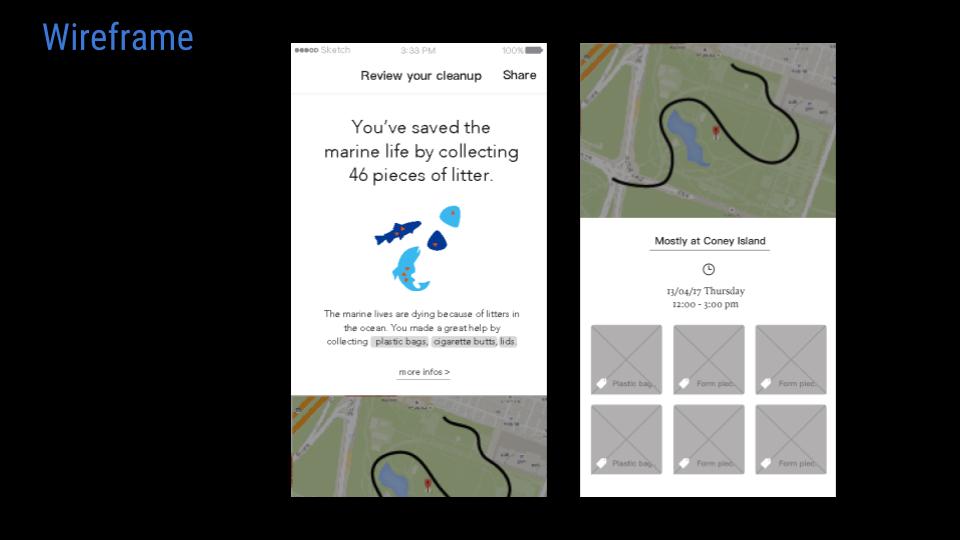
  3. Users are not able to get a full analysis of litter they’ve collected or feedback after doing it

Insights

While using the Litterati app, we found out that to give users better experiences, showing how much and what kind of contribution they made to save the environment based on the time and category of litter they collected. Furthermore, let them share it within the app and also virally through posting on social media so that other people also get interested in participating with them.

What we’ve learned from feedback

  • Reward system: considering how to encourage to collect litter, and take photos on it 
  • Why people curious what the garbage collected by others? (Apparently, most garbage images are not attractive, why people want to see it?)