Yue and Jasmine’s User Insights

LinkedIn’s $1.5 billion investment in Lynda’s new Learning Paths excited both of us. Besides music, podcasts are something we listen to as we’re walking around New York.

Our plan is to create an independent Lynda Learning Paths app that would be accessible to Lynda subscription members, and with very limited accessibility to non subscribers.
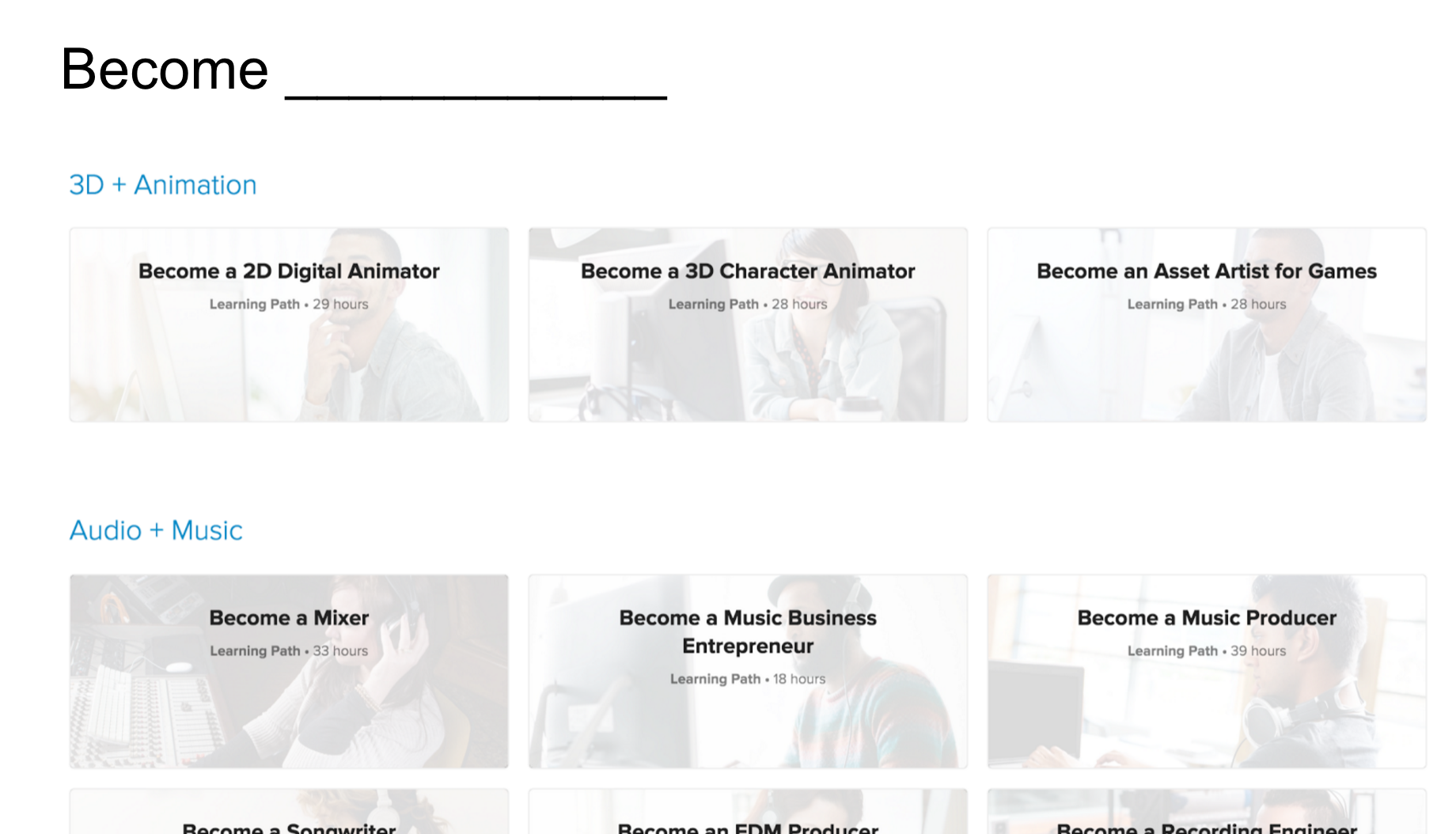
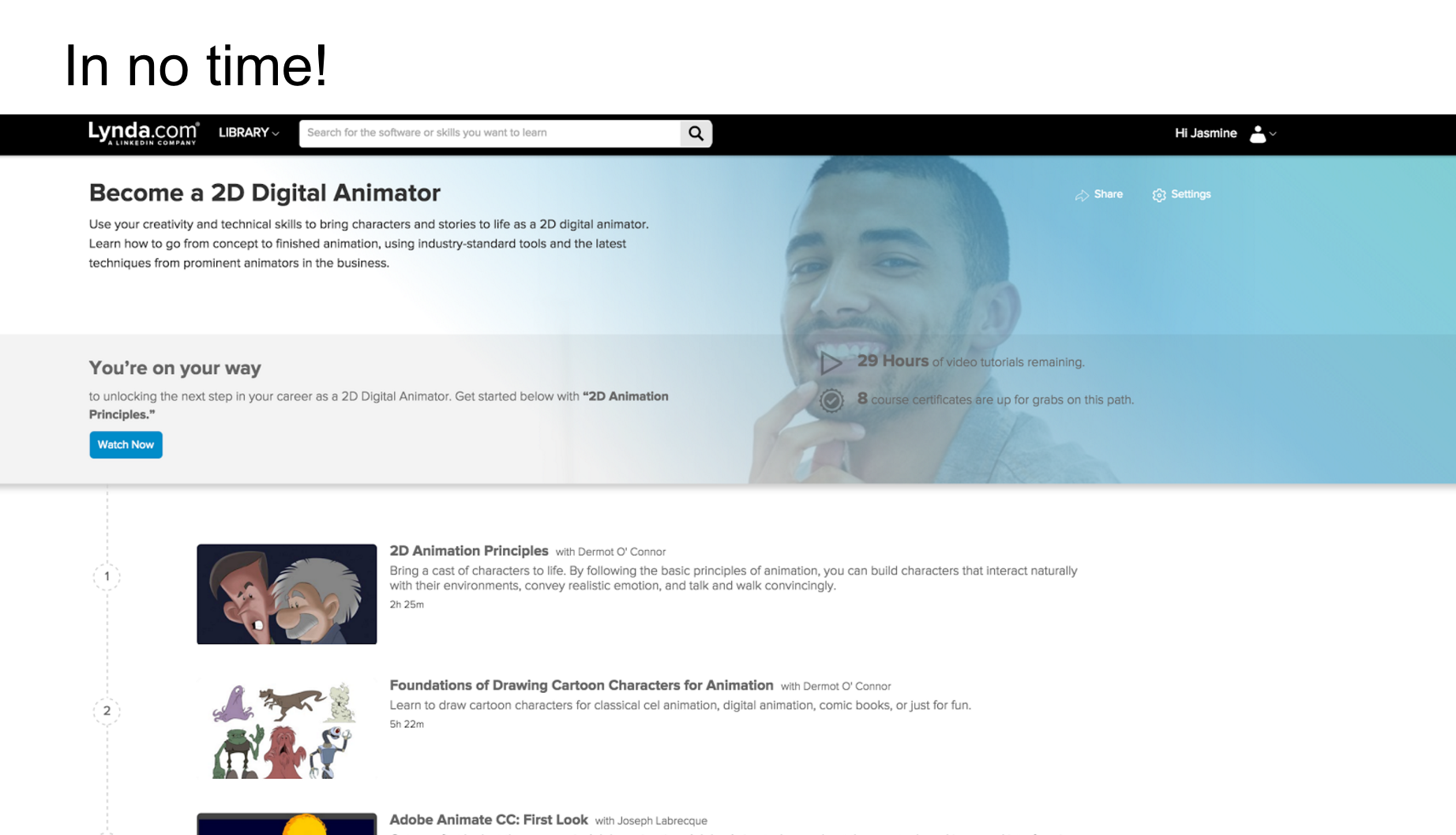
 

Learning Path 01


Learning Path 02

Learning Path 03


Learning Path 04


This is our quick prototype: https://marvelapp.com/dhi990

1. Reward System: Explore Experticity, Duolingo

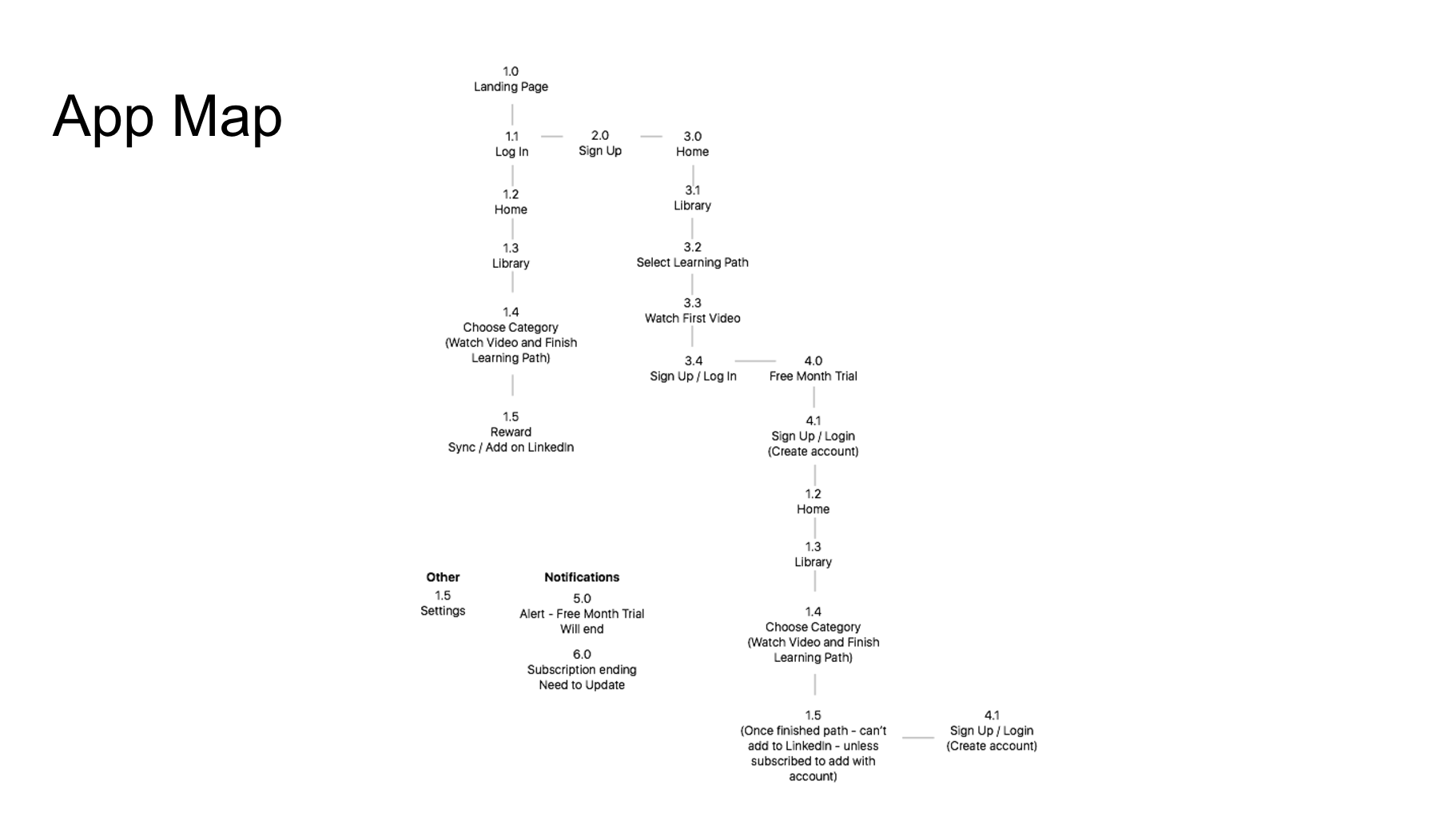
Once the user completes a learning path, they are able to have this as a credential synced to LinkedIn. We are still considering how this “syncing” will happen, and how it would feel like.

2. Adding Learning Paths vs. Courses

We planned to have the ability to add an entire learning path or individual courses. Initially we identified these two decisions with two different icons. However, it was confusing for the user, so we will reconsider this.

3. Semantics (Bookmarks vs. Favorites)

4. Reconsider the User
– IPhone vs. Apple TV vs. Laptop vs. IPad.
– Who is our user that we want to focus on?
Some classmates brought a great point about how they sync their phone to their Apple TV to watch and follow Lynda coding tutorials with their laptops (to code with) and the instructions on the AppleTV (Two screens to increase learning efficiency and productivity).

– IPhone: Perhaps focus on Business Courses etc. (More convenient for people to walk to without needing extra utilities.)
– Yue and I will try a learning path to see what quizzes are needed to complete one.

Note: Automatic resizing is not simple. Focus on one interface on one medium.

5. Redundant Tab
Is it necessary to have a courses tab, when these can be stored in “Home”?


“While it remains to be seen how Lynda.com courses will be seen in the eyes of employers, and to what extent Lynda will boost LinkedIn’s recruiter business, Korcuska said the company is “optimistic.” “Learning Paths” could help boost the number of users taking individual learning courses by doing the work for users of figuring out which courses belong together and how to maximize their value. Korcuska compared the “Learning Paths” to a recipe for a meal, which gives users more reasons to select and purchase grocery ingredients, or Lynda courses, than if they went into a store without an end-game in mind.

“Learning Paths” are available to users who pay for a monthly subscription to Lynda.com. Every week, Lynda users complete more than 50,000 courses on the site and watch about 25 million minutes of video content. Lynda’s catalogue has more than 4,000 courses and growing. “Learning Paths” are available today in English globally (other Lynda courses are also available in Spanish, German, French and Japanese), and LinkedIn plans to continue adding new paths over time. The “Learning Paths” product is geared toward individual professionals, however Lynda is also expanding its enterprise education business, adding courses that help companies train entire workforces in new skills.”

To learn more: http://www.forbes.com/sites/kathleenchaykowski/2016/03/31/linkedin-launches-lynda-com-learning-paths-in-push-to-grow-education-business/#7e7ebdd13d05

Thanks!

We appreciate any other feedback.
group work1- Yue&Jasmine

slide:

https://docs.google.com/presentation/d/1rxm2b99iSlZ9CRt4Jv4n50EKxWKx_XnPqxU5Eon_em0/edit?ts=570d4ad3

1. Reward System: Explore Experticity, Duolingo

Once the user completes a learning path, they are able to have this as a credential synced to LinkedIn. We are still considering how this “syncing” will happen, and how it would feel like.

2. Adding Learning Paths vs. Courses

We planned to have the ability to add an entire learning path or individual courses. Initially we identified these two decisions with two different icons. However, it was confusing for the user, so we will reconsider this.

3. Semantics (Bookmarks vs. Favorites)

4. Reconsider the User
– IPhone vs. Apple TV vs. Laptop vs. IPad.
– Who is our user that we want to focus on?
Some classmates brought a great point about how they sync their phone to their Apple TV to watch and follow Lynda coding tutorials with their laptops (to code with) and the instructions on the AppleTV (Two screens to increase learning efficiency and productivity).

– IPhone: Perhaps focus on Business Courses etc. (More convenient for people to walk to without needing extra utilities.)
– Yue and I will try a learning path to see what quizzes are needed to complete one.

Note: Automatic resizing is not simple. Focus on one interface on one medium.

5. Redundant Tab
Is it necessary to have a courses tab, when these can be stored in “Home”?

Final Project: VR Video App by Cathy & Jin

A video search, watch, and share app. Video watch form in three-dimensional space (Virtual Reality). It is designed for professional virtual reality video production companies. 

Here is the slides

User insights:

  1. Add premium video content/account so people can subscribe to the app.
  2. Not everyone can upload VR videos, upload features only open to professional companies such as Disney, Samsung and so on.
  3. Search function doesn’t need to be separated, it can appear on the home view.
  4. Activity view/function is not necessary

#thursdayplay 2 / Steve


IMG_3028

IMG_3031

IMG_3029

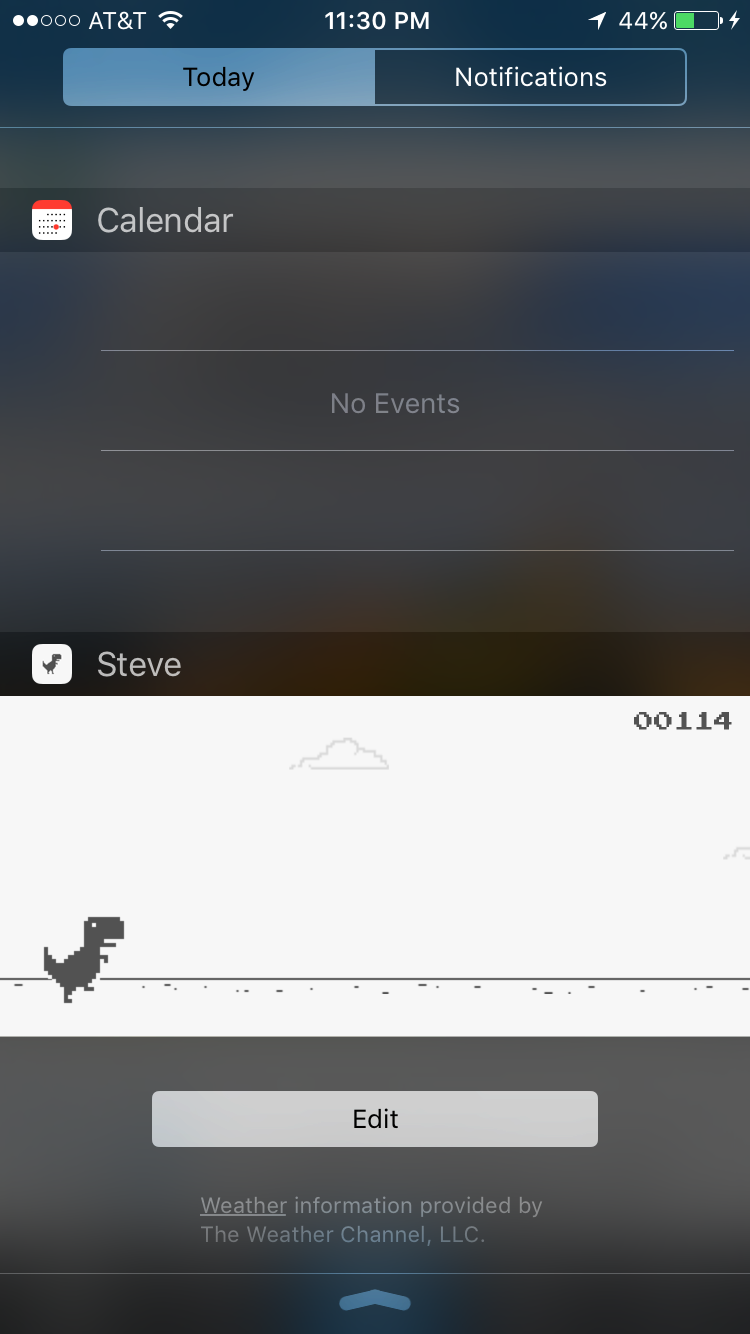
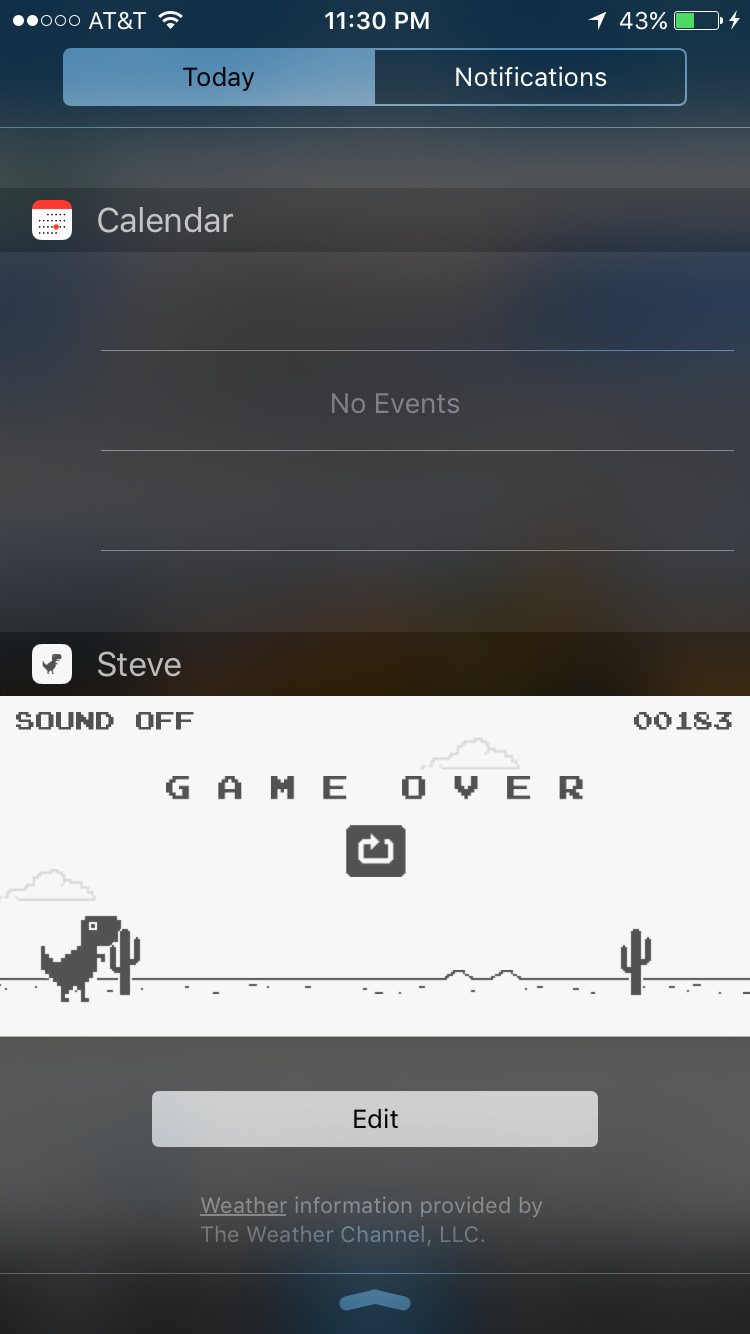
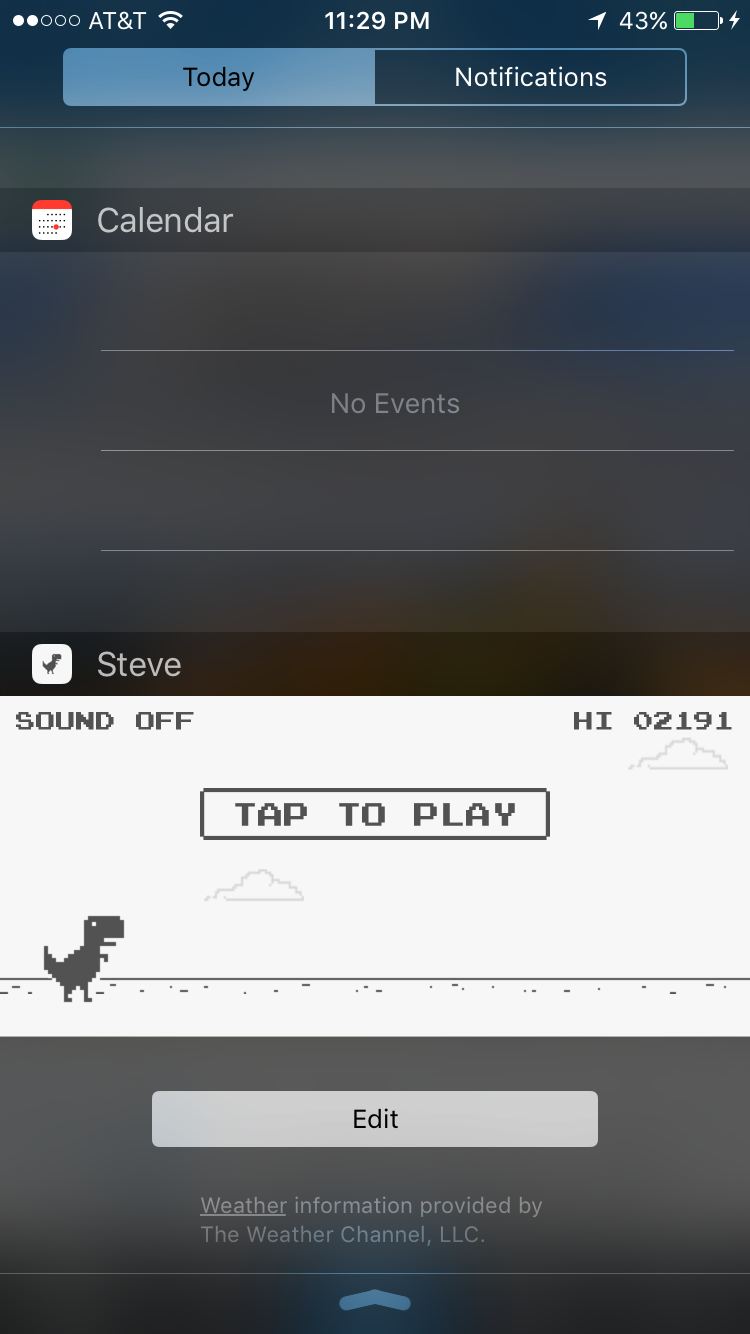
Steve is a very simple game application for iOS. It is too simple that it is just a swipe away. Swiping down the Today menu on an iPhone, the user will have quick easy access to Steve without having to look for it. Adding it to the “Today” menu happens once the user downloads it and then it can be accessed easily. The app starts when the user taps to play, then Steve the dinosaur has to jump over obstacles simply by tapping on the screen each time a cactus (the obstacle) is close. The scoreboard keeps adding up points until Steve hits something then it is immediately “Game Over” – similar to Flappy Bird in a way. I love how this simple UI is accompanied by almost a seamless interaction to access the app.

1st project user feedback+digital feedback

user feedback for paper prototype of Foodplay:

  1. The product of ”Foodkit” seems not very clearly now, It would be better if remove this part.
  2. not sure what should show in “reward” tab, all reward items or what reward that user already gets?
  3. There is supposed to have a “skip” button so people can view other pages first and then decide whether they want to sign up.


Digital feedback:

https://marvelapp.com/c5eaga


  1. UI design of some page can be better improved. The landing page looks good but some content page still need polish.
  2. The home page looks much better, the contents are attractive.
  3. Need more research to figure out how many users we can get, how many people will interest in this activity.

Food Story (tvOS)

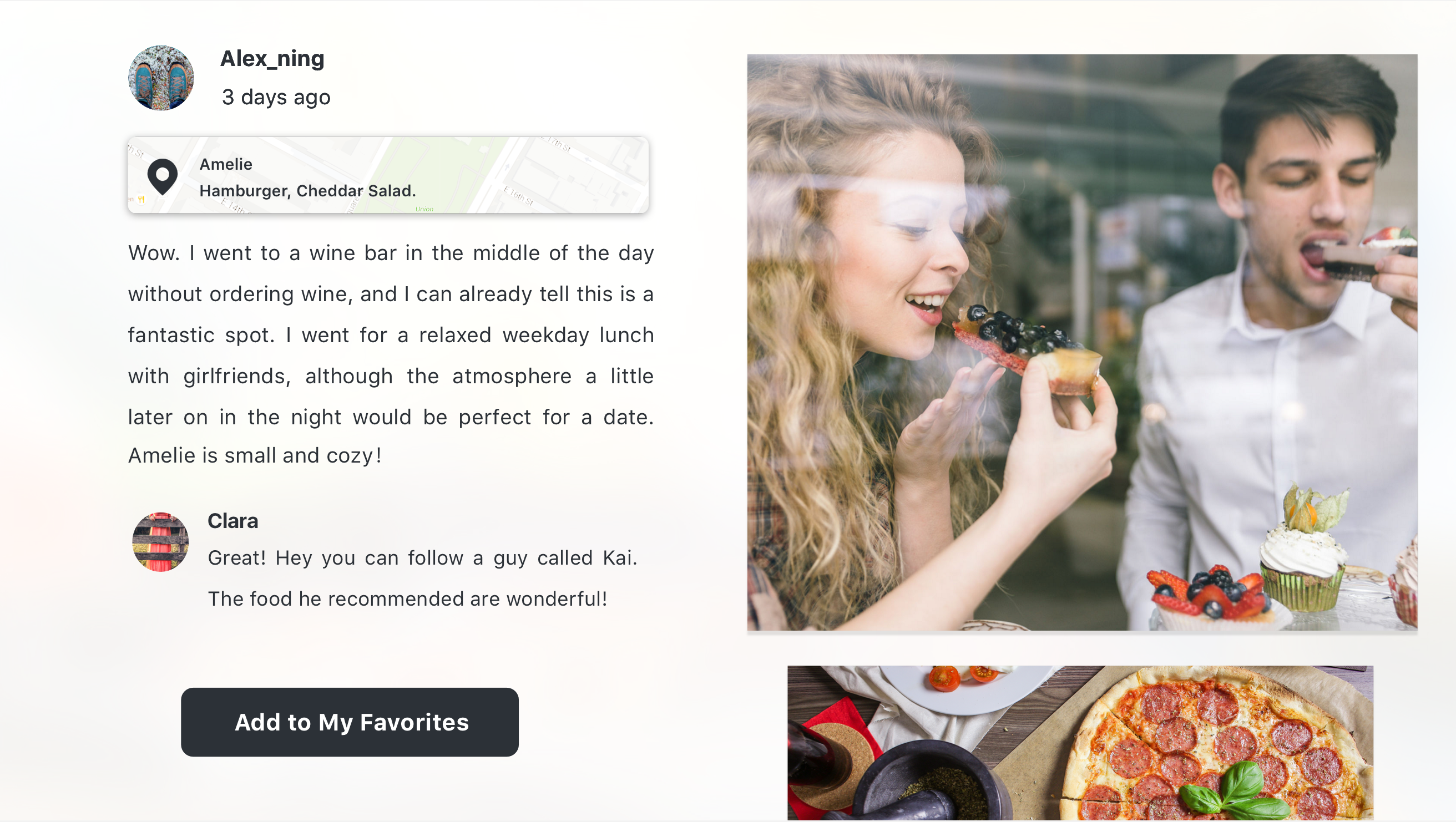
Food Story, a social platform where you can share your food eating experience and stories. You can also find interesting restaurants and dishes through other people ‘s stories.

As I mentioned in my presentation last time, the main scenarios for the  tvOS version are:

  • Families are sitting together in the living room, sharing each other’s eating experiences.
  • Families are discussing about where to eat.
  • One person looks through the feeds quickly to pass the time.

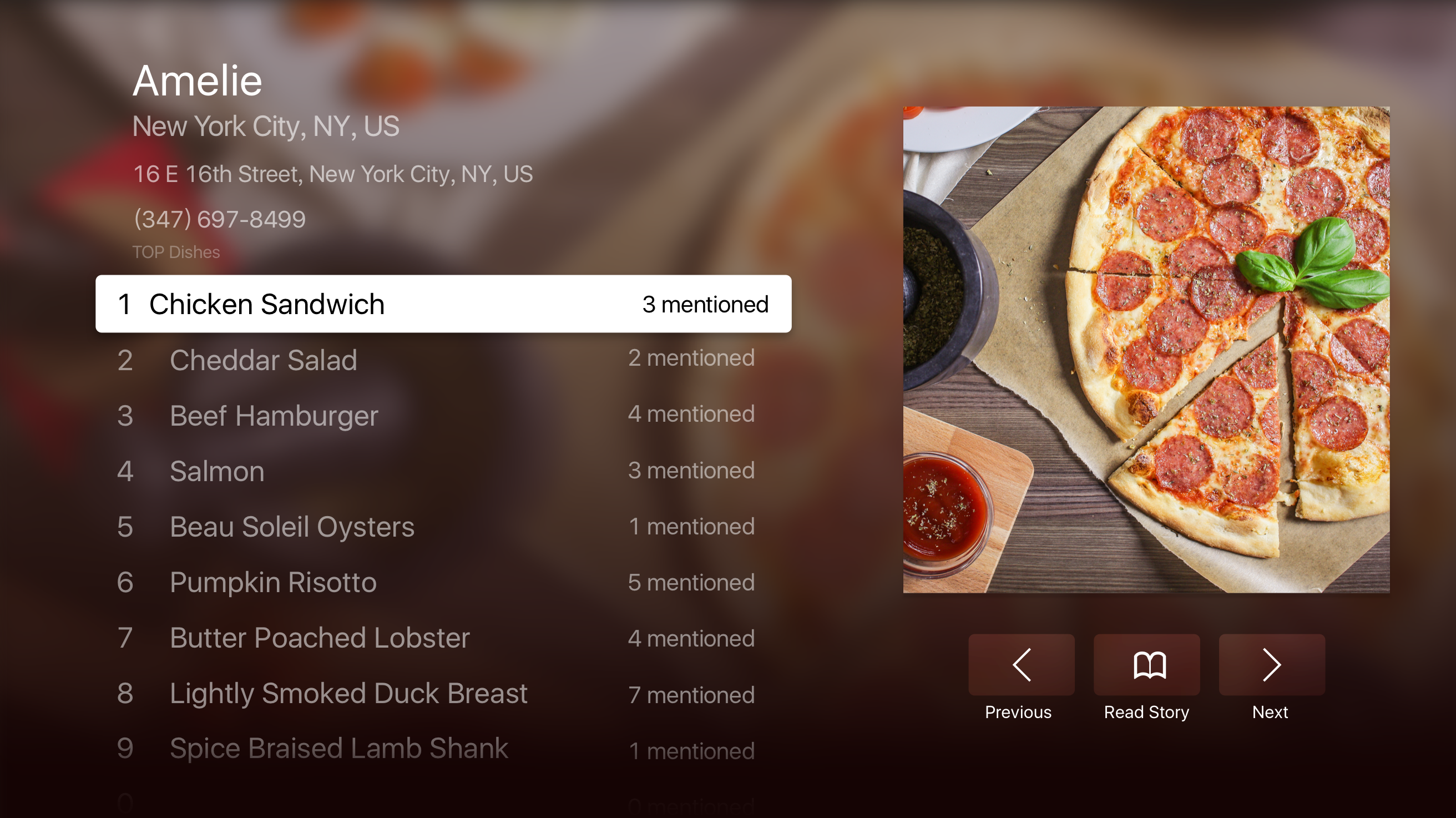
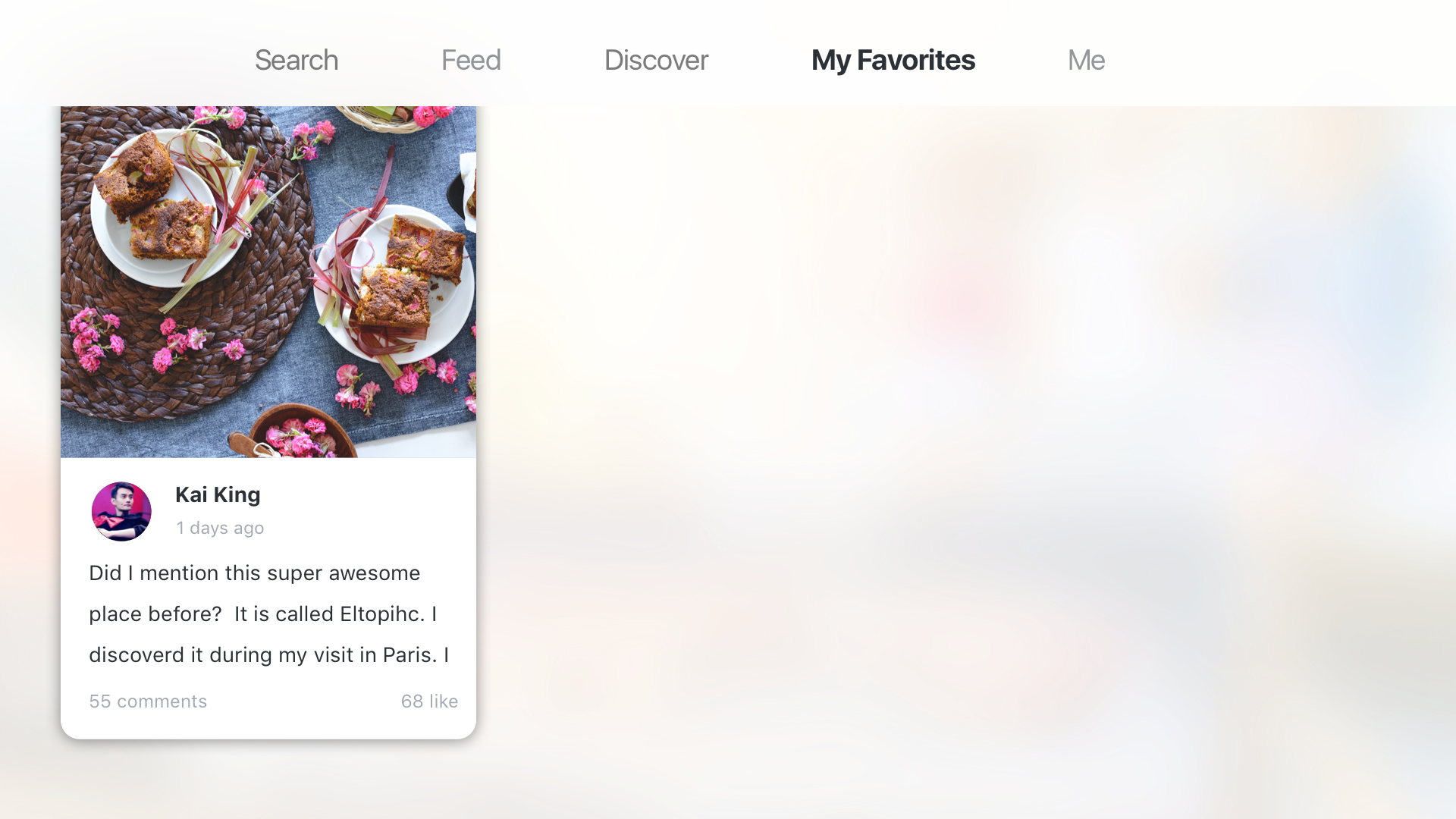
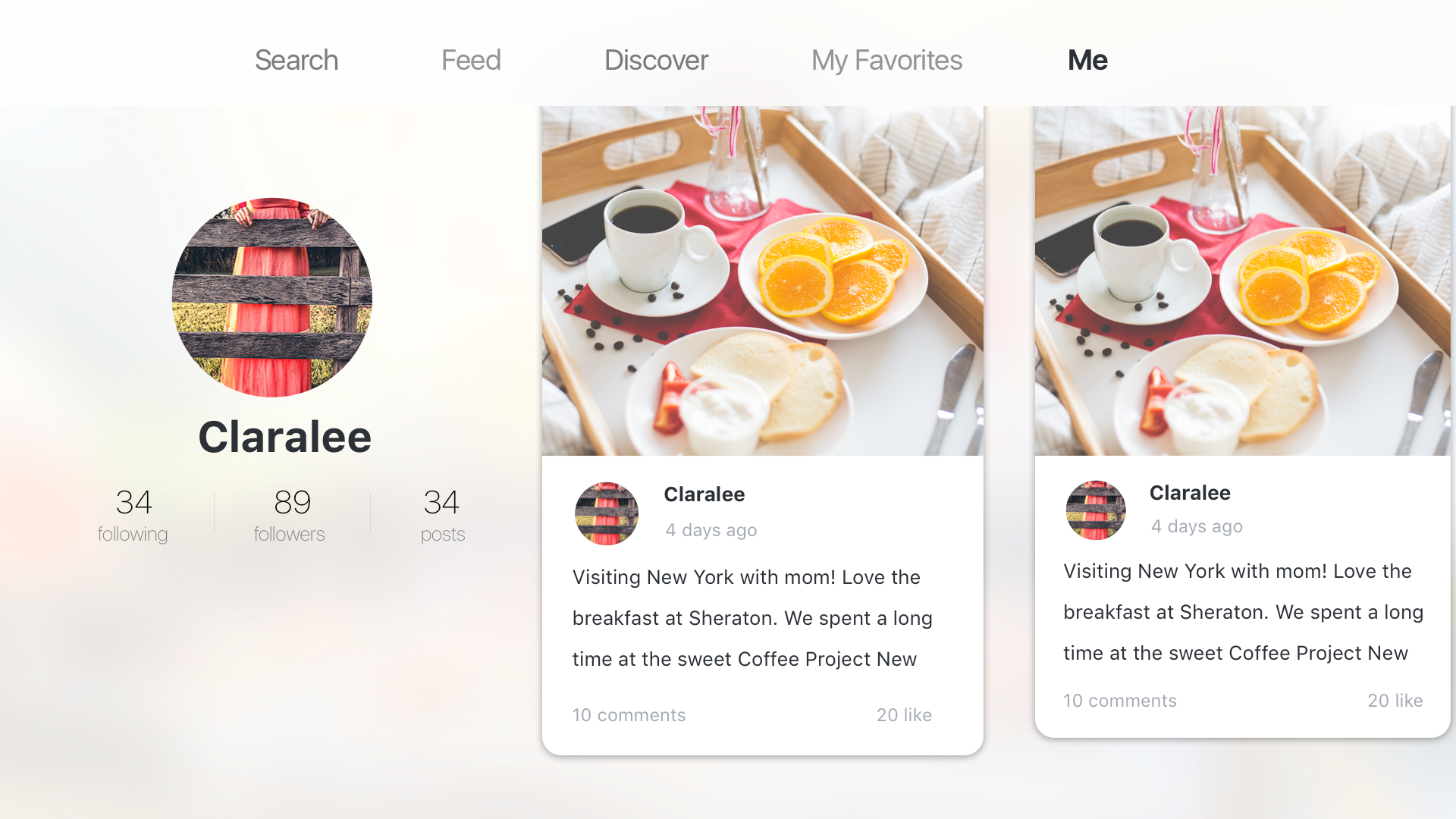
Considering the special scenarios and the features of a TV, I cut off the social functions including comments, like, and following. I also raise the level of “My favorites”, which plays an important part during the sharing process.

There are also lots of design considerations for “feed” and “popular”. Feed is the place you can see stories posted by the people you follow, which means that the one who posts it matters. So I designed it in a card shape, which you can know the stories, the photos and the person at a glance. “Popular” is the place you can see stories that are very quality, and have lots of comments and likes, like the editor’s choice. For stories like these, you care more about the content than the person who post it. Also, stories like that usually have good pictures, which are very attractive to users. So the stories in “popular” section are shown in just pictures. When you focus on the story, you can learn about the people and the date.

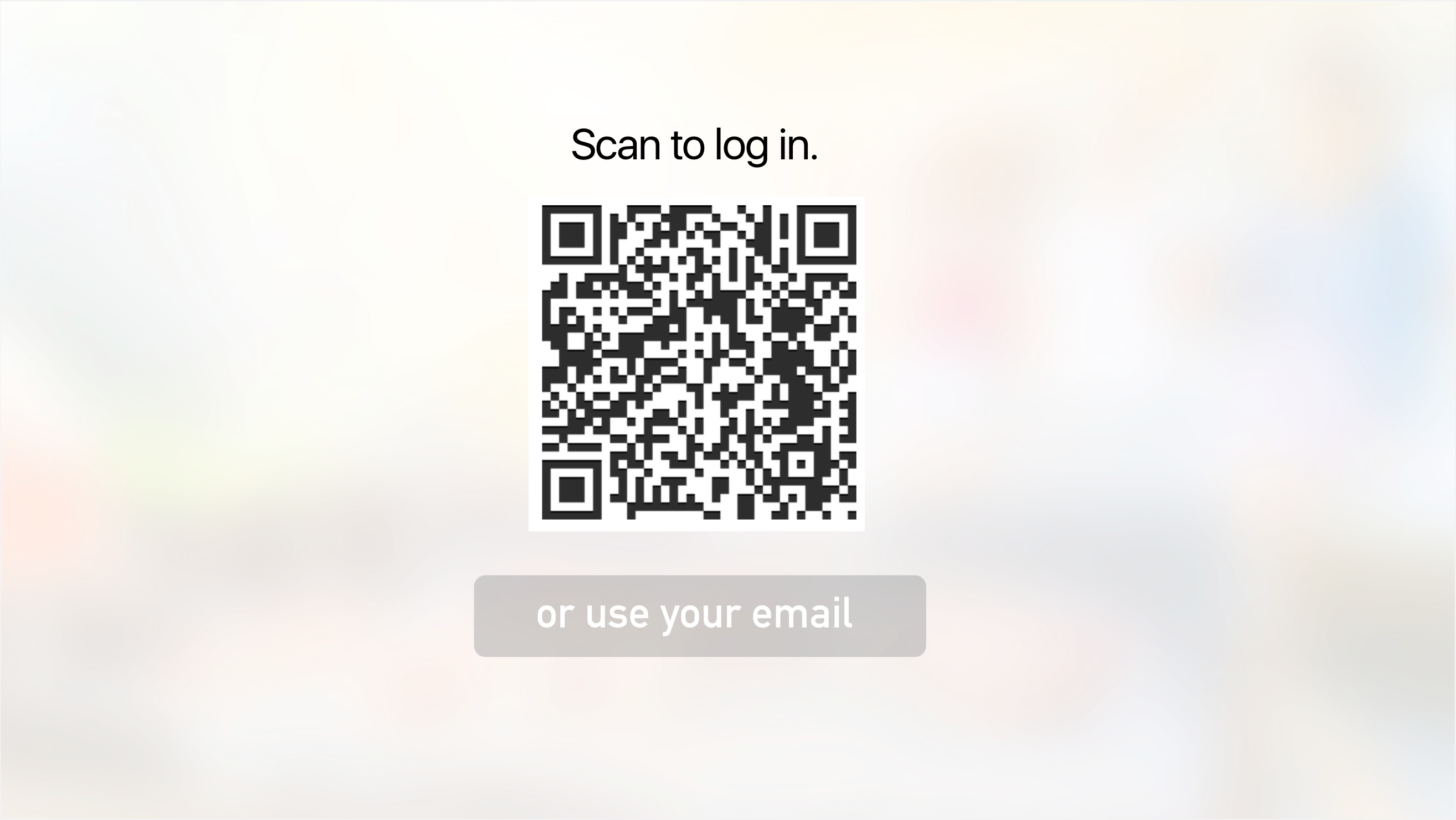
I encourage my users to use it not only on TV but also on their phone. And I think that it is very annoying to open my safari, type in the address (what if the user is aged and hates typing!) and also type the code. So I use the QR code to sign in. The TV will show you a big QR code, and you can just simply open the app on your phone and scan it. This method of signing in is accepted and very popular in China. Thanks to Wechat, Chinese people are used to scanning almost every QR code they see. However, I realized people in America may have different habits. So I will test more on that.

屏幕快照 2016-04-07 下午1.13.15 屏幕快照 2016-04-07 下午1.12.54 屏幕快照 2016-04-07 下午1.12.26 My Favorites Me Feed_noTab——focus ning Discovered Copy

You can try out the prototype here: https://marvelapp.com/hfcacb

#thursdayplays – slither.io

slither.io is a very addictive new game just released at the beginning of April. It’s an MMO version of the classical game “snake”. It added an interesting rule that if you get other snakes to run into you, then they will explode and you can eat their remains and become longer/bigger. So that creates playful competition between players — at the origin of map, players can grow faster (by eating a lot of newly-spawned snakes) but it’s also easier to run into other snakes and die. In the desktop browser version, you can even change your skin.

From the UX side, it’s easy to play slither.io by mouse — just move your cursor and your snake will follow it (click to speed up). The mobile version is a little harder — you have to tap and control it’s direction (double tap with a longer second tap, to speed up). Playing by keyboard is even harder to control — the left and right key controls the direction — but from the snake’s view — if you long press the left/right key, your snake will turn 360˚.

A tiny twist from the original “snake” game is that you don’t die if you hit yourself — this allows for a strategy where you can surround/trap a smaller snake who has no choice but to bump to your body and die.

Here’s some screenshots about the journey of a hungry red snake and a poor victimized blue snake: