Here is the 2nd Iteration of the All recipes app for apple TVOS and also the paper prototyping in class.

Project #2: Food Guardian on Apple TV – App Map & Wireframes
-
Introduction
Although I only use the older Apple TV, I don’t like doing complex things with the small remote such as typing. So I remove all the input functions for iOS app and only keep deletion. Users now can only view what they have from their iOS Food Guardian on Apple TV and use the item is “already used up” function, which is a deletion basically. Thus, it makes the app simpler and easier to use.
-
App Map for tvOS
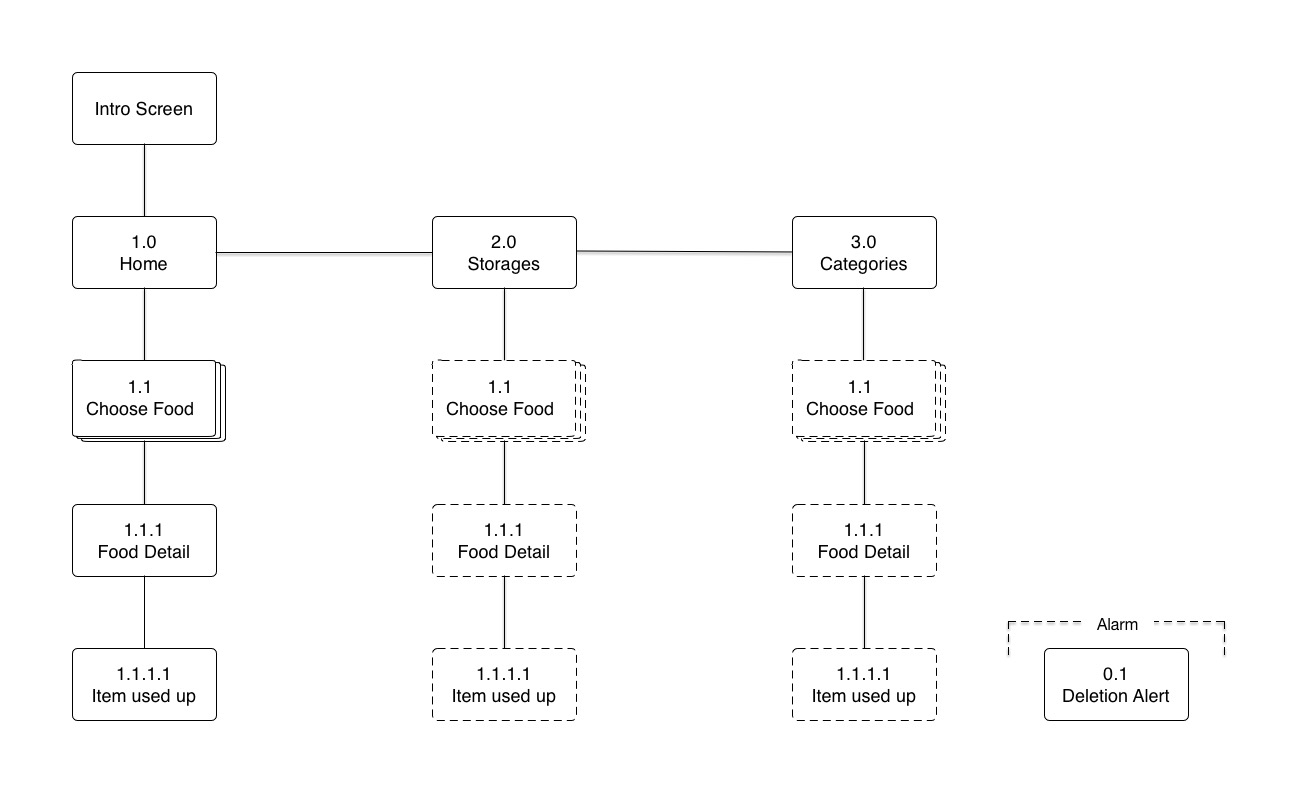
-
Wireframes
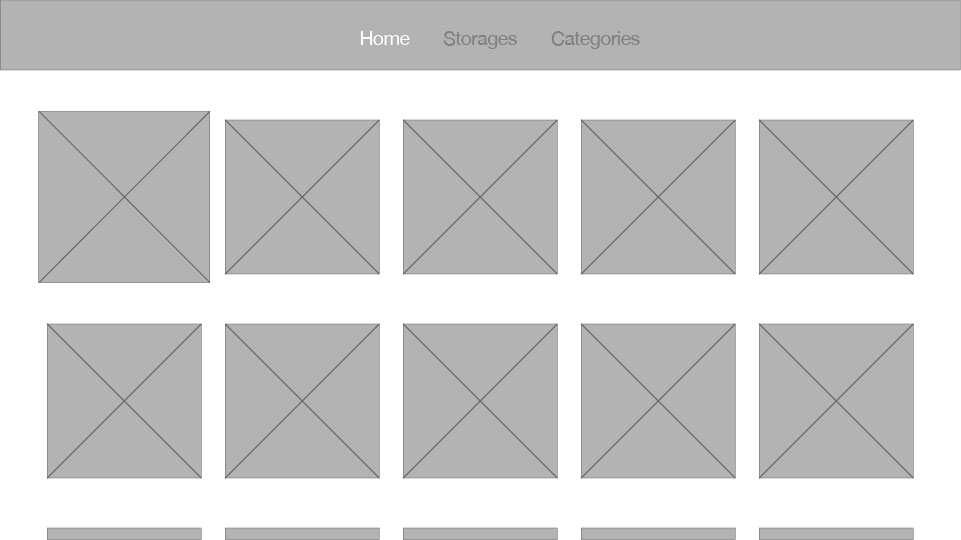
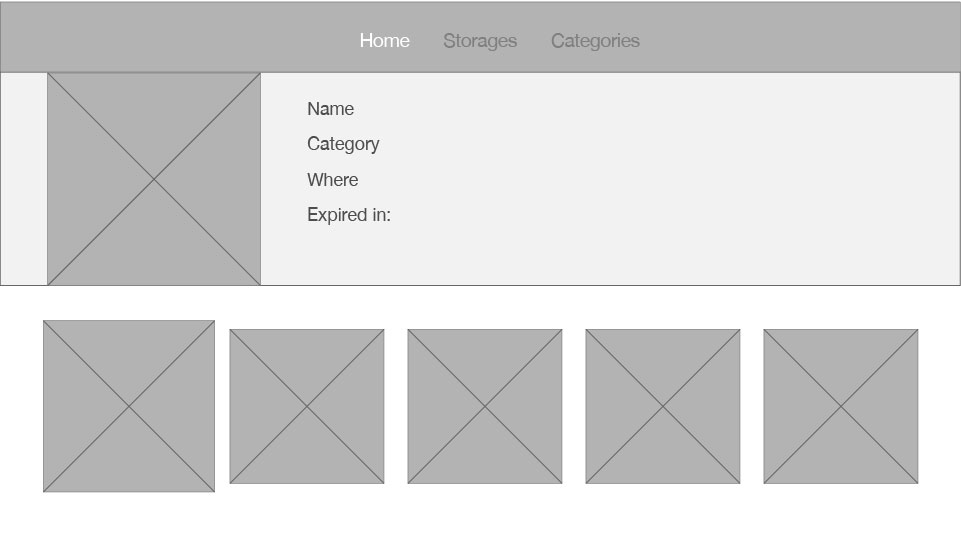
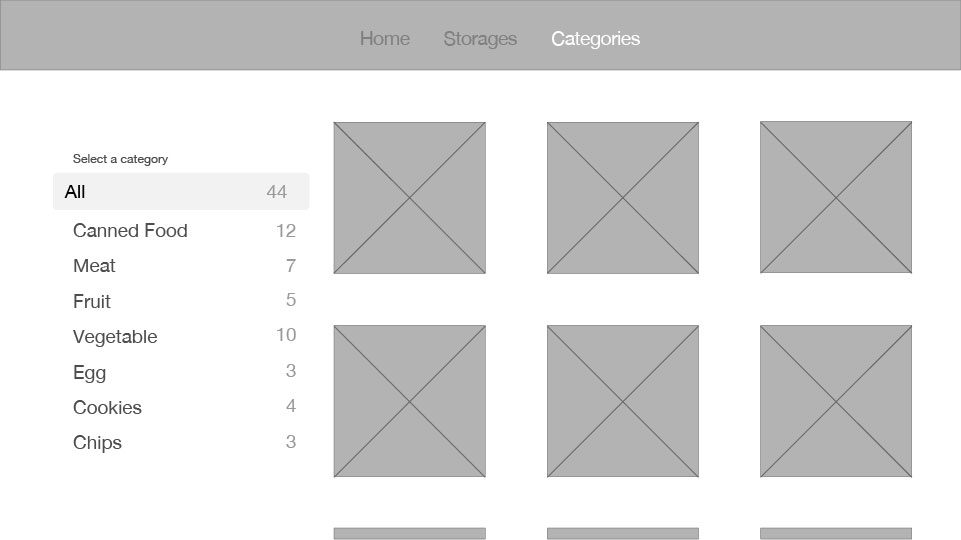
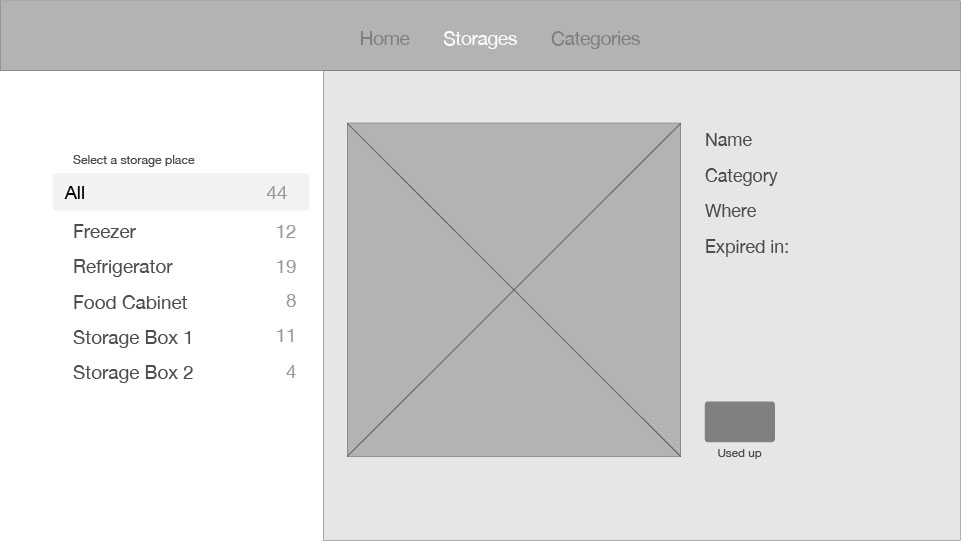
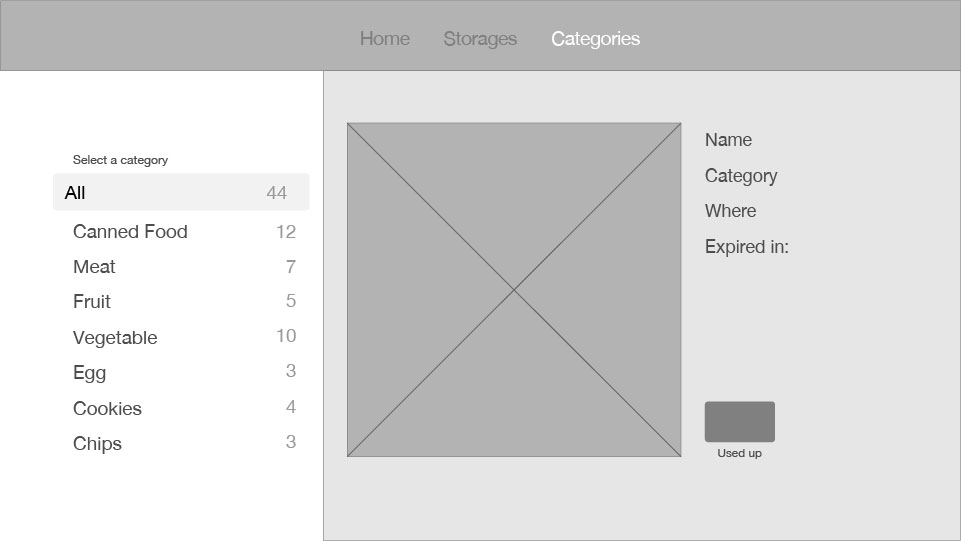
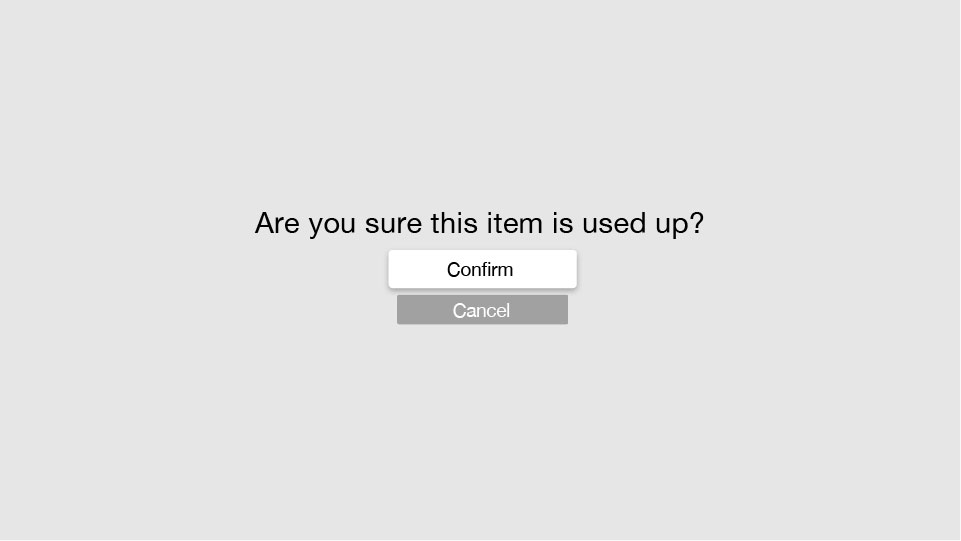
3/17 Apple Tv revise
For March 31
- Take your learnings from paper prototyping and critique and create a design for your AppleTV app.
- Show your designs at scale on the TV. Marvel claim they will have an AppleTV app coming out this week. I’m going to bring in my AppleTV, so if the Marvel AppleTV app comes out and you want to use it, you can. (UPDATE: marvel for AppleTV is out http://blog.marvelapp.com/view-your-designs-on-the-apple-tv/)
- Post 2-3 user insights from paper prototyping when you post your designs on the blog. If you didn’t attend class last week, you’ll need to run your own prototyping and post user insights learned.
Midterms will be coming this week. Contact me with any questions.
#ThursdayPlays Today
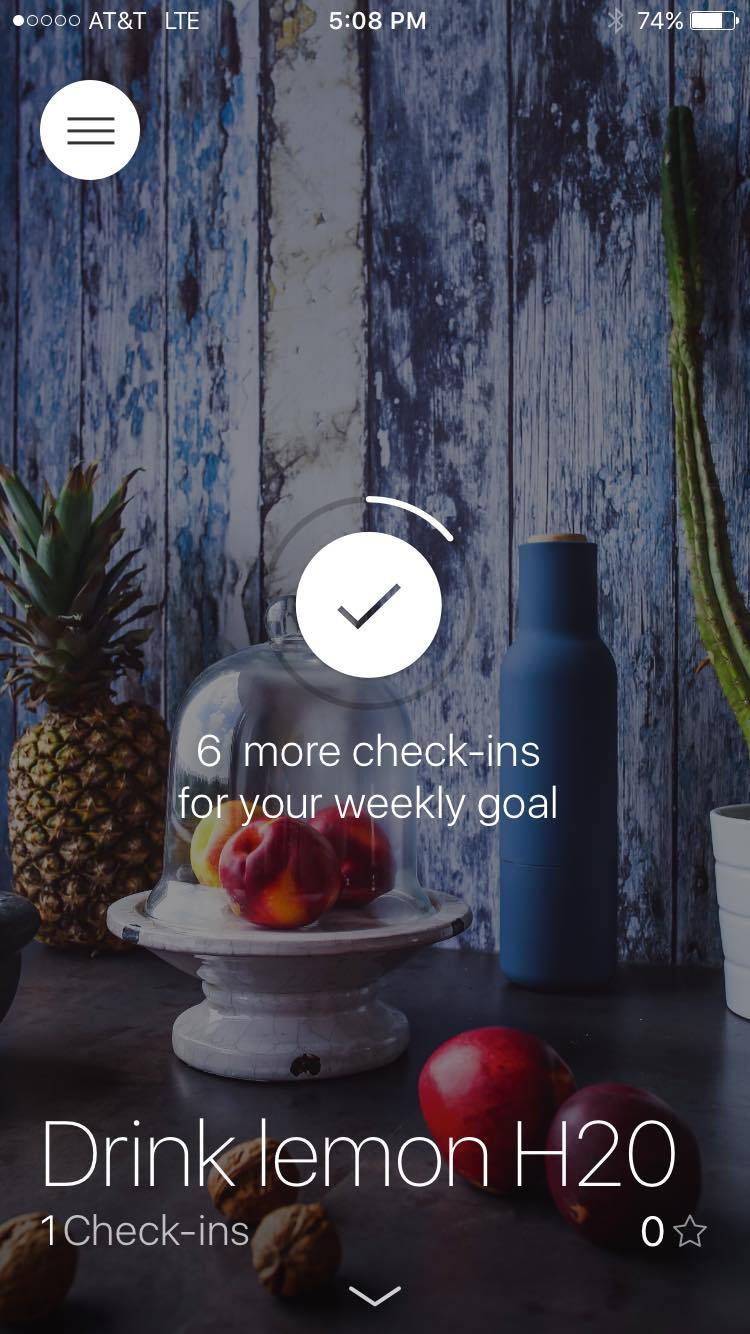
I’m trying out a habit tracker app mostly because the interface is pretty, but also because I want to see if this kind of thing would actually work for me. The interaction is really great I think so I could see myself continuing to do yoga and ab workouts regularly because of it.
To start, you add a habit by first setting a name for it- let’s say: drink lemon water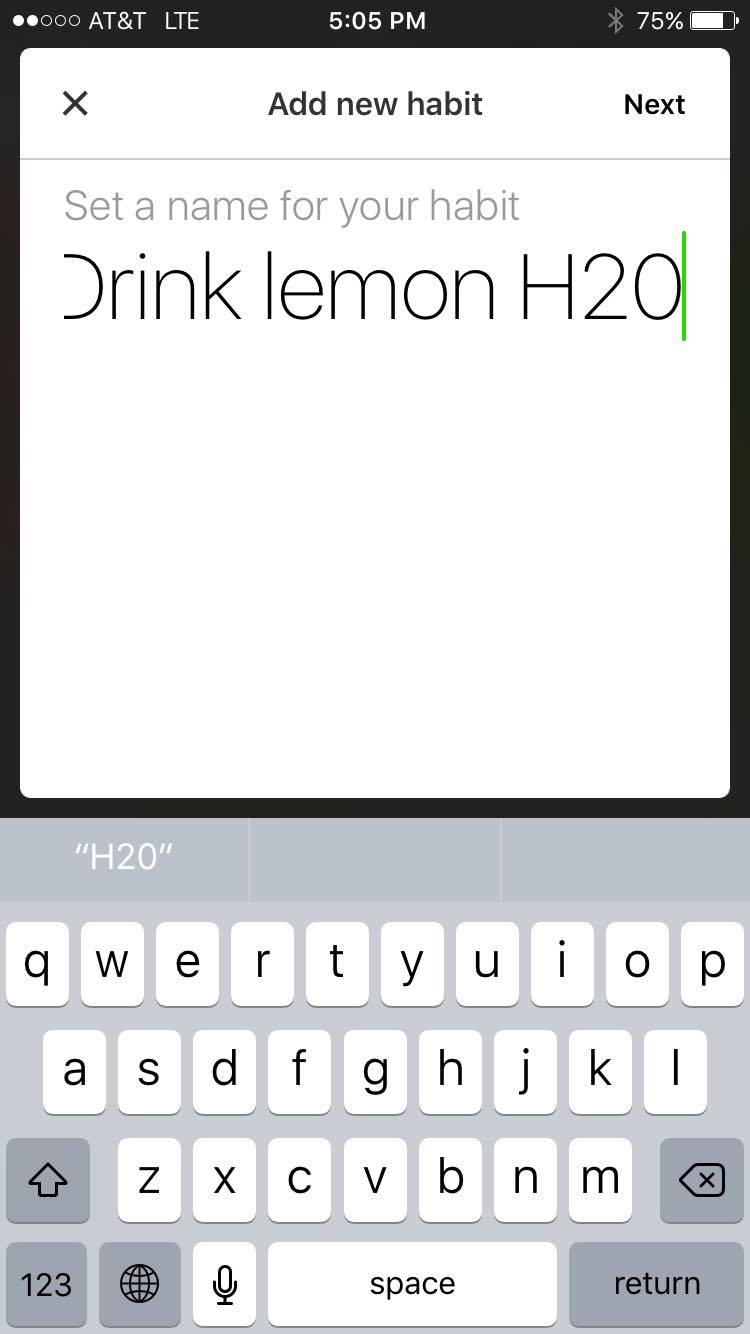
Then, you can add the frequency: aka which days of the week you want to be reminded or how many times a week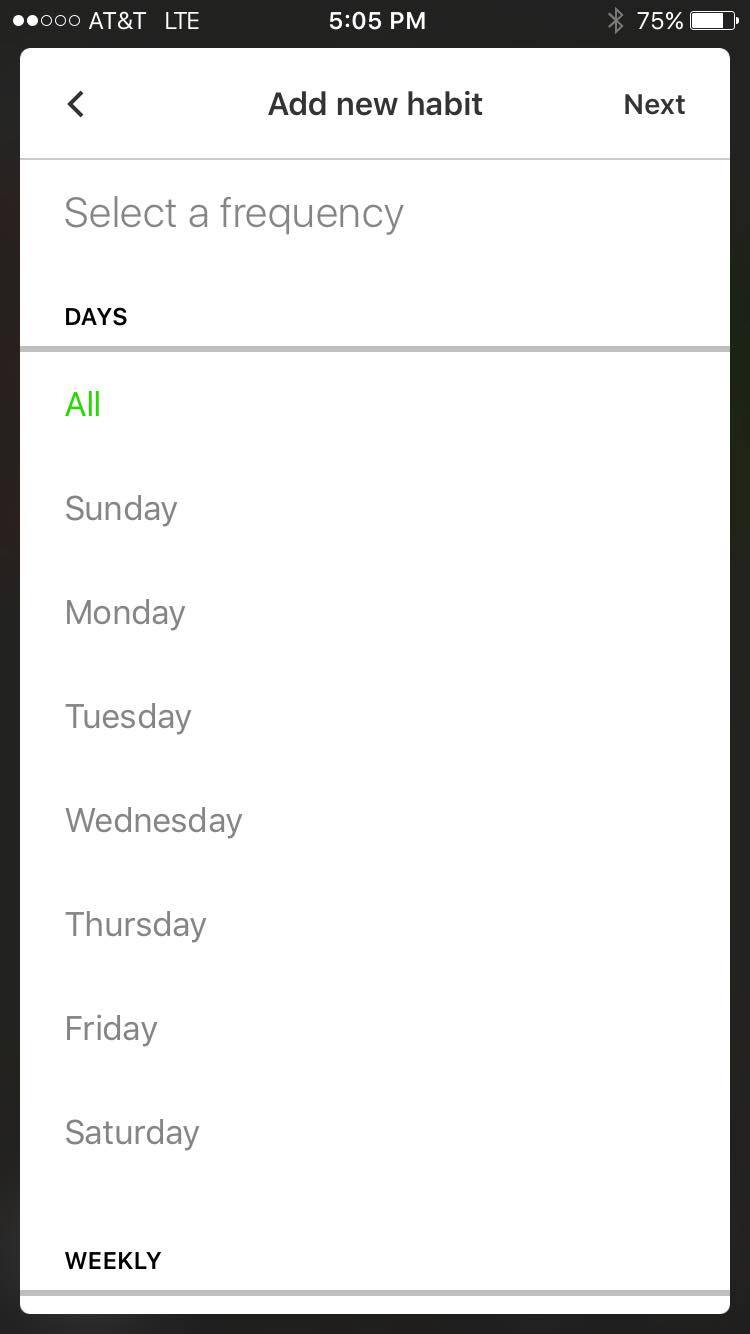
It then asks you if you’d like to set up a reminder for the habit, and to select a time for that reminder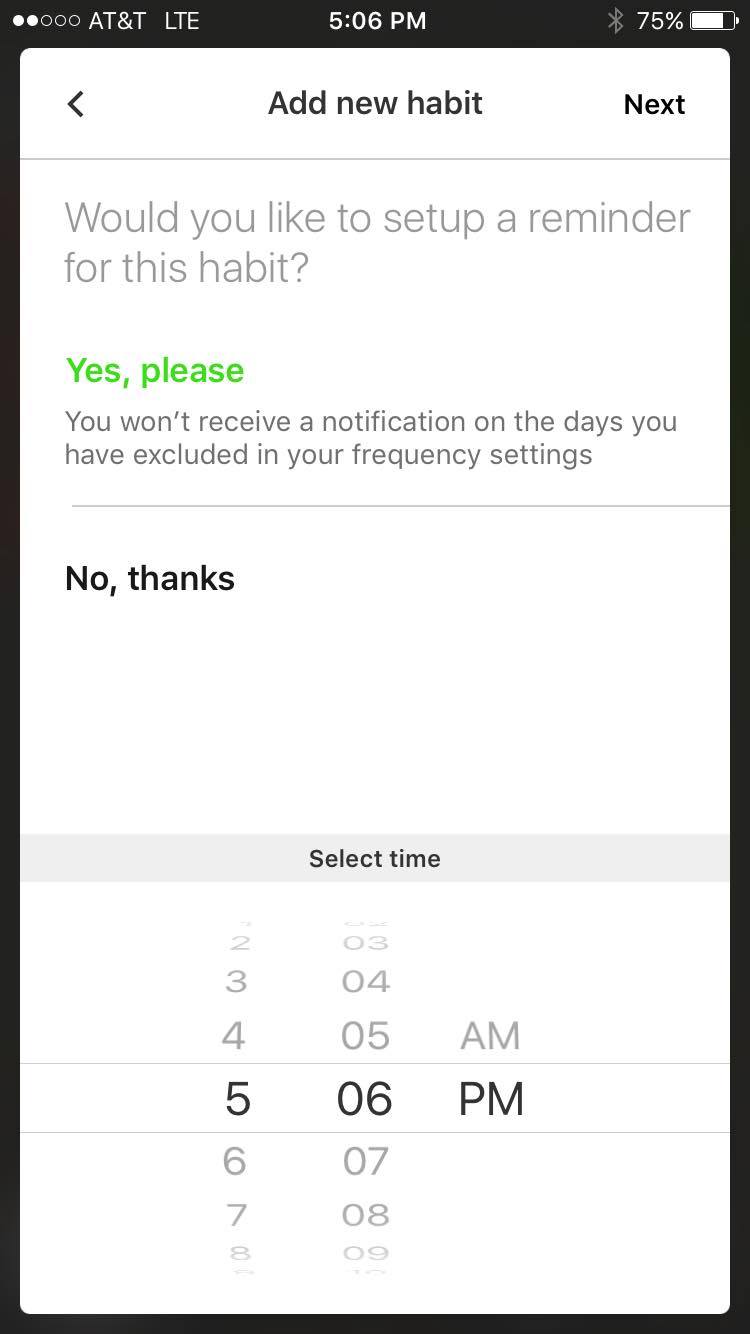
You can also choose a specific day to start this habit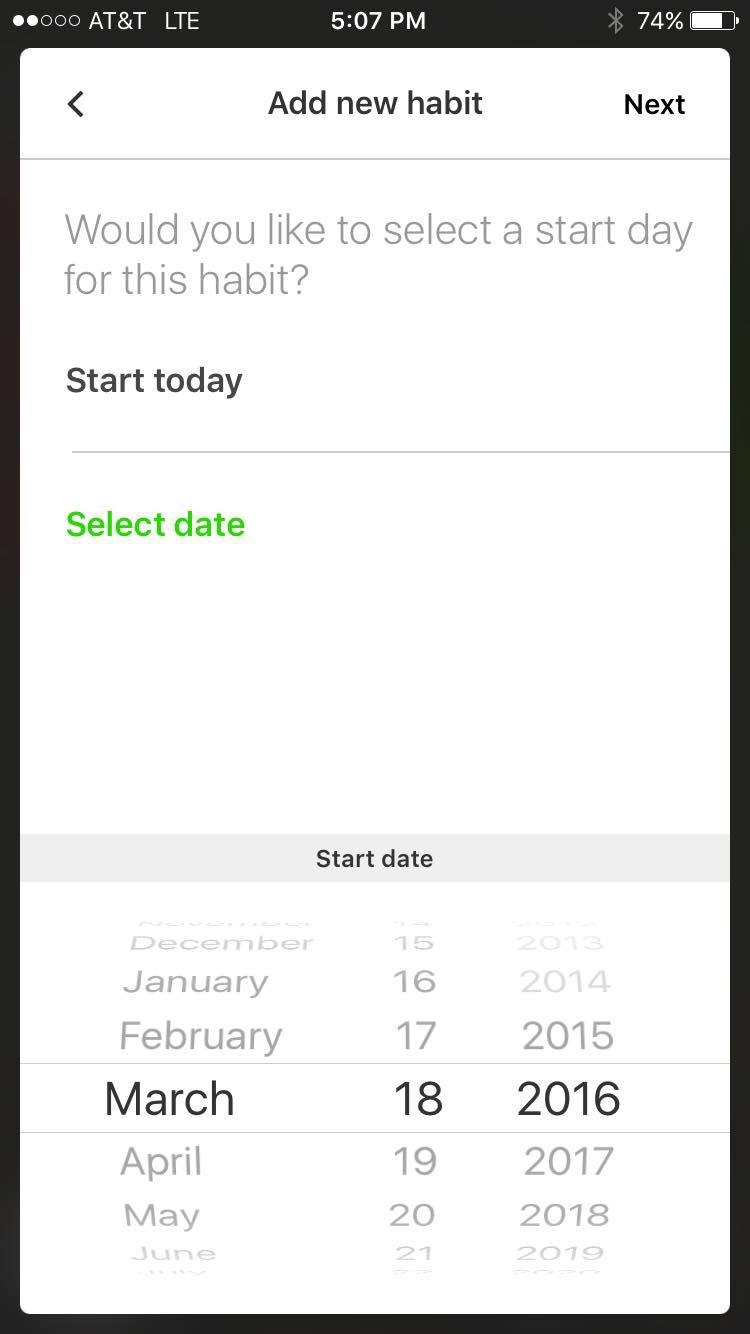
choose a background cover
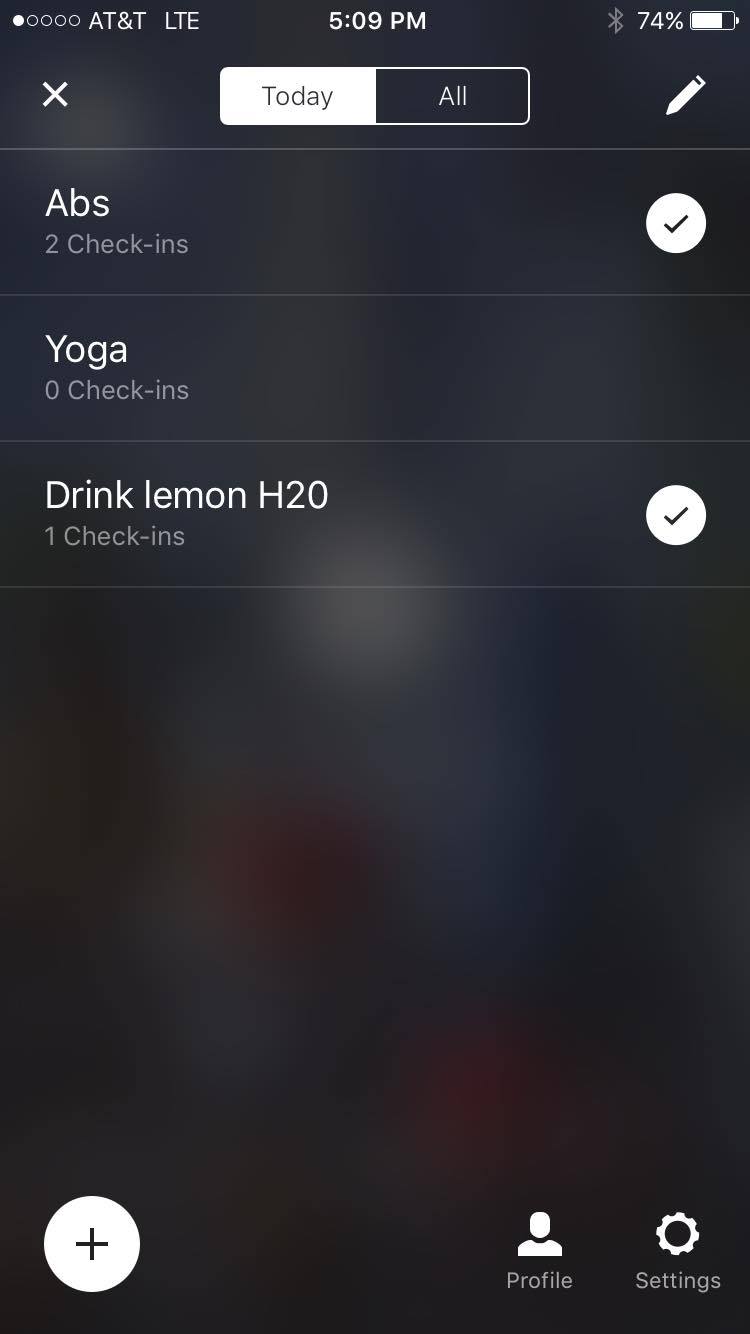
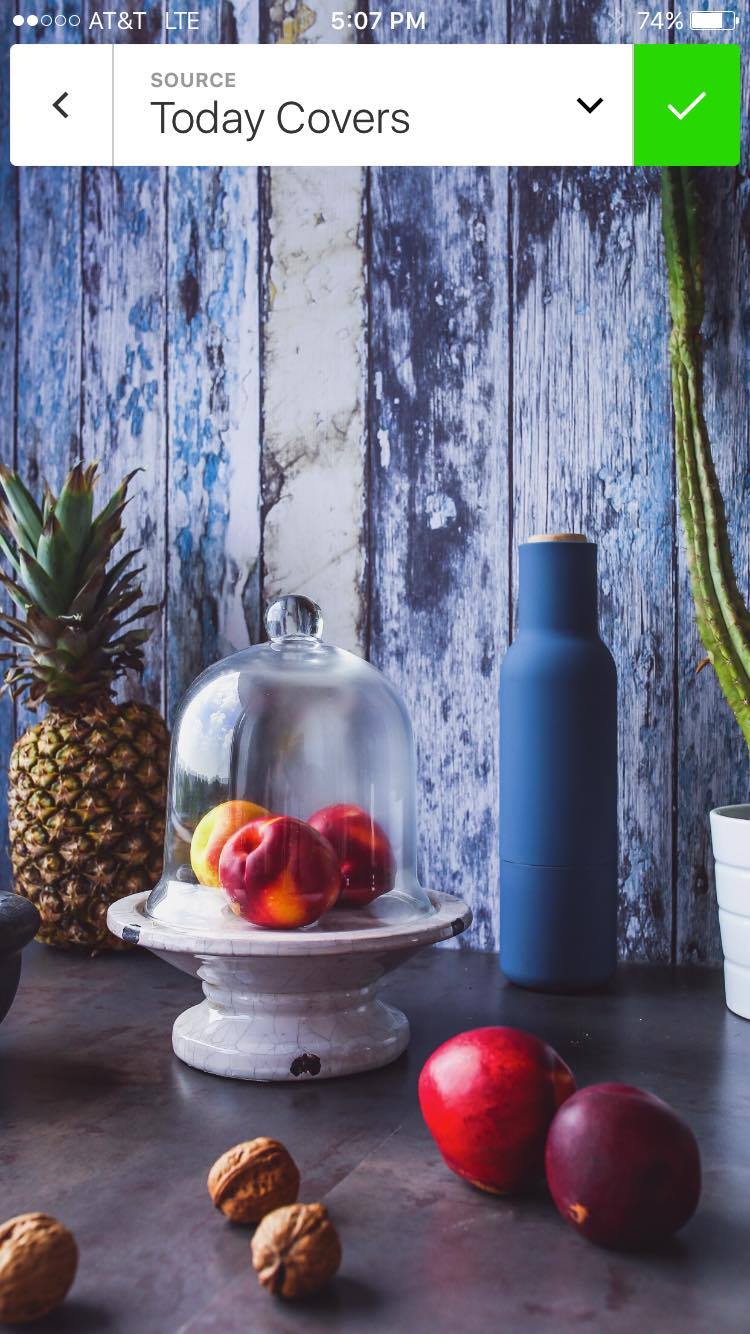 to check-in and show that you’ve accomplished the task, just double tap on the screen for that habit! each habit has a separate screen that you get to by unfortunately pressing the hamburger icon, but i think since there’s so few elements to tap on it’s OK…I’d still prefer something different though.

to see your check-in streak on a calendar, just swipe down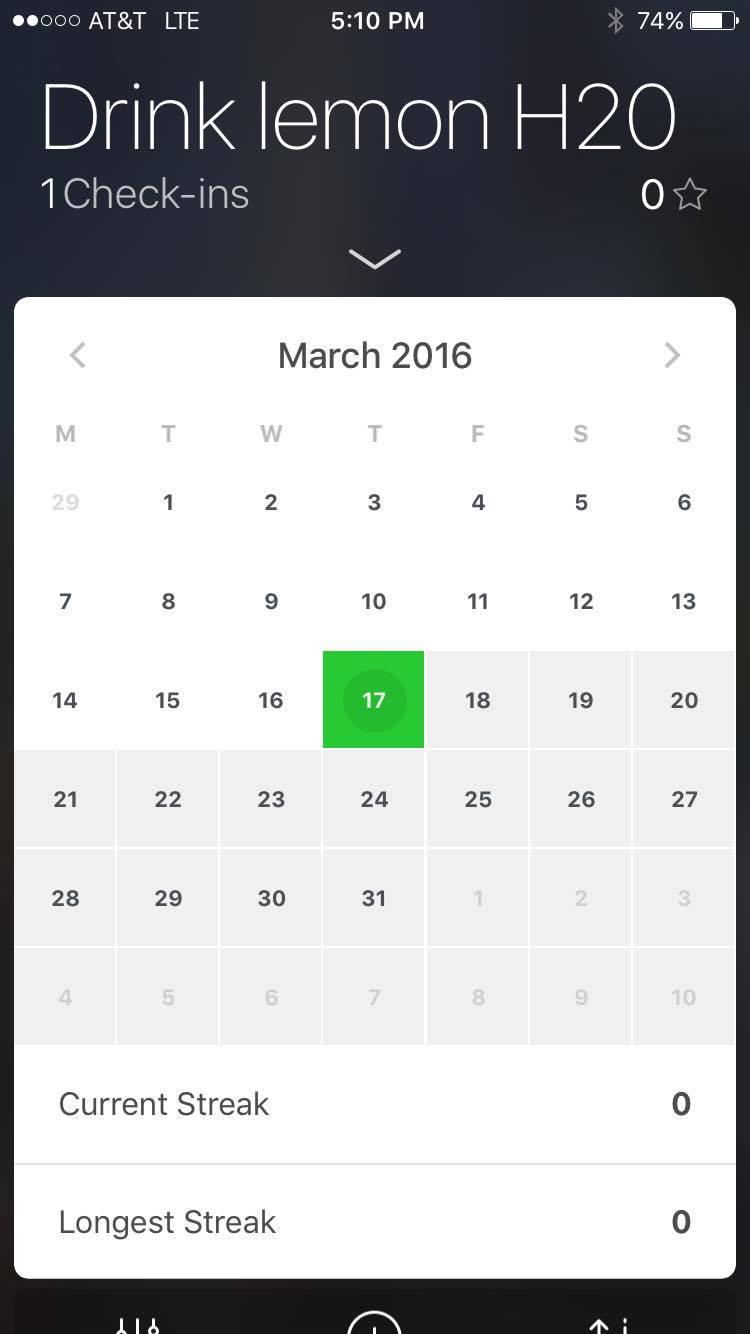
you can add widgets with other health data in-app, from the apple health chart, or inputting your own info about things like body fat percentage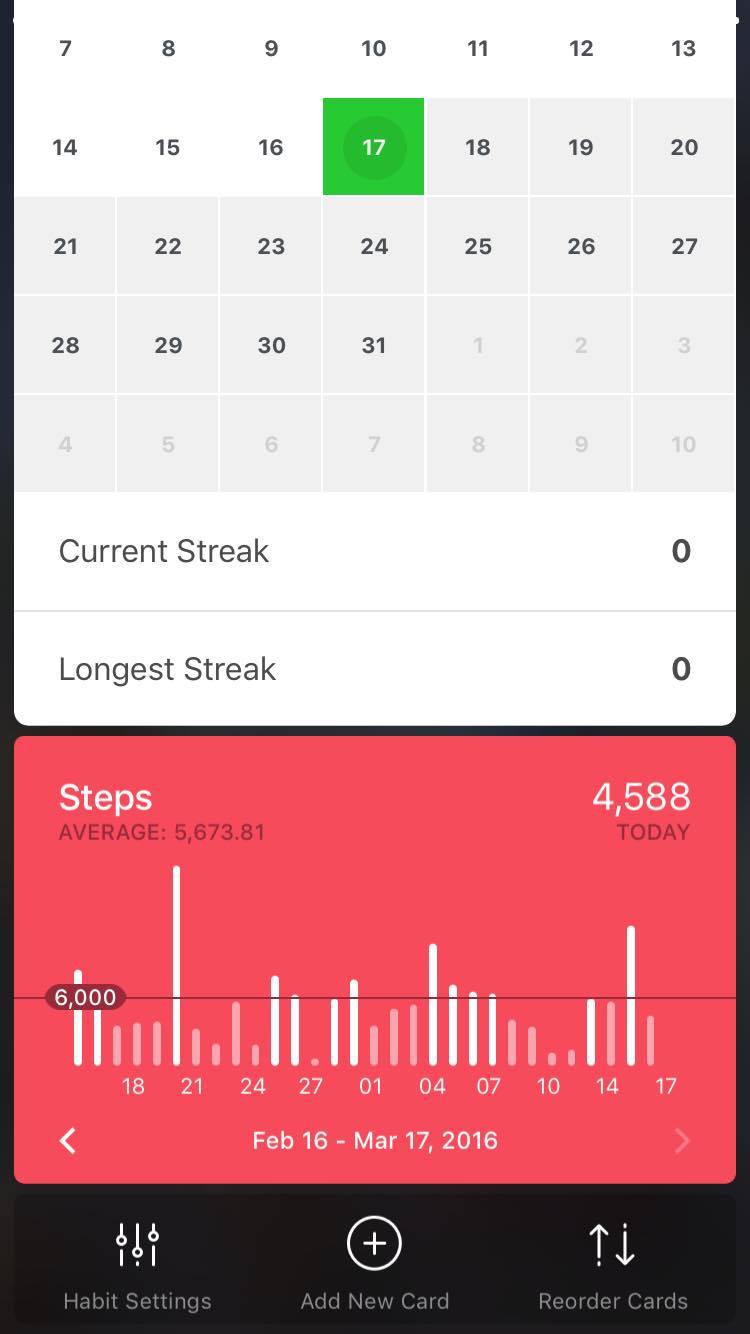
you can also achieve badges for reaching certain streaks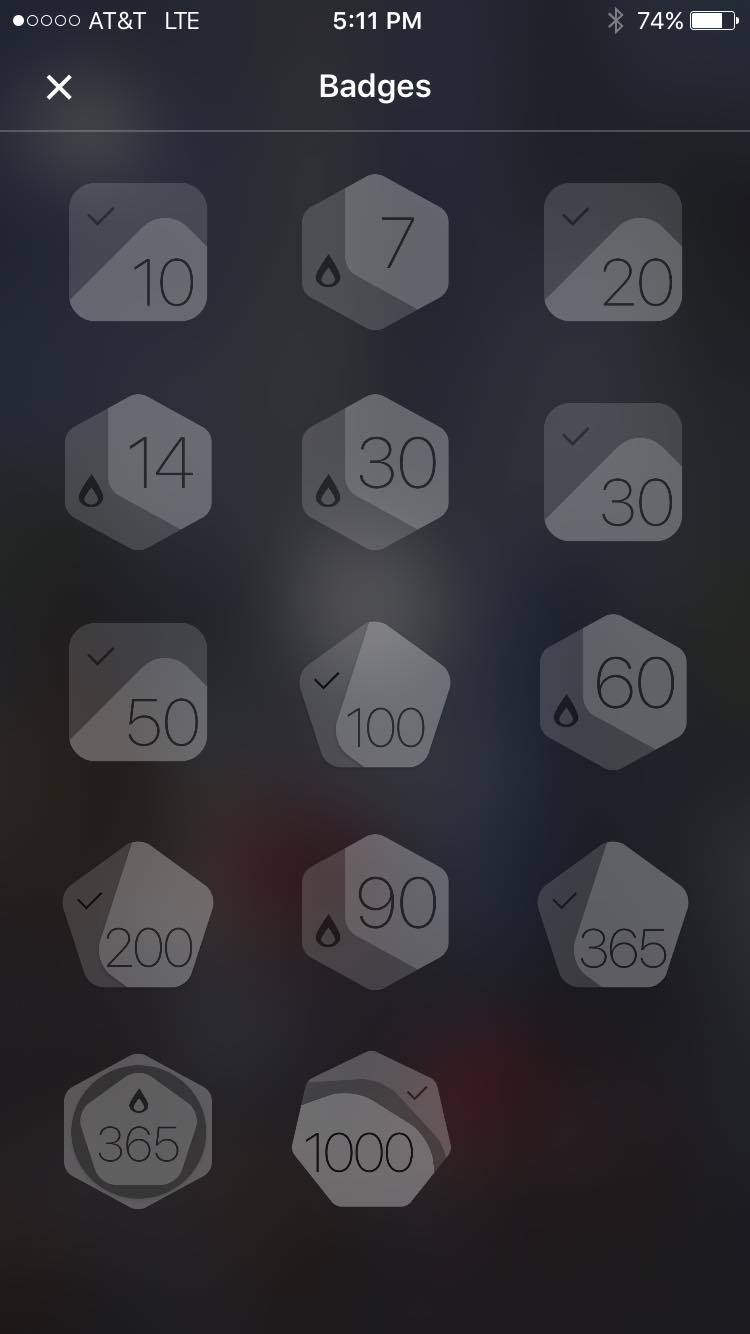
the profile page is super simple and nice as well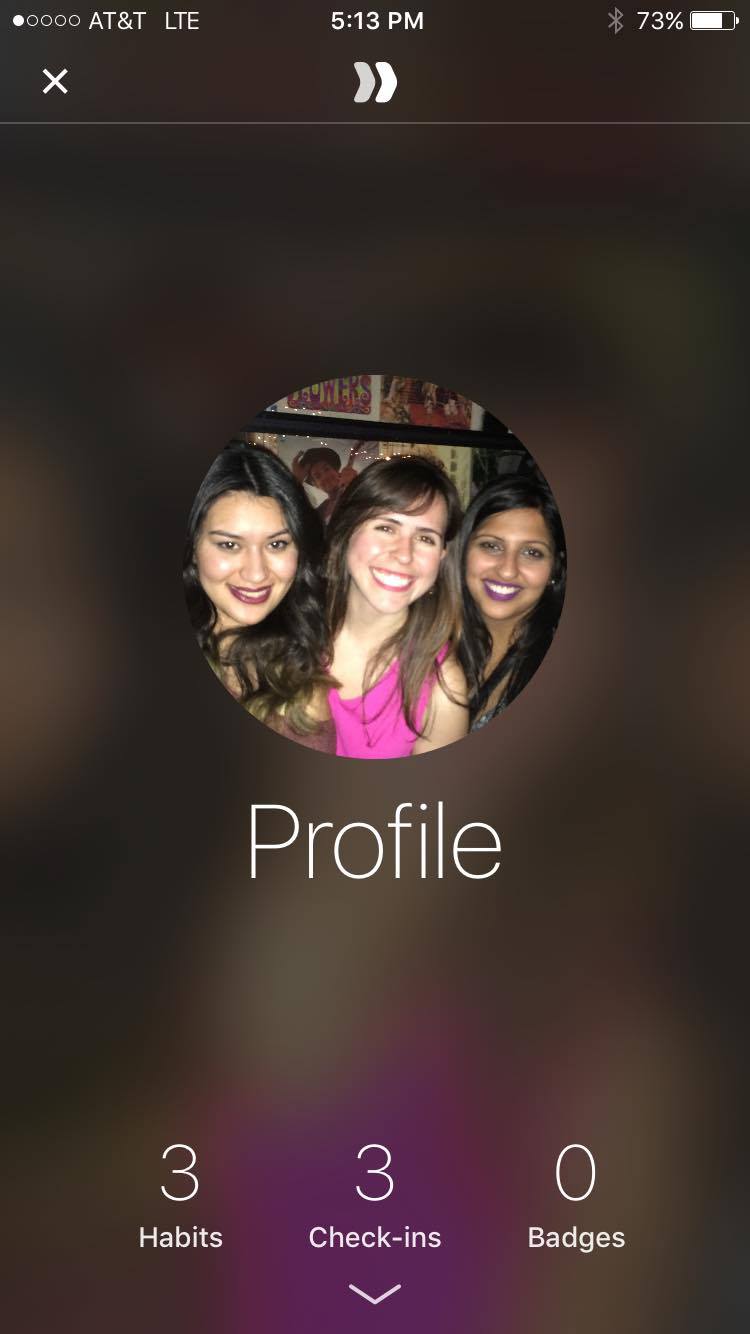
I really like this app, i think the one thing I would change is the hamburger icon, instead I would play along with the swipe interaction they have on the habit view and use an up arrow icon to reveal the other habits so that you can swipe up to change the habit view and swipe down to see your calendar streak, i don’t think the hamburger icon is necessary.
3/10 apple tv frame
 apple tv first version
 apple tv designed version
Will update today~
#ThursdayPlays !!
I found this app “Quest: Level Up Your Life” as a new way that helps you organize your daily agenda or to-do list ( like Reminder on iPhone, but in a much more appealing way).
We often find normal To- Do lists boring and a waste of time. But this app takes the mechanic from video game as the motivation, instead of regular progress bar. This way is more interested and attached (or even addicted) to organize your to-do list.
from link to App Store
Android is moving the tab bar to the bottom
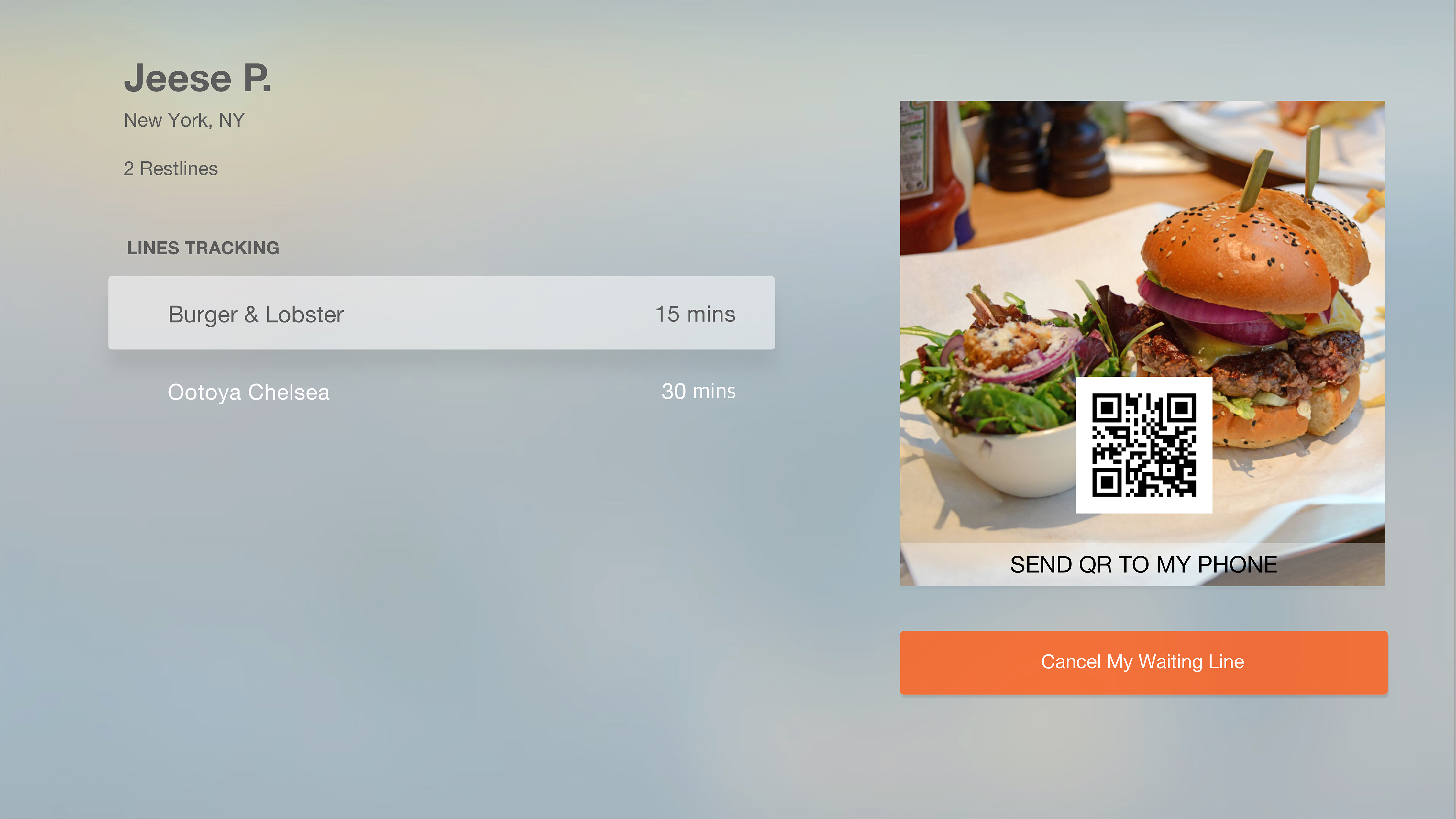
ProjectOne_“Restline”_tvOS_Version1
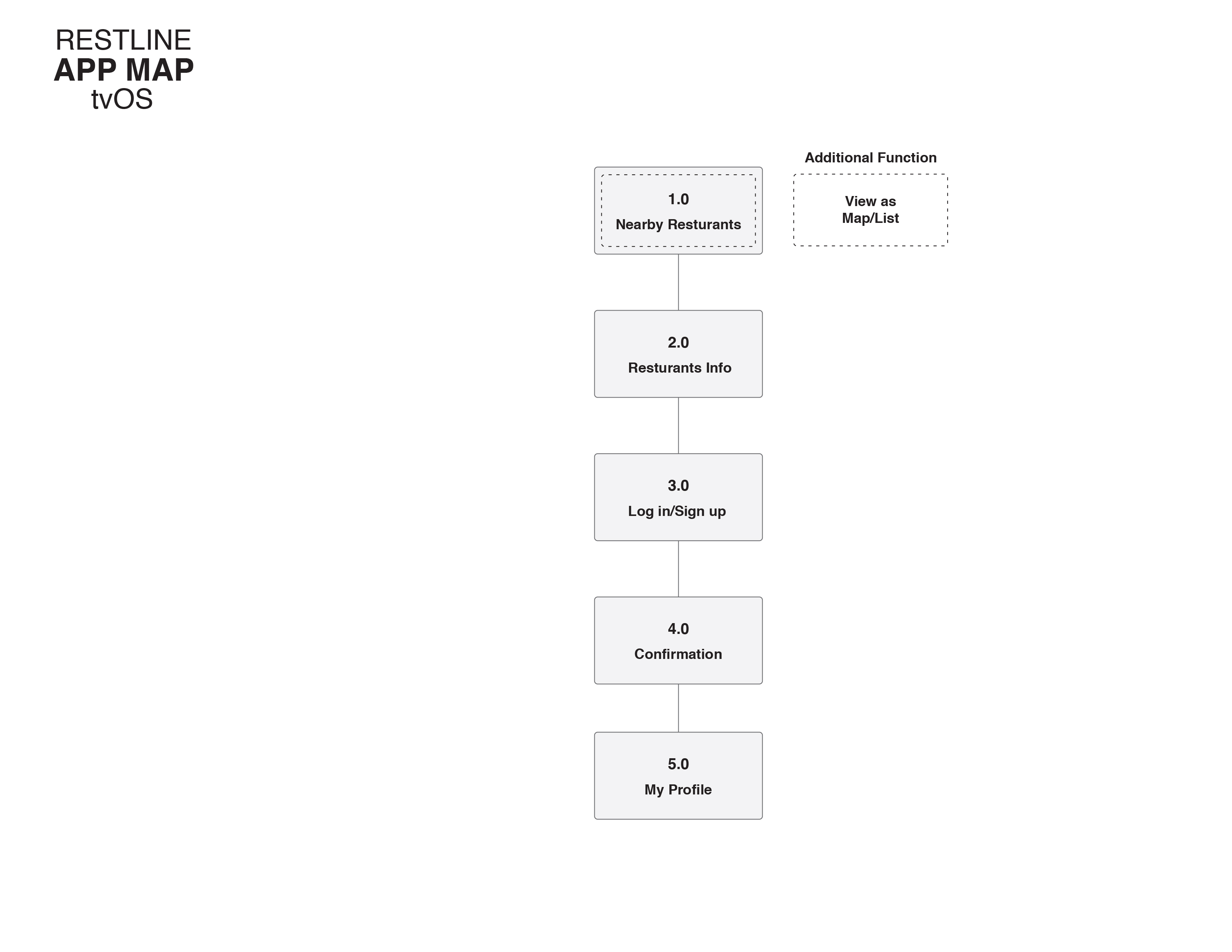
App Map
UI Comps

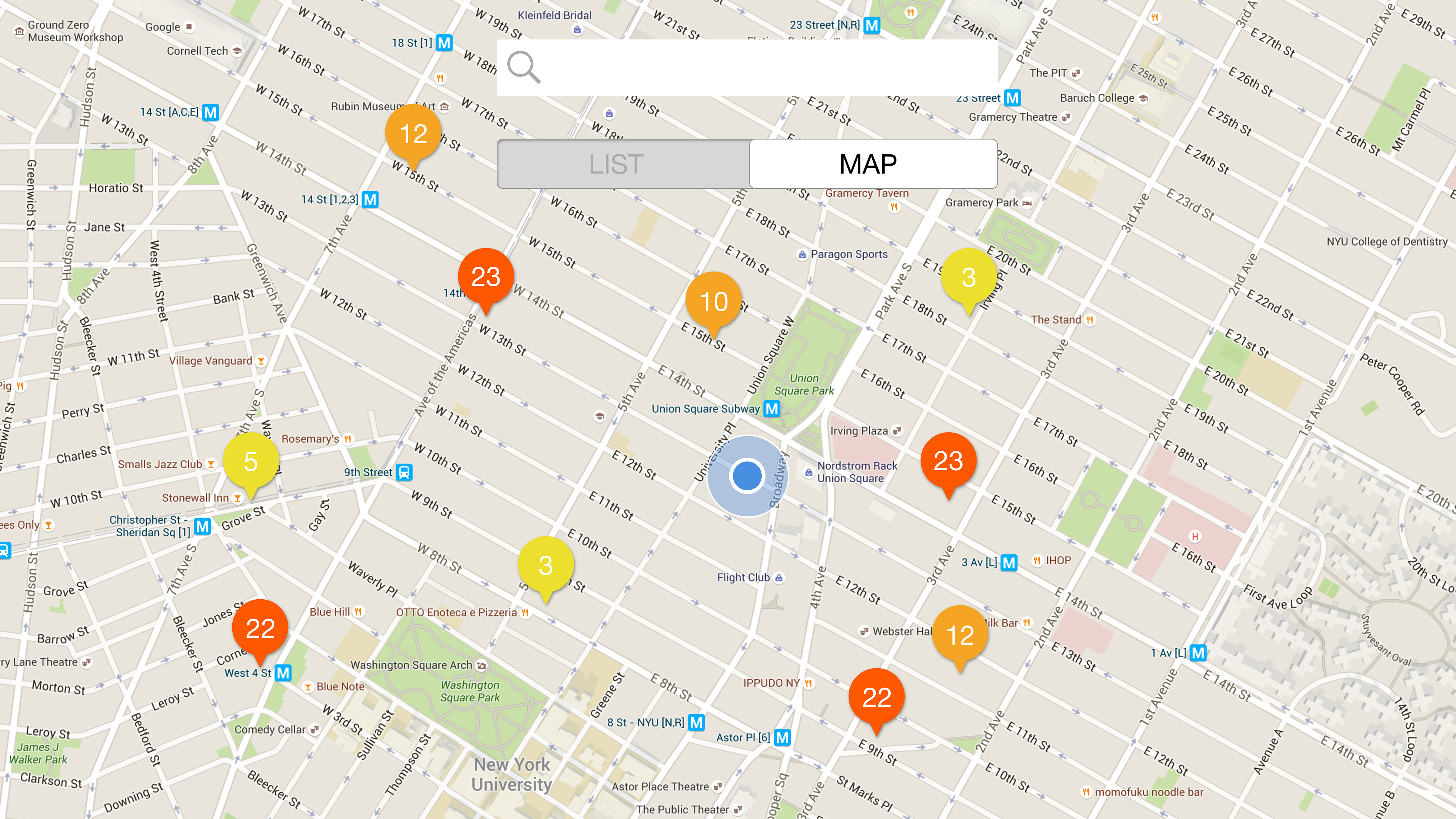
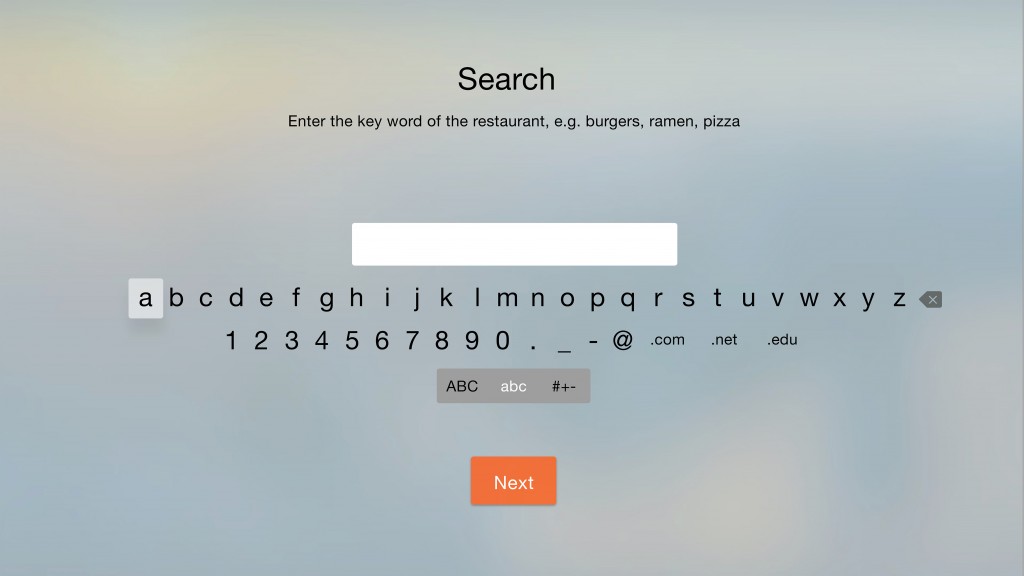
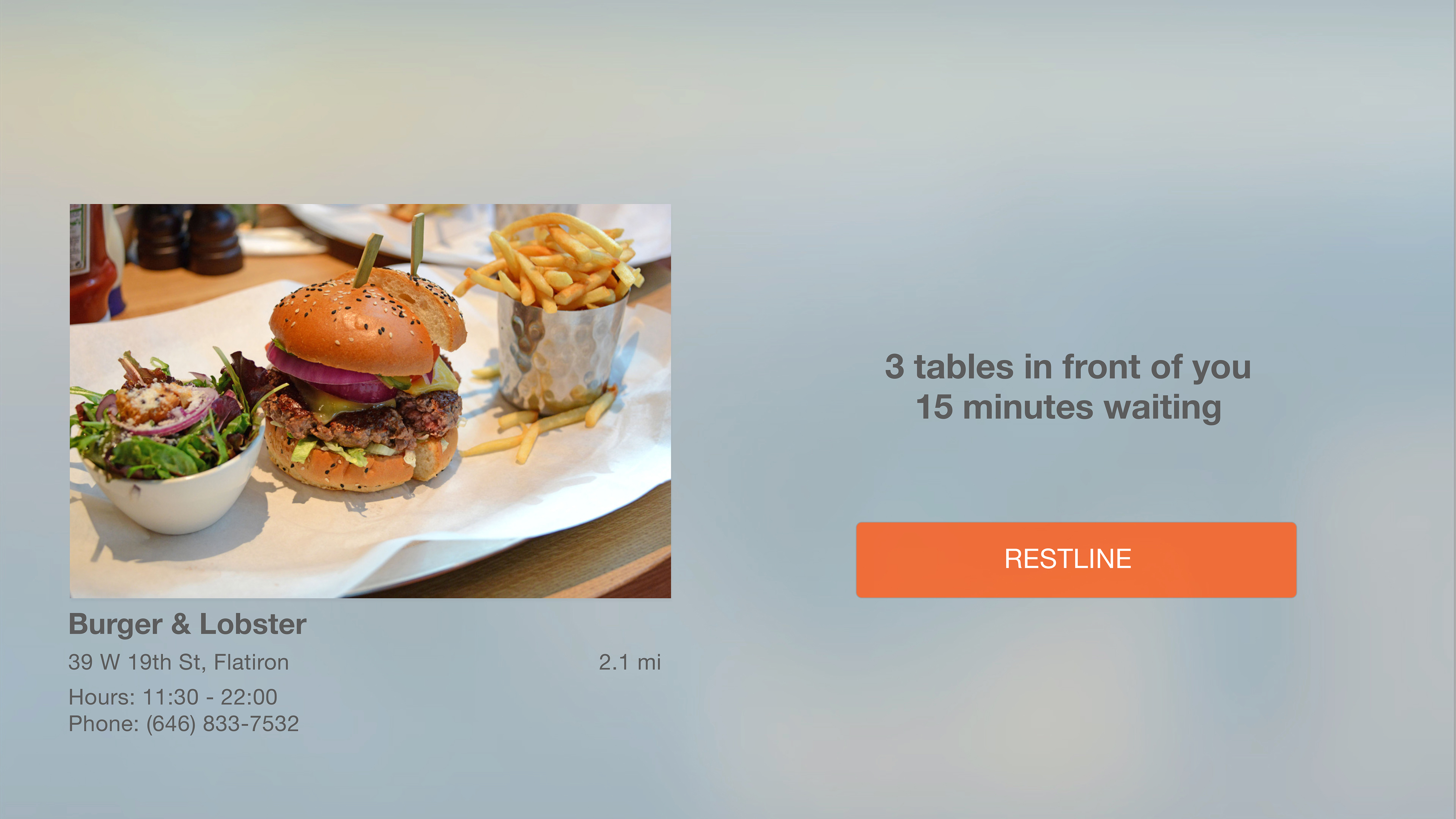
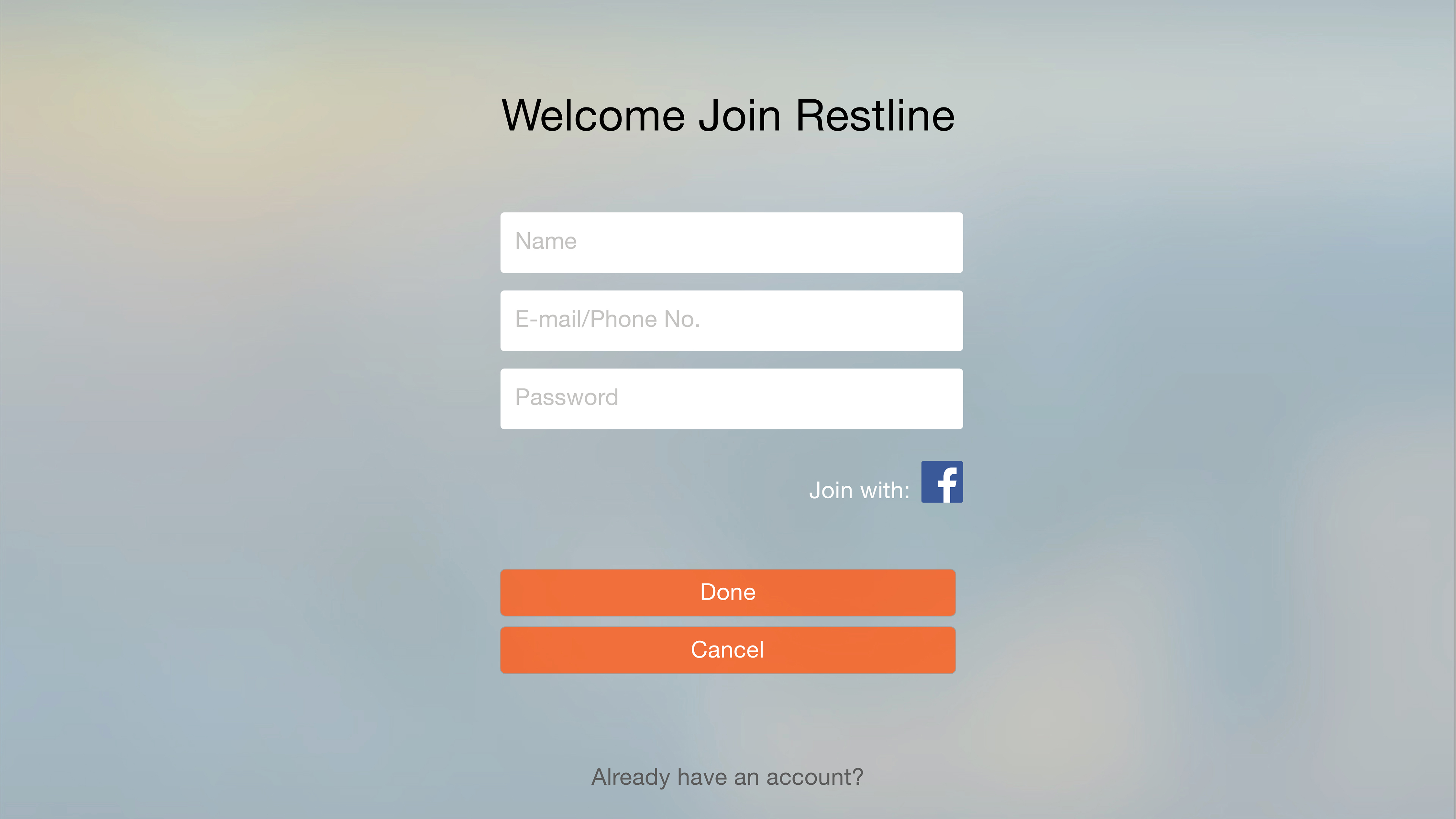
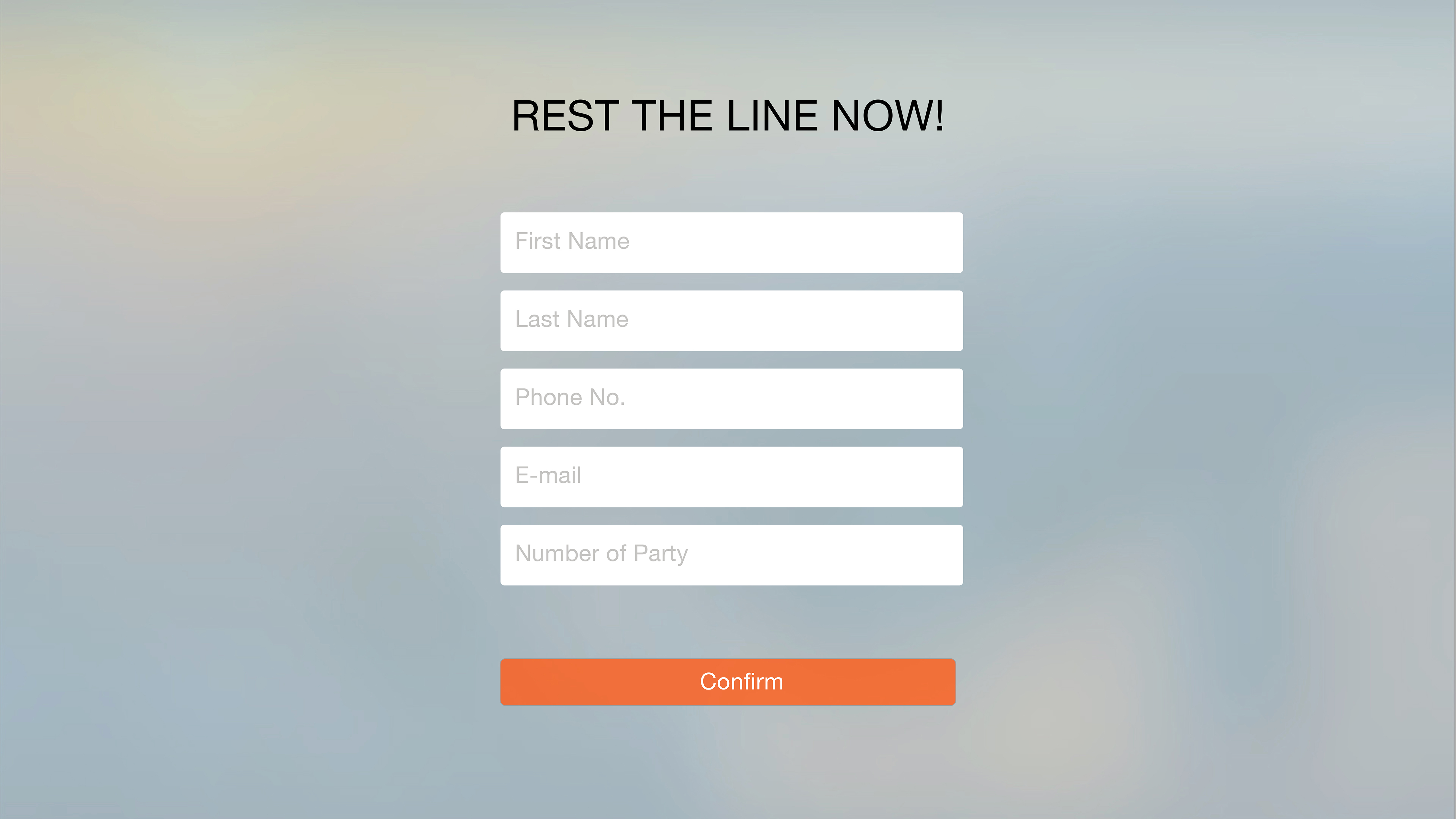
Paper Prototype – User Testing In Class

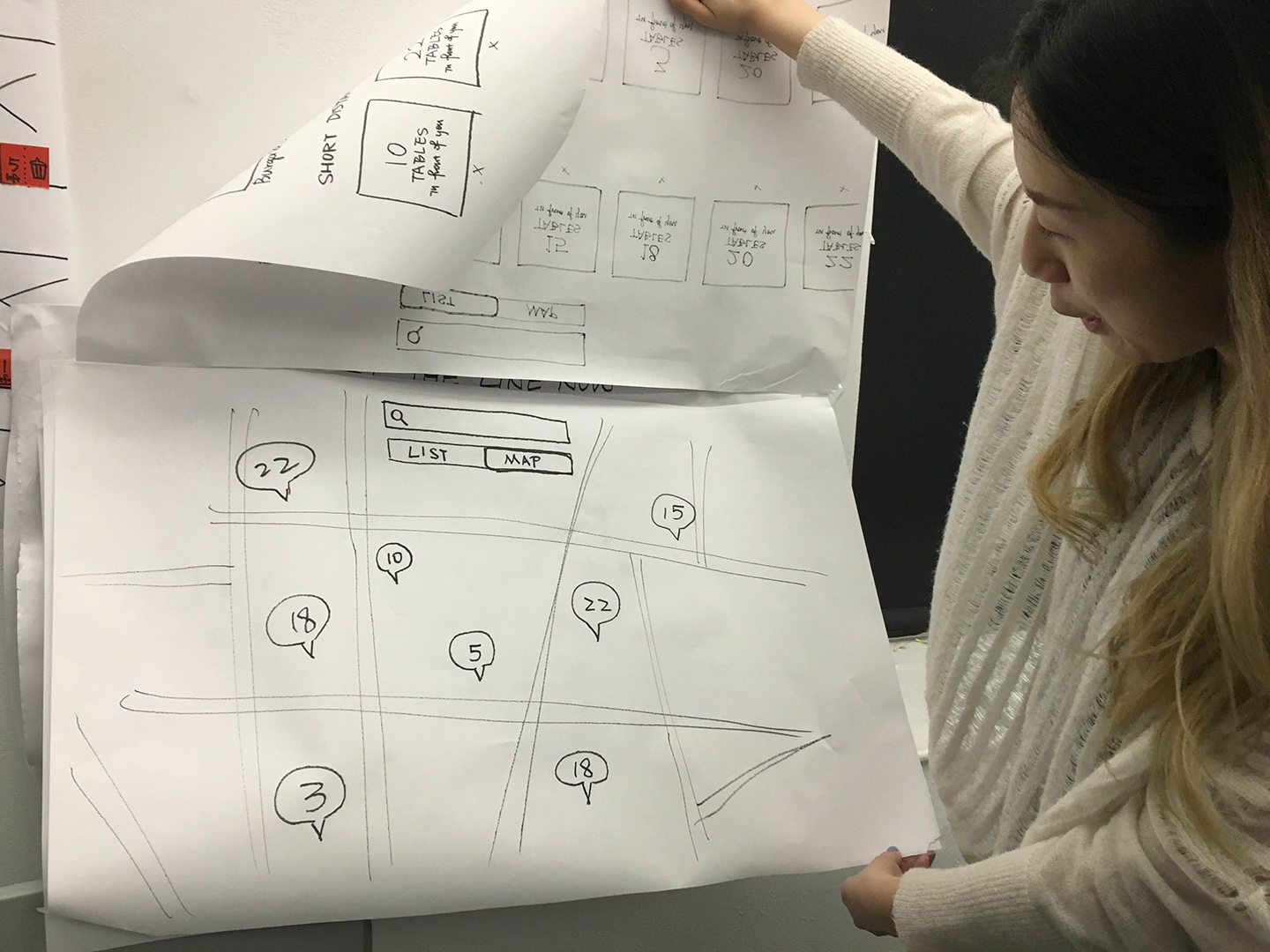
After I did the paper prototype for apple tv..
- It is more real and helpful to have the user testing on the full-scale paper prototype. Because the size really does matter for users to have a try, and the design could be very different from the version on the phone. It does make more sense for users to sit in a little far distance to have the experience.
- One of my users asked me about if the line tracking disappears after the waiting time, and what will happen if customers do not go to that restaurant. Is it going to expire or send the message to customers phone?
- People think QR code is a fancy way to get confirmation, but they concerned about how to get the QR code through message on their phones. Or maybe just a simple text is fine, and show the message when they get there.
- Some people think the button “Restline” is not a common word for people to understand, so they got confused by that. Maybe “add to my waiting list”?
- Also, one of my users suggest that customers can log in through restaurant info view directly in stead of a whole different view for they to log in.
#ThursdayPlays Email Apps: CloudMagic & Spark
I have used lots of alternative email apps and I found CloudMagic is very powerful and user friendly no matter in functions or visuals. It has clear and simple designs, ux flows. It works on different platforms like Mac, iOS, Android. CloudMagic can share team contacts, as well as integrating with other productivity apps such as keynote, Outlook notebook. Other very useful function is it allows you to get and reply Gmail emails in mainland China where we all know that gmail is blocked.
But after using it for a very long time, I found that iPhone version Cloud Magic doesn’t support Chinese language reply. You can get emails in Chinese, but you can only type in English when you reply it on your phone. But for non-Chinese speakers, it didn’t really matter. But once I need to translate some emails into Chinese and send it back, then I found I can’t type in Chinese on my phone app.
I started to discover another email app: Spark. It is featured in Smart Inbox, which can filter your emails into different categorizes, and this app allows Chinese replies on phone. Another feature is Snooze and Task, you can put your to do list and set notification time to remind you. It is very customizable, widgets and swipes can be personalized to match user’s work flow.
Those are two email apps that I recommend to try if you are looking for alternatives.