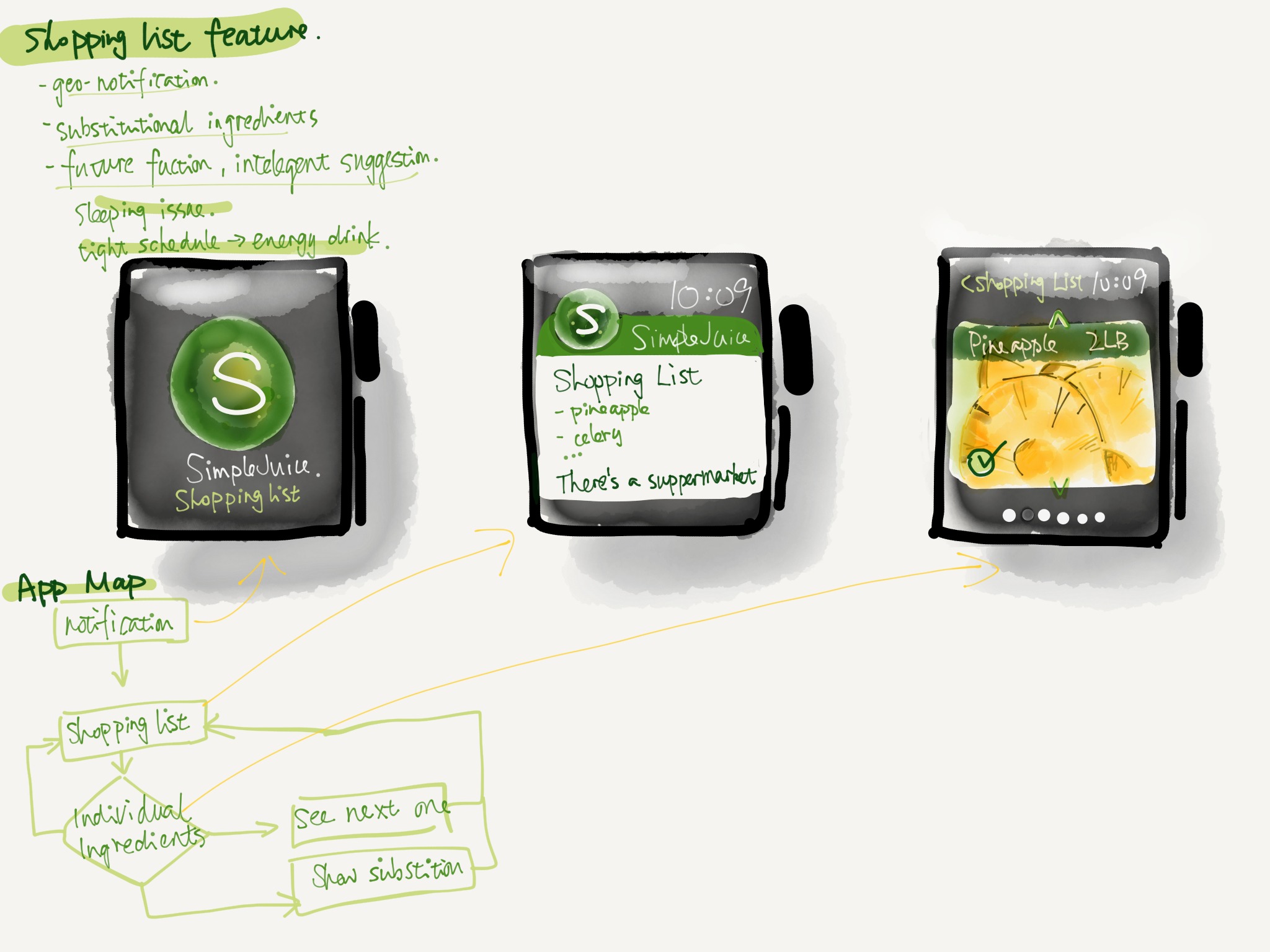
the idea and research about easimenu

https://docs.google.com/presentation/d/1e-jskhvmqThV1g0oblfGB50ues2_DTg_IFEZYCzm5_g/edit?usp=sharing


the feedback from the digital prototype,

1, Some tag is too small to tape.

2. It is unnecessary to add a advanced searching icon in the main menu.

3. hamburger icon at top which is the android style or navigation bar at the bottom(ios).

4. is it necessary to build a community inside a food app, or just offering professional cooking guidance.

5.The chose color is kind of misleading.

Learning from digital prototype:

concept:

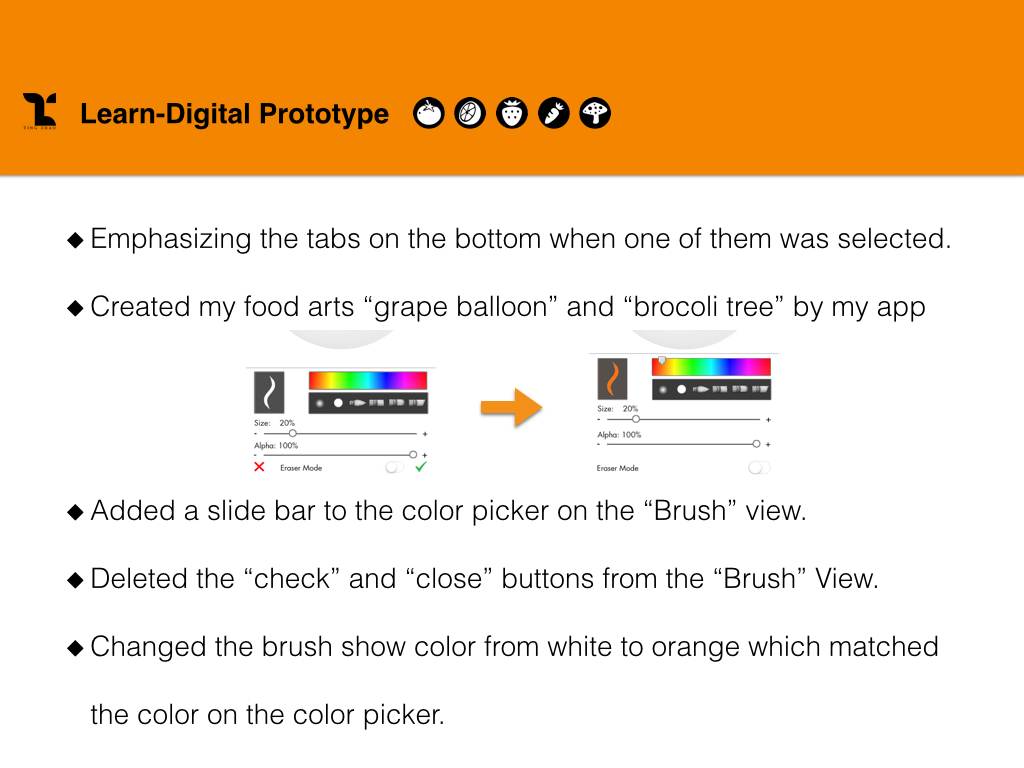
When I first design some buttons in Ai, it is very easily to design it too large or too small, some basic principles in the UI design I should know.

Visual is not the only matter, designers should consider more about the user experience not just visual, for different system, there are different principles.

different using habits of users in different operating system.

When I test user behaviors on digital prototype, user behaviors is very unpredictable.

digital prototype is a very efficient way to find potential problems in your design, also, for a real project, google analysis is a good way to track your users behaviors on your app, which could be a guidance for the further design.

About the color in UI, designers should treat them more carefully, different color might represent different meanings in users’ vision. In conclusion, user experience is the core guidance, designers should design user interface from the users’ perspective.

3 Things I learned from Apple’s HIG — Jackie

1. Deference. icons simplify and clarify ornamentation

Clarity. Text is legible at every size, icons are precise and lucid, adornments are subtle and appropriate, and a sharpened focus on functionality motivates the design.

Depth. Visual layers and realistic motion impart vitality and heighten people’s delight and understanding.

The UI helps people understand and interact with the content, but never competes with it. For my understanding, as an interactive designer, our target of interface design can be also seen as to design a visual system or communication language between user and content. Through reading the rules of HIG design, I deeply thinking about why we choose icons simplify and clarify ornamentation in iOS system. And how to using design for helping people get the content, but not confuse them. The interface’s exist is servicing for user experience. That’s why as a UI designer our target is highlight the users to get content at first. And putting your personal design style as second place.

2. Continue thinking of how to make the most important content and functionality clear and easy to interact with. The IOS design system use plenty of negative space, let color simplify the UI, ensure legibility by using the system fonts and embrace borderless buttons. These details are telling us each single gesture design were creating through users perspective.

3. Another interesting point for me is about the iOS app includes a window. But—unlike a window in a computer app—an iOS window has no visible parts and it can’t be moved to another location on the display. Most iOS apps contain only one window; apps that support an external display can have more than one. Because users tend to experience an iOS app as a collection of screens. From this perspective, a screen generally corresponds to a distinct visual state or mode in an app. Through this point, I continue explore the object is becoming more important which is UIScreen design.

Delectable – App Review

Screen Shot 2015-03-19 at 下午7.10.40

https://delectable.com/

Delectable is an app that recognize your wines when you take picture of the label in this app, and you can get reviews, recommendations, other comments about the wine.

I’m amazed by their humongous data base since I’m a sake lover and some of the brands can be less easy to find, however they have the information! And I also tried red wine and white wine – both work. And the response is fast, the information is clearly layout. The color palette is also not that generic  – it comes with a feeling of natural, graceful and high quality of life.

Apple Watch Map + Wireframe

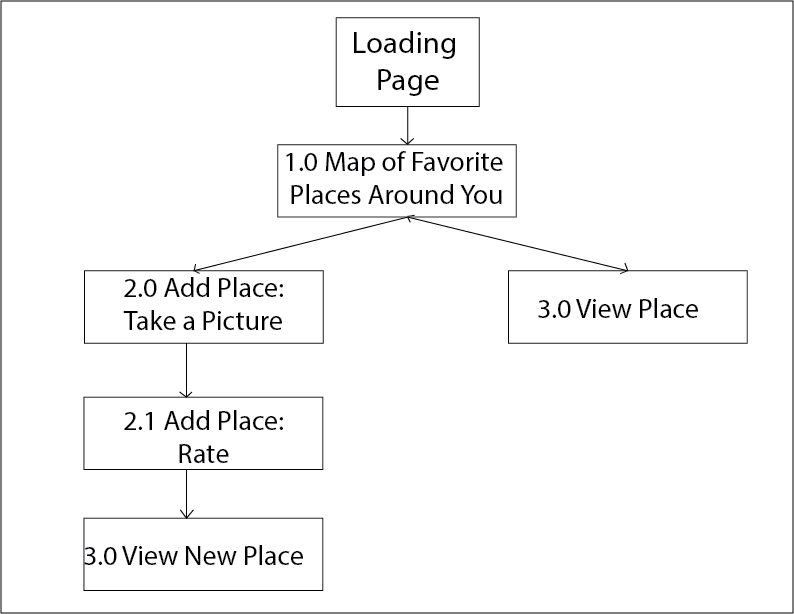
For my Favor’Eat Apple Watch’s app, I plan on only displaying the map view, with the user’s favorite places around where the user is locating. The user can also use the option “Quick Add’ where he/she can take a picture, link it to a Yelp place (according to the map location) and then rate that place.

Application’s Map:

App Map


Application’s Wireframe:

Favor'Eat Watch Wireframe