Here are some things I didn’t know, and other useful guidelines to always keep in mind:
- I had know idea split screen existed for iPads and desktop/laptops! I used to play around with this on PCs many many years ago, but I don’t ever remember it being an advertised feature. I had no idea it was even possible and seems not very intuitive to find out (press and hold green full screen button and then drag it around to highlighted halves). But even so, I was disappointed with this feature for two reasons:
- It only allows half screens and not quarter screens on desktop
- You can’t exit out of split screen without toggling into full screen first, and the other half screen automatically becomes full screened. There was just a lot of clicking involved to get to the original windowed state.
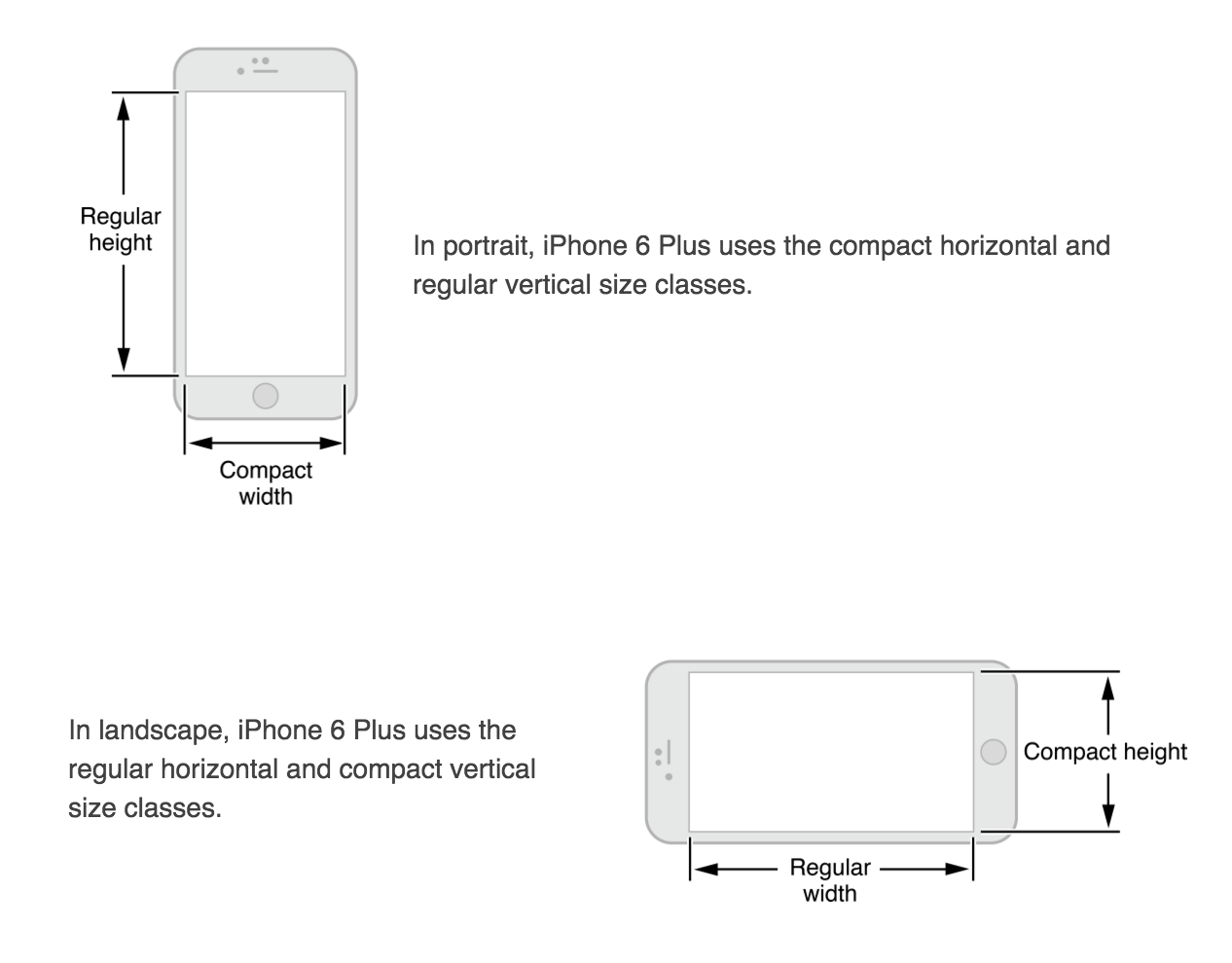
- Responsive Views – Views should be designed as ‘compact’ and ‘regular’ for both width and height. compact/regular, width/heights should be interchangeable.
- Color Blindness – don’t use red and green the only distinguishable features. Use more than 1 way to indicate interactivity other than just color, and look into image-editing software that can help test for color-blindness).
- Color Contrast – I would really like to know what this means:
“Although viewing your app on a device can help you find some of the areas you need to work on, it’s no substitute for a more objective approach that yields reliable results. This approach involves determining the ratio between the luminance values of the foreground and background colors. To get this ratio, use an online contrast ratio calculator or you can perform the calculation yourself using the formula established in the WCAG 2.0 standard. Ideally the color contrast ratio in your app is 4.5:1 or higher.”
- Color Meanings in Different Cultures – keep in mind that color might be interpreted differently by different cultures.
- Font Rules –
- Headline and body should be same font size, but headline uses heavier weight.
- Text in Nav bar is 17pt
- Never use light or bold font as it is hard to read at small sizes (use regular or medium weight instead)
- Support Retina Display – Supply @3x & @2x image assets for best resolution. Never scale images greater than 100%