Prototype 2

The link to the prototype (Even the home bottom is tappable )

Sorry I cannot be in class tomorrow so any kind of feedback on this prototype would be appreciated.

Screen Shot 2015-02-25 at 10.07.36 PM

zeqinghong.com/simplejuice

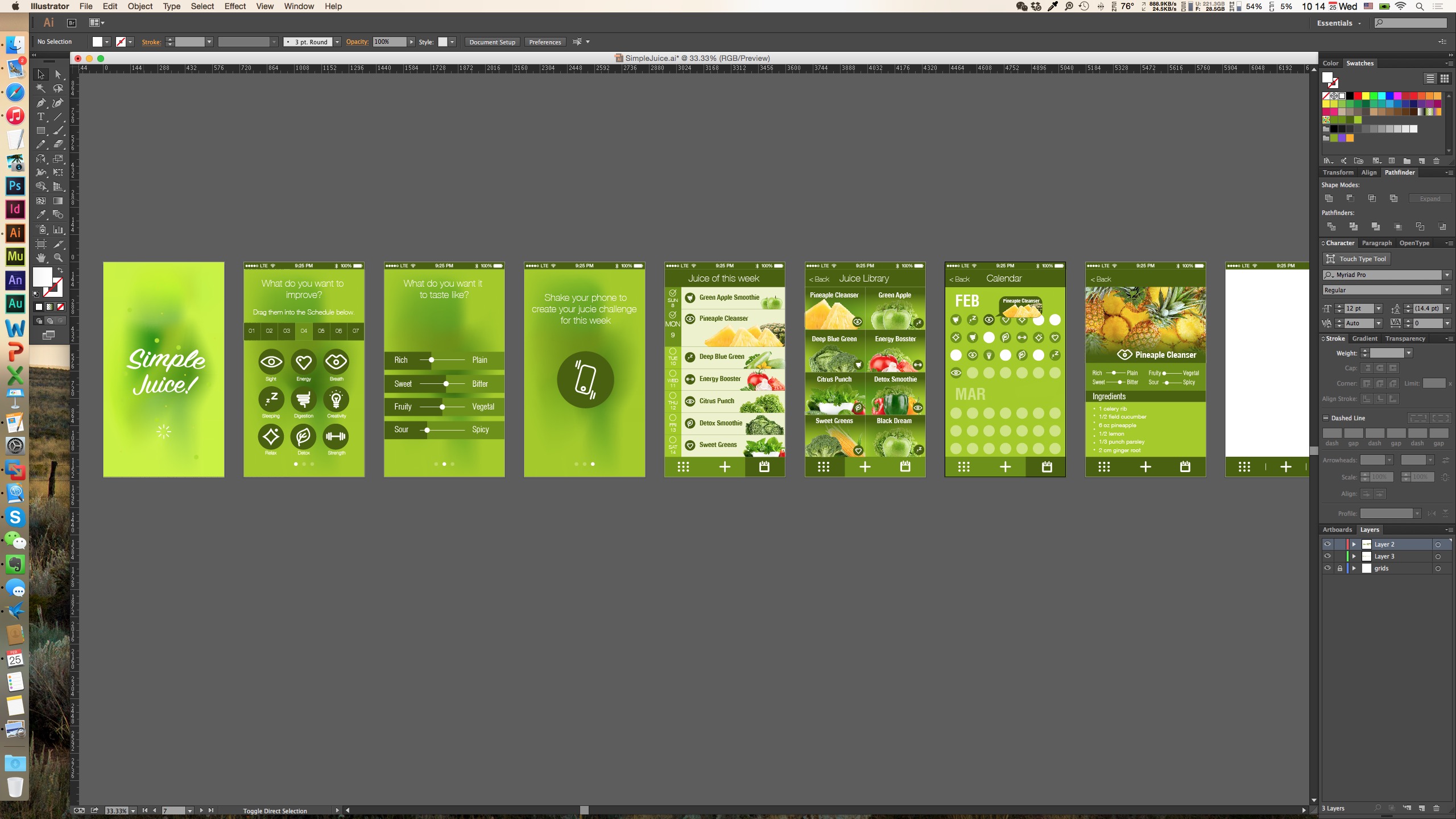
Changes from last version:

1. in the 3step screen, the size of the calendar is optimized for touch and the icons now are accompanied with titles

2. add more space to the flavor screen

3. on the list screen, check boxes are added next to calendar

4. tap bar now has four functions

5.comfirmation page is added when user taps on add a new one

6. customize  the drink by swipe left on the list screen
Screen Shot 2015-02-25 at 10.14.47 AM

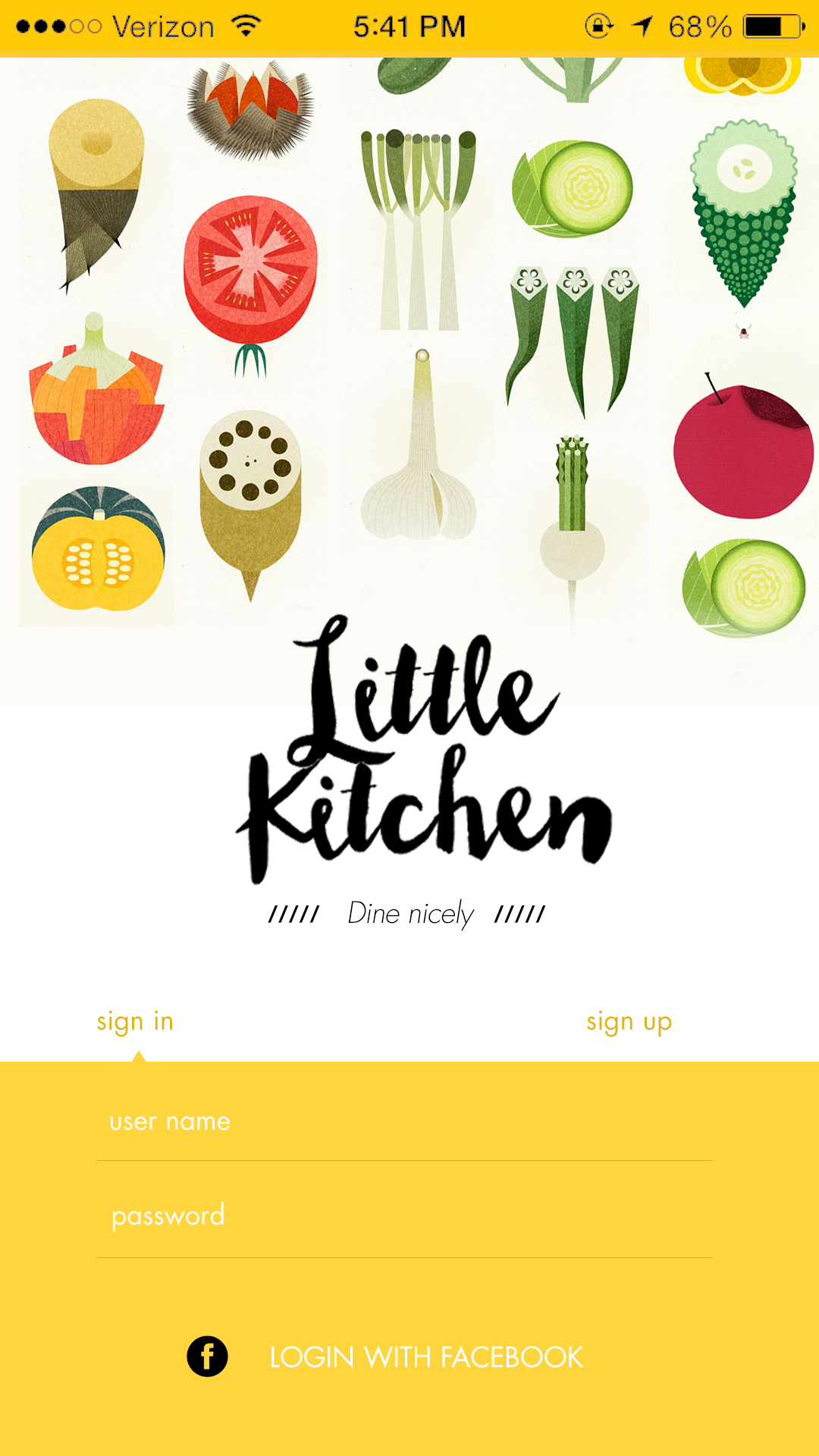
Digital Prototype on little kitchen

05_login

https://www.flinto.com/prototypes/158315

What I learned from paper prototyping
My initial idea of this kitchen is an app designed for two kinds of users – foodies and cooks, which is too ambitious and it turned out to be odd while testing. The users get confused when they were playing with the paper wireframes. Without the explanation, it’s not that clear for first time users.

That’s why in the flinto prototype, I removed the functions for cooks and refined the whole apps. Now it will only serve users who are trying new food at new places.

Vote1,2,3

Sketch

AppMap

Wireframe

Criteria

  • A simple voting system for restaurant food review
  • Users will see the current top 3 dishes in a restaurant
  • if searching for a specific type of food, users will be shown the current top 3 restaurants with the food near them.
  • Encourage users to vote with the rewarding system

Target Audience

Someone who wants to make the right order but doesn’t have time to go through all positive and negative reviews on restaurant apps like Yelp

Precedents

Foodspotting, Dish.fm, Yelp


Crossy Road – App Review

http://www.crossyroad.com/

I didn’t notice that this app has been so popular that the vide review has been played for over 1,000,000 hits. I like the aesthetics, it reminds me of one of my favorite games – Minecraft. Each character is nicely designed and looks every appealing. The according map they design is funny and perfectly fits the character. And they hide nice details in the process when playing the game. The ad added there is acceptable too.

The UI is pixelated, pure colored and simple enough to play with. The gaming is simple too. I personally are not a big player but I play it now and then without any notification from the app. So I think this is a success.

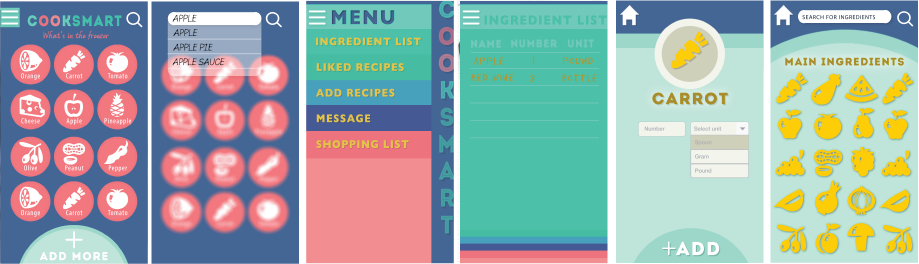
Prototype #2 – COOKSMART Yihan Zhou

Prototype#2 in Flinto

CookSmart Prototype #2

After the first paper prototype, I re-design my idea with all the feedbacks. Also enhanced the interface.
-Change the home page from preference set to inventory content, so the users will more easily manage their food. Also the magnifying glass on the right top is designed for user to search a certain food if they have numerous ingredients.
-When users tap on one ingredients, it jumps to the preference set interface.
-Add a button at the bottom for adding new ingredients.
-Linked all functions to a hamburger bar on the left so the user will know where they are.

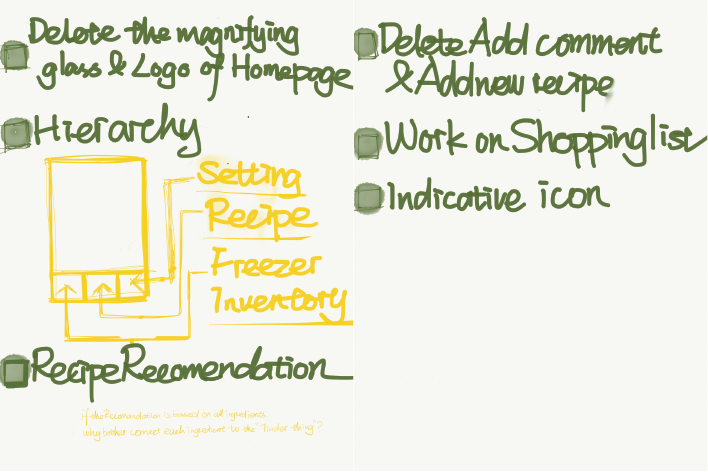
Things I learned from second time paper prototype
-Keep working on hierarchy
-The hamburger bar does not work well, it’s still confusing while jumping to the preference set interface.
-Still, shorten the process of in put ingredients.

Go Foodies! – Digital Prototype 1/2

Please find my first digital prototype at https://www.flinto.com/p/db9835a0.

Paper prototyping helps me realize that the bottom navigation bar should clearly indicate all the views available in an app. A user should always stay on one of the views. It becomes obvious that a constant navigation bar will keep the interaction flow, i.e. avoid that a user got stuck at some point in the app.

Apart from this, I do have a feeling that paper prototyping for mobile app is becoming less efficient compared to evolving, convenient digital prototyping tools we have today. Because the mobile application is a species born from the very medium of digital screen, a traditional medium is not capable of many of the interactions the mobile screen cultivates.

For Feb 26

  • Take your learnings from your wireframes and create a design for your app.
  • In your presentation and in your blog post, be sure to call out what you learned from prototyping. Post one to two learnings from your paper prototyping along with your design on the blog.
  • Create a Flinto prototype (https://www.flinto.com/) of your app.


  • Group 2 will present designs
  • Group 1 will prototype