Food App- Prototype#1_Yihan Zhou

Presentation Slides

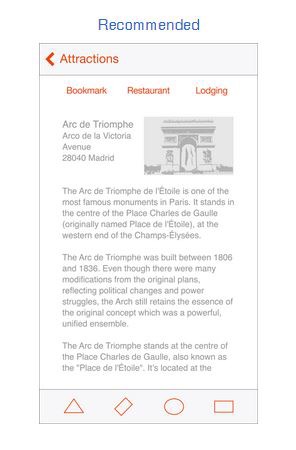
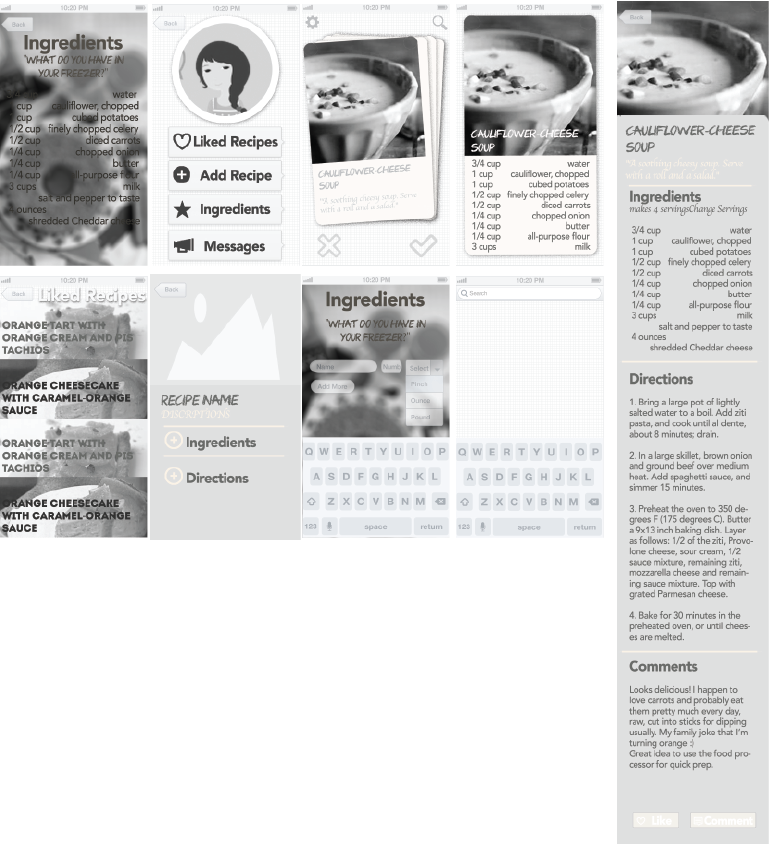
Mockup

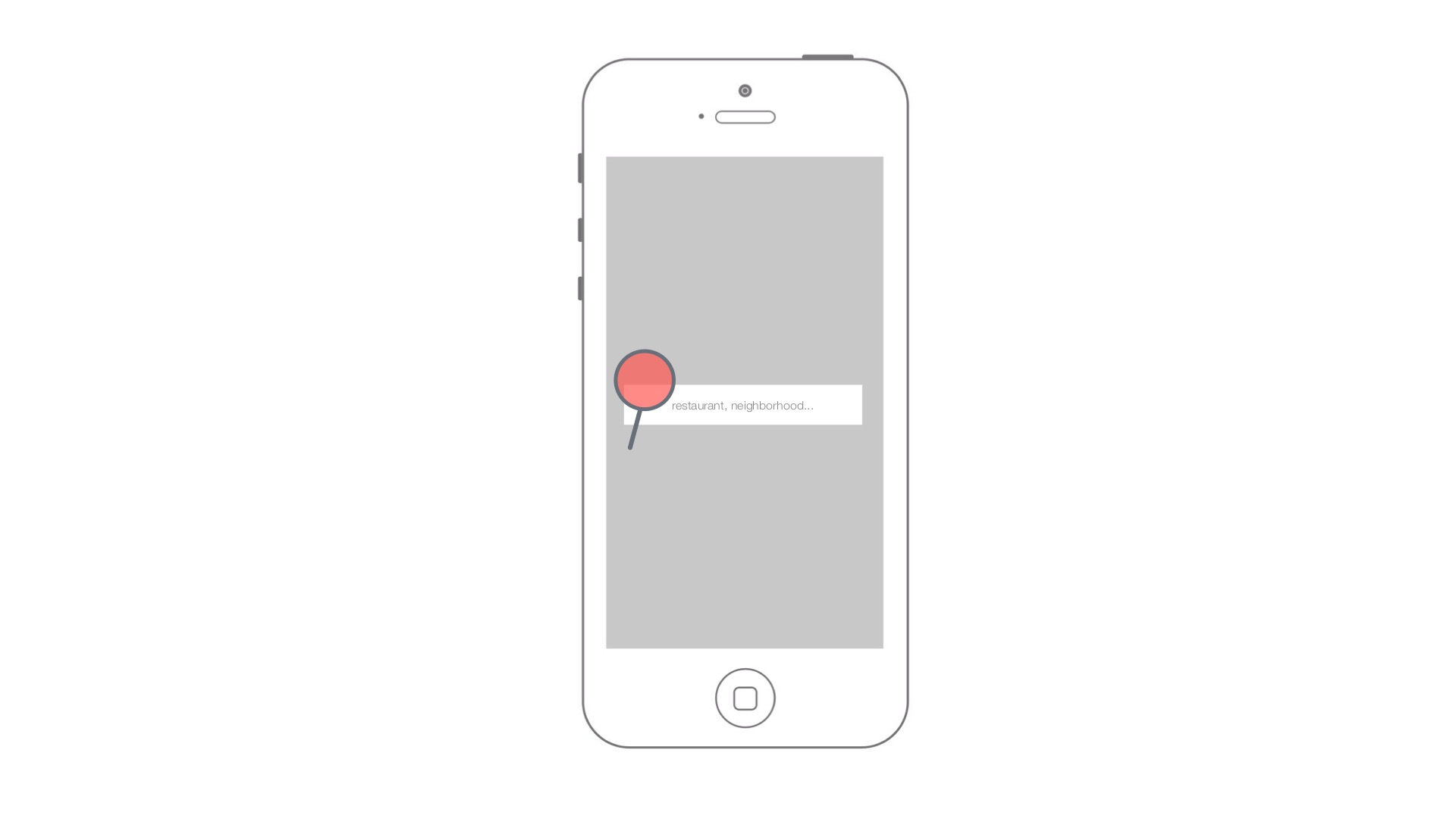
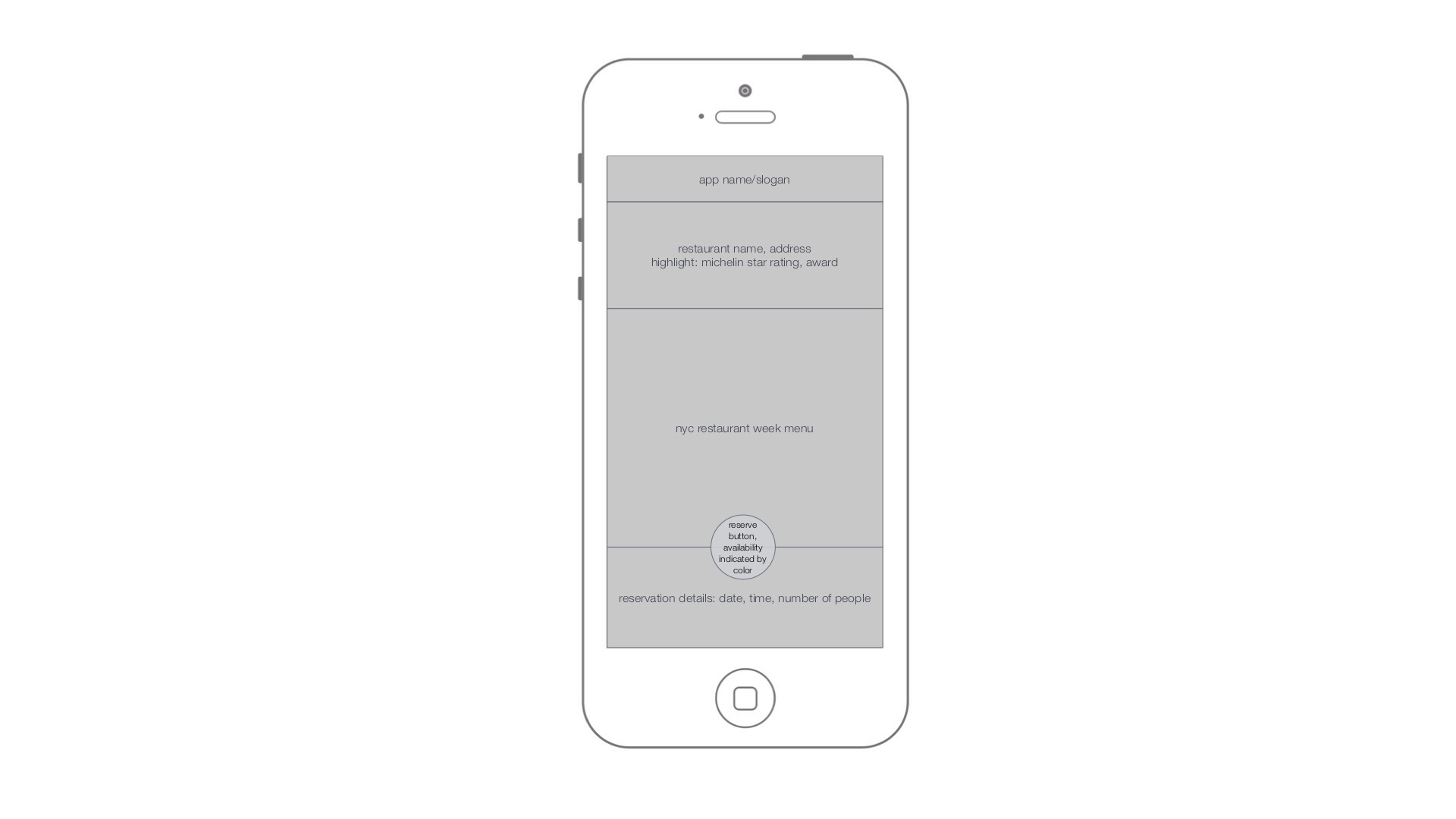
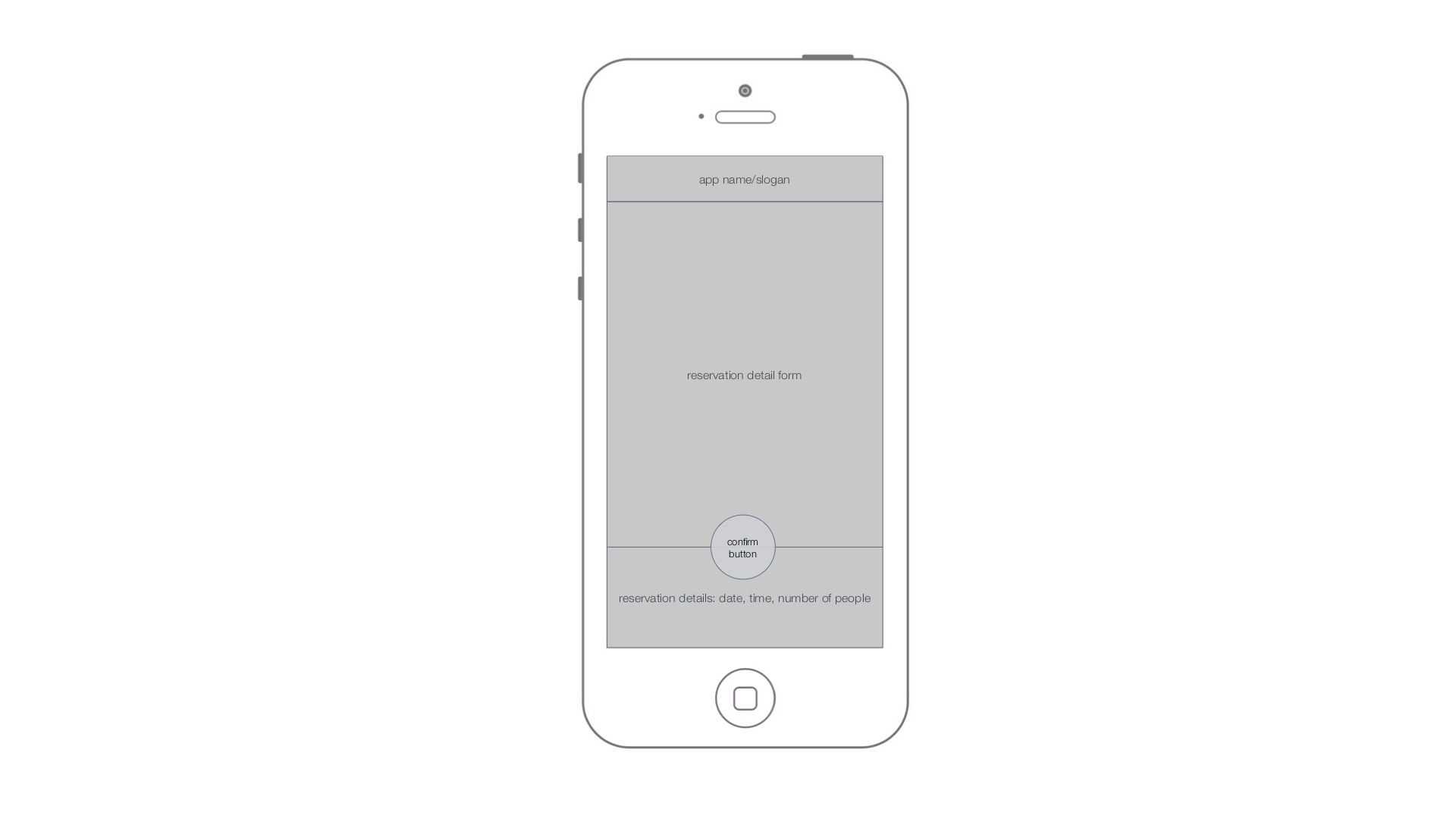
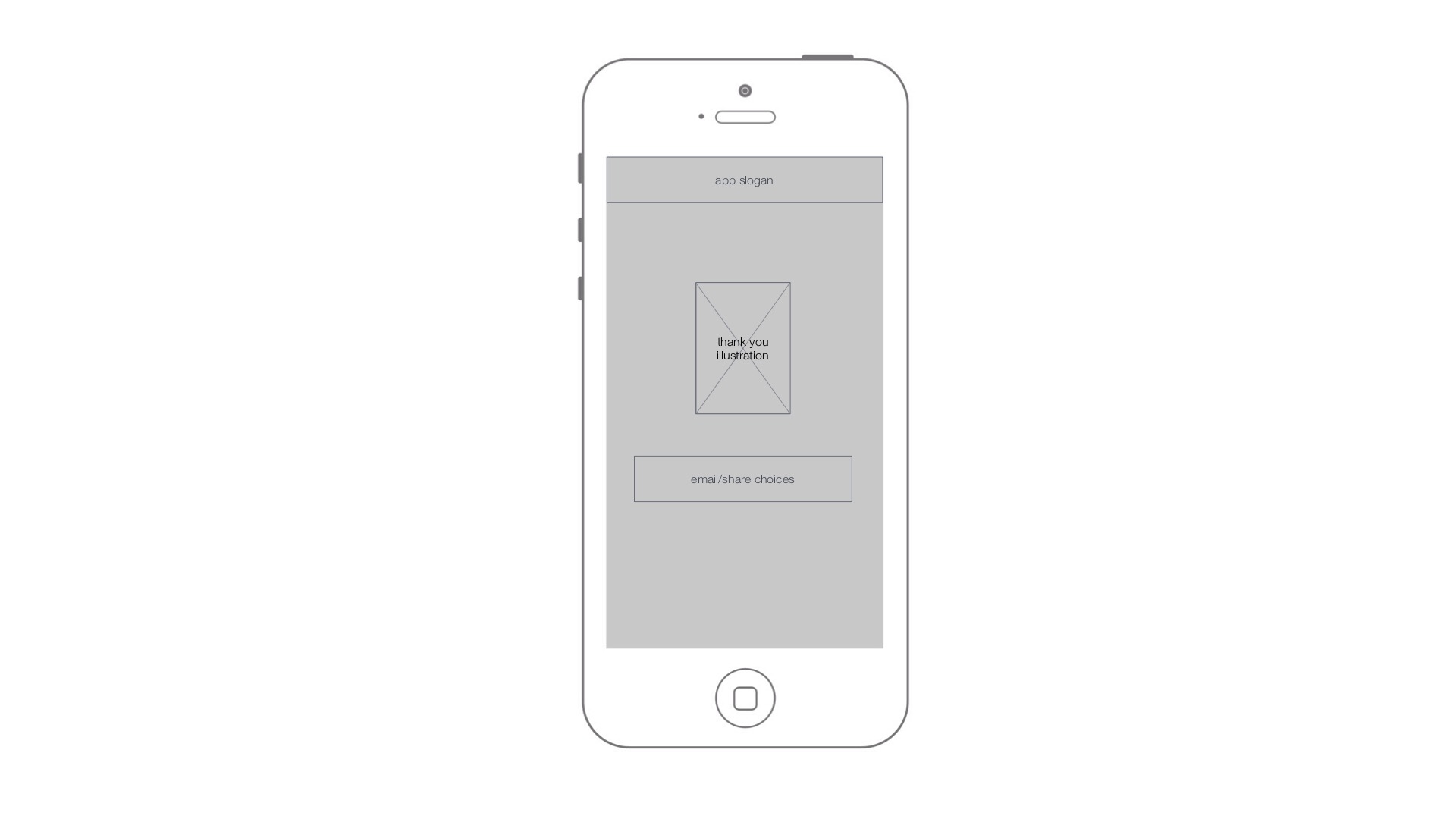
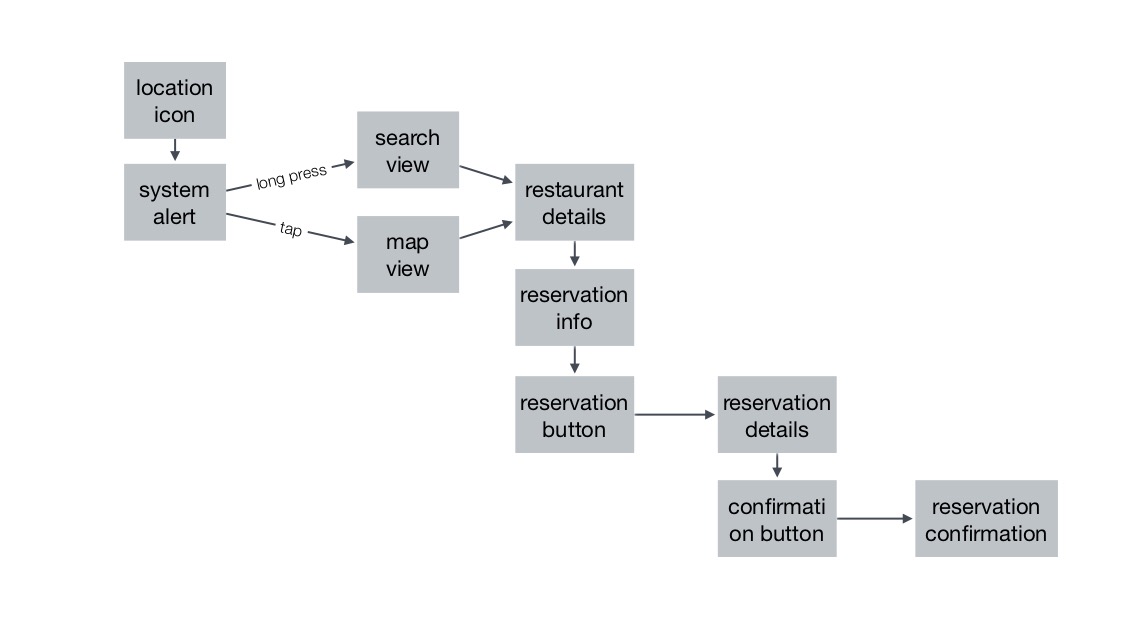
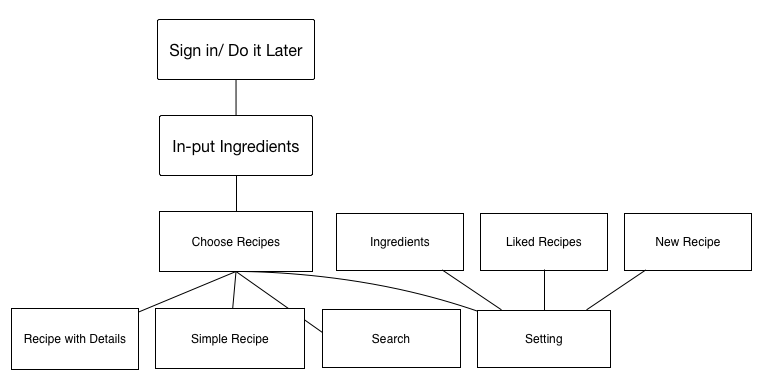
APP MAP

User Test

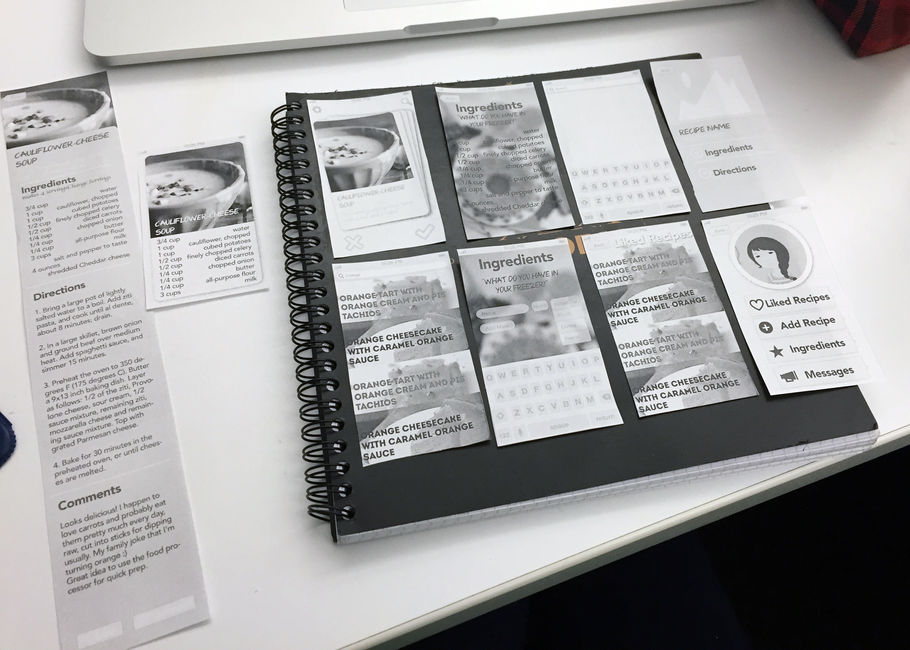
Things I learned from first time paper prototype
-Reconsider the hierarchy so the user can know better why they are on this app.
-Instead of showing the simple version of recipe, just directly lead users to the full version of recipes.
-Simply “Ingredient-input” as much as possible, do not create more pain points while solving the problems.
-Think deeper with the essential logic of “Tinder design”

App Map + Wire Frame- Ning Sui


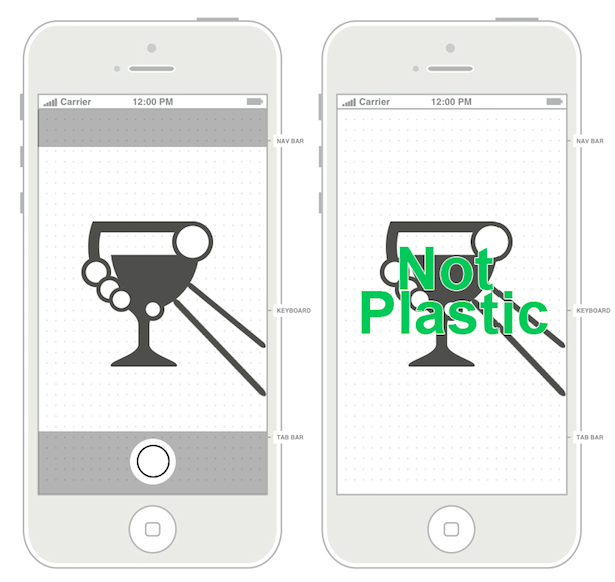
PETPET adopts everyday leftover plastic packaging by taking picture of users’ food ,and then convert to a virtual pet in their personal mobile devices. It’s like a tamagotchi, the original digital pet, that your cares toward the pet have effects on the pet, instead, in Petpet, the breakdown process shows impact on users’ devices.It’s designed for school teachers who want to teach children sustainability in an interesting way or environmental organizations for public campaigns.

Final Presentation

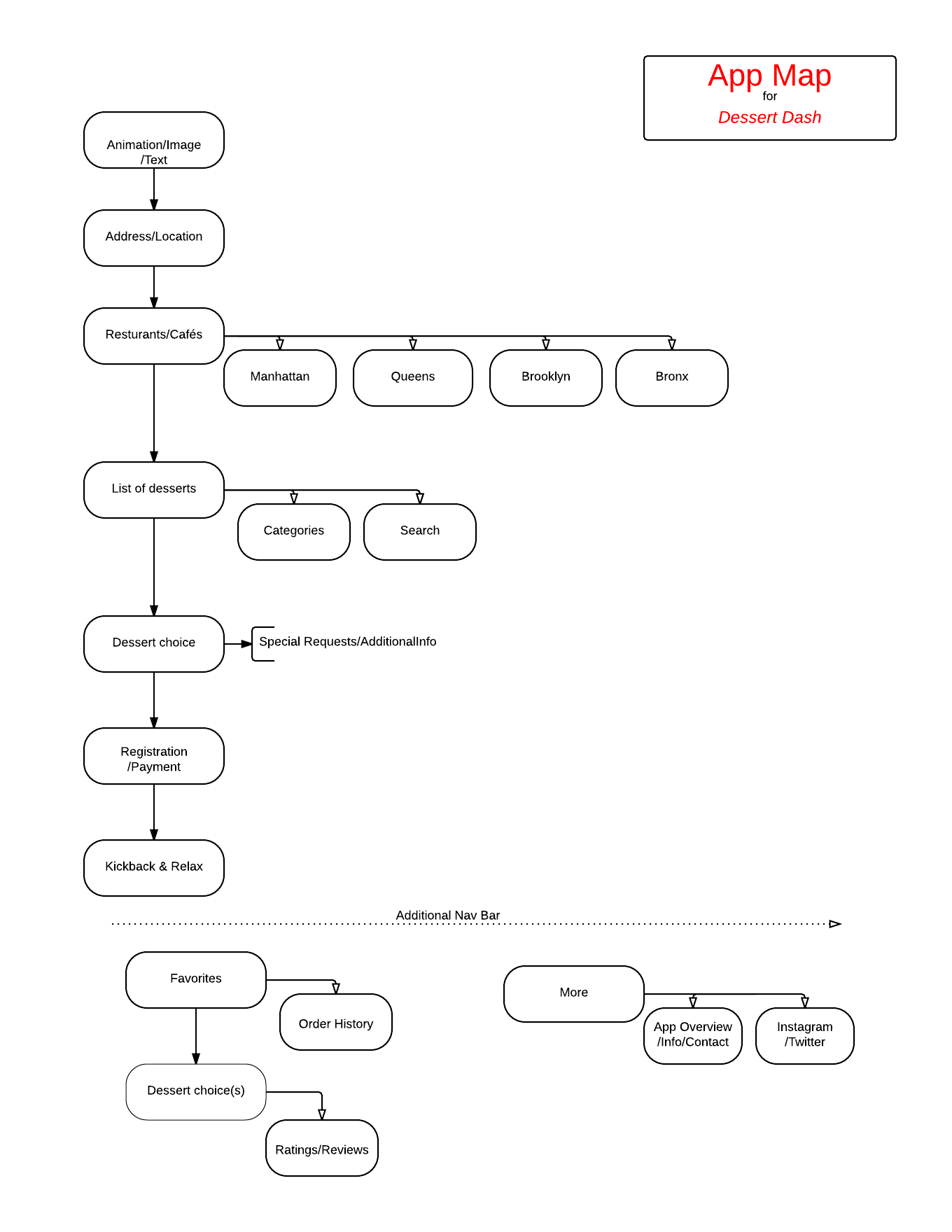
AppMap

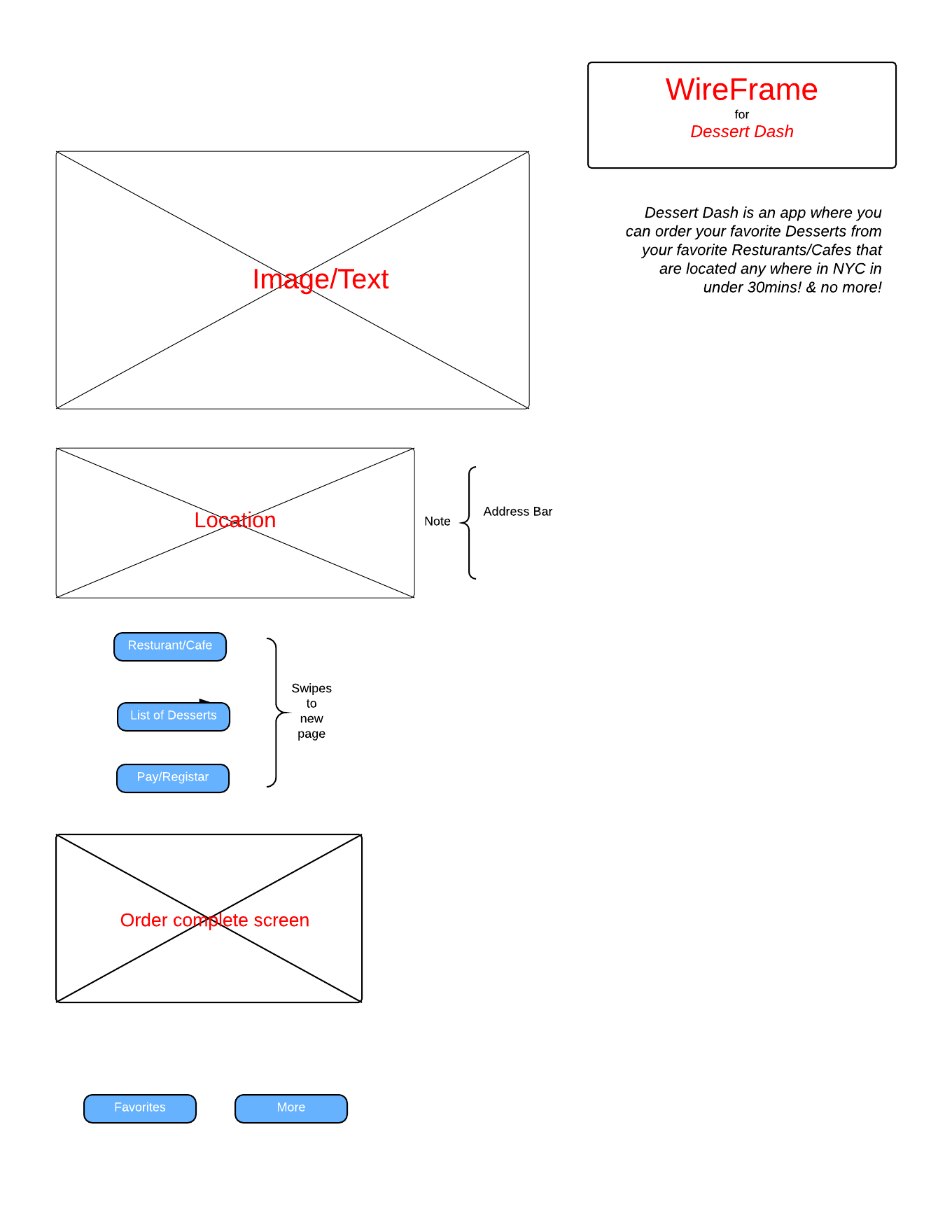
wireFrame

wireFrame2

Three Things I Did Not Know About Apple HIG

Firstly, I would not consider the following practice is good before I read Apple HIG. It seems hard to get the main point of what the article is about, and it certainly does not showcase the identity of the subject matter. But Apple says, “Incorporate a brand’s assets in a refined, unobtrusive way.” 

Secondly, I have always wondering why music apps did not incorporate Shake gesture to switch to the next song in a playlist. But Apple says, “Avoid associating different actions with the standard gestures.” 

 Lastly, I really loved some of the loading animations and tutorials. But Apple says, “Start instantly.”

3 Things I learned from Apple’s HIG – Ning Sui

Think like a newspaper editor, and watch out for redundant or unnecessary words. When your UI text is short and direct, users can absorb it quickly and easily. Identify the most important information, express it concisely, and display it prominently so that people don’t have to read too many words to find what they’re looking for or to figure out what to do next.

Use a page control when each app screen represents an individual instance of the same type of item or page. A page control is good for showing users how many items or pages are available and which one is currently displayed. For example, Weather uses a page control to show how many location-specific weather pages the user has opened.


In general, avoid defining new gestures unless your app is a game. In games and other immersive apps, custom gestures can be a fun part of the experience. But in apps that help people do things that are important to them, it’s best to use standard gestures because people don’t have to make an effort to discover them or remember them.
Three Things I Didn’t Know – Shuangshuang

1. An iOS app includes a window. But—unlike a window in a computer app—an iOS window has no visible parts and it can’t be moved to another location on the display. Most iOS apps contain only one window; apps that support an external display can have more than one.

2.Avoid associating different actions with the standard gestures. Unless your app is a game, redefining the meaning of a standard gesture may confuse people and make your app harder to use.

3. Incorporate a brand’s assets in a refined, unobtrusive way. People use your app to get things done or be entertained; they don’t want to feel as if they’re being forced to watch an advertisement. For the best user experience, you want to quietly remind users of the brand identity through your choice of font, color, and imagery.


#thursdayapps | Square Order for iOS

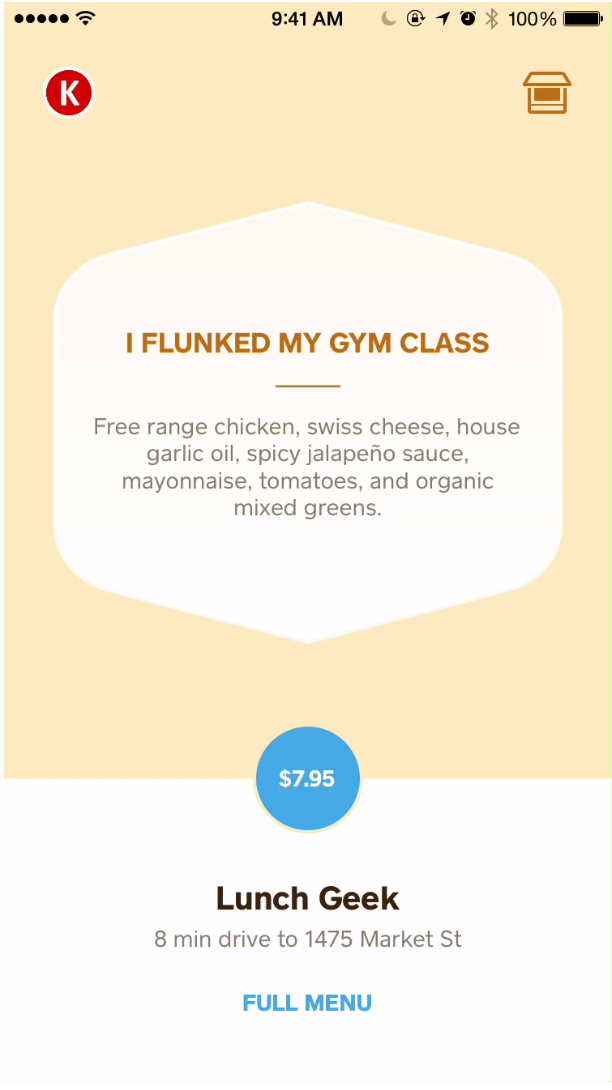
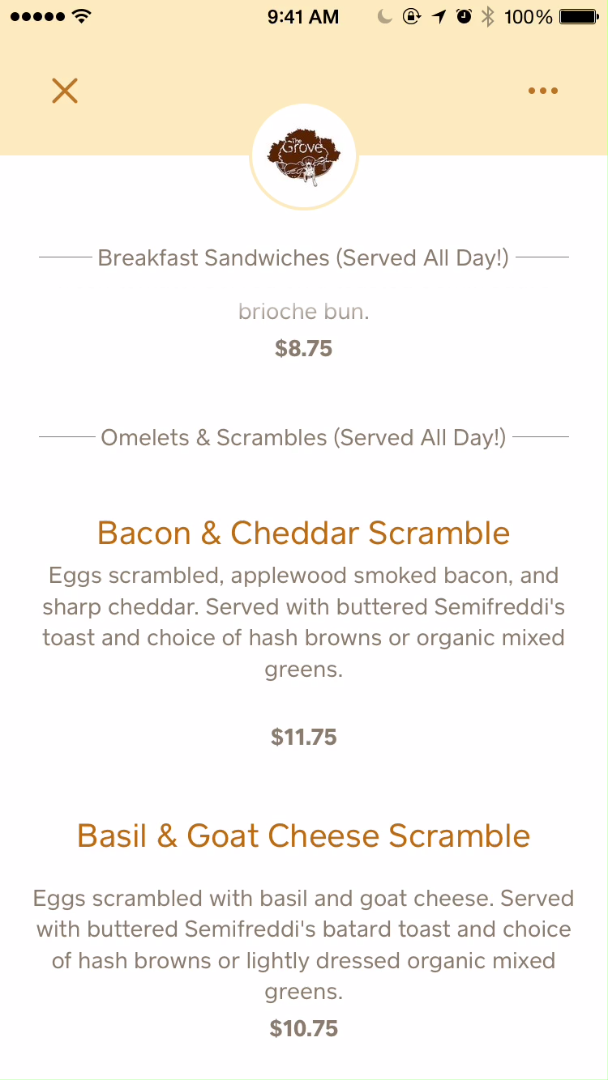
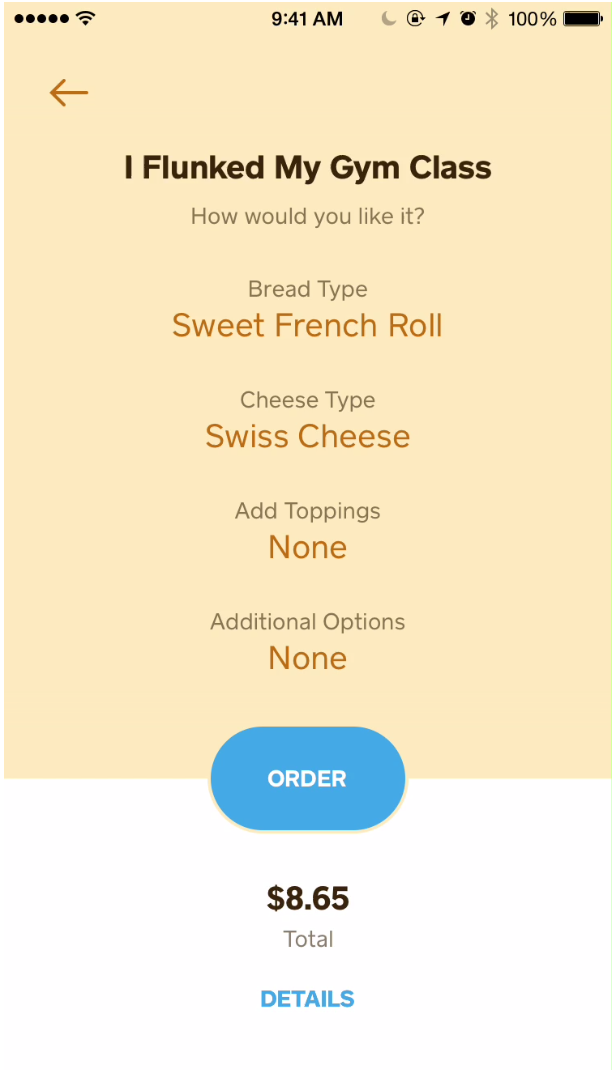
Square order for iOS lets you order food or coffee ahead of time from your favorite lunch spot or coffee bar. Using Bluetooth and geolocation, the restaurant/coffee shop is able to know when you’re nearby and can begin preparing your order before you’ve arrived. The payment is processed once you order, so when you reach the shop you don’t wait in line just grab you food or coffee and be on your way.

The app has delightful motion transition, uses fun illustrations and has great typographic hierarchy and copywriting making it easy to use.

Screen Shot 2015-02-05 at 9.40.14 AM  Screen Shot 2015-02-05 at 9.52.06 AM
 Screen Shot 2015-02-05 at 9.40.38 AM Screen Shot 2015-02-05 at 9.52.30 AM