WEEK 1 || Frannie Xiao

Hi! My name is Yiying Xiao and you can call me Frannie. I came from Beijing, China. And I defined myself as an artist, creative producer, experience designer, and interaction designer.


Things I didn’t know about Apple HIG:


[Feedback]

I didn’t realize before that there are subtle indicators for user to subconsciously know what’s going on with the APP. But it does give the user a hint on the feedbacks that are very subtle that works better than a grand gesture of status changing.

[Consistency]

I actually noticed that most used apps for me has similar icons which are designed visually similar to the Apple system icons. But I didn’t realize the reason of this action is to keep the app consistent with the system so user would feel familiar with what’s happening in the app.

[Color & Branding]

The part that encourage designers to stick with the color palette which coordinate with the logo and overall brand vibes are very inspired since I’ve always only thought about how the color palette would effects user’s emotions rather than the way they perceives the brand.


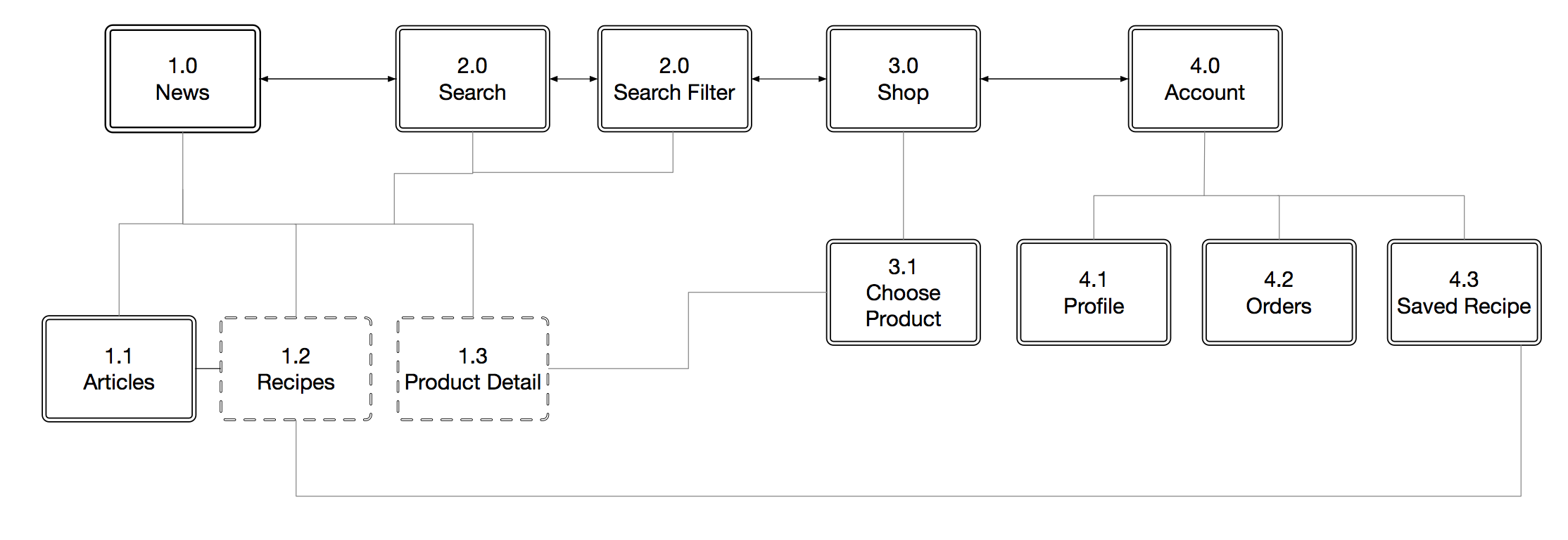
APP MAP
 

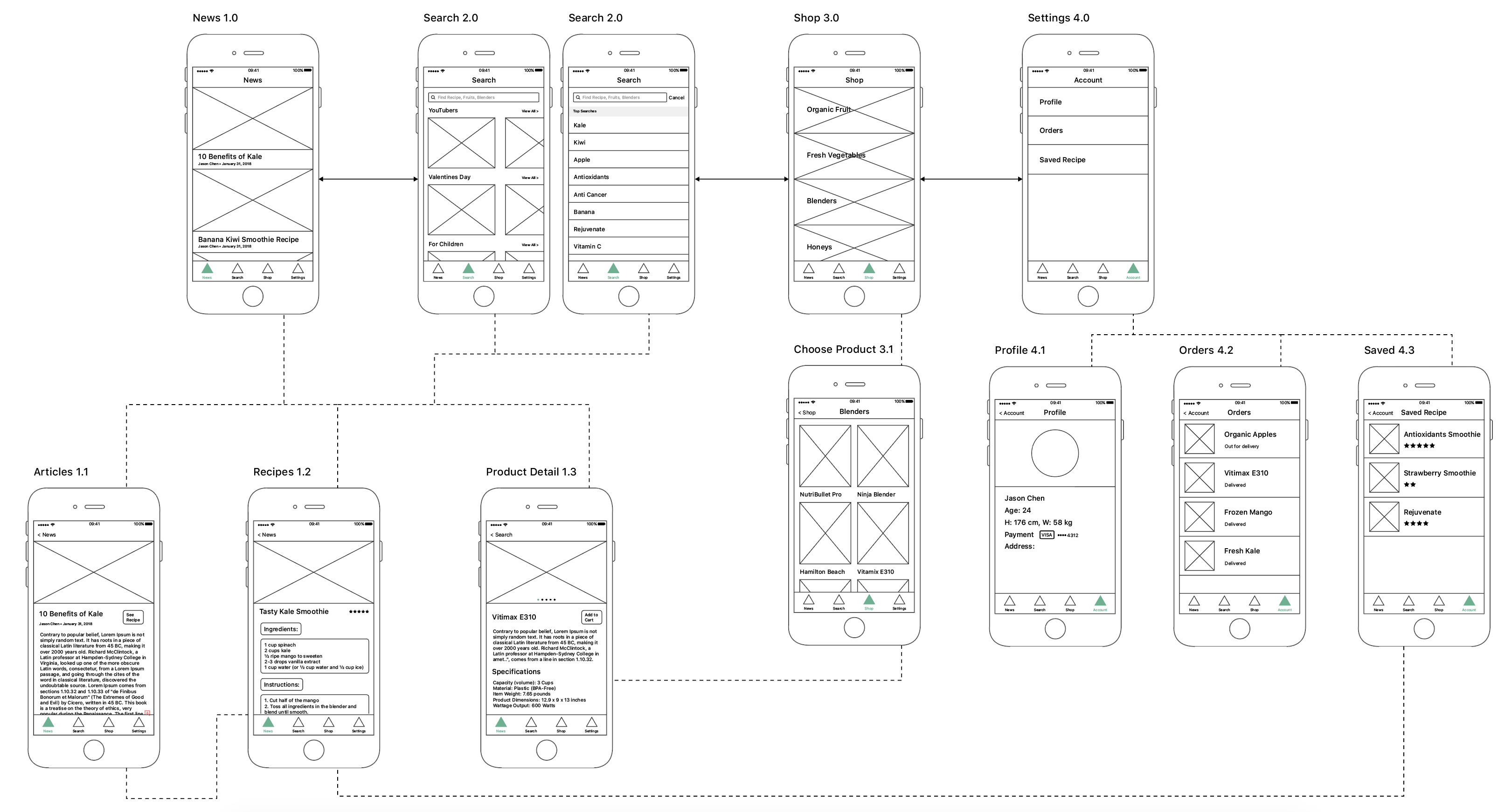
WIREFRAME
wk01 Stella

About Me

Hi, there! I’m Stella. I’m fascinated with crafting better experience for people and just dive into ubiquitous computing recently. I’m here to learn more professional knowledge about UX/UI on mobile devices.

Three things I don’t know about HIG

1. Modality

I learned a lot about basic principles of modality which I only had limited knowledge in. Specifically, I knew that people could specify how they want receive notifications from the app, so it is important to abide by there preferences. Also, there are several appropriate modal view styles to choose from to make modals more standard.

2.Navigation

It is vital to implement navigation in a way that supports the structure and purpose of the app without calling attention to itself. There are three kinds of navigation, including Hierarchical Navigation (Settings and Mail), Flat Navigation (Music and App Store) and Content-driven Navigation (Games and Books).

3.Typography

In the past, I always chose typography based on the theme of the app. However, it would be better to choose built-in text styles, which let me express content in ways that are visually distinct, while retaining optimal legibility. These styles are based on the system fonts and take advantage of key typographic features, such as Dynamic Type, which automatically adjusts tracking and leading for every font size.

APP Map

Wireframe


Week 1 Jason Chen

My name is WeiChung Chen, you can call me Jason. I am a designer with experience in creative coding, digital fabrication, and 3D animation, along with a thoughtful approach to solving problems in simple and elegant solutions. I also have the capacity of adapting dynamic environment and acquiring not only new techniques but also knowledges through independent research.

3 things I didn’t know from the Apple HIG

  1. Navigation

I didn’t know about the three main navigation styles. The Hierarchical Navigation: Make one choice per screen until you reach a destination , Flat Navigation: Switch between multiple content categories, and Content-Driven or Experience-Driven Navigation: Move freely through content, or the content itself defines the navigation, normally for immersive apps.

  1. Color

I didn’t know I should choose a color to indicate interactivity and don’t compete with other color. In addition, I didn’t know about testing app’s color scheme under a variety of lighting conditions, and test it in various light conditions.

  1. Branding

Should avoid diluting your design by focusing too much on consistent branding, Defer to content over branding, and avoid displaying a logo throughout your app unless it’s necessary for providing context.

App Map

WireFrame

Week 1

3 Things I didn’t know about Apple HIG

  1. Onboarding with Launch time, I normally see a splash view when I go into apps, and I never realized that Launch time to get in touch with new users or tell what’s new to old users has become a new thing.
  2. Feeback, I notice the status information in my mail inbox but I didn’t realize that it was implemented in other kinds of apps to make users know what’s happening in the app subtly in the toolbar.
  3. Colorblindness, most of the time I design according to the theme but now I realized to consider all user’s vision.

About Me
Hello, my name is Aim. I come from Bangkok, Thailand and I am a visual designer, a front-end developer, a researcher, and an aimer for change.



Food App:

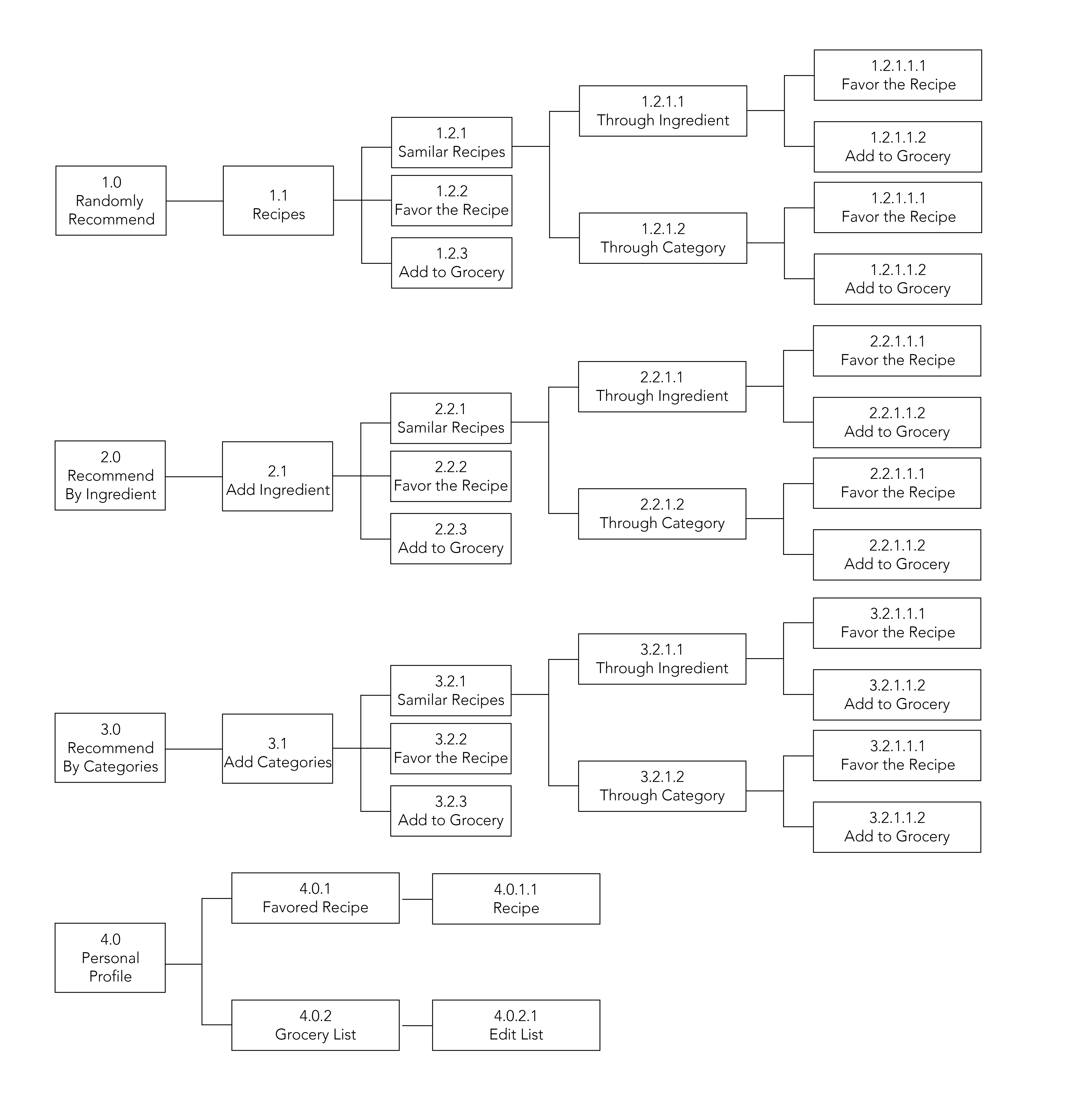
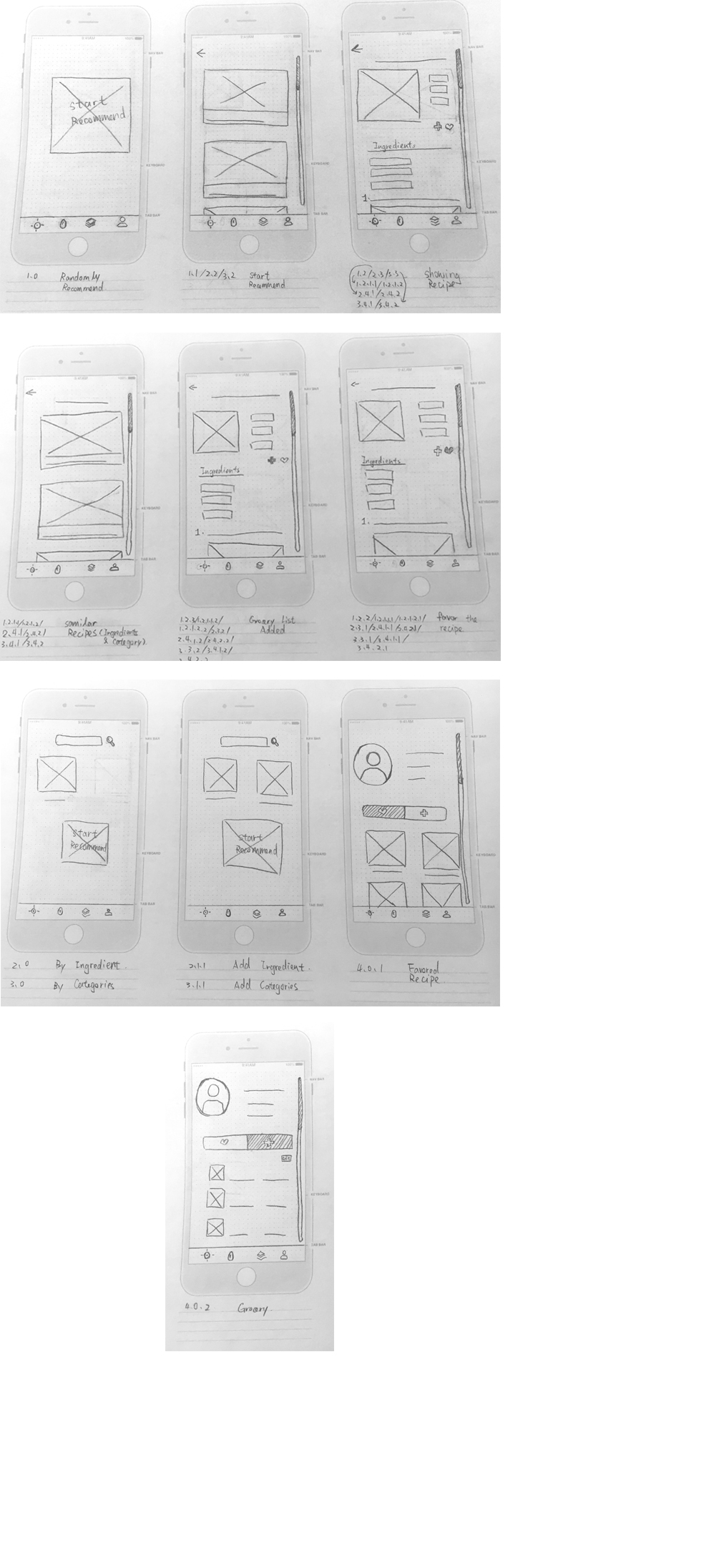
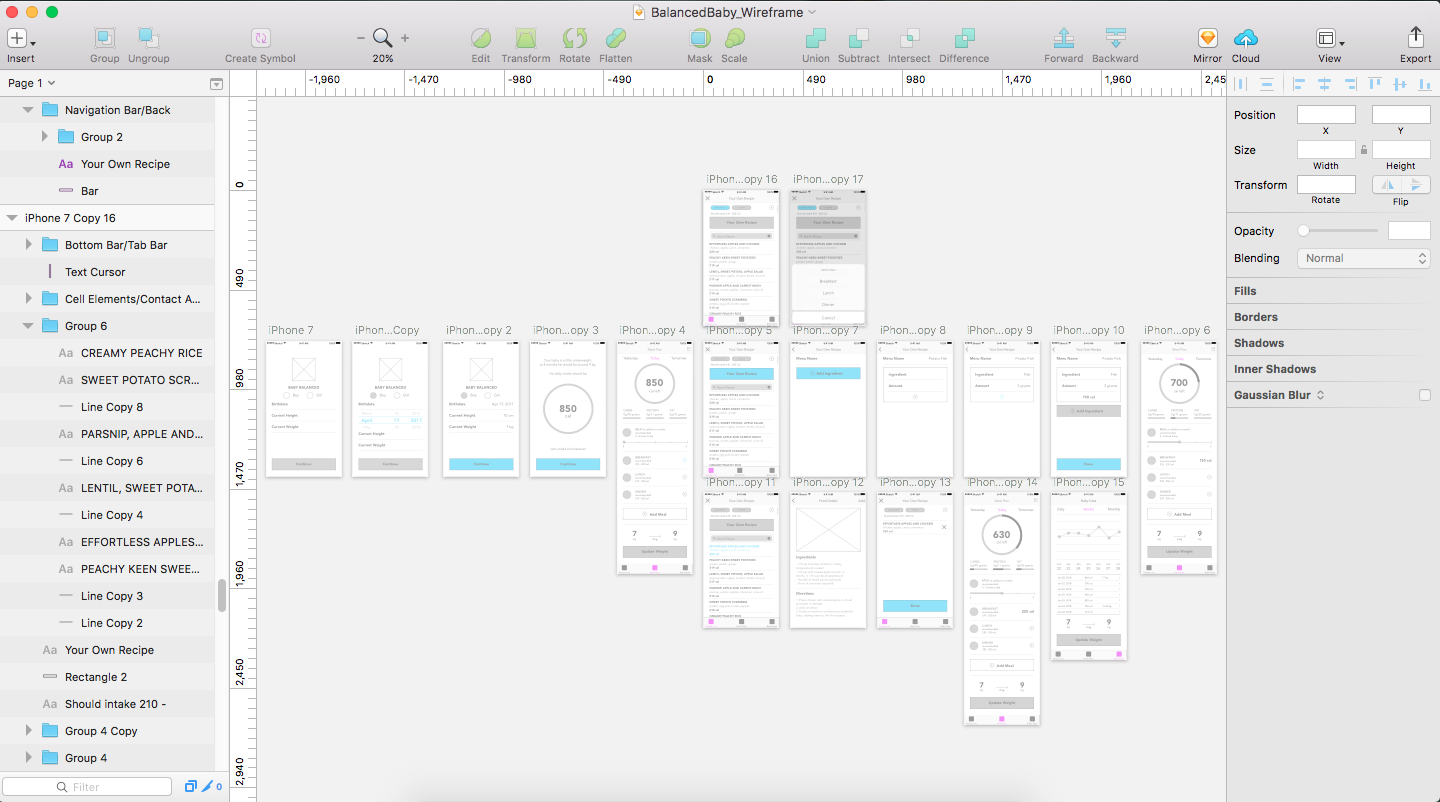
For my food app project, I am creating an app called Baby Balanced to solve the problem that my sister is having with her 9 months old son who appears to be underweight.

The app will assist mothers to balance their baby’s food intake, featuring a meal planner, a lot of recipes that will give the number of calories the baby needs and a tracker to observe the pattern of food intake for her child.

App Map

Detailed Wireframe


Week 1 – Franky Wang

Franky Wang


My name is Franky Wang, I started my career as a designer in Beijing, China. During my past several years of study, I have been trying to break myself from traditional culture atmosphere through the trend of modern art and design.

I have a strong awareness of designer’s social responsibility, especially when they are playing a role to lead a better life for people. In this case, I managed to create works for the public which could be both educational, and creative.

APP map assignment

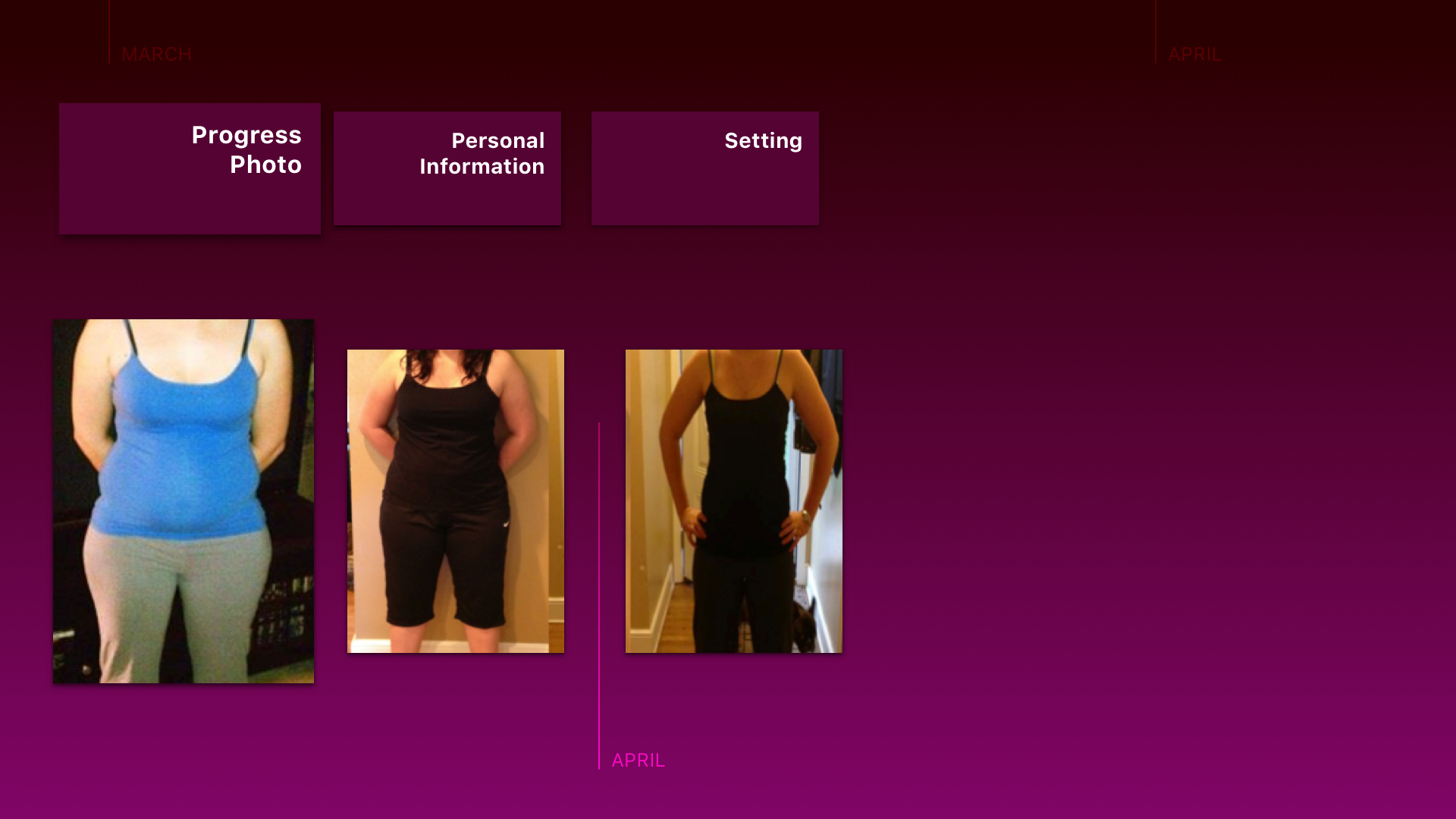
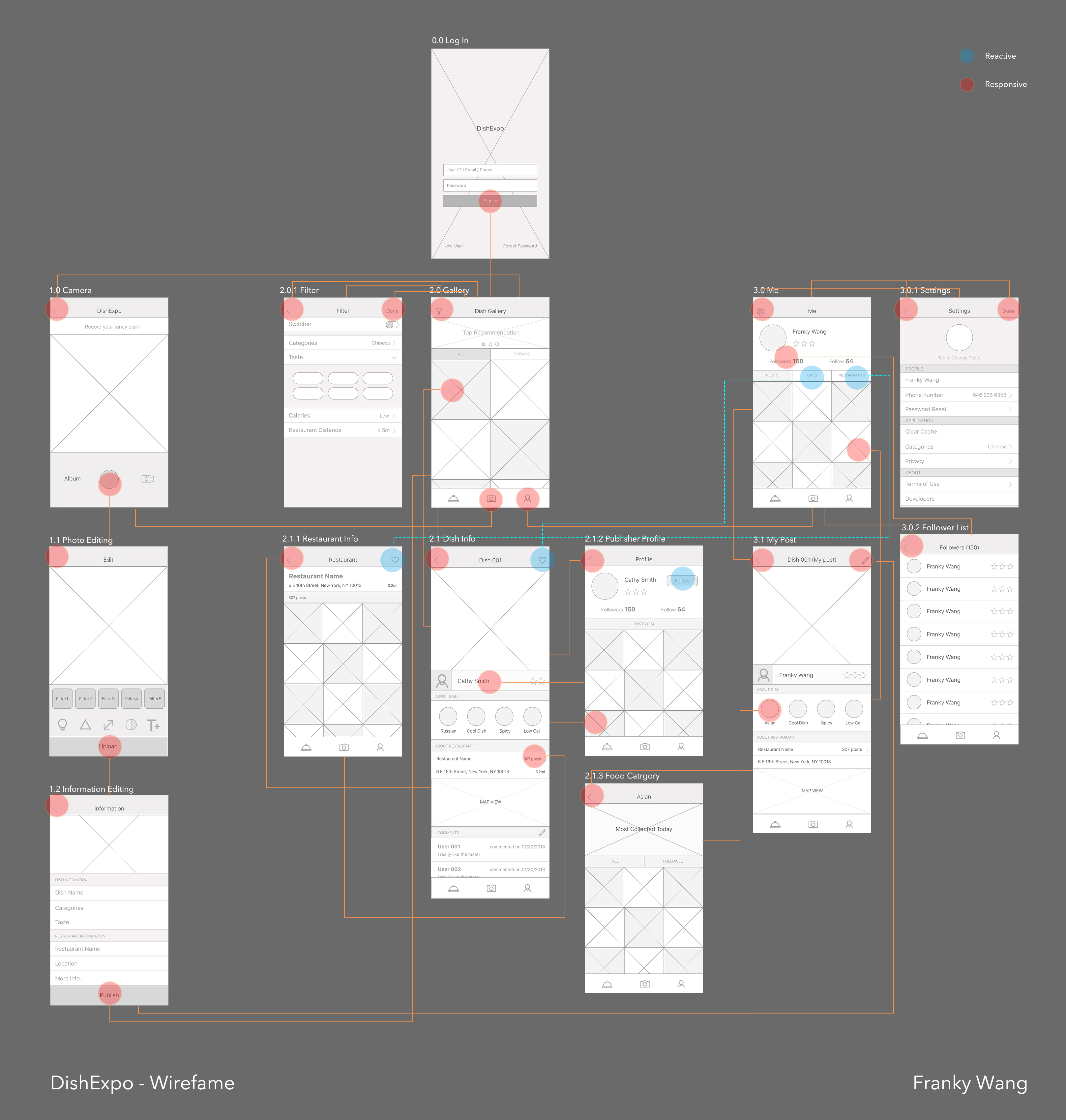
I created a food APP called DishExpo, in which users can take photos of their favorite dishes from restaurants, post it and recommend it to other users. By editing the simple information of the dish and the restaurant, every user becomes a dish referral. Because of people’s appreciation for elegant looks of nice dishes, the APP in return gives users a direct choice purely according to the photos of dishes.

Wireframe

3 things I didn’t know from the Apple HIG or the Material Design Guidelines

1 – Three Navigation Styles

+++Hierarchical Navigation

One choice per screen until reaching a destination. (Setting and Mail)

+++Flat Navigation

Switch between multiple content categories. (Music and App store)

+++Content-Driven or Experience-Driven Navigation

Move freely through content. (Immersive apps like games)

2 – Branding and iOS APP design

Make the app feel like an iOS app. Ensure that it’s intuitive, easy to navigate, easy to use, and focuses on content. Avoid displaying a logo throughout the app unless its necessary for providing context. This is especially important in navigation bars, where a title is more helpful.

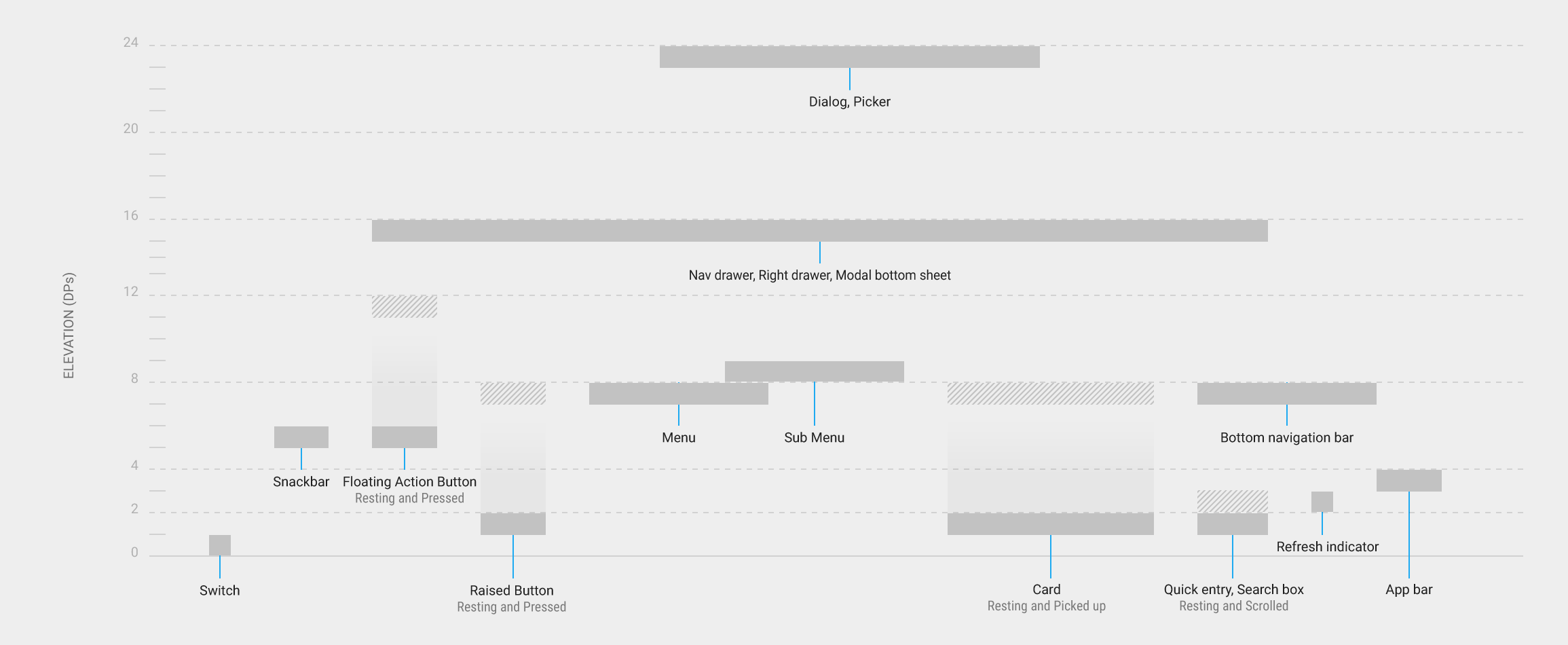
3 – Resting Elevation of Material Design

All material objects, regardless of size, have a resting elevation, or default elevation that does not change.

How you determine the elevation of objects – their position in z-space – depends on the content hierarchy you want to express and whether an object needs to move independently of other objects.

Week1 HW- Kelsey (Yue Yu)

                                                Kelsey (Yue Yu)
A DESIGNER, PROGRAMMER AND A PAINTER. 
Kelsey's undergraduate background is digital media art and design.She always been immersing herself in where the most cutting-edge design coming from. She is in an interdisciplinary area between design and technology. After getting touch with graphic design, animation production, UI/UX, she dedicated to
innovatecommunication and interactive method, which sometimes can shape users' behavior. 

Project1 App Map

Project1 wireframe

3 things I didn’t know from the Apple HIG or the Material Design Guidelines

  1. How to use P3colore space to enhance visual experience
  2. Auto-layout
  3. Question about the sentence: “Content behavior can be independent of the behavior of material.”

Thursday App

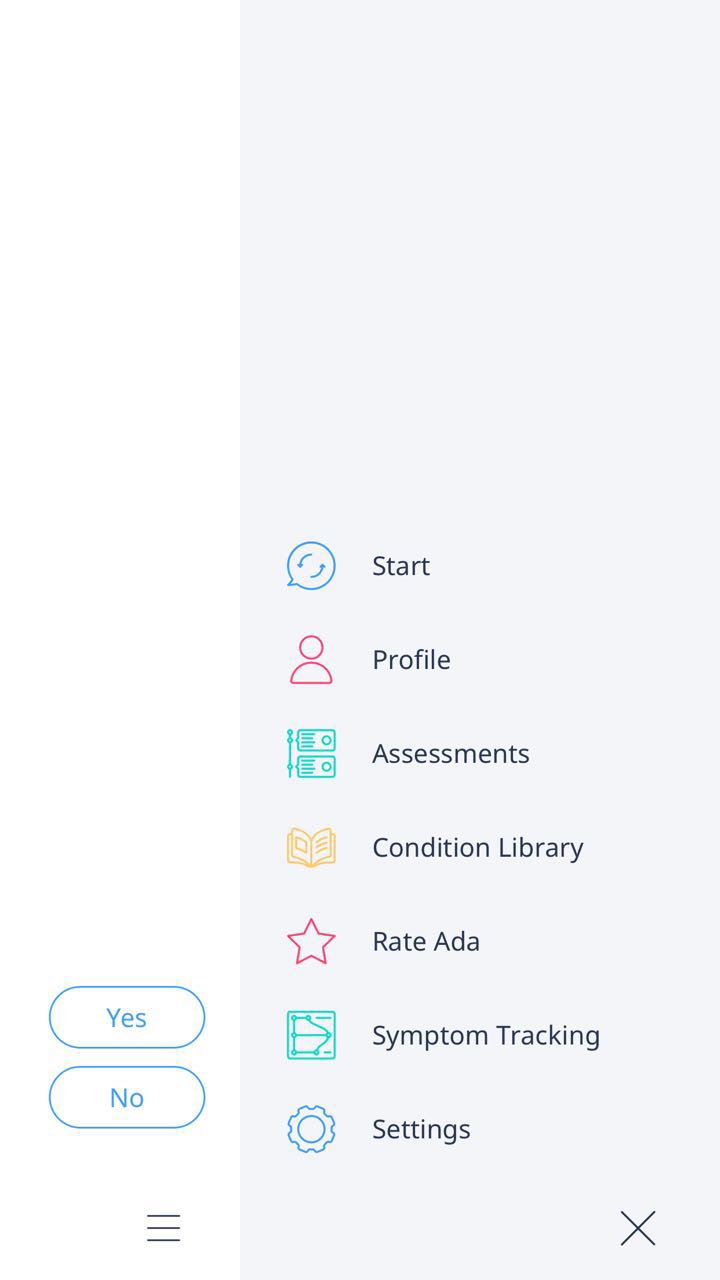
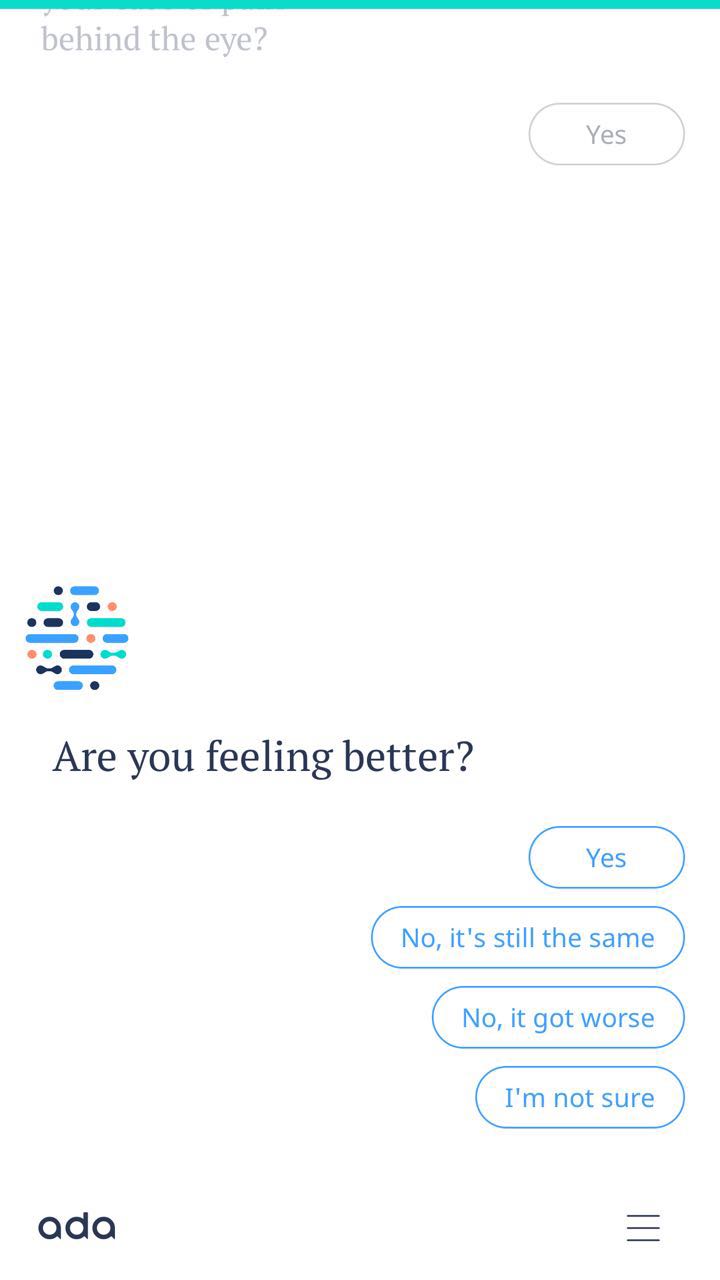
The app I want to introduce is Ada. It is a personal health companion that uses AI and machine learning to help people to understand and manage their health. Designed by a team of 100 doctors, data scientists and engineers, Ada helps audiences access to high quality, personalised health information and care.  It provides earlier health information and informing clinical decision making. The most interesting aspect of this app is the dynamic UI, which the UI component will be changed followed by the content & intent. 

It makes me rethink the UI design of next generation. The whole UI layout will not need to be designed based on each page. The only thing design need to make sure is the UI component must to consistent to the context, so users will have the expectation of the UI.