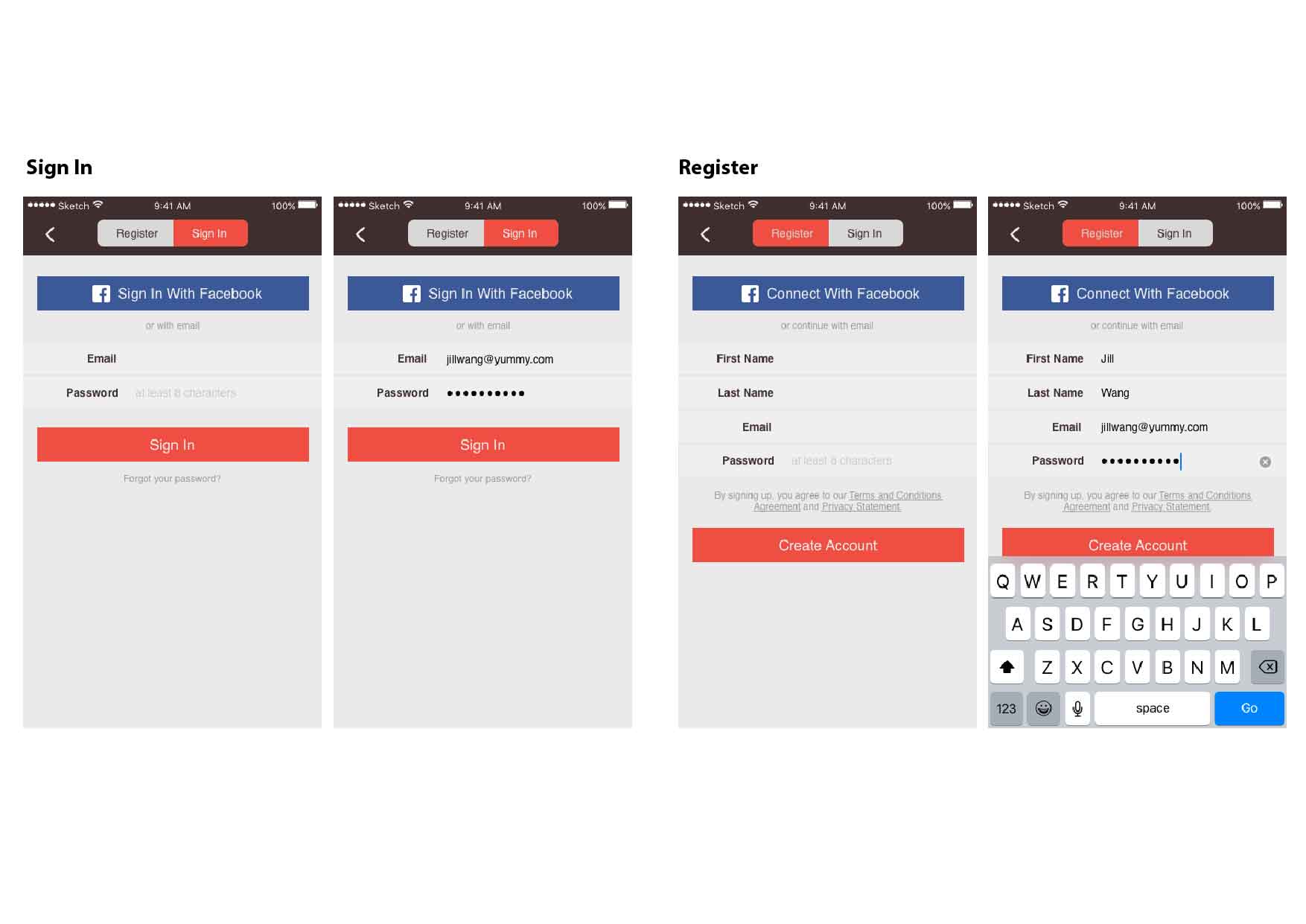
#thursdayapp [Lost Tracks]_Misung Kim

Lost Tracks

Compared to regular games, there are no dialogues or explanations. They are not dynamic action games, but the style and delivery of gameplay are deeper and stronger than other games.

The game basically consists of three steps and proceeds to Look-Listen-Speak.
On the train, a character sees the woman sitting opposite him and has an out-of-body experience. And it opens the “Lost tracks” prelude. And since the characters’ souls get out and enter the world, the dreamy atmosphere of the game begins.
When the stage starts, you will see the specific actions you need to use on that stage on the screen.

<Look>
You must help the train stationed on the railroad leave. When the lever is operated, the train starts and you can follow the route.

<Listen>
It is the most novel stage.
The color and tone were scary. Without knowing where to go, you have to move to where the sound is coming from. Every time you walk, you will realized that your footprints disappear and feel like you are wandering the same way. Afterwards, you will see a tree hanging from the telephone and when you pull one, the phone goes up and laughter comes out of it.

<Speak>
If the character stand in front of the microphone and make a noise (the user have to make a real sound), the eyes watching from all directions are shaking. After that, You will walk along the road and found your soul again.

When the game is over, you will return to the train situation what you’ve seen on the first screen.
Earphones are essential for this kind of atmosphere and I recommend you to play in the dark. By my standards, the gameplay time was 30 minutes. During those 30 minutes, I was immersed in a great amount of immersive and unique sound and graphics. I think it has a very important impact that the game is designed by using unique mechanics, and senses what the general games do not usually use and is trying to express the way in which the individual moves in order to do something.

Overall rating: strongly recommended!
Prototype Visual prototype_Misung Kim

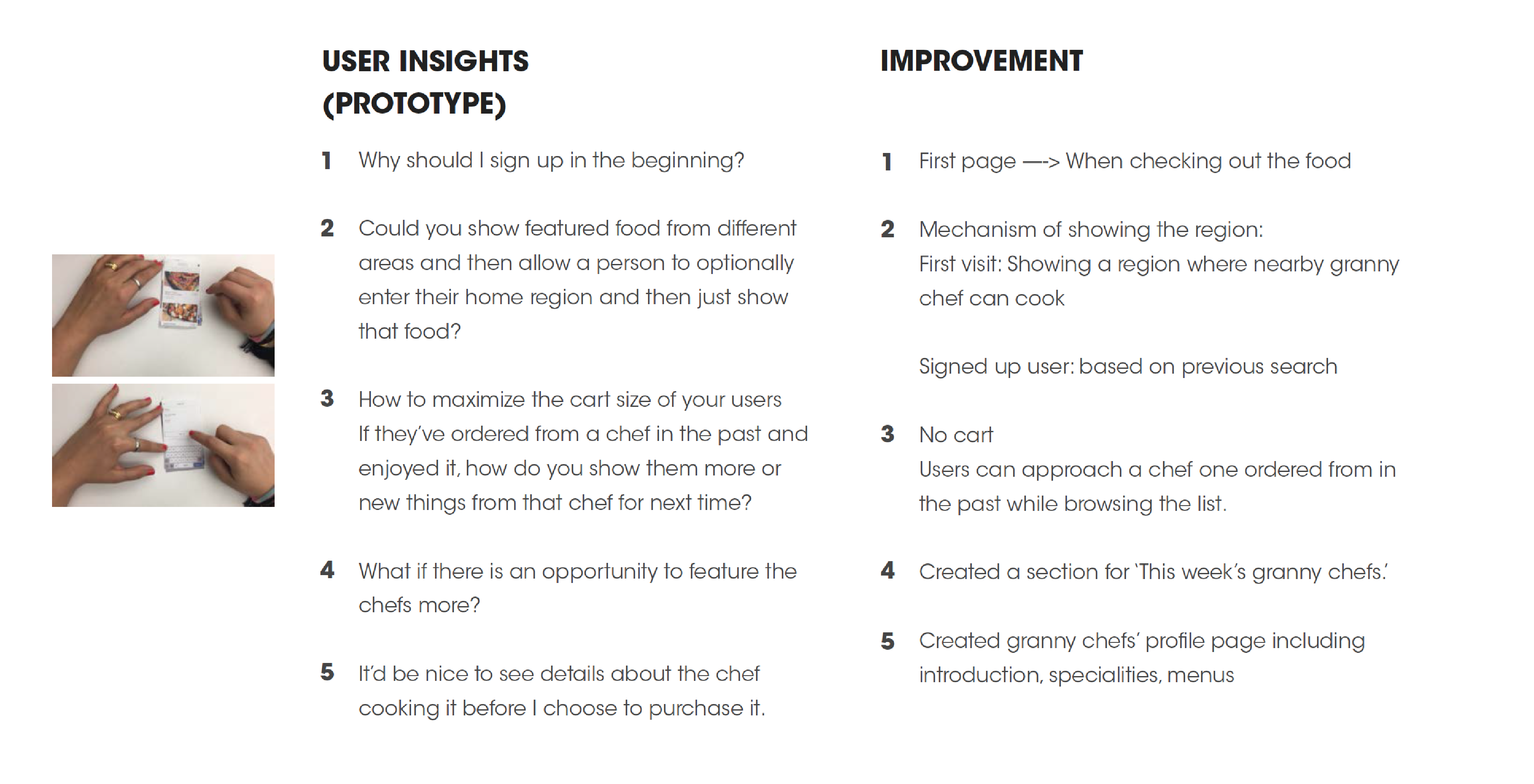
I shifted my idea from the granny chef-customer matching system to selecting a menu after checking the chef’s details.

Things that I learned from the feedback(wireframe):

Here is the slides including the visual design:

Misungkim_mobile media

Digital Prototype:

https://marvelapp.com/328599j


The feedback from last class(visual design):

  1. Is there any way to buy multiple meals at the same time? I do not see why not: make a cart function.
  2. When scrolling, you should give transparency to the top of the navigation bar so that users can see the pictures below.
  3. Why do not you let users choose the date and time they want by splitting them apart and making a choice.
  4. Let granny chefs to indicate ingredients that they do not use, like gluten-free, nut-free and put them on the detail page of the food for users.
  5. Consider how to integrate the region settings and search icons in the navigation bar into one
  6. If you do not get the results users want when you search for food, they may get a bad impression on the user experience.
  7. Why do users have to find a specific food?
  8. Why do users have to type the food themselves?


Zhiyang (Rainie) – 3 things learned from iOS Guidlines

  1.  While I was reading the Direct Manipulation, I have realized I did not pay much attention to this point before. By knowing it now, I think there will be a lot of opportunities to make the design around it and make the app more appealing by making the users feel physically manipulating the user interfaces.
  2. The Feedback is another part I feel I  ignored in the past when I did user interface design. In my understanding, the Feedback is meant to keep the users informed about the status of the actions they made. I definitely see this will make an app more user-friendly.
  3. The third thing I learned is from the User Control. When I did user interface design in the past, I tended to think more about my concept and more from my own perspective instead of from the users’. Definitely, in the future, I should think more from the users’ perspective and make designs that are for the users.

Assignment#3 Elly Lin

Thanks to the comment that I have got in class, I organized the flow a lot. And in this prototype I made design with the color and layouts.

This is the prototype I upload on Marvel: https://marvelapp.com/7g7gfhj/screen/25563852

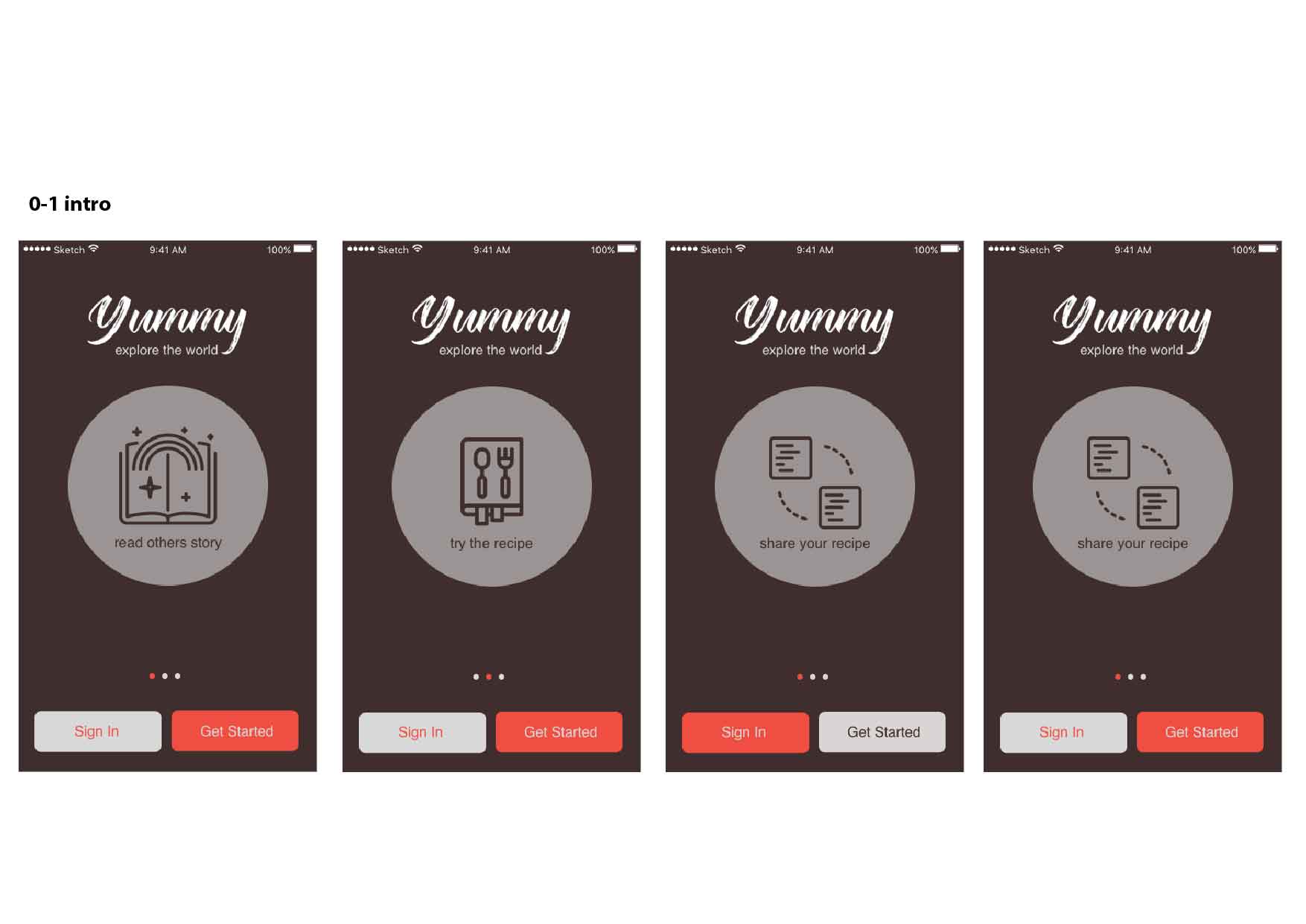
I take most of the suggestions in class, and then modified this “Yummy App”. The most different thing is I added a quick introduction before getting into the main page. This is the idea I want people to know my app better, that is, I hope people be excited and want them to use this app to know others’ cooking stories and also explore the food around the world.

Also, in the app you can feel free to just browse through people’s recipe around the world without sign-in. Only if you want to collect others’ recipe or create your own recipe will you need to create an account.

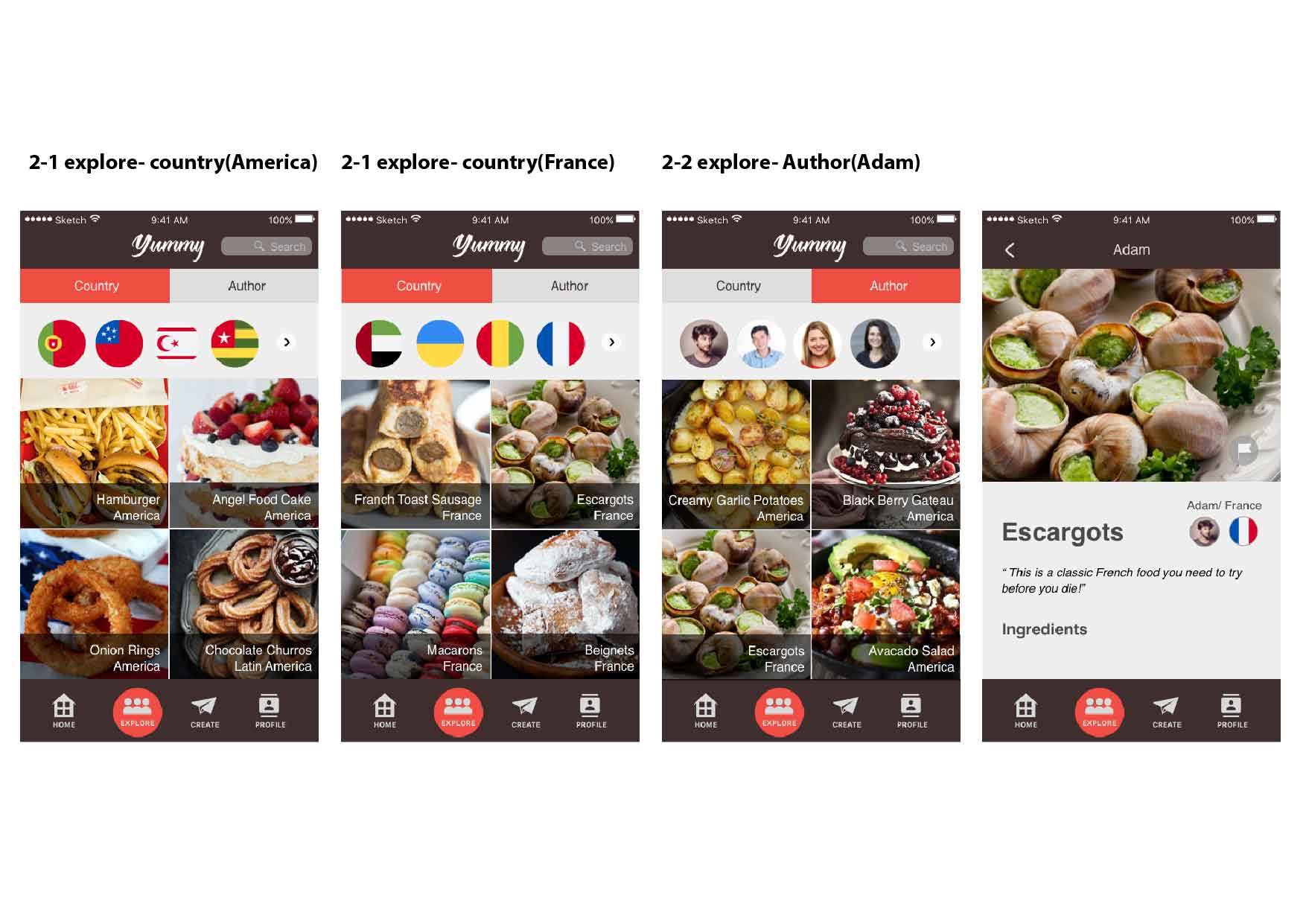
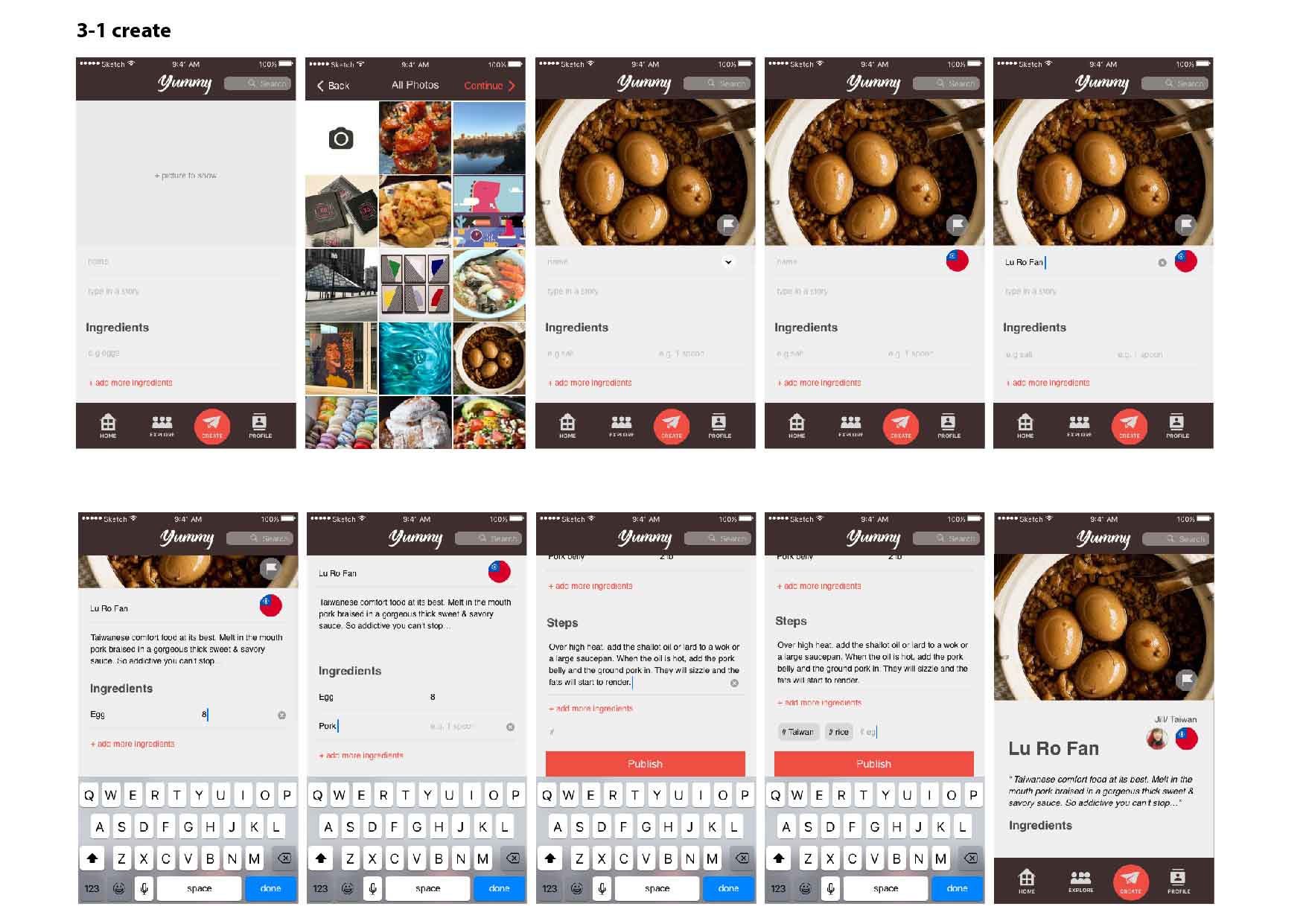
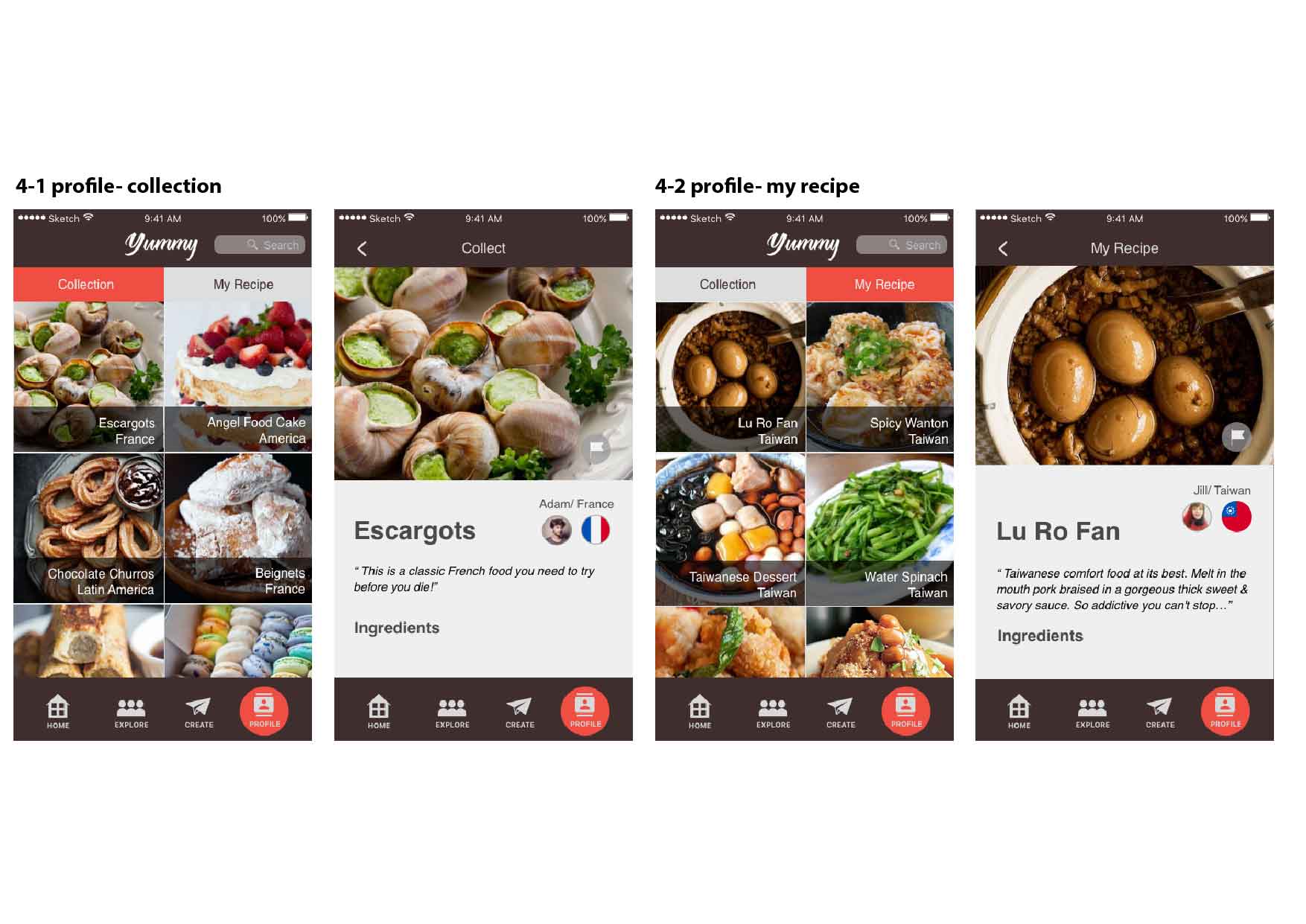
The following is the flow of my app.


Thank you!


Assignment#2 Elly Lin

Comment from Feb.23

Digital prototype:

https://marvelapp.com/31g9e79/screen/25242643


  • feedback from class
  1. no tap on logo
  2. Text font bigger
  3. Customer_ open page/ follow?
  4. Change words: HOME– PROFILE, SUBSCRIBE– MAP, MAIN VIEW– RECIPE
  5. Main page (1)not reach the content “Map” around the world (2) pic looks not excited (3) special title/ name
  6. Create page (1) first comes form to fill out, and then pulls the library (2) full steps (3) ingredients (4) eg. instagram (multi pics in a time) (5) tags?? (6) regions ?? (people from NY might not make NY food)
  • user’s feedback 1 (Tong)
  1. Map page_ Country lists
  2. Main page_ name country
  3.  Profile- stars on name+ country (must be filled)
  • user’s feedback2 (PengPeng)
  1. Home page’s icons (collect and my recipe is not clear)
  2. collect+ country?
  3. The sequences of the icons
  4. Subscribe (Map) icon: change the icon to a world or…

Three things I don’t know about HIG

3 things I learned from iOS HIG:

  1. Before perusing the HIG, I did not know much about the segmented controls. In my old understanding, I thought segmented control is similar to Tab Bars. One is on the top and the other is on the bottom. After reading HIG, I find that Tab Bars is mainly being used for switching between different section of an App, but segmented control is more likely to be used in displaying different views of one page.
  2. I find that the Apple system has a lot of very unchangeable interaction. I used to think designer can be creative of the look of the interaction animation. But after reading the HIG, I found that animation must follow certain principles, or the user will be confused about what’s going on. Such as the progress indicator should look like a spinning icon, the progress bar should look like a track fill from left to right.
  3. I didn’t know HIG has so many different gestures. Such as drag, tap, swipe, flick, pinch, touch and hold. And the most strange one is shake, I never find out that users can shake their phone to undo or redo delete. Knowing these gestures help me to better design the interaction.

Brandon Palmer | Wireframe & Prototype_2 | 3 Things I learned from Paper Prototyping

Three Things I learned from Paper Prototyping:

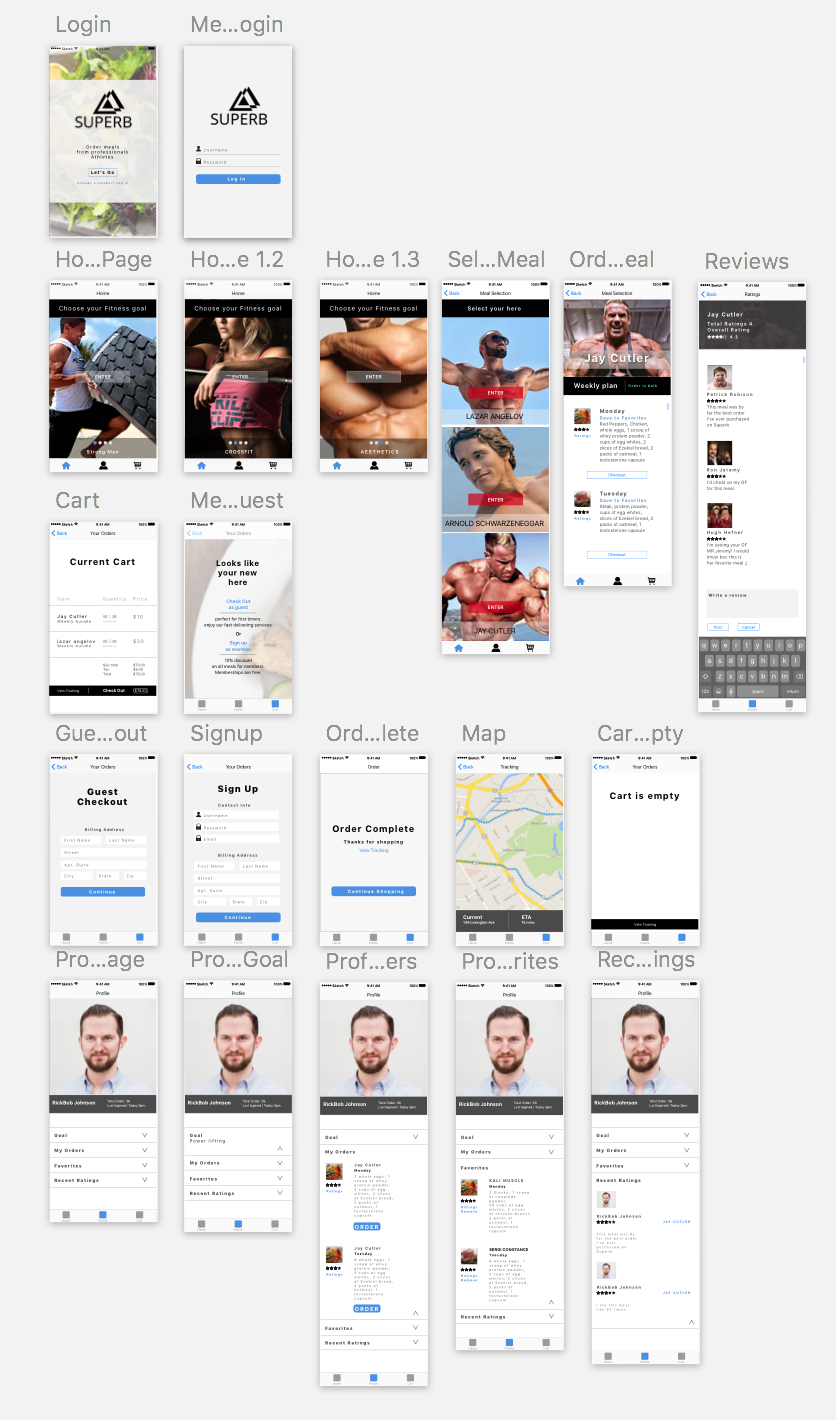
What I learned from prototyping is that most people will not take the time to signup to use an app that they’re unfamiliar with. So I found that adding a guest login option is an alternative direction to take. Regarding the feature for signing up for a free membership, the benefits consists of giving users a 10% discount on all meals they purchase. I also have learned that the way things are worded are key for simplifying the users experience. For instance, my landing page stated “Meals designed by professionals.” Instead of specifying who the professionals are. Another key value that I have learned from user testing is that there had been confusion with the profile page. The users didn’t understand the functionality of what this feature had provided. Overall the feedback that I have obtained had been positive, There is still much work that needs to be iterated through the next developmental process. But I have gained useful feedback.

Critique Notes

• Change display name on the landing page. (“Meals designed by professional athletes”).

• Change “Homepage to Meals”
• Homepage should consist of all categories and specific meals assigned to their parent. (Allows the user to analyze most data without having to search.) Faster traffic for consumers
• Fix typography, Color Scheme, Make 40px of padding in-between each tappable element. (Between ratings and favorites inside the profile page).
• Make the interface on the Meal page(Orig Homepage) more engaging and visually appealing through hieratic elements.


This is the PDF


Superb_Remodel_optimized


Tao Wei – 3 things learned from iOS HIG

3 things I learned from iOS HIG:

  1. Before perusing the HIG, I did not know much about the specs regarding typography except that San Francisco is the default system font. There is so much more to it than just the font choice. There is variation regarding the display and tracking specs depending on the font size as well. As a iOS user, details like this often go unnoticed because we get so used to the design and take the experience for granted. However, as a designer, it is critical to pay attention to details so that we can craft the experience that lives up to the user’s underlying expectations, since good design is often invisible. When the design principle is not strictly enforced, even the smallest detail can be raise a red flag to the user’s eyes.
  2. I find interaction design about feedback is so critical in delivering a smooth user experience. I used to think a stand-alone page of dialogue telling the users what to do is sufficient for communicating with and guiding the users to navigate. Little did I know that there was a whole art of communicating using feedback in a way that enhances the discoverability of the app while not obstructing the flow. As a designer, we are in charge of how the user will be interacting with the system. Much like any communication system, a designer should pay attention to the semiotics of the system because the language of the system determines how easy and delightful it is for the user to quickly pick up and adapt to the app.
  3. Animation breaths life into the experience, evoking delight and building a visual sense of connection with the users. But animation should be used with caution. Excessive animation can create visual clutter and distraction, taking away from the integrity of the app in terms of the services it provides.

Visual Design Prototype

Prototype visual design demo:

https://marvelapp.com/fci5big 

Things I’ve learned from last class feedback and user testing

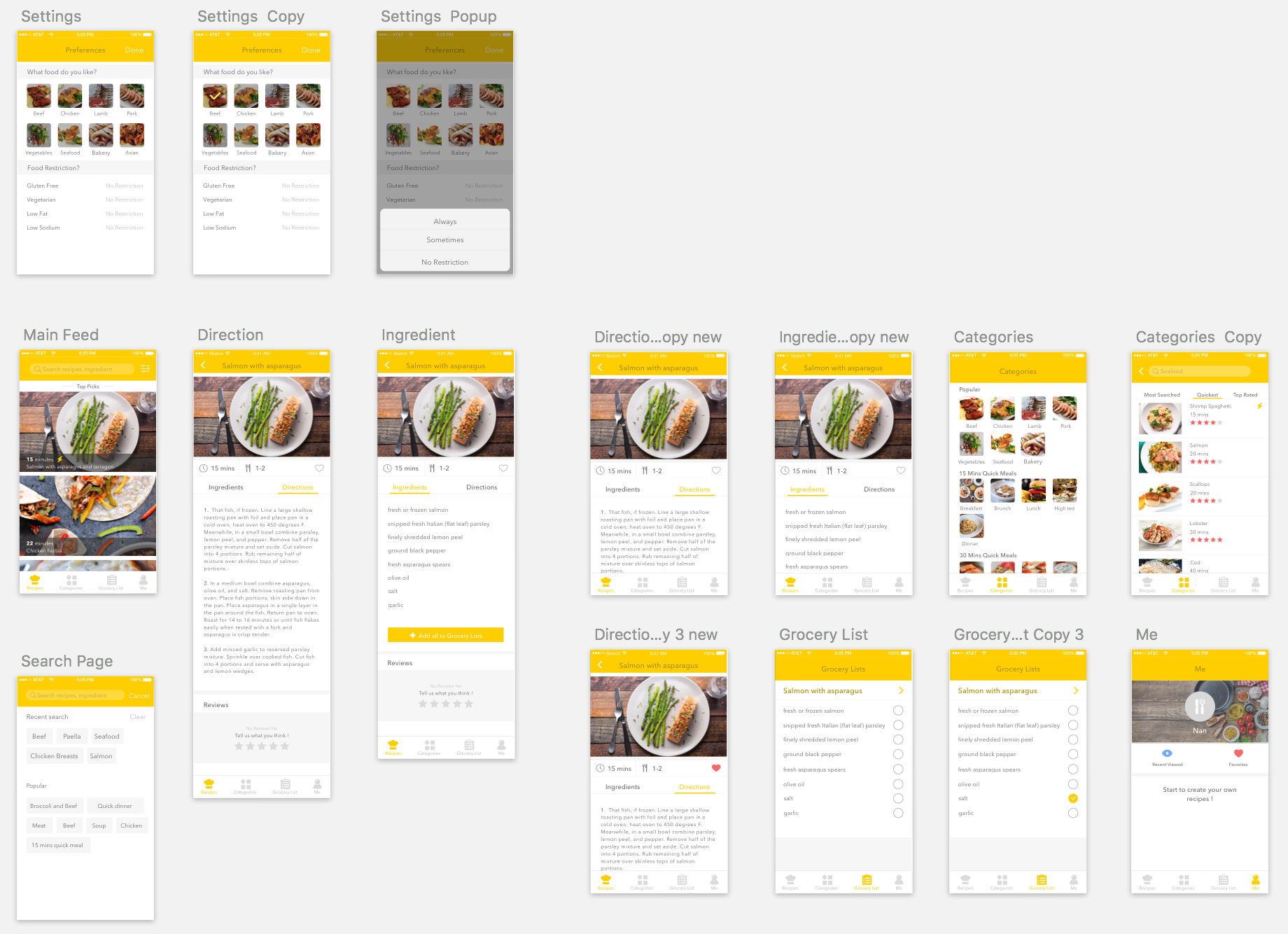
The first thing I noticed was that there is no need to have a log in page. From the class feedback, I got to know that favorites and recently viewed can be saved locally since the app will run locally. So I get rid of the log in/sign up view compared to last time prototype.

In addition, I agree that there is no need to shop ingredients based on each dishes. Once you type Grocery lists view, there are two separate dishes shown up, I agree it is better to combine all the ingredients on the same view since some needed ingredients may overlap. For example, salmon dishes needs salt and oil so does chicken fajitas; hence, there is no need to purchase twice in terms of the list.

Other than that, I realized that it seems more logical to put ingredients first then direction behind it because users are supposed to collect ingredients first and then do the rest of steps. So I think it is better to switch the position so that the recipes looks more engaging.