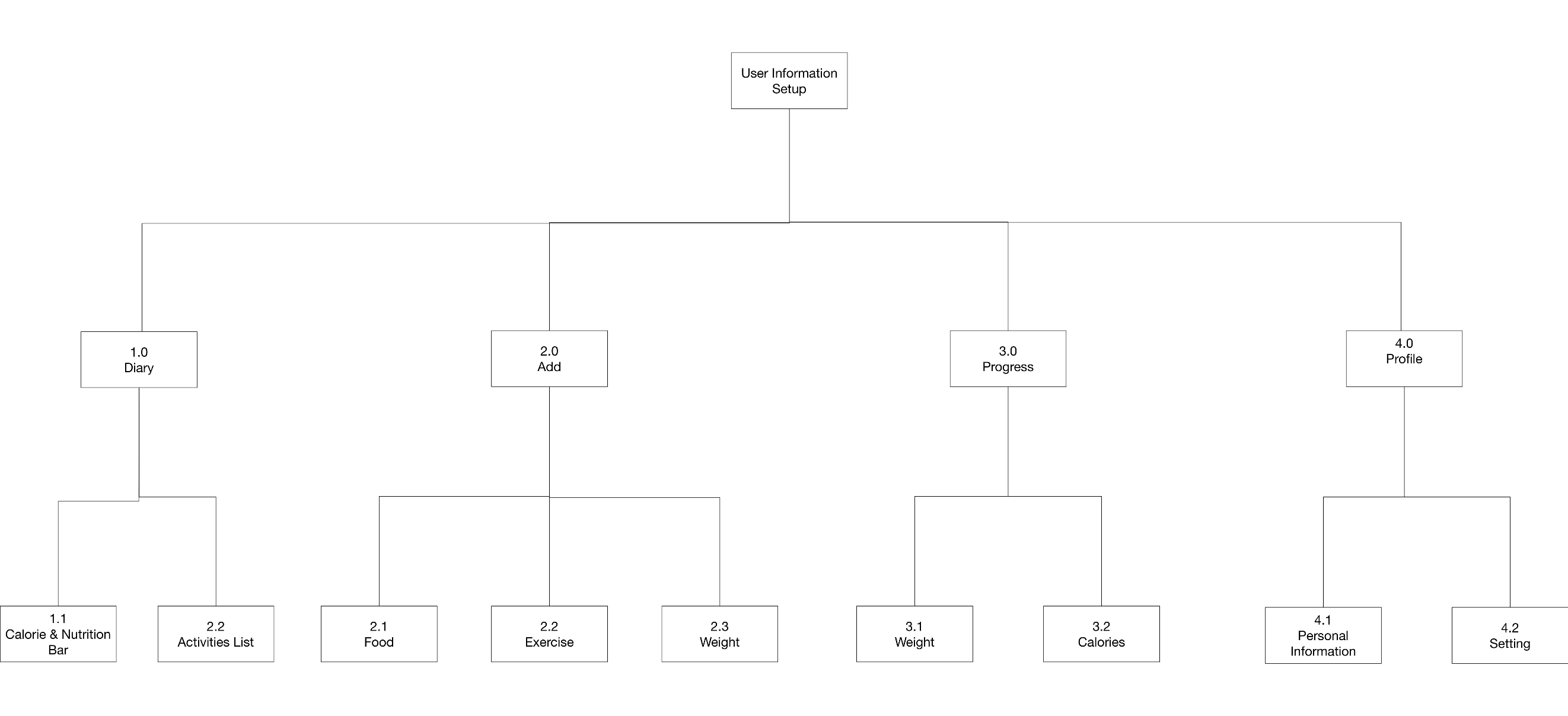
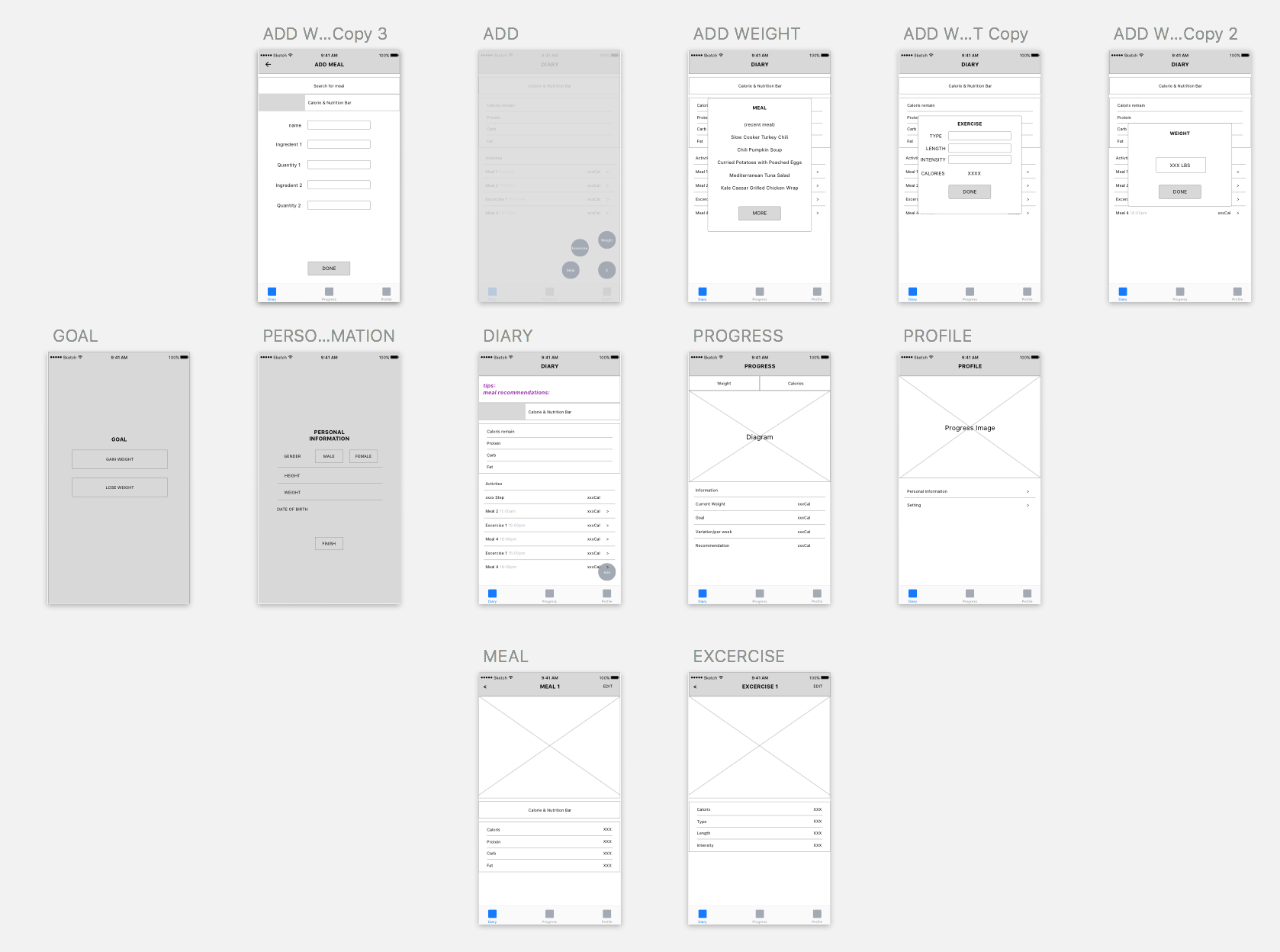
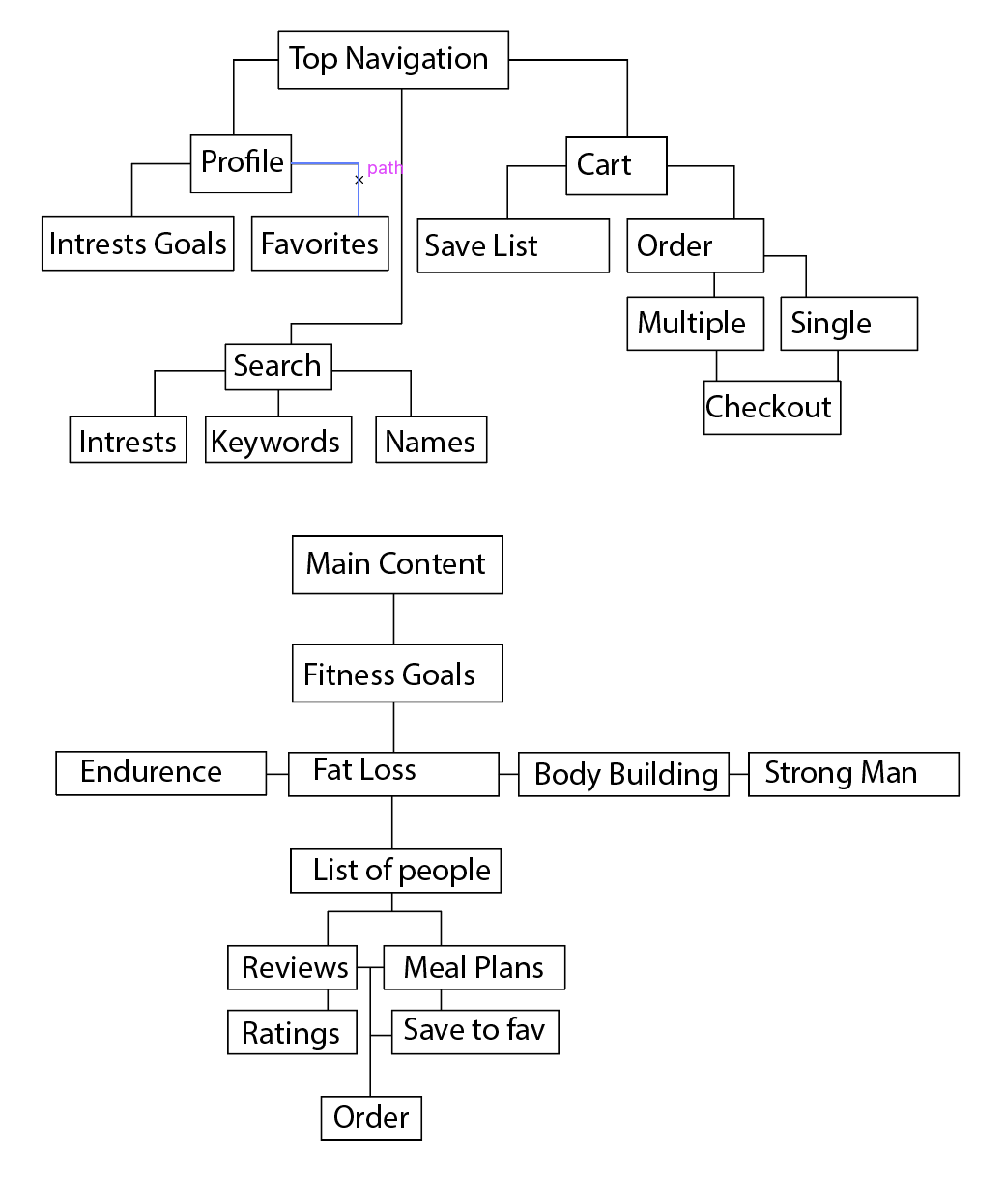
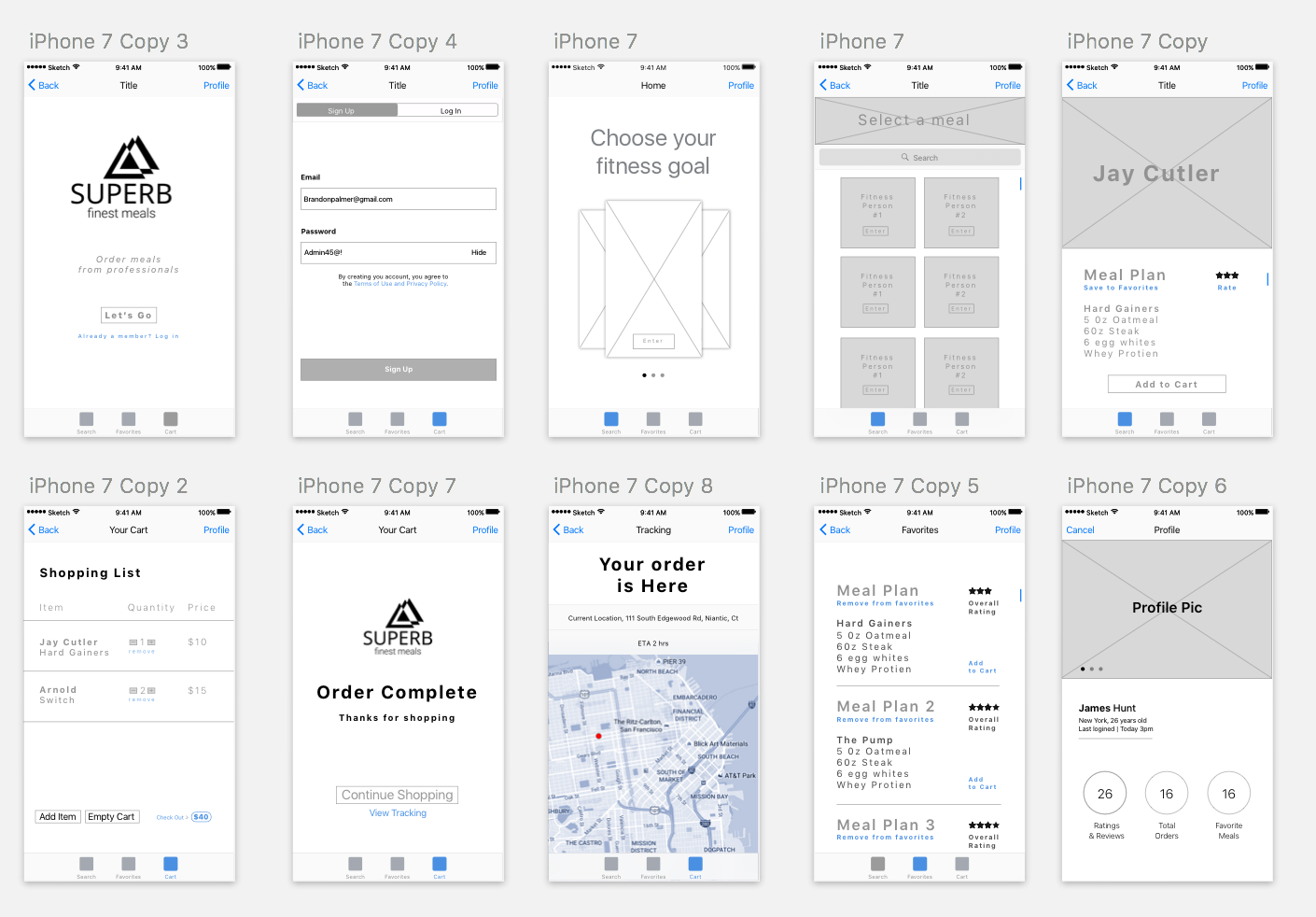
Week 1_Misung Kim

3 things I learned from Apple HIG:
Since I’ve interested in iOS GUI design, I rarely looked up the iOS design HIG in detail and this exercise helped me a lot to find some useful guidelines. Here are some of them that I didn’t know.

01.
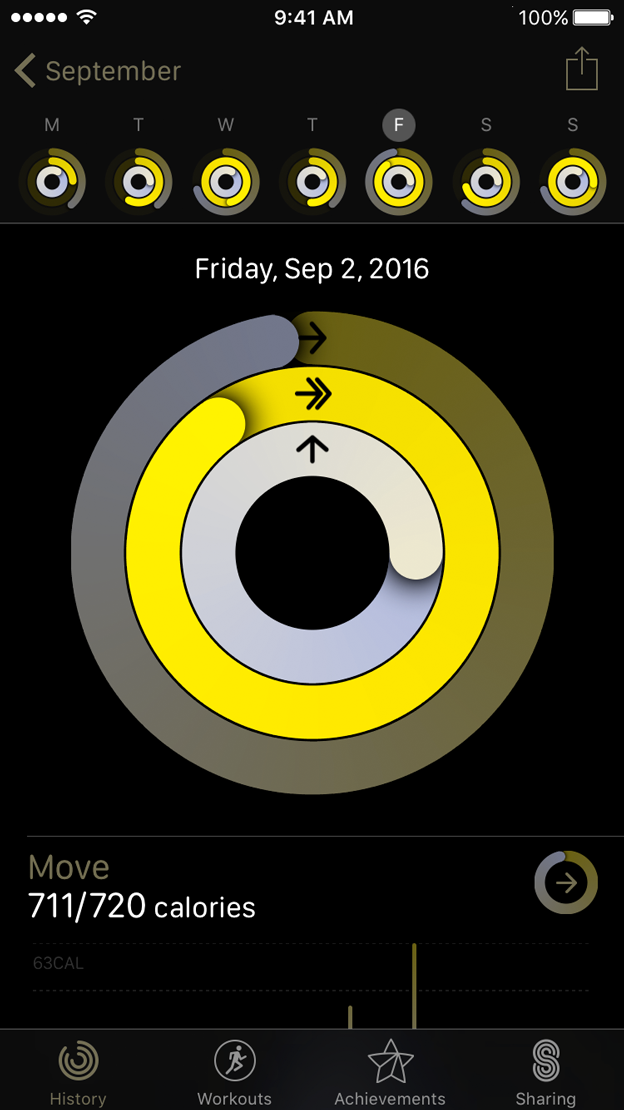
Test your app’s color scheme under a variety of lighting conditions
When testing apps, I used to check visuals as well as functions and usability. However, I did not know that lighting also affects how apps look like and it sounds a bit challenging to figure out how to adjust colors and what are the best choices.

02.
Be aware of colorblindness and how different cultures perceive color
This guideline changed my view toward how to define and signify signs in order to consider people’s various color perception. Normally, I’ve designed apps for people who have no trouble with sights and common sense of viewing colors. However, as I found colorblind people’s pain points, I will keep in mind to contemplate the choice of colors and the way of distinguish values and colors.


03.
Action Sheets:
Provide a Cancel button if it adds clarity.
Make destructive choices prominent.
Avoid enabling scrolling in an action sheet.
As the interface was so natural and intuitive, I have overlooked how it guided people to react to it.
– Destructive or dangerous actions among choices should colored in red
– A cancel button should be at the bottom of the options.
– Regarding to the purpose of action sheets, it should be done promptly. Therefore, it should be designed concisely. (Avoid making it scrolling)

Bio
I am Misung Kim from South Korea. My background is Visual communication design and used to work as a UX/UI designer in Korea. From creating graphic interfaces for smart phones to designing accessible education tools for children or non-korean, I focus on playful and interactive design. I really care about communication between people and creating a harmonious environment and always eager to design user-friendly, and which is easy to access.

Food app Concept

Granny’s hometown homemade food

It is a homemade hometown food
delivery service for people who are away from their hometown and longing for the food there. Users will be matched with a grandma who has lived in a particular region or is able to cook specific local foods.
It meets individual tastes of different people from various regions in the States.

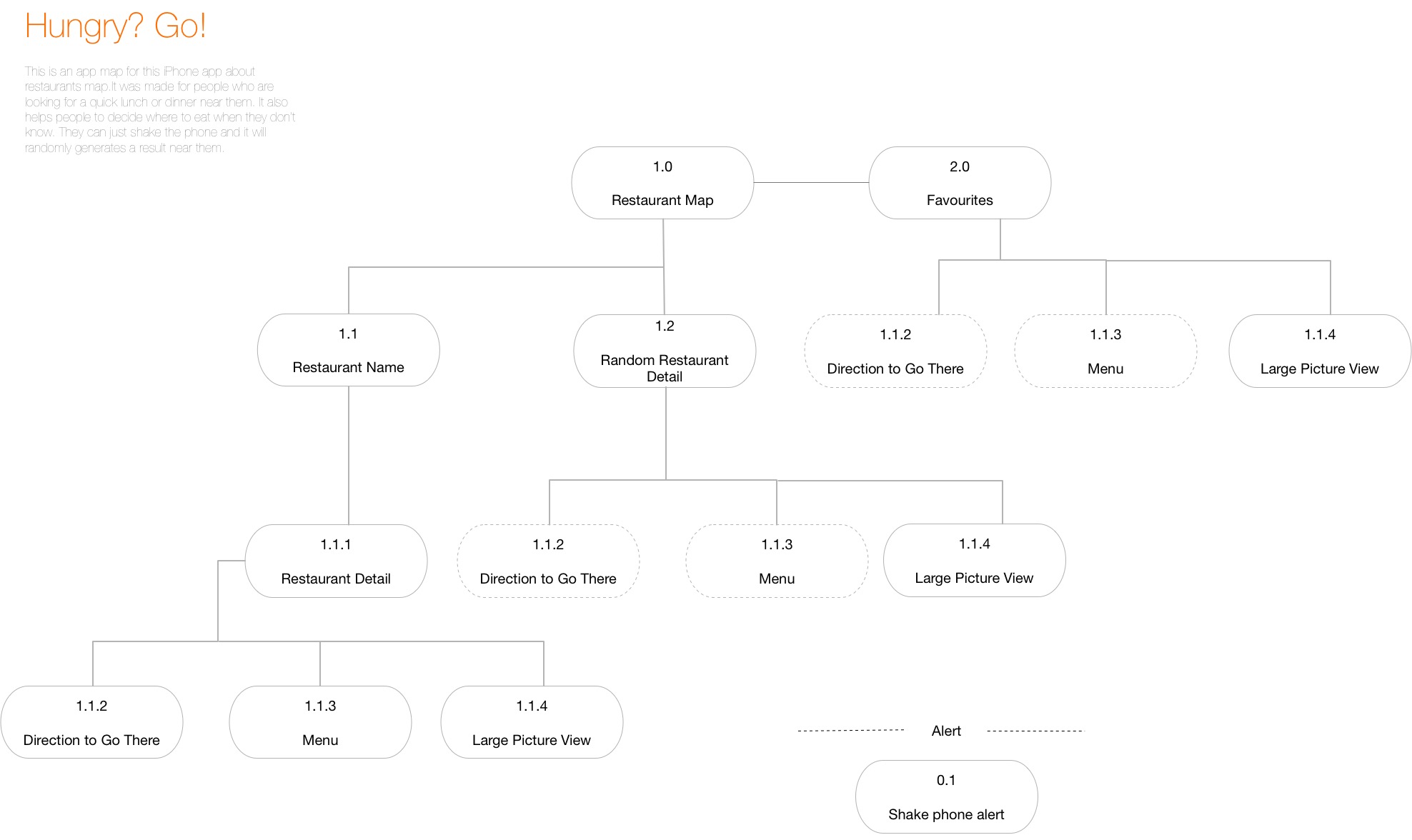
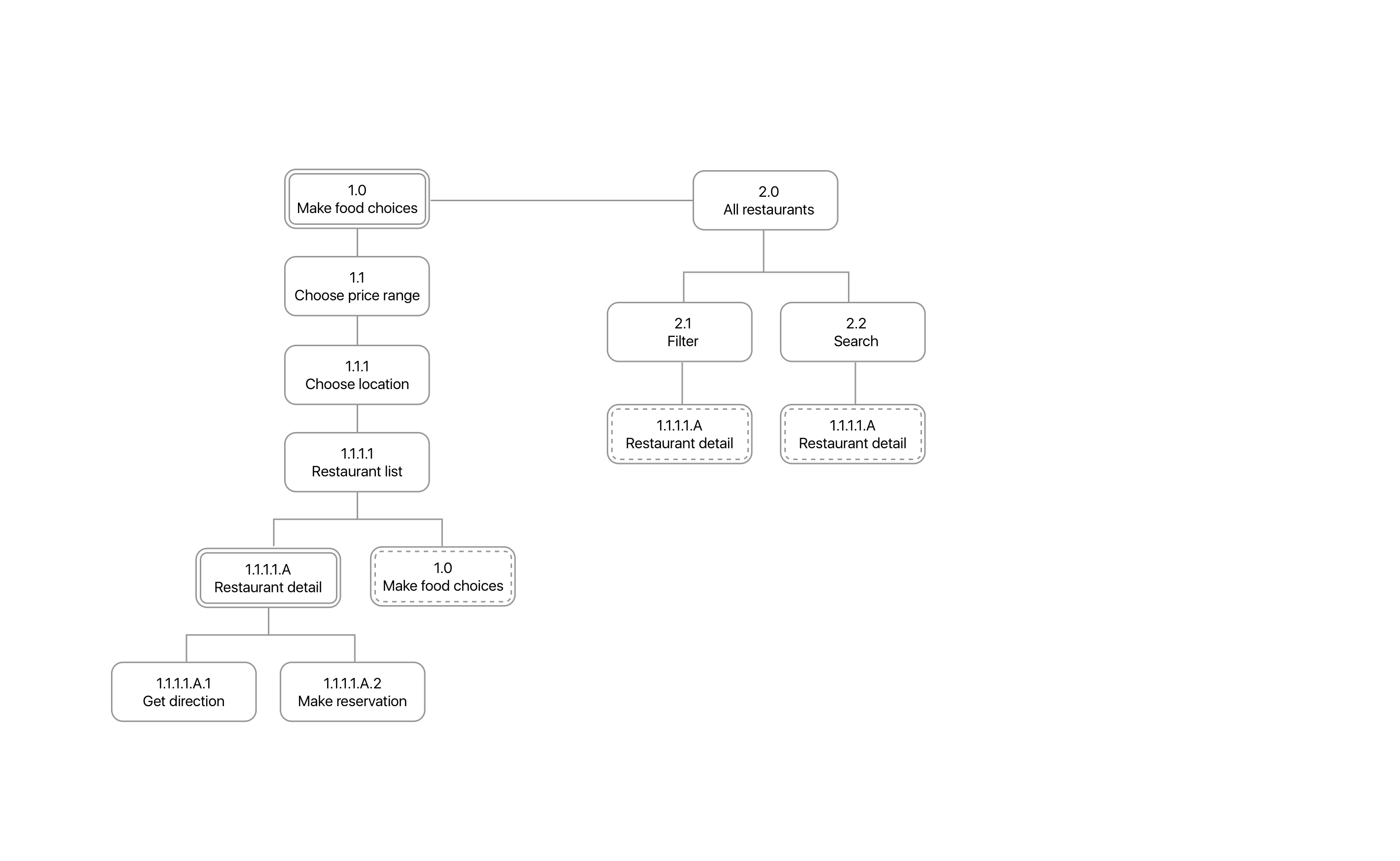
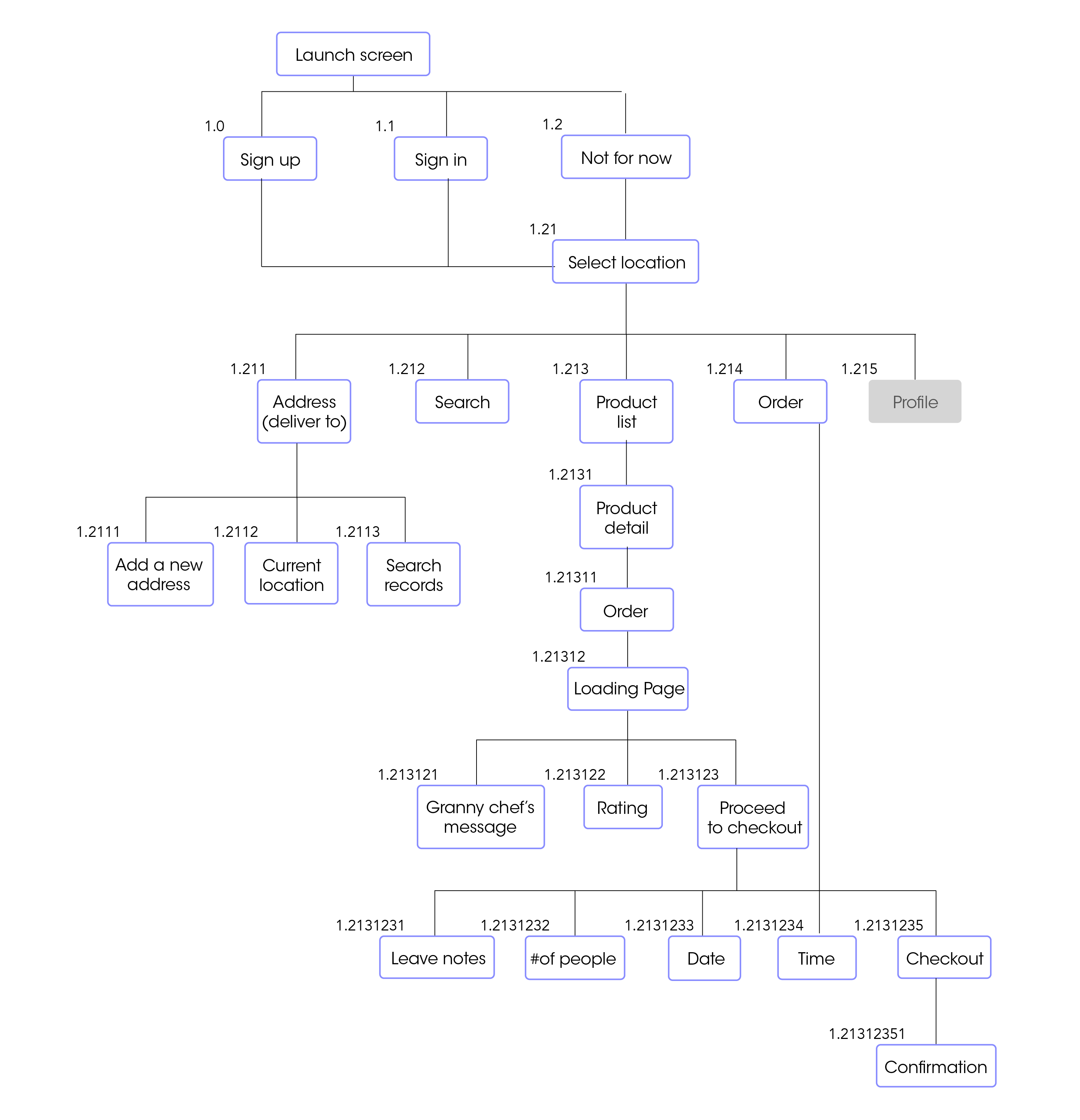
Appmap
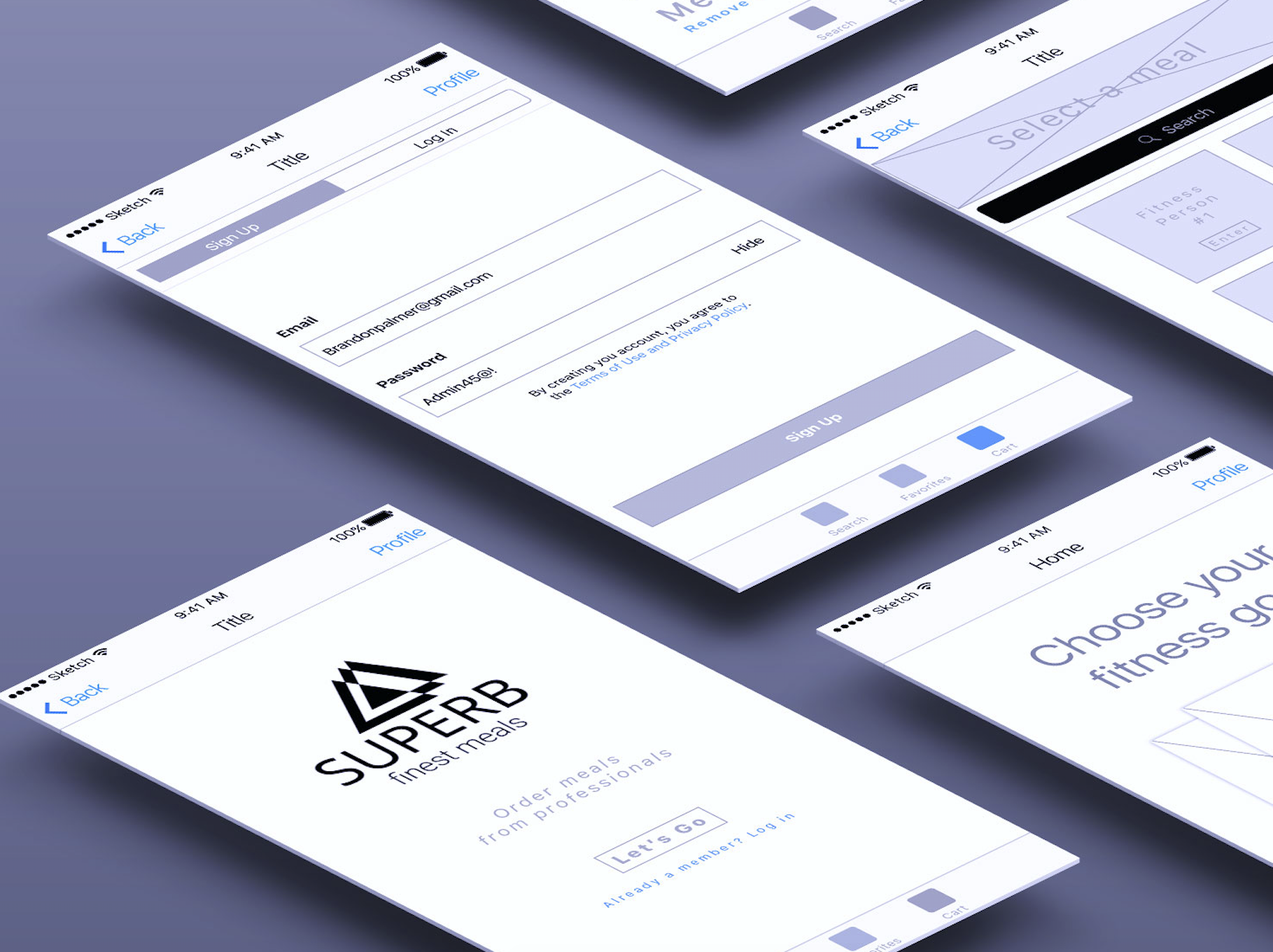
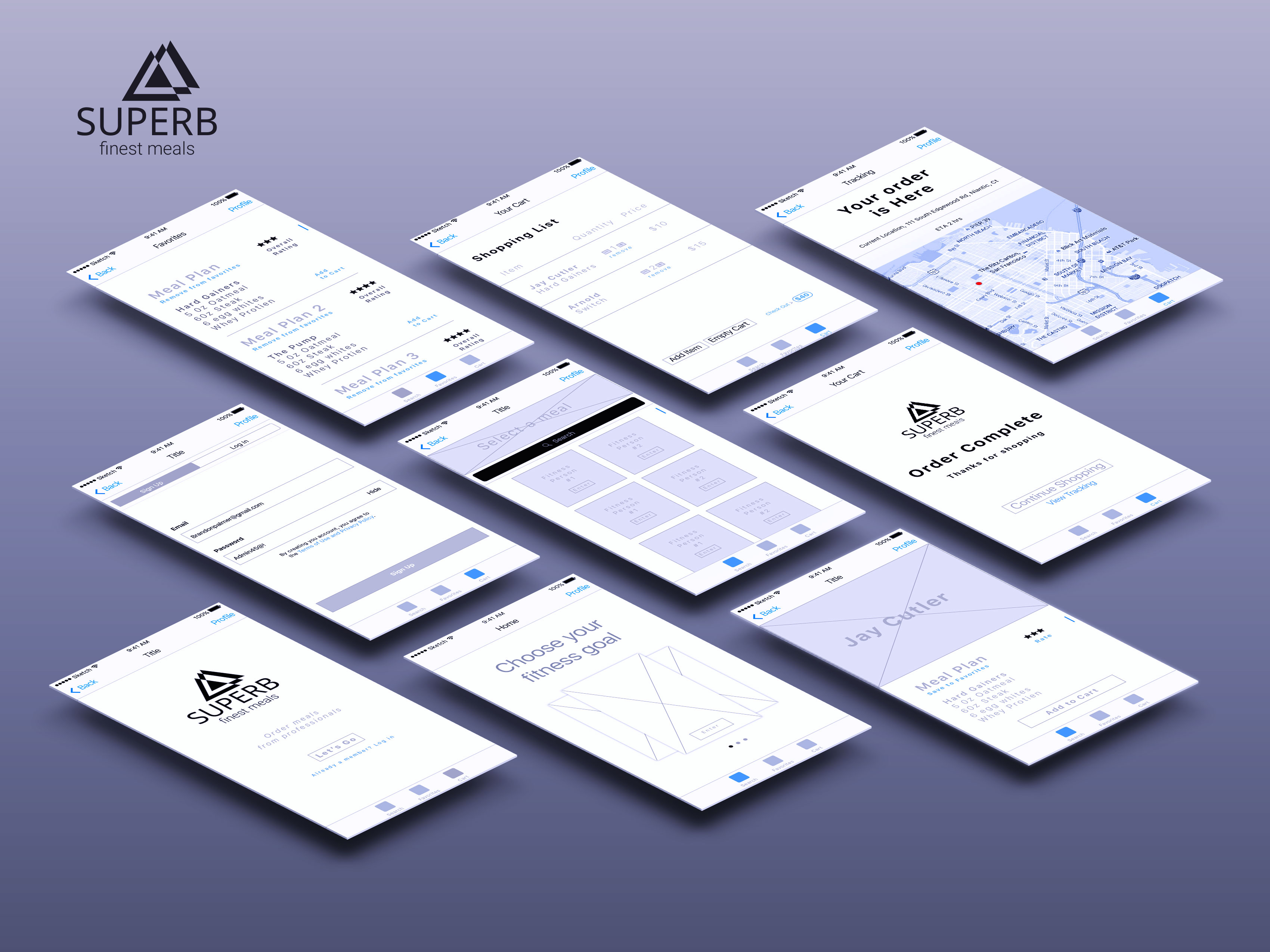
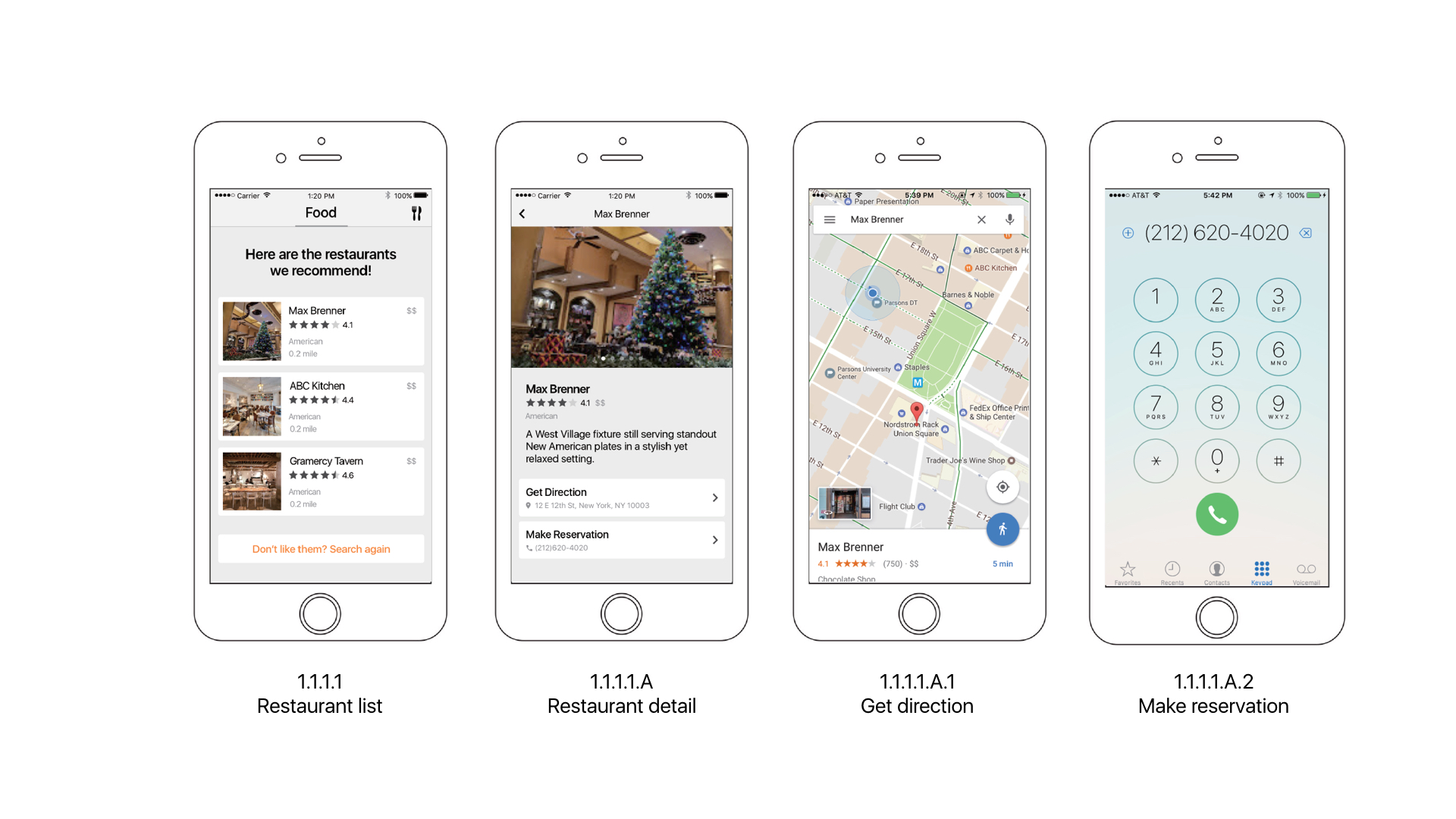
Wireframes
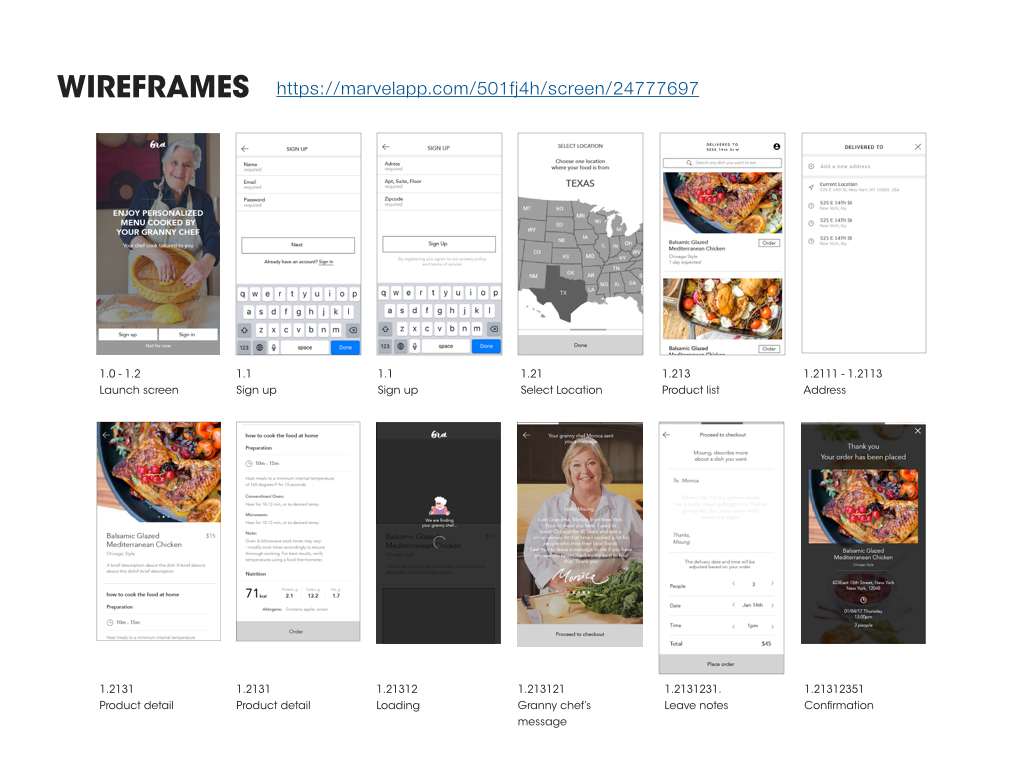
https://marvelapp.com/501fj4h
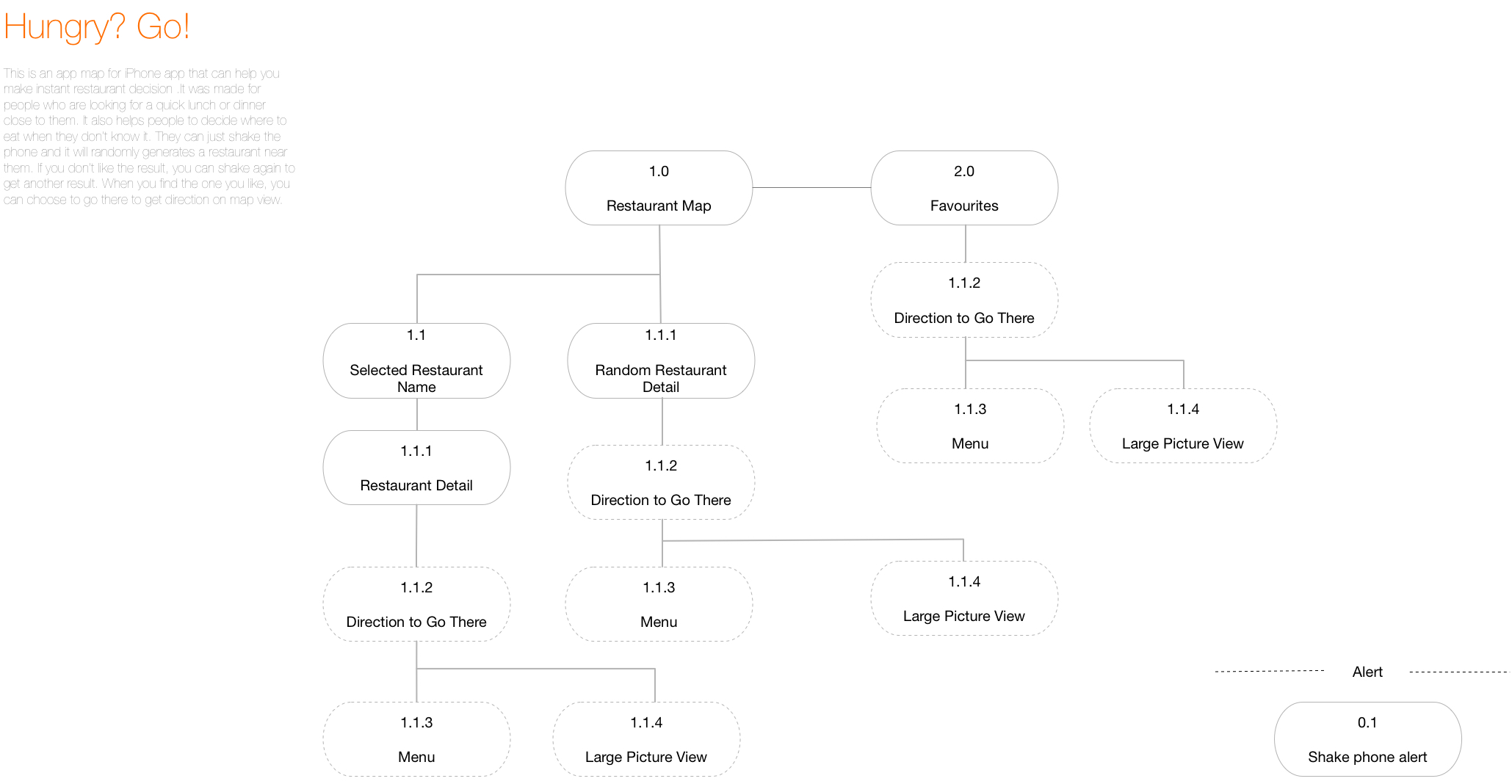
Prototype 2-App Map + Wireframes

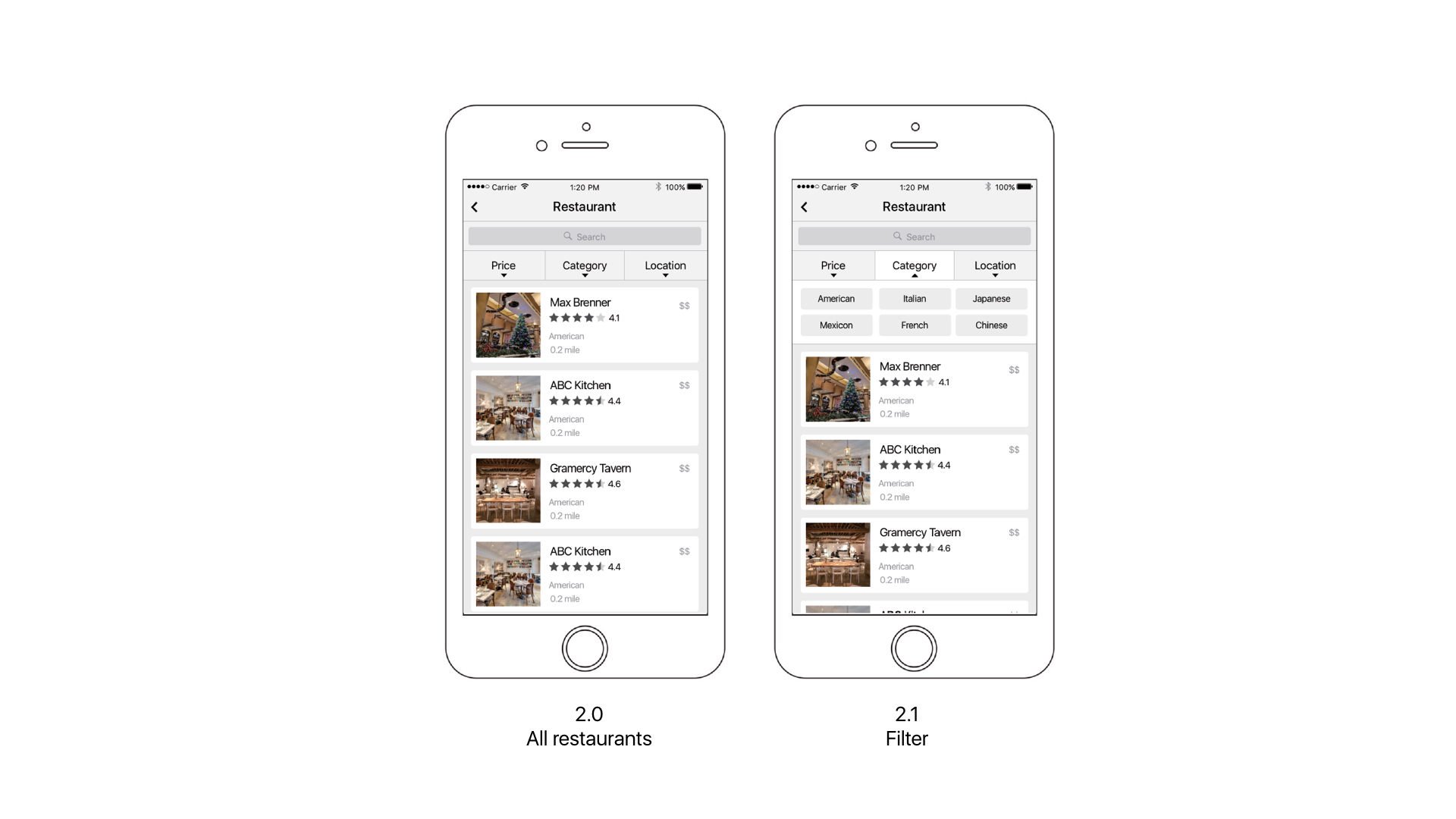
After last week’s user test, I add some icons that will be like filters when the user is trying to find a restaurant.  The tester told me that he still wanted to make some sort of decisions before the app gave a random result.

I also changed the icon for “favorites” because one of the testers told me that he could not understand the star as “saved favorites.”

Another small change is that I add the white block under “Hungry?” to separate the text and the map so that it’s more readable.

I also add the back button on restaurant detail page and make it full page. Before, I was afraid that detail page separate from the map, so I make it like a pop up window upon the map, but after user test, I was told that a whole full screen view will be better.


Shenxun Wang week 1

3 things you didn’t know from the Apple HIG 

  1. live photos(2.1.3)—the interaction way of live photo is pressing.
  2. Audio(2.3)—music will not be disrupted after plug in the earphone, but music will be stopped after you plug out the earphone.
  3. Typography(4.5)—SF UI TEXT is for the size under 19p, and SF UI Display is for the size beyond 20p.

Bio

Shenxun Wang is a designer, technologist, and maker who uses design & technology to enhance our social relationships and physical surroundings. He is a master candidate of Design and Technology in Parsons School of Design. He has a combined experience of sports technology, UI/UX design and design strategy. He is interested in design leadership, making a social impact and creating business profit by using sophisticated design products.

APP MAP


WIREFRAME

Week 1-Self Intro+3 Things+Wireframes

A bit about me:

I’m Yue Guan, a MFA DT first-year student. I come from China, and I graduated from Boston University last year. My background is mass communication studies and visual arts. I’m interested in interactive design, media studies and speculative design. I love pixel game apps (like eBoy FixPix) and food apps!

My selfie:

https://drive.google.com/open?id=0B9XNWpugKw9dOTZNZVpWS0N2Szg


Three things I learned from Apple HIG:

1: “Apps respond to gestures, not clicks”

Click does sound like we are still on a web page, and the truth is that a touch screen can do so much more than a “click.” These gestures include tap, drag, flick, swipe and shake. Now with force touch, we can also use hard tap.

2: “Onscreen user help is minimal”

Users would not spend much time on reading tutorials about how to use this app.

3: “Always have a reason for customization”

We need to let the task drive customization decisions. Too much useless customization will cause a headache.

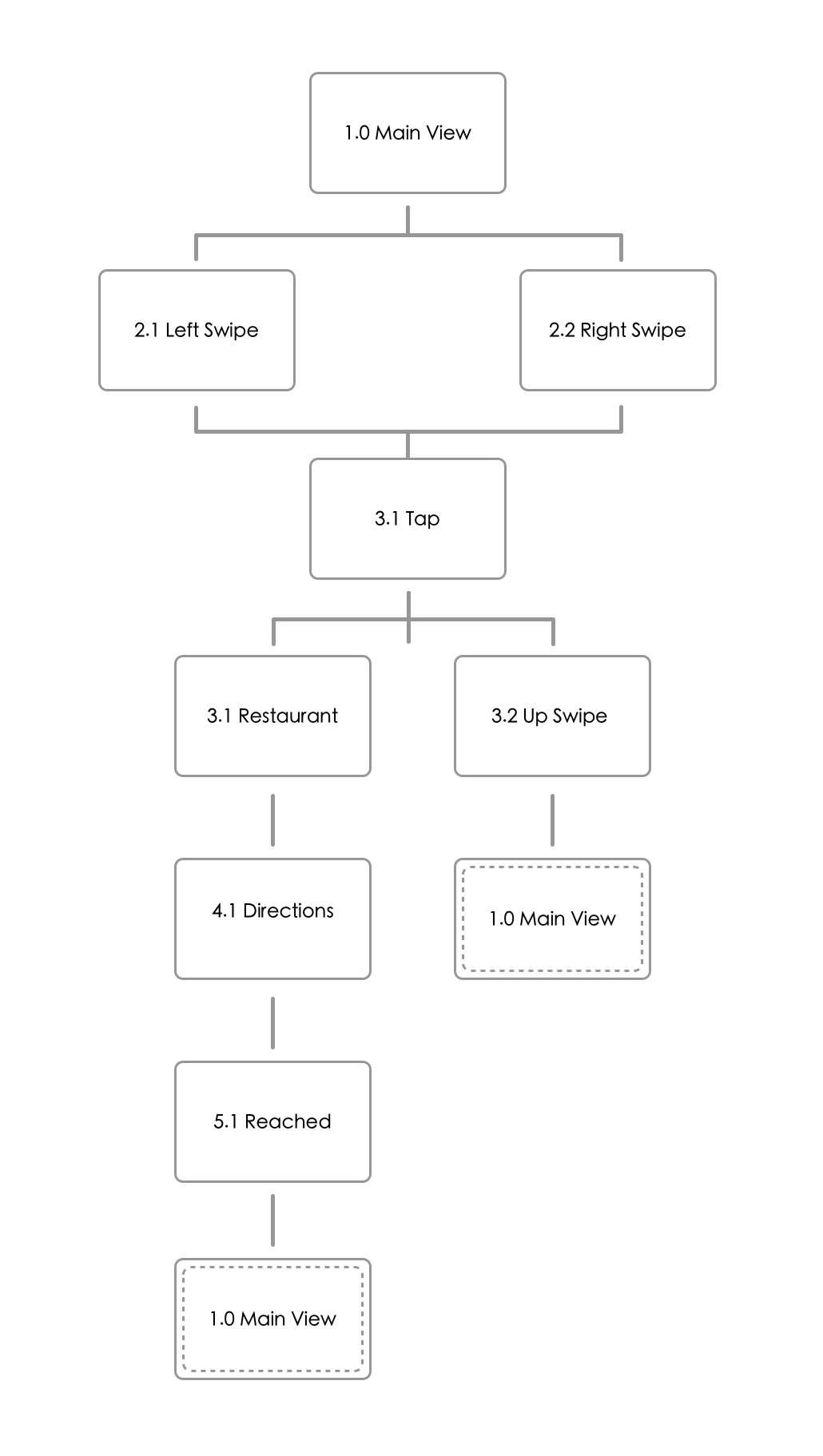
My first week app map:


My first week wireframes:


Prototype II

Based on the feedback from last week, several classmates suggested to reconsider the way in which cards are presented in the main view. In the second prototype, I took one of the suggestions to provide the user an overview of the previous and next card so the user can intuitively understand that he/she must slide in order to view the list.

Because of the nature of my app, I decided to not include as much text as possible. Therefore, I used icons to give the user a hint onto what to do to view details of the card. Again, the same method was employed in the detailed restaurant card. The user can now click either the X icon to go back or the Heart icon to continue to the address view.

The feedback on the address view was that the direction rose was a confusing way to indicate address. Many users believed that despite being drunk, they would still be able to follow directions given in Google Map form. Therefore, I chose to replace the screen with Google Map. If the user were to not be able to read things clearly, he/she can still tap the Microphone button to hear audio instructions.

zhant293_prototype_ii

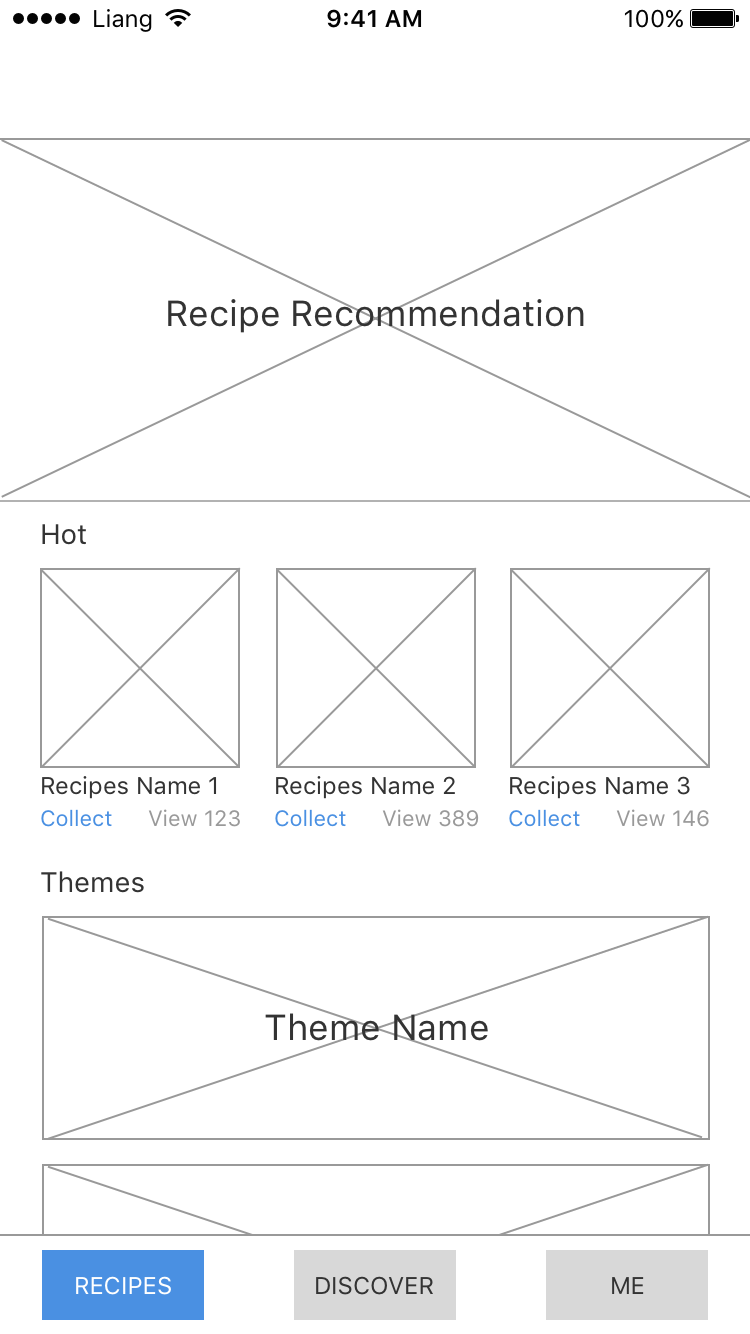
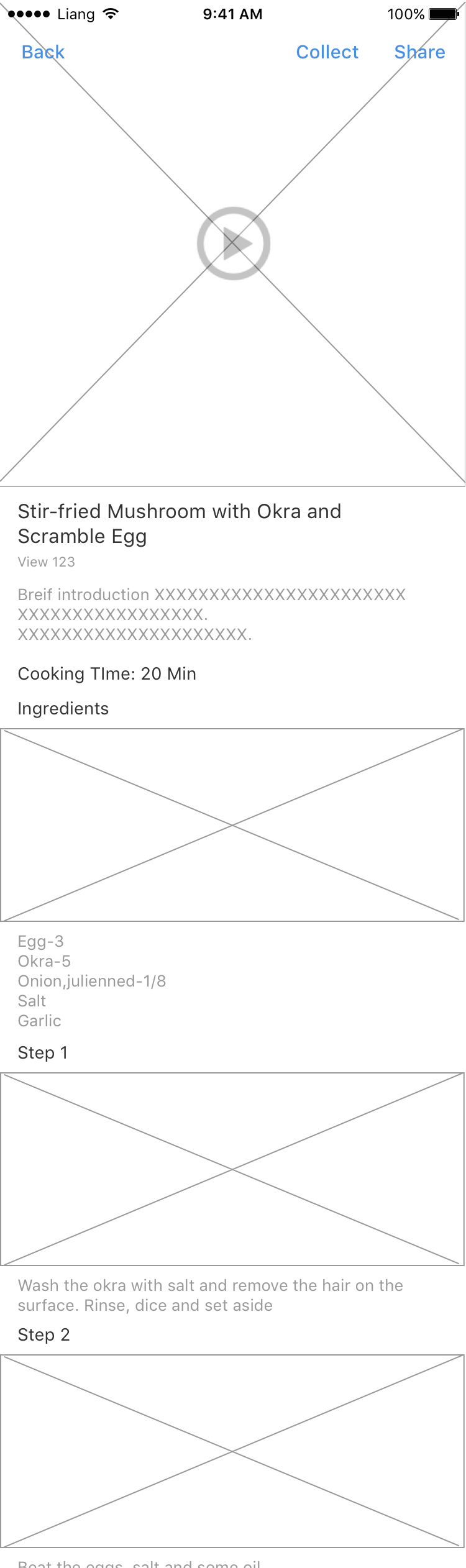
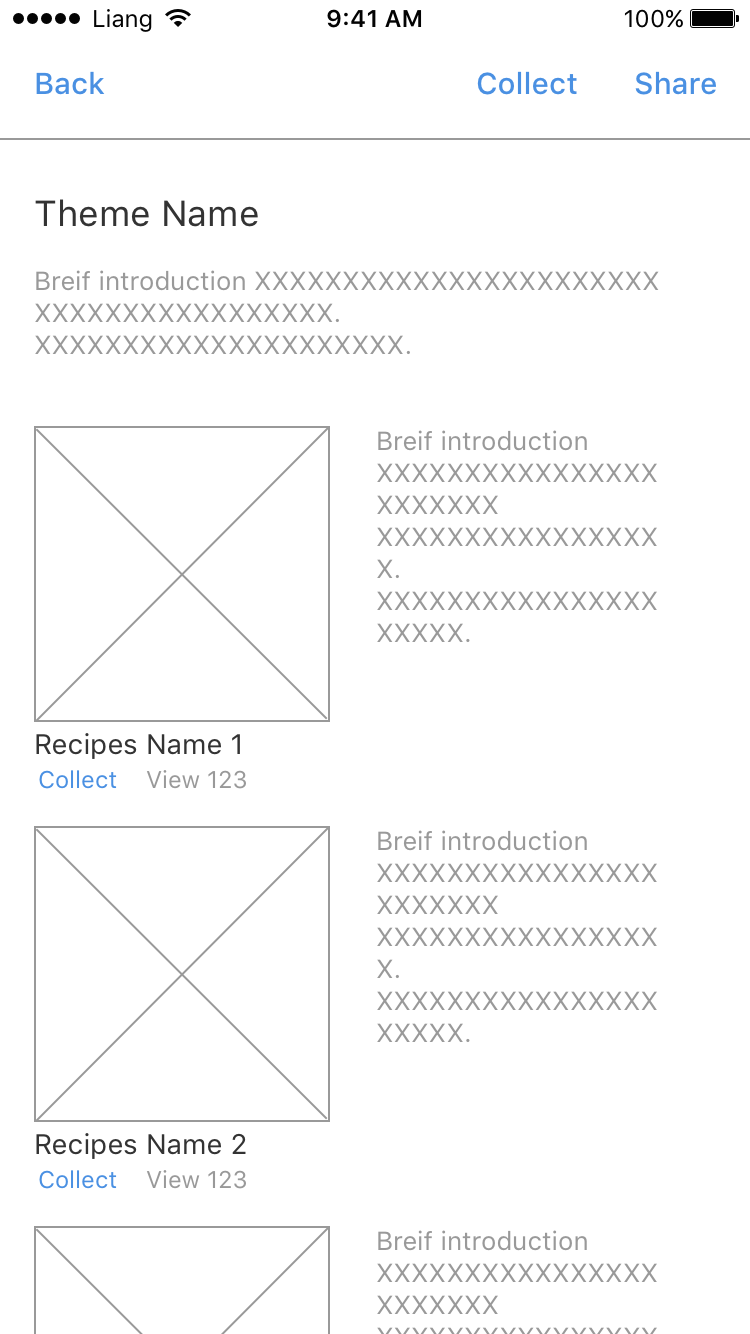
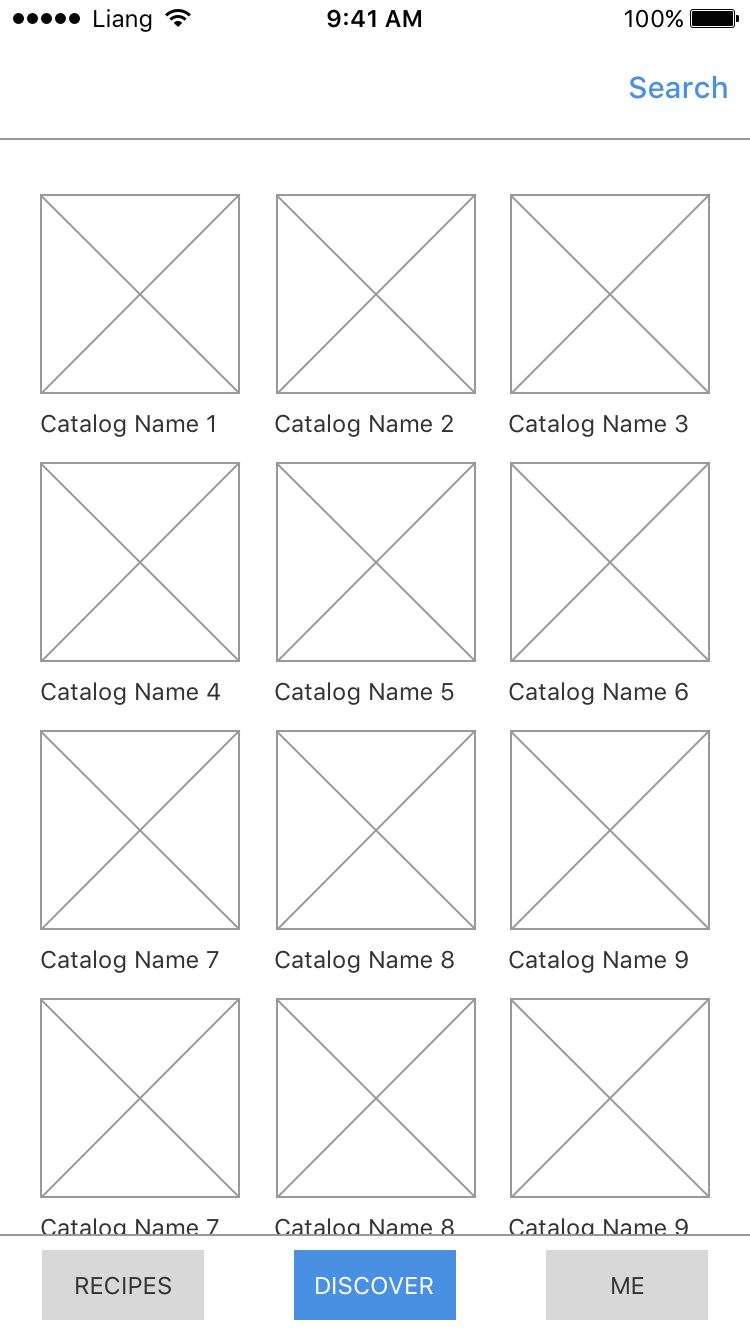
Week1_Liang

3 things I learned from Apple HIG:

Adjust levels automatically when necessary, but not the overall volume. Your app can adjust relative, independent volume levels to achieve a great mix of audio. However, the final output should always be governed by the system volume.

Explain the benefits of authentication and how to sign up for your service. If your app requires authentication, display a brief, friendly explanation on the login screen that describes the reasons for the requirement and its benefits. Also, remember that not everyone using your app has an account from the start. Make sure you explain how to get one, or provide a simple in-app way to sign up.

Briefly and precisely describe the operation to be undone or redone. The undo and redo alert title automatically includes a prefix of “Undo ” or “Redo ” (including the trailing space). You need to provide an additional word or two that describe what’s being undone or redone, to appear after this prefix. For example, you might create alert titles such as “Undo Name” or “Redo Address Change.”

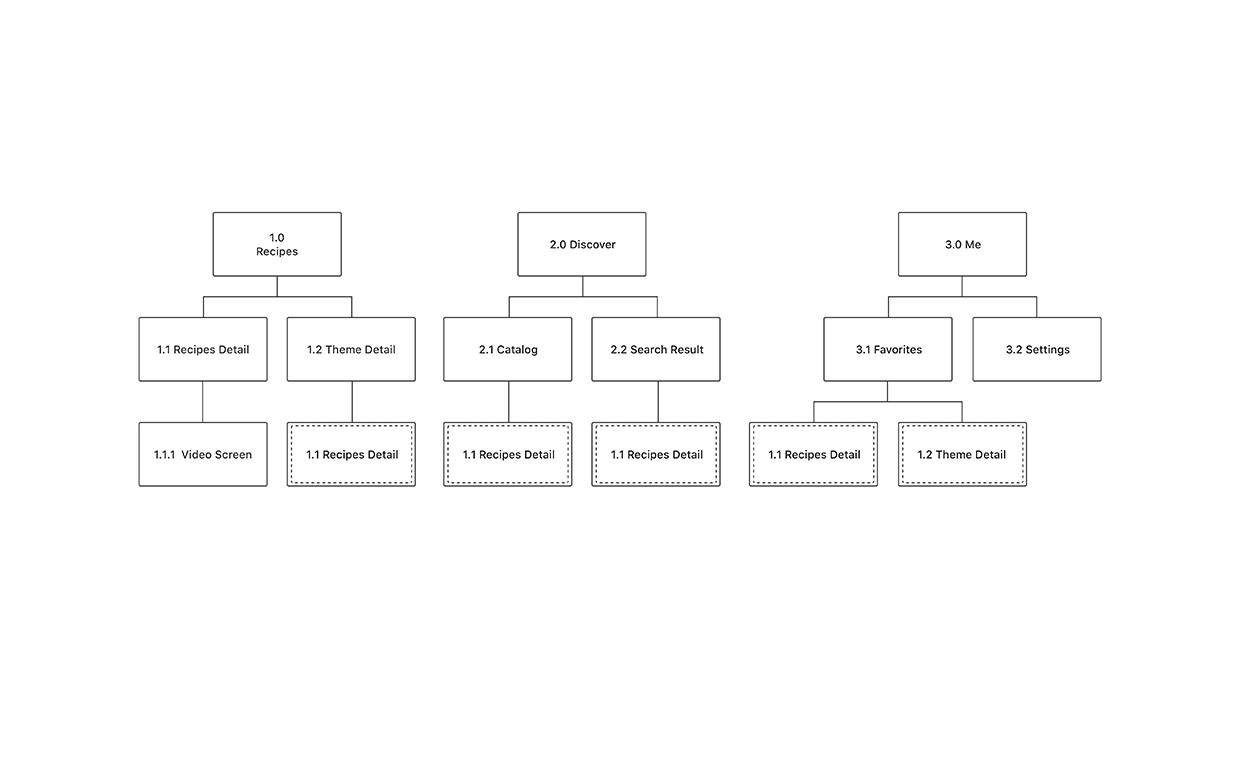
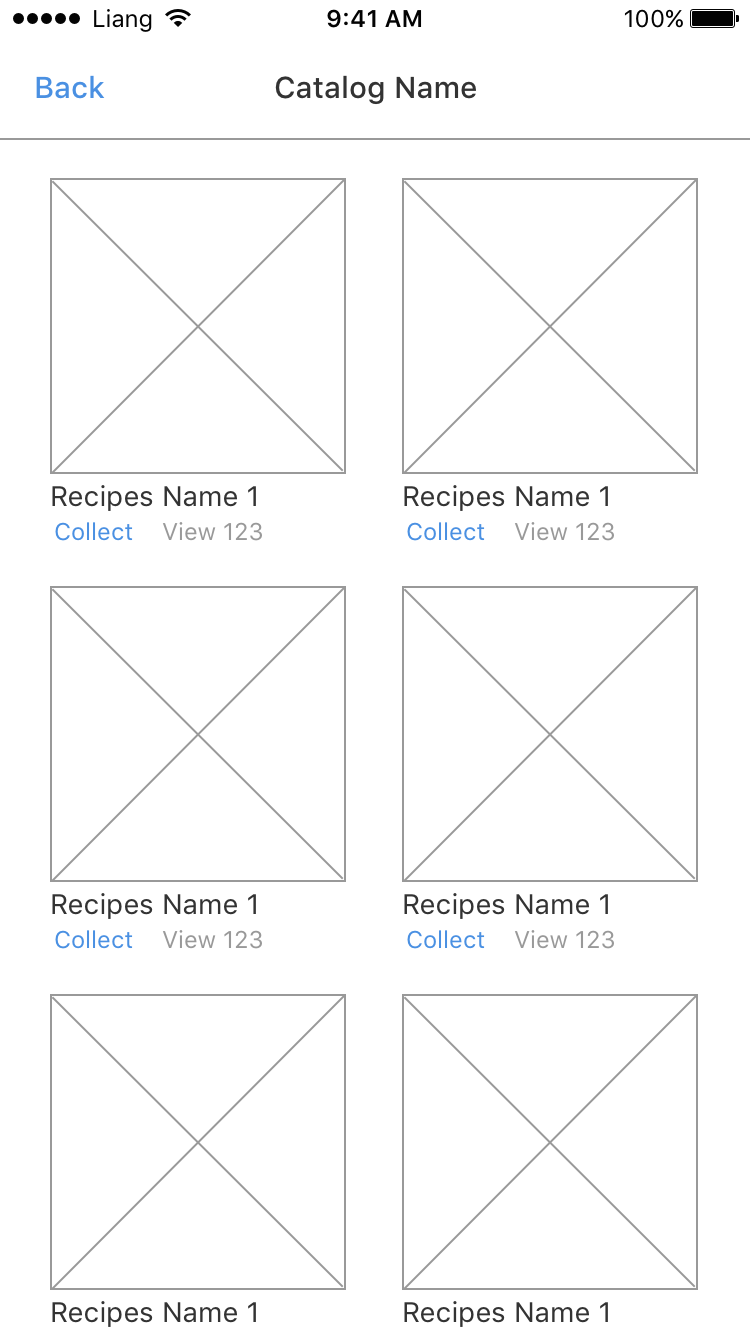
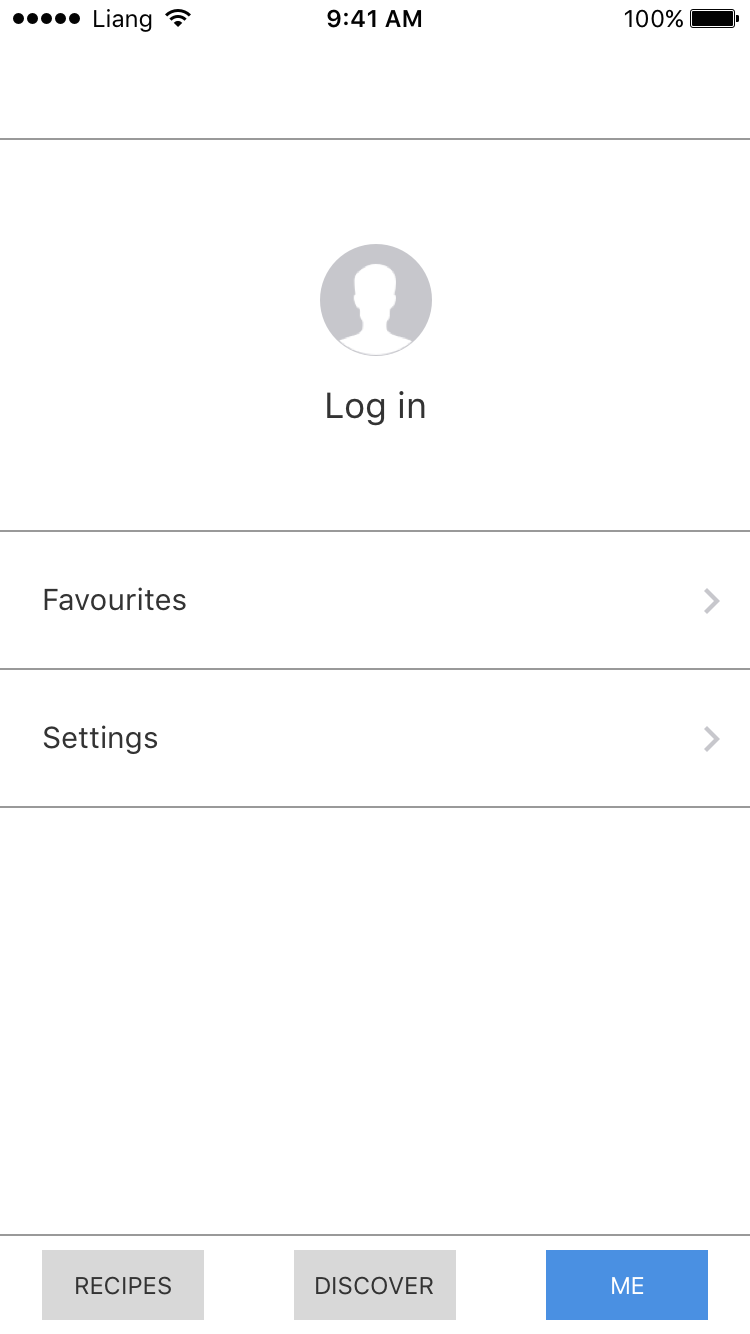
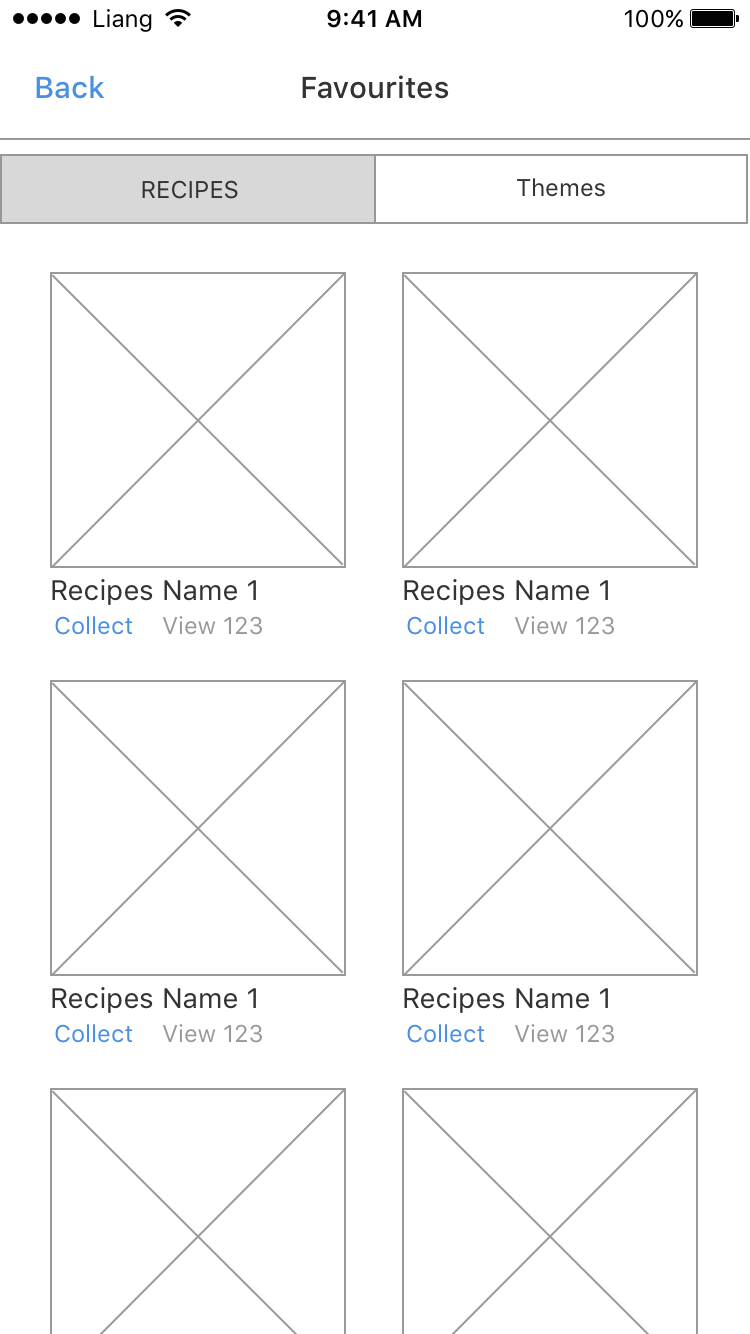
APP Map:


Wireframes:

1.0

1.1

1.2

2.0

2.1

3.0

3.1


3 things I learn from the Apple HIG

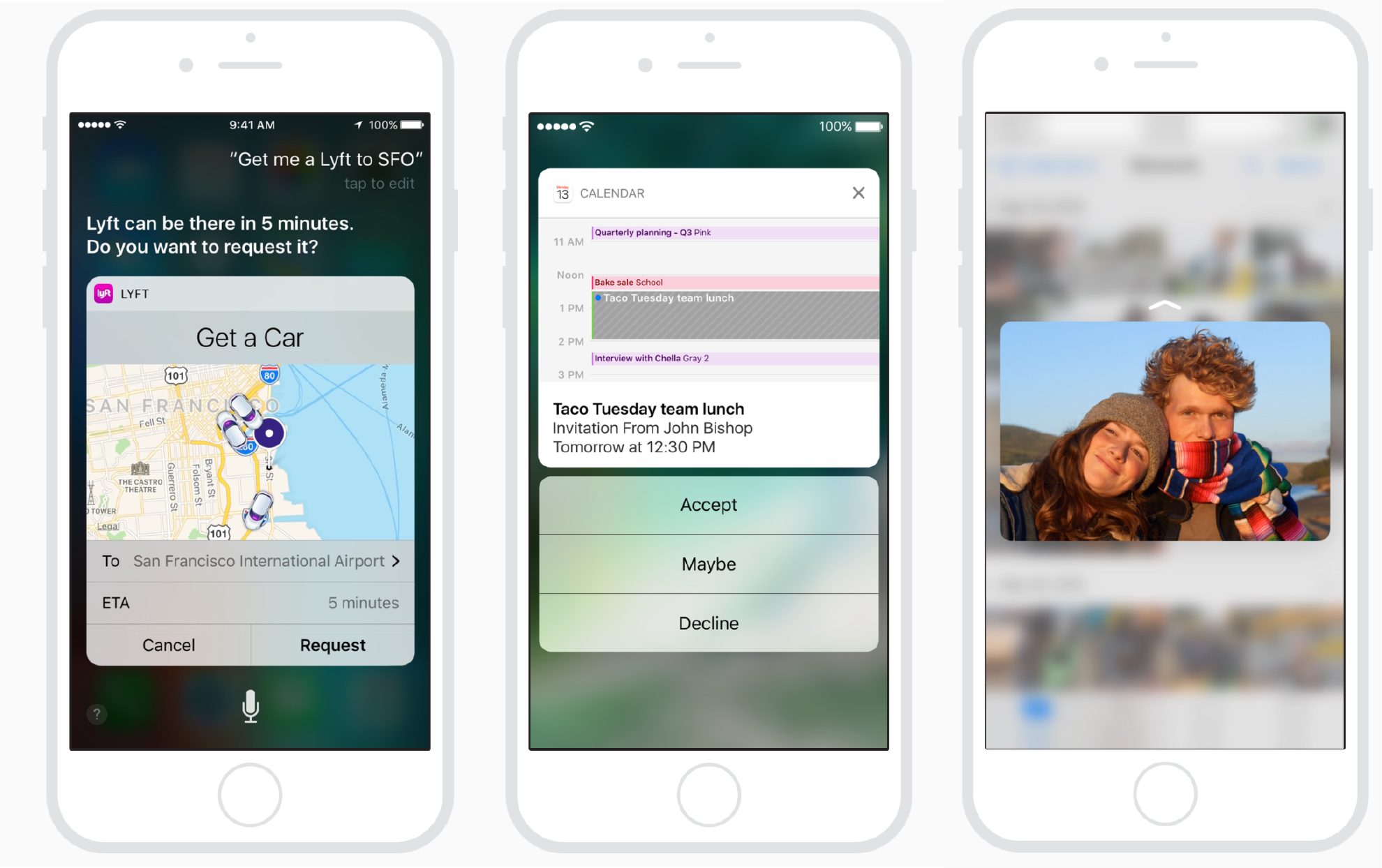
1. Integration with Siri

Apps can integrate with Siri and let people use their voice to perform specific types of app-specific actions, such as making calls, sending messages, and starting workouts.

2. Expanded Notifications

You can enhance notifications with an expanded detail view that opens when people use 3D Touch to press your notification or swipe your notification down on an unlocked device. Use this view to give people quick access to more information about a notification and the ability to take immediate action without leaving their current context.

3. Peek and Pop

A peek lets people use 3D Touch to preview an item, such as a page, link, or file, in a view that appears temporarily above the current context. To peek at an item that supports this functionality, apply a little pressure to the item with your finger. Simply lift your finger to exit the peek. To open the item and see more detail, press a little harder until the item pops and fills the screen. In some peek views, you can swipe up to reveal related action buttons. For example, while peeking at a link in Safari, you can swipe up to reveal buttons for opening the link in the background, adding the link to your reading list, and copying the link.

Assignment I

Apple HIGG:

  1. Testing icons against different backgrounds
  2. Temporality hiding navigation bar to display full contents
  3. Make sure your interface works with a double-high status bar

Bio:

I was born in Guangzhou, China. At the age of 3 (or 2.5?), my parents and I moved to Iquique, Chile. I’ve lived there ever since, and consider Chile my home. In 2011, I came to New York to study Computer Science and Economics at Fordham University. I also spent a lot of time studying Theology, Philosophy and Medieval History to satisfy my school’s requirements (if you need a tour guide for the Cloisters, call me up!). After graduating, I worked as a UI/UX designer for DeepIntent and NYHRE. I am not familiar with many UI/UX terminologies and functionalities, which is why I am taking this course. My other interests include Physical Computing and Web Development (and Japanese food).

App Map:


Wireframe:

wireframe_tong

#thursdayapp

Love You To Bits

This iPhone game tells the story of a boy going out to space in search of his girlfriend. The visuals of this game are beautiful and the contrasting color between each screen are inspiring and relaxing to look at. Moreover, each world within the game contain different visuals that make the game less repetitive and makes the story more immersive.

http://loveyoutobitsgame.com